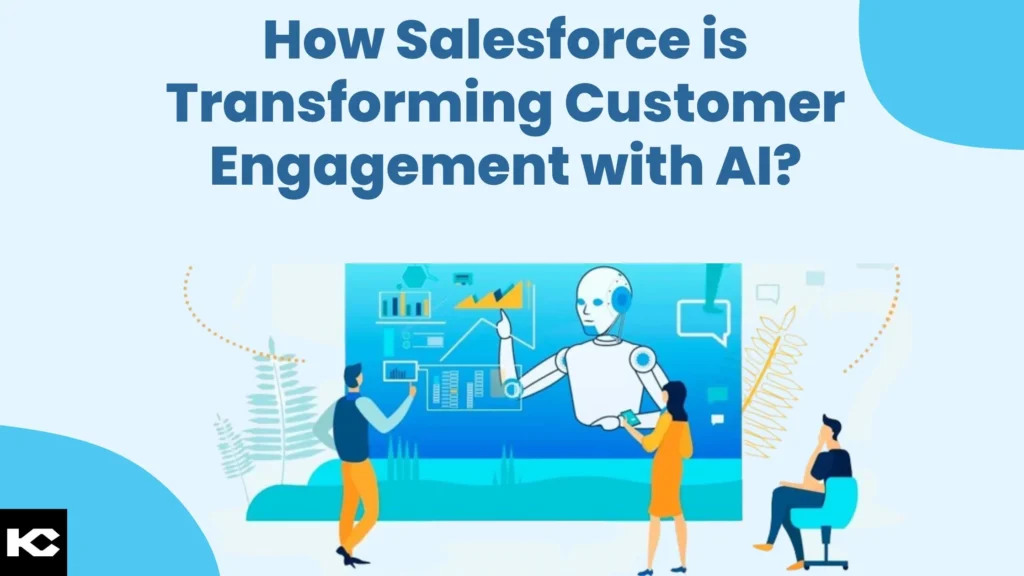
How Salesforce is Transforming Customer Engagement with AI?
⏱ 9 min read
Salesforce AI customer engagement is the practice of using Salesforce’s native AI stack – Agentforce, Einstein AI, Einstein Copilot, and Data Cloud – to personalize interactions, predict customer needs, and automate service and sales work across the Customer 360 platform. Instead of agents copying data between systems and guessing at intent, unified customer data drives real-time decisions, and autonomous agents execute the follow-up actions on their own.
Customer expectations shifted faster than most CRM stacks could keep up. Buyers expect a company to already know their order history, their support tickets, and their preferences the moment they reach out – on any channel, at any hour. Meeting that bar with spreadsheets, disconnected clouds, and manual handoffs is no longer realistic. That gap is exactly what Salesforce AI was built to close.
This guide breaks down what Salesforce AI customer engagement actually means in 2026, how Agentforce, Einstein AI, and Data Cloud work together, where the technology delivers measurable ROI, and how to plan an implementation that does not stall in a pilot phase. It is written for revenue, service, and IT leaders evaluating whether – and how – to bring autonomous AI agents into their Salesforce org.
Key Takeaways
- Salesforce AI customer engagement combines Agentforce, Einstein AI, and Data Cloud on top of a unified Customer 360 record.
- Agentforce runs autonomous agents that take action – resolving cases and updating records – not just generating text.
- Data Cloud is the prerequisite most implementations skip, and the main reason AI projects underperform.
- Real-time personalization and predictive service routing produce the fastest, most measurable ROI.
- A phased rollout – pilot, expand, scale – consistently outperforms a single big-bang deployment.
What Is Customer Engagement?
Customer engagement is the sum of every interaction a customer has with a brand across marketing, sales, commerce, and support – and how relevant, timely, and consistent those interactions feel. Strong engagement is not measured by contact volume; it is measured by whether each touchpoint moves the relationship forward instead of forcing the customer to repeat themselves.
Historically, customer engagement was managed cloud by cloud: a marketing team ran campaigns from one system, sales tracked pipeline in another, and support logged tickets in a third. Each team had a partial view of the customer, so engagement was inconsistent by design. AI-driven customer engagement platforms solve this by feeding every interaction into a single customer profile, then using that profile to decide what happens next – which offer to show, which case to prioritize, which channel to use.
What Is Salesforce AI?
Salesforce AI is the umbrella term for the artificial intelligence capabilities built natively into the Salesforce platform, including predictive AI, generative AI, and autonomous AI agents. Rather than bolting a third-party AI tool onto the CRM, Salesforce AI runs directly on top of live CRM data, so recommendations and actions are grounded in real records instead of static training data.
The stack spans three layers. Einstein AI supplies predictive scoring, forecasting, and recommendations. Einstein Copilot and generative tools like Prompt Builder and Model Builder add conversational and content-generation capability. Agentforce sits on top as the execution layer, running autonomous agents that can read data, make decisions within defined guardrails, and complete multi-step actions without a human triggering every step.
What distinguishes Salesforce AI from a generic AI add-on is grounding. A model that is not connected to real customer data can produce plausible-sounding but wrong answers – the wrong order number, the wrong policy detail. Because Salesforce AI reads directly from live CRM records through Data Cloud, every prediction and every action an agent takes is checked against the same data a human rep would see, which is what makes autonomous execution safe enough to deploy against real customers rather than only internal use cases.
i
Did You Know? Agentforce agents can be configured to hand off to a human at any confidence threshold, so autonomy is a dial – not an all-or-nothing switch.
How AI Is Transforming Customer Engagement
The shift is structural, not cosmetic. Three changes define how AI customer engagement now works inside Salesforce:
Unified Data
Data Cloud replaces silos
Every cloud – Sales, Service, Marketing, Commerce – reads and writes to one harmonized customer profile.
Predictive Timing
Einstein AI forecasts intent
Propensity and next-best-action models flag the right moment to reach out, before the customer asks.
Autonomous Action
Agentforce closes the loop
Agents resolve cases, update records, and trigger workflows without waiting for a rep to act.
Put together, these three shifts mean a customer engagement platform stops being a system of record that people check, and becomes a system that acts – routing a frustrated customer to a senior rep before they escalate, or triggering a win-back offer the moment churn risk crosses a threshold.
Why Traditional CRM Is No Longer Enough
A traditional CRM is a system of record: it stores contacts, deals, and cases, and it waits for a human to open a record and decide what to do. That model breaks down at scale, because the volume of interactions across email, chat, phone, and social now exceeds what any human team can personally review in real time.
The practical symptom shows up as backlog. Support queues grow faster than headcount, sales reps spend more time logging activity than selling, and marketing sends the same campaign to everyone because building a hundred individual variants by hand is not realistic. None of that is a people problem – it is a structural limit of a system built to store information rather than act on it. Salesforce AI customer engagement addresses the structural limit directly, by giving the platform enough context and enough autonomy to act on routine work itself.
| Dimension | Traditional CRM | Salesforce AI Customer Engagement |
|---|---|---|
| Data view | Fragmented across clouds and spreadsheets. | Unified in real time through Data Cloud and Customer 360. |
| Response model | Reactive – a human opens the record after the customer reaches out. | Predictive and proactive – Einstein AI flags intent before contact. |
| Personalization | Manual segmentation, static rules. | Real-time, individual-level personalization at every touchpoint. |
| Case resolution | Every case requires a human to triage and act. | Agentforce resolves routine cases autonomously; humans handle exceptions. |
| Scalability | Headcount-bound – more volume needs more reps. | Agent-bound – agents absorb volume spikes without new hires. |
Core Salesforce AI Technologies
Seven components make up the Salesforce AI stack that powers customer engagement. Each plays a distinct role, and most implementations use several together.
Agentforce
Builds and runs autonomous AI agents that take action inside Salesforce – resolving cases, updating records, and executing multi-step workflows.
Einstein AI
Predictive AI layer for lead scoring, forecasting, next-best-action, and case classification, trained on live CRM data.
Einstein Copilot
Conversational assistant embedded in Salesforce that answers questions and drafts content grounded in CRM records.
Prompt Builder
Low-code tool for building and testing grounded generative AI prompts that pull merge fields from CRM data.
Model Builder
Lets teams bring, tune, or connect external and open-source LLMs to Salesforce without re-architecting the org.
Data Cloud
Real-time data platform that ingests, harmonizes, and unifies customer data from every source into one profile.
#
The shared customer record every cloud and agent reads from, so sales, service, and marketing stay in sync.
| Dimension | Einstein AI (Predictive) | Agentforce (Autonomous) |
|---|---|---|
| Core function | Scores, predicts, and recommends. | Plans and executes multi-step actions. |
| Output | A score, forecast, or suggested next step. | A completed task – case resolved, record updated, email sent. |
| Human role | Reviews the recommendation and decides. | Sets guardrails and audits exceptions. |
| Best fit | Forecasting, scoring, prioritization. | Case deflection, order management, outbound follow-up. |
Expert Tip
Do not deploy Agentforce before Data Cloud is in place. Agents making autonomous decisions on incomplete or duplicate records will act confidently on bad data – which is worse than no automation at all.
Top Benefits of Salesforce AI Customer Engagement
1. Real-Time Personalization
Because Data Cloud unifies behavioral, transactional, and support data into one profile, every channel can adapt in the moment – a website banner, an email subject line, or a call script – instead of relying on a segment built weeks earlier. A returning shopper who abandoned a cart yesterday sees a different homepage than a first-time visitor, and a support agent sees that context automatically rather than asking the customer to repeat their order number.
2. Predictive Customer Insights
Einstein AI models churn risk, lifetime value, and purchase propensity continuously, so account teams see which customers need attention before revenue is actually lost. Rather than reacting to a cancellation request, a customer success manager gets a flag when engagement drops below a threshold, with enough lead time to intervene while the relationship is still recoverable.
3. AI-Powered Sales
Deal scoring, generated follow-up emails, and Agentforce SDR agents that qualify inbound leads let sales teams spend their time on conversations that are already warm. Instead of a rep manually checking whether a lead matches the ideal customer profile, an agent scores fit and intent the moment the lead lands and routes only qualified prospects to a human seller.
4. AI Customer Service
Service Cloud AI agents triage, answer, and close routine cases around the clock, while priority or ambiguous cases route straight to the right specialist with full context attached. A customer asking about a shipping delay at 2 a.m. gets an accurate answer immediately, instead of waiting for the next business day’s queue to open.
5. Marketing Automation
Generative AI drafts on-brand campaign copy while Einstein AI decides send-time and channel per individual, replacing blanket blasts with journeys tuned to each customer. A journey that once sent the same email to an entire list at 9 a.m. now sends variant messaging at the hour each recipient is statistically most likely to open it.
6. Commerce Personalization
Product recommendations, dynamic pricing signals, and cart-abandonment recovery run on the same unified profile, so the storefront reflects what a shopper has already told the brand – through past purchases, browsing behavior, and support conversations – rather than showing generic best-sellers to everyone.
7. Autonomous AI Agents
Agentforce agents work continuously across channels, absorbing volume spikes without a hiring cycle and escalating only what genuinely needs a human. During a product launch or seasonal peak, agent capacity scales with demand instead of being capped by however many reps are scheduled that shift.
8. Customer Journey Optimization
AI continuously tests and adjusts journey paths based on real outcomes, so the sequence of touchpoints a customer experiences keeps improving instead of staying fixed after launch. A journey that underperforms in one segment can be automatically routed differently for that segment without a marketer manually rebuilding the flow.
| Dimension | Predictive AI | Generative AI |
|---|---|---|
| Purpose | Forecasts an outcome from historical patterns. | Creates new text, summaries, or content. |
| Salesforce example | Einstein Lead Scoring, Opportunity forecasting. | Einstein Copilot email drafts, case summaries. |
| Data need | Clean historical CRM data. | Grounded prompts plus a capable LLM. |
| Dimension | Manual Support | AI Agents (Agentforce) |
|---|---|---|
| Availability | Business hours, queue-dependent. | 24/7, no queue for routine cases. |
| Response time | Minutes to hours, depending on volume. | Seconds for routine cases. |
| Consistency | Varies by rep and workload. | Consistent, policy-bound responses. |
| Escalation | Every case touches a human. | Only exceptions and edge cases reach a human. |
| Metric | Before AI | After Salesforce AI |
|---|---|---|
| Case first-response time | Hours | Seconds to minutes for routine cases |
| Lead follow-up | Manual, often delayed days | Automated within minutes of a trigger |
| Personalization depth | Segment-level | Individual-level, updated in real time |
| Agent workload | 100% of cases handled by humans | Routine cases deflected; humans handle exceptions |
Salesforce Clouds Comparison
Salesforce AI is not one product – it is embedded across clouds, each applying the same Einstein and Agentforce layer to a different job.
| Cloud | Primary Job | Key AI Capability |
|---|---|---|
| Sales Cloud | Pipeline and deal management | Deal scoring, forecasting, SDR agents |
| Service Cloud | Case and support management | Case classification, autonomous resolution agents |
| Marketing Cloud | Campaigns and journeys | Send-time optimization, content generation |
| Commerce Cloud | Storefronts and checkout | Product recommendations, dynamic merchandising |
| Data Cloud | Unified customer data | Real-time identity resolution and segmentation |
| Slack | Internal collaboration | Agentforce agents surfaced directly in channels |
| MuleSoft | Integration layer | Connects legacy systems so agents can act outside Salesforce |
| Tableau | Analytics and reporting | Visualizes AI-driven metrics and model performance |
The practical takeaway for a buying committee is that “Salesforce AI” is not a single line item on a quote. A rollout usually touches two or three clouds at once – most often Service Cloud and Data Cloud together, with Sales Cloud or Marketing Cloud added once the core data foundation is proven – rather than every cloud on day one.
Industry Use Cases
Salesforce AI customer engagement patterns repeat across industries, but the specific use case – and the compliance constraints around it – differ. A pattern that works cleanly in retail, like fully autonomous case resolution, often needs a tighter human-review layer in healthcare or financial services because the cost of an incorrect autonomous action is higher and more tightly regulated.
Healthcare
Patient outreach scheduling and care-gap alerts, with strict HIPAA-aligned data governance.
Financial Services
Fraud-aware service routing and advisor-facing next-best-action for wealth and lending clients.
Retail
Real-time product recommendations, loyalty personalization, and returns automation.
Manufacturing
Predictive maintenance alerts tied directly to distributor and field-service case creation.
Real Estate
Lead qualification agents that score buyer intent and schedule showings automatically.
Education
Enrollment nurture journeys and student support triage across the applicant lifecycle.
Travel
Itinerary-aware service agents that handle disruptions – delays, cancellations – proactively.
Homecare
Caregiver scheduling optimization and family-facing status updates generated automatically.
| Industry | Primary Use Case | Key Constraint |
|---|---|---|
| Healthcare | Care-gap outreach and appointment automation | HIPAA-aligned data handling |
| Financial Services | Advisor next-best-action, fraud-aware routing | Regulatory audit trails |
| Retail | Real-time product recommendations | Peak-season traffic spikes |
| Manufacturing | Predictive maintenance case creation | IoT and legacy ERP integration |
| Real Estate | Buyer intent scoring and showing scheduling | Fair housing compliance |
| Education | Enrollment nurture and student support triage | FERPA-aligned student data privacy |
| Travel | Proactive disruption service agents | Real-time third-party data feeds |
| Homecare | Caregiver scheduling and family updates | Caregiver availability variability |
AI Orchestration, Governance, and Security
As agent counts grow, orchestration becomes the real engineering challenge. AI orchestration is the layer that decides which agent handles a request, in what order sub-tasks run, and when a workflow needs to pause for human input. Salesforce handles this through Agentforce’s built-in planning and routing, so a billing question and a technical question can be split between specialized agents without a customer noticing the handoff.
Omnichannel engagement depends on the same orchestration layer: a conversation that starts in chat and continues over email or phone needs to carry its context forward, which only works if every channel reads from the same Data Cloud profile and the same agent memory.
AI governance and responsible AI are not optional layers bolted on afterward – they are configured directly into enterprise AI architecture through the Einstein Trust Layer, which masks sensitive fields before they reach a model, retains zero data by default, and logs every prompt and agent action for audit. AI security follows the same permission model already governing the rest of the org, so an agent can only see and act on what the underlying user profile allows.
Pro Tip
Map every agent action to a specific permission set before launch. If an agent can technically edit a field a human rep cannot, that mismatch is a governance gap – not a feature.
Important Note
The Einstein Trust Layer applies regardless of which underlying model powers a given agent or prompt, including externally connected models brought in through Model Builder. Governance settings travel with the platform, not the model.
Implementation Roadmap
A Salesforce AI implementation succeeds or fails on sequencing. Skipping the data stage to reach the agent stage faster is the single most common reason pilots stall.
1
Planning: Define the specific customer engagement problem – not “add AI,” but “cut first-response time on billing cases from four hours to five minutes.”
2
Data Assessment: Audit record quality, dedupe, and map every source system feeding into Data Cloud before any model touches it.
3
Architecture: Design the Customer 360 data model, permission sets, and integration points MuleSoft will need to expose to agents.
4
Development: Build agents in Agent Builder, configure grounded prompts in Prompt Builder, and connect or tune models in Model Builder.
5
Testing: Run agents against real historical conversations, check guardrail behavior, and stress-test edge cases before any live traffic.
6
Deployment: Launch to a pilot segment – one queue, one channel – with a human reviewing every escalation before widening scope.
7
Optimization: Review deflection rate, accuracy, and customer satisfaction monthly, then retrain and expand agent scope based on what the data shows.
Challenges
Most Salesforce AI challenges are organizational, not technical. The platform can do more than most teams are structurally ready to use well.
- Data fragmentation: Years of disconnected clouds and spreadsheets mean the unification step in Data Cloud almost always takes longer than the AI configuration itself, and teams that underestimate this timeline end up delaying launch.
- Change management: Reps and service teams need to trust agent output before they will stop double-checking every action, which means training and transparent reporting matter as much as the model’s accuracy.
- Governance gaps: Without defined guardrails, autonomous agents can take actions that technically satisfy a rule but violate its intent – refunding a case correctly, for example, but doing so outside an approved policy window.
- License and cost planning: Agentforce consumption pricing needs realistic volume modeling before rollout, not after the first invoice, since a use case with unexpectedly high conversation volume can shift the economics quickly.
- Model drift: Predictive models degrade as customer behavior shifts, and need scheduled retraining, not a one-time setup, or accuracy will quietly decline over successive quarters.
Best Practices
- Start with one high-volume, low-complexity use case – password resets or order status – before automating judgment-heavy cases where a wrong answer carries real cost.
- Fix data quality in Data Cloud before configuring any agent or model, since even a well-tuned agent will act confidently on duplicate or stale records if the underlying data is not resolved first.
- Set explicit escalation thresholds so agents hand off gracefully instead of guessing when confidence is low or the request falls outside their defined scope.
- Keep a human-in-the-loop review cadence for the first ninety days of any new agent, sampling a percentage of resolved cases even after the agent is technically live.
- Tie every AI initiative to a measurable KPI, not a general “efficiency” goal, so leadership can see concrete before-and-after numbers rather than anecdotal impressions.
Common Mistakes
The most frequent mistake is deploying Agentforce on top of unresolved data quality issues, then blaming the AI when it acts confidently on wrong information. A close second is skipping the pilot phase and rolling out to every channel at once, which makes it impossible to isolate what is – or is not – working.
Future of Salesforce AI
Expect three trends to define the next phase of Salesforce AI customer engagement. First, multi-agent collaboration will mature – specialized agents for billing, retention, and technical support handing work to one another without a human router. Second, AI governance and responsible AI controls will become a standard part of every Agentforce deployment, not an optional add-on, as regulators pay closer attention to autonomous decision-making in customer-facing systems. Third, real-time personalization will extend beyond digital channels into voice and in-person service, as Data Cloud profiles inform what a human rep sees on screen during a live call.
ROI Metrics and KPIs
Salesforce AI ROI shows up fastest in service and sales metrics, since both have a clear before-and-after baseline. Track these KPIs from day one of the pilot:
- Case deflection rate: Share of cases fully resolved by an agent without human involvement.
- First-response time: Time from customer contact to first meaningful reply.
- Customer satisfaction (CSAT): Score comparison for AI-resolved versus human-resolved cases.
- Lead-to-opportunity conversion: Impact of AI qualification and scoring on pipeline quality.
- Revenue per rep: Whether AI-assisted reps close more, given less time on administrative work.
- Model accuracy and drift: How often predictions or agent actions require correction over time.
What ROI Looks Like in Practice
A retail organization running a pilot on order-status and return cases typically sees deflection reach a meaningful share of eligible case volume within the first quarter, with first-response time dropping from hours to seconds for that case type. A financial services team piloting advisor next-best-action usually sees the clearest ROI signal in meeting-to-opportunity conversion, since advisors spend less time preparing and more time in front of clients. The pattern that holds across industries: ROI shows up fastest where the use case is narrow, the data was already reasonably clean, and the KPI was defined before launch rather than backfilled afterward.
Implementation Checklist
- ☐ Business goal and KPI defined for the pilot use case
- ☐ Data Cloud connected to all relevant source systems
- ☐ Duplicate and stale records cleaned or merged
- ☐ Guardrails and escalation thresholds documented
- ☐ Agent tested against historical conversation data
- ☐ Pilot scope limited to one queue or channel
- ☐ Human review cadence scheduled for the first ninety days
- ☐ KPI dashboard live before go-live, not after
Pros and Cons of Salesforce AI Customer Engagement
Pros
- ✓ Faster case resolution and lead follow-up
- ✓ Personalization at the individual, not segment, level
- ✓ Scales with volume without proportional headcount growth
- ✓ Native governance through the Einstein Trust Layer
Cons
- ✗ Requires real upfront investment in data quality
- ✗ Consumption-based Agentforce pricing needs volume forecasting
- ✗ Change management takes longer than the technical setup
- ✗ Models need ongoing retraining as behavior shifts
Quick Answer: How to Get Started
Start by picking one measurable, high-volume use case – such as order-status inquiries or basic billing questions. Connect the relevant data sources to Data Cloud, clean and dedupe those records, then build a single Agentforce agent scoped to that use case with clear escalation rules. Measure deflection rate and CSAT for thirty to ninety days before expanding to a second use case or channel.
Final Thoughts
Salesforce AI customer engagement is not a single feature to switch on – it is Data Cloud, Einstein AI, and Agentforce working together on top of a customer record that is finally accurate and shared. The businesses seeing real ROI are the ones that fixed their data first, picked one measurable use case, and expanded from a working pilot rather than a big-bang rollout. If your team is evaluating where to start, Kizzy Consulting’s Salesforce AI consulting practice can assess your current org and build an implementation roadmap suited to your industry and data maturity.
Related Resources
Explore related Kizzy Consulting services: Salesforce Consulting, Salesforce Implementation, Salesforce Integration, Agentforce Services, AI Agent Development, Managed Services, Salesforce Development, and CRM Consulting.
For platform documentation, see Salesforce, Trailhead, and NIST AI.
Frequently Asked Questions
What is Salesforce AI customer engagement?
It is the use of Salesforce’s native AI tools – Agentforce, Einstein AI, and Data Cloud – to personalize, predict, and automate customer interactions across sales, service, marketing, and commerce.
What is Agentforce?
Agentforce is Salesforce’s platform for building autonomous AI agents that take real actions in the CRM – resolving cases, updating records, and completing workflows – rather than only generating suggested text.
What is Einstein AI?
Einstein AI is Salesforce’s predictive and generative AI layer, covering lead scoring, forecasting, recommendations, and conversational assistance across every cloud.
How does Salesforce improve customer engagement?
Salesforce improves engagement by unifying customer data in Data Cloud, predicting needs with Einstein AI, and resolving routine work automatically with Agentforce – so interactions feel timely and relevant instead of generic.
How does Data Cloud work?
Data Cloud ingests data from every connected source – CRM, web, commerce, third-party systems – resolves identities, and builds one real-time customer profile that other Salesforce tools and agents read from.
What are AI agents in Salesforce?
AI agents are Agentforce-built programs that reason through a request, pull relevant CRM data, and complete multi-step actions – like resolving a case or updating an order – within defined guardrails.
How does Salesforce personalize customer experiences?
Personalization runs off the unified Data Cloud profile: Einstein AI scores intent and propensity in real time, and each channel – email, web, commerce, service – adapts content and offers to that individual profile.
Can Salesforce AI automate customer service?
Yes. Agentforce agents can triage, answer, and fully resolve routine service cases around the clock, escalating only ambiguous or high-risk cases to a human rep.
Is Salesforce AI secure?
Salesforce AI runs within the platform’s existing security model – permission sets, field-level security, and the Einstein Trust Layer, which masks sensitive data before it reaches a model and logs every AI interaction for audit.
How much does Salesforce AI cost?
Cost depends on which clouds, licenses, and Agentforce consumption you need – pricing is a mix of cloud licensing and usage-based agent conversations, so it is best scoped against your actual case and lead volume rather than a flat estimate.
What industries use Salesforce AI?
Healthcare, financial services, retail, manufacturing, real estate, education, travel, and homecare organizations all run Salesforce AI, each applying it to industry-specific engagement and compliance needs.
What is the difference between Einstein AI and Agentforce?
Einstein AI predicts and recommends; Agentforce plans and executes. Einstein surfaces a score or suggestion for a human to act on, while Agentforce agents complete the action themselves within set guardrails.
How long does a Salesforce AI implementation take?
A focused pilot on one use case typically launches in six to twelve weeks once data quality is addressed; org-wide rollouts extend based on how many clouds and legacy integrations are involved.
What are common challenges in Salesforce AI implementation?
The most common challenges are fragmented data, unclear governance and escalation rules, and rolling out to every channel at once instead of validating a single use case first.
What KPIs measure Salesforce AI success?
Case deflection rate, first-response time, CSAT for AI-resolved cases, lead-to-opportunity conversion, and model accuracy over time are the core KPIs to track.
Does Salesforce AI replace human customer service reps?
No. It absorbs high-volume, routine work so reps can focus on complex, judgment-heavy, or relationship-building conversations that still need a human.
What is generative AI’s role in Salesforce?
Generative AI, through Einstein Copilot and Prompt Builder, drafts emails, case summaries, and campaign content grounded in live CRM data rather than generic, ungrounded text.
How do I choose a Salesforce AI consulting partner?
Look for a partner with certified Salesforce architects, hands-on Agentforce and Data Cloud implementation experience, and a track record of measurable outcomes – not just licensing sales.