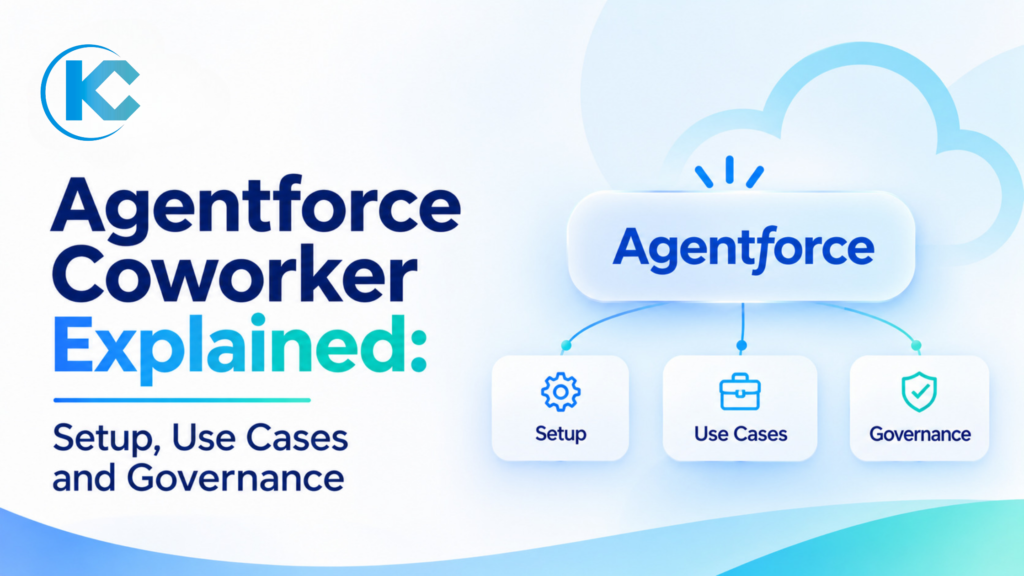
Agentforce Coworker Explained: Setup, Use Cases and Governance
⏱ 6 min read
SALESFORCE AGENTFORCE GUIDE 2026
By Sanjeet Mahajan, CEO of Kizzy Consulting
THE QUICK ANSWER
Agentforce Coworker is Salesforce’s AI teammate. From the global search bar, it answers questions and takes actions using CRM data, Slack and connected Data 360 sources, within each user’s existing permissions. Salesforce announced its general availability on 4 August 2026. An admin enables it in Setup, connects data sources and assigns access to users.
AI in Salesforce is moving beyond answering questions. Businesses increasingly want AI that understands their operations, finds relevant information and helps employees complete everyday work.
That’s where Agentforce Coworker comes in. It acts as an AI teammate inside Salesforce, helping employees find information across connected sources, catch up on conversations, propose CRM updates and delegate work to specialized Agentforce agents.
Coworker also featured in Salesforce’s Dreamforce 2026 announcements. Our Dreamforce 2026 highlights cover the wider announcements. This guide focuses on what Coworker does, how it differs from custom agents, how to configure it and what businesses should consider before rolling it out.
Contents
hide
What Is Agentforce Coworker and What Does It Do?
Salesforce describes Agentforce Coworker as an autonomous AI teammate that works within the Salesforce ecosystem and extends into tools such as Slack, Microsoft Teams, ChatGPT and Claude.
Instead of switching between multiple applications to find information or coordinate work, employees can interact with Coworker using natural language. It uses the data sources and permissions configured for their environment.
Within Salesforce, Coworker supports three primary activities:
01
Find
Ask questions in plain language and receive a synthesized answer using CRM records, Slack conversations and other connected data sources.
02
Catch Up
Continue asking follow-up questions within the same conversation. Coworker maintains conversational context, helping employees understand ongoing discussions and activities.
03
Plan and Act
Ask Coworker to propose Salesforce record changes or delegate a request to another Agentforce agent when a specialized task is required.
Important: Coworker does not silently save proposed CRM changes. Users must review and confirm each proposed change before it is saved. Salesforce currently documents a limit of 15 records per command, and record creation and updates are limited to Salesforce CRM records.
Salesforce also positions Coworker within its broader AIforce ecosystem, designed to bring together Salesforce, Slack and external AI experiences such as Claude.
AIforce is a Salesforce offering, not a Kizzy product. Read our Salesforce AIforce overview to understand how this wider ecosystem fits together.
Agentforce Coworker vs Custom Agentforce Agents: What’s the Difference?
One important distinction is that Agentforce Coworker is not the same as a custom Agentforce agent. Both work within the Agentforce ecosystem, but they serve different purposes.
Coworker is the ready-made AI teammate provided by Salesforce. A custom Agentforce agent is designed and configured to handle a particular business process or responsibility.
Agentforce Coworker
Custom Agentforce Agent
Who uses it?
Employees accessing it through the search experience and supported surfaces.
Who uses it?
Customers or employees through the channels you configure.
Who builds it?
Salesforce provides it. Admins configure sources and access.
Who builds it?
Your team designs its instructions, actions, topics and subagents.
Primary purpose
Answers questions across connected sources and routes work.
Primary purpose
Handles a defined business responsibility, such as case triage or order status.
Customization
Its platform-managed Search Agent cannot be modified.
Customization
You control the agent’s configuration, instructions and actions.
Taking action
Proposes CRM record changes or delegates to other agents.
Taking action
Executes the business actions configured for that agent.
How Coworker Delegates Work to Other Agents
Coworker can act as the front door to your organization’s specialized Agentforce agents. When a request requires more than a straightforward answer, it can identify an accessible agent and delegate the task.
Salesforce documents support for delegation to up to 50 agents. The routing process relies on agent and topic descriptions, rather than reading the detailed topic instructions to determine the right destination.
This makes clear descriptions particularly important. Each agent should have a focused responsibility so Coworker can identify when to use it. Salesforce also documents a 90-second timeout for routing when it cannot direct a request successfully.
A practical example
A sales representative asks Coworker to review a stalled opportunity. Coworker gathers relevant CRM information and can route the request to a specialized sales coaching or deal-risk agent for further analysis.
If you are evaluating whether to use a ready-made agent or build a custom solution, explore our guide to job-ready vs custom Agentforce agents.
How to Set Up Agentforce Coworker in Salesforce
Before enabling Coworker, make sure your Salesforce org meets the prerequisites and that your admin team understands the licensing and access requirements.
Pre-setup checklist
✓Your org uses Enterprise, Unlimited or Agentforce 1 Edition.
✓Data Cloud or Data 360 is provisioned and activated.
✓The administrator has the System Admin profile and Agentforce Coworker Admin permission set.
✓The applicable Coworker license and permission set license have been identified.
Once these requirements are confirmed, follow the setup process outlined in Salesforce’s developer documentation.
1
Turn On Agentforce Coworker
Open Salesforce Setup and search for Agentforce Coworker in Quick Find. Select Get Started with Agentforce Coworker, click Turn On and confirm. Allow a few minutes for the setup process to complete.
2
Verify Einstein Is Enabled
Coworker setup should enable Einstein automatically. Verify the setting in your Salesforce org before moving to the next step.
3
Connect Your Data Sources
Salesforce CRM is added as a data source automatically. To extend Coworker’s information access:
- Connect your Slack workspace to Salesforce.
- Add Slack as a source under Manage Data.
- Add your existing Data 360 sources as required.
4
Enable the End-User Experience
Salesforce’s June 2026 admin guidance describes a Turn on End User Experience section in Setup that makes Coworker available through the global search bar. Because this guidance predates general availability, verify the current Setup experience and follow the latest developer documentation.
5
Grant Access to Users
Use Manage Agentforce Coworker Users to assign the Agentforce Coworker User permission set and the corresponding permission set license to the employees who need access.
6
Decide Whether to Allow Record Updates
Review the Agent Actions setting for the Salesforce CRM source. Enable it only after your team understands the record-update limitations, user confirmation process and governance requirements.
Salesforce also recommends understanding the questions employees repeatedly ask before choosing which data sources to connect. Coworker’s usefulness depends on the quality, relevance and accessibility of the information available to it.
Agentforce Coworker Governance: What Should You Review Before Launch?
Enabling an AI teammate is not just a technical configuration exercise. Businesses must also understand how it accesses information, proposes changes and interacts with other agents.
Salesforce documents permission-based access for Coworker, but admins still need to make several important decisions before introducing it across the organization.
1. Record Update Permissions
Agent Actions is controlled through a setting on the Salesforce CRM source. Salesforce’s documented configuration does not let admins restrict record creation and updates to particular users, objects or fields through this setting.
What to decide: Determine whether record updates should be enabled for your Coworker users. Begin with a controlled pilot before making the feature broadly available.
2. User Confirmation
Coworker proposes record changes, and users must confirm them before they are saved. Salesforce checks permissions again when the user confirms the proposed change.
What to decide: Train employees to review proposed field values, record details and changes carefully before confirming.
3. Validation Rules and Field Dependencies
Proposed changes may fail when they conflict with Salesforce validation rules or field dependencies. Salesforce documents that Coworker checks field-level required fields, but not page-layout required fields.
What to decide: Test the objects, required fields, validation rules and dependencies that matter most to your business before enabling record updates.
4. Audit and Monitoring
There is no dedicated audit log that separately identifies records changed by Coworker. Standard Salesforce field history tracking applies, but does not distinguish Coworker changes from changes made directly by users.
What to decide: Establish a process for reviewing record changes and communicating the available audit information to your compliance and security teams.
5. Agent Delegation
Coworker delegates work to Agentforce agents that the requesting user can access. Delegated work is billed under the applicable terms of those agents.
What to decide: Review the instructions, permissions, actions and business responsibilities of every agent that Coworker may access.
6. Data Protection and Masking
Salesforce lists permission-based access, source-level permissions, automatic data classification and dynamic data masking among Coworker’s governance controls.
What to decide: Confirm which masking controls apply to your specific Coworker configuration. Do not assume that every Agentforce or Einstein Trust Layer masking feature applies identically across all experiences.
A note on AI data masking
Salesforce has documented changes to Einstein Trust Layer data masking for Agentforce agents. This should not be interpreted as proof that all Coworker masking capabilities are disabled. Ask Salesforce to confirm exactly which masking controls apply to Coworker and connected agents in your environment. Treat least-privilege permissions and source-level access controls as essential safeguards.
New Admin Skills: MCP Management and Agentic Identity
As the AIforce ecosystem expands, Salesforce is also highlighting new administrative responsibilities, including MCP management and Agentic Identity.
Model Context Protocol (MCP) provides a way for AI applications to connect with external tools and data sources. Agentic Identity adds another important consideration when managing how AI agents operate and access systems.
If your organization plans to connect Coworker or other agents to external systems through MCP, include integration permissions, authentication, access reviews and monitoring in your governance strategy.
Five Practical Agentforce Coworker Use Cases for Businesses
The best way to introduce Coworker is to begin with everyday employee tasks that involve searching for information, reviewing business activity or coordinating work. Here are five practical starting points based on Salesforce’s documented examples.
01
Account Briefings for Sales Teams
Sales representatives can ask Coworker for an account overview and bring together relevant CRM information, case history and connected Slack discussions. This helps them prepare for customer meetings without manually searching multiple sources.
02
Stalled Opportunity Reviews
A sales representative can investigate why an opportunity has stalled, review relevant activity and route the request to a specialized coaching or deal-support agent for further assistance.
03
Identifying Recurring Customer Support Issues
Service representatives can investigate an increase in similar customer cases and search previous conversations or connected documents to understand recurring problems and identify relevant information.
04
Creating Tasks from Meeting Notes
After a meeting, an employee can ask Coworker to propose a Salesforce task based on meeting notes or discussed follow-ups. The employee reviews and confirms the proposed record change before it is saved.
05
Routing Requests to Specialist Agents
Businesses can build focused agents for responsibilities such as deal-risk analysis or employee time-off requests. Coworker can identify the appropriate accessible agent and delegate work when a request requires a specialized process.
Where should your first pilot begin?
Start with one team, one primary data source and one specialist agent. Track the questions employees ask, whether the responses are useful and where additional configuration is needed. Expand access only after reviewing the results.
Agentforce Coworker Licensing and Pricing
Agentforce Coworker licensing depends on your Salesforce edition, existing entitlements and usage model. Salesforce’s billing documentation describes three primary ways to access Coworker. These models can coexist within the same organization.
MODEL 01
Seat-Based Licensing
A per-user Agentforce Coworker license for eligible Enterprise or Unlimited Edition orgs provides unmetered Coworker access. Salesforce documents a 30 MB per-user monthly allowance for unstructured data indexing, pooled across the organization. Unused allowance does not roll over.
MODEL 02
Included Licensing
Agentforce 1 Edition and eligible Agentforce for Sales, Service or Industries licenses include unmetered Coworker access for permitted users, subject to the applicable entitlements.
MODEL 03
Usage-Based Billing
Depending on your configuration and entitlements, usage can consume Flex Credits, Einstein Requests or Data Services Credits.
What About Standalone Coworker Pricing?
Salesforce’s pricing page lists Agentforce Coworker under Salesforce Foundations and as a standalone user license, with searches included. However, the pricing information reviewed for this guide does not provide a confirmed standalone price in its page text.
Rather than relying on third-party pricing estimates, contact Salesforce for a quote based on your edition, number of users and licensing requirements.
Budgeting tip: Delegated agent activities and Data 360 queries triggered by delegated agents may consume additional credits. Include these costs in your usage estimates and monitor consumption through Salesforce Digital Wallet.
YOUR AGENTFORCE JOURNEY STARTS HERE
Plan Your Agentforce Coworker Rollout with Kizzy
A successful Coworker rollout starts with understanding what your employees need, selecting the right data sources and establishing clear rules for AI-driven actions.
At Kizzy Consulting, we help businesses plan and implement Agentforce solutions, connect enterprise systems and build specialized AI agents around real business workflows. Our Agentforce consulting services can help you scope a pilot, configure integrations and design the specialist agents Coworker can delegate to. Our AI managed services support ongoing monitoring and optimization after deployment.
If your business also needs document intelligence or conversational automation, explore our DocSense document analysis solution and Agent Calling to understand their capabilities and potential integration requirements.
Frequently Asked Questions About Agentforce Coworker
1. What is Agentforce Coworker?
Agentforce Coworker is Salesforce’s AI teammate. Users ask questions from the global search bar and get answers drawn from CRM data, Slack and connected Data 360 sources. Coworker can also propose record updates and hand work to other Agentforce agents, all within each user’s permissions.
2. When Did Agentforce Coworker Become Generally Available?
Salesforce announced general availability on 4 August 2026 in its Agentforce Coworker launch post. It was in beta before that, and Salesforce’s Dreamforce 2026 summary lists it as generally available.
3. How Do I Enable Agentforce Coworker?
In Setup, search for Agentforce Coworker, select Get Started with Agentforce Coworker and click Turn On. You need the System Admin profile and the Agentforce Coworker Admin permission set. Then connect sources and assign the Agentforce Coworker User permission set to your users.
4. Can Agentforce Coworker Update Salesforce Records?
Yes, for Salesforce CRM records only. An admin turns on Agent Actions for the CRM source. Coworker proposes each change, the user confirms it, and up to 15 records can change per command. You cannot limit this to specific users, objects or fields through the Agent Actions setting.
5. Is Agentforce Coworker the Same as a Custom Agentforce Agent?
No. Coworker is a Salesforce-provided teammate whose Search Agent you cannot modify. A custom agent is one you build for a specific job. Coworker can delegate to your custom agents, up to 50, so the two work together.
6. How Is Agentforce Coworker Priced?
It depends on your license. Seat-based Coworker licenses and eligible Agentforce 1 or Agentforce for Sales, Service and Industries licenses provide unmetered access. Otherwise, usage may consume Flex Credits, Einstein Requests or Data Services Credits. Contact Salesforce for the current standalone license price.
Final Thoughts
Agentforce Coworker represents an important step in how employees interact with Salesforce. Rather than navigating multiple records and conversations manually, teams can use a conversational AI teammate to find information, understand business context and coordinate work across connected agents.
However, successful adoption depends on more than switching on a feature. Data quality, permissions, governance, licensing and well-designed specialist agents all play a role. Start with a focused pilot, measure its usefulness and expand based on what your teams actually need.
SM
About the Author
Sanjeet Mahajan – Founder & CEO, Kizzy Consulting. A 13x Salesforce Certified Architect specializing in Agentforce and enterprise AI implementation.

Author: Sanjeet Mahajan
Website: https://kizzyconsulting.com
Sanjeet Mahajan is the Founder & CEO of Kizzy Consulting and 13x Salesforce Certified Architect with over a decade of experience in enterprise AI and CRM transformation. He leads a Salesforce Ridge Partner firm that has delivered 120+ projects globally, specialising in agentic AI, automation, and Salesforce implementation. Connect with Sanjeet on LinkedIn: https://www.linkedin.com/in/sanjeet-mahajan-9707689a/