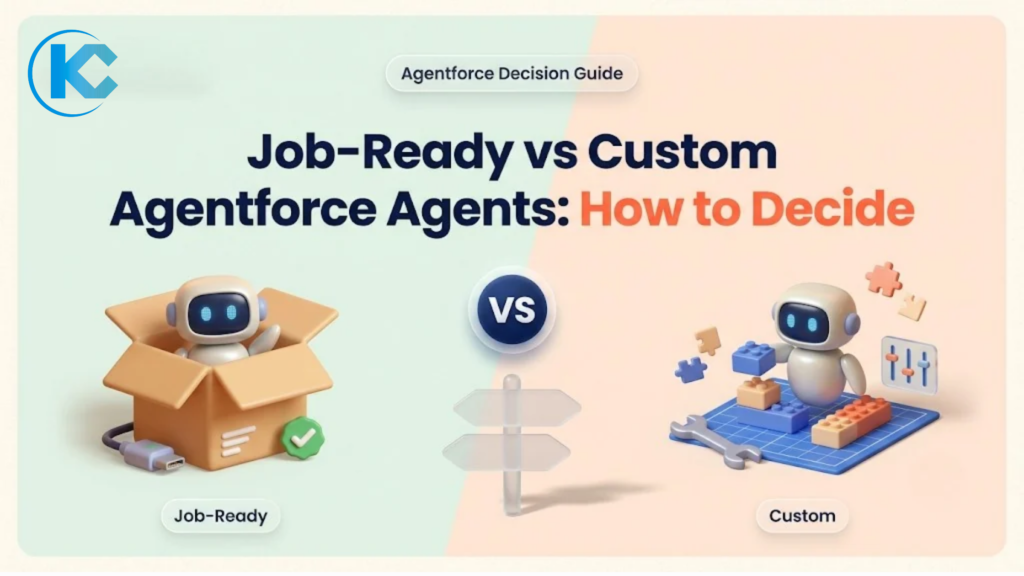
Job-Ready Agents vs Custom Agentforce Agents: How to Decide in 2026
⏱ 5 min read
AGENTFORCE STRATEGY · 2026
By Sanjeet Mahajan, CEO of Kizzy Consulting
THE SHORT ANSWER
Choose a job-ready Agentforce agent when your process matches a standard role, such as inbound lead qualification, customer help, IT and HR service or shopper support, and your data fits the agent’s model. Build a custom agent when your process, systems, compliance rules or channels are specific to you. Most teams start with a job-ready agent and extend it.
In September 2026, Salesforce introduced a portfolio of job-ready agents, and the Dreamforce 2026 announcements added more building blocks. That raises a practical question for every Agentforce team: configure an agent that already knows the job, or build your own?
This guide gives you a practical way to decide. For a recap of the announcements themselves, see our Dreamforce 2026 highlights.
What Does “Job-Ready” Mean in Agentforce?
Salesforce describes job-ready agents as agents built around a specific role. Each comes with the skills, actions and data models needed for that job and connects to Customer 360.
Customers can tailor each agent, including giving it their own name. Each operates within the customer’s business rules, permissions and security requirements.
Salesforce’s September 2026 announcement lists the following agents and their status at the time:
| Agent | Designed for | Status in announcement |
|---|---|---|
| Casey | Customer service across voice, SMS, WhatsApp and web chat | Generally available |
| Paige | IT and HR service | Generally available |
| Carter | Shopper support with in-chat checkout | Generally available |
| Piper | Inbound lead engagement and qualification | Generally available |
| Fin | Complex customer service workflows | Generally available |
| Marshall | Supply chain and back-office work with deterministic execution | Generally available |
| Hunter | Outbound sales | Pilot |
Salesforce’s Agentforce pricing page does not list a separate price for each job-ready agent. Ask your Salesforce account executive how a specific agent is metered under your contract.
The Decision Is a Spectrum, Not a Switch
You rarely choose between a prebuilt agent and a completely new build. There are several practical approaches, depending on how closely the available agent matches your process.
OPTION 01
Use as it comes
Start with a job-ready agent, apply your branding and connect the relevant business knowledge.
OPTION 02
Configure and extend
Tailor the agent in Agentforce Studio, add custom actions and use Agent Script to combine AI reasoning with fixed rules.
OPTION 03
Build a custom agent
Create an agent for a business process or role that an available job-ready agent does not cover.
OPTION 04
Combine agents
Use multi-agent orchestration to route work between specialized agents, including job-ready and custom agents.
Salesforce lists multi-agent orchestration as generally available. This means a job-ready agent does not necessarily have to handle every part of a workflow. It can work alongside a specialized custom agent.
Seven Questions That Decide It
Use these seven questions to assess each use case before choosing an implementation route. These are Kizzy’s working criteria, not an official Salesforce scoring framework.
1
Does a job-ready agent exist for this job?
Start here. If no available agent covers the role, a custom build may be necessary. If one does, assess how closely it matches your requirements.
2
How standard is your process?
If your steps follow the common version of the role, a job-ready agent gives you established patterns to start from. If your process differs in ways customers or employees will notice, plan to customize it.
3
Where does the data live?
Job-ready agents work with Salesforce context. If the information they need sits in other systems or documents, you may need custom actions, integrations or a document analysis agent.
4
What must the agent do outside Salesforce?
If the workflow needs to call an ERP, billing platform, legacy application or another external service, account for the required integrations and custom actions.
5
How much fixed logic does the process need?
Where the same input must always produce the same result, use Agent Script rules or consider a deterministic agent such as Marshall where it fits the workflow.
6
Which channels matter?
Check whether the agent supports your required channels, languages and voice experience. A role match alone does not guarantee a channel match.
7
Who will own it afterward?
Every agent needs an owner who reviews its performance, tests changes and monitors production results. A custom build usually adds more implementation and maintenance responsibilities.
Job-Ready vs Custom Agentforce: Decision Matrix
Use this matrix as a quick starting point. The final choice should still account for your actual data, integrations, security requirements and operational constraints.
| Your situation | Lean toward |
|---|---|
| Standard role, standard process, data mostly in Salesforce | Job-ready agent |
| Standard role, but your policies or tone differ | Job-ready agent, configured and extended |
| Process spans systems outside Salesforce | Custom agent with custom actions |
| Needs strict, repeatable rules | Agent Script rules or a suitable deterministic agent |
| Document-heavy work such as contracts or claims | Custom agent with document analysis capabilities |
| Phone calls beyond standard voice support | Custom voice approach, scoped against Agentforce Voice |
| No job-ready agent covers the job | Custom agent |
Where Long-Horizon Agents Fit
Some business jobs do not finish in one conversation. They may take days or weeks, such as re-engaging at-risk deals or running a multi-step outbound sequence.
Salesforce built a long-horizon runtime for these workflows, with memory across sessions, durable execution and dynamic steering. Hunter is the first agent on this runtime.
When should you consider a long-horizon agent?
If the job spans multiple sessions or requires ongoing progress toward a goal, check whether Hunter fits the use case. If you need a custom long-horizon agent, plan around the pilot status and confirm availability with Salesforce before committing to a delivery timeline.
Where Agent Optimizer Fits
Agent Optimizer supports whichever route you choose. It is not a substitute for deciding whether your use case needs a job-ready agent or a custom build.
Salesforce describes Agent Optimizer as a way to build and refine agents. In Observability, it can analyze production sessions to identify recurring failure patterns and rank them by impact.
Salesforce lists Agent Optimizer as generally available from October 2026. Since it helps improve agents after deployment, it should not determine your build-versus-configure choice. Your process requirements, testing and monitoring plan should.
For the practical testing process, read our guide:
How to Test Agentforce Agents Before Go-Live: Testing Center, Scorers and Observability.
What a Job-Ready Agent Still Needs From You
A job-ready agent arrives with a defined role, but it does not arrive with your business context. Whether you configure a prebuilt agent or build a custom one, the groundwork remains important.
01
Knowledge and data
The agent can only answer from content and records it can access. Clean, current knowledge articles and accurate CRM data influence the quality of its responses.
02
Rules and policies
Define what the agent may promise, when it must escalate and what it must never do. Make these boundaries clear before deployment.
03
Testing
Even a prebuilt agent needs your own test set. Your customers and employees phrase questions in ways that reflect your business, products and policies.
04
Ownership
Assign someone to review production sessions, monitor outcomes and approve changes to the agent.
05
Adoption
People working alongside the agent need to understand what it does, what it can handle and when they should take over.
Skipping these steps is a common reason an otherwise capable agent underperforms. This applies to both prebuilt and custom agents. Our Agentforce readiness checklist covers the org-side groundwork in more detail.
Two Practical Examples
The following scenarios are hypothetical illustrations, not Kizzy client projects. They show how the same decision framework can lead to different implementation choices.
EXAMPLE 01 · STANDARD PROCESS
A software company qualifying inbound leads
A software company receives a high volume of website enquiries. It wants to qualify leads, ask relevant questions and book meetings. Its lead qualification process follows a common pattern.
LIKELY APPROACH
Start with a job-ready inbound agent. Configure the qualification questions, connect relevant knowledge and test the handoff to the sales team.
EXAMPLE 02 · COMPLEX PROCESS
A lender processing applications
A lender processes applications that depend on supporting documents, checks against systems outside Salesforce and rules that must run consistently.
LIKELY APPROACH
Build a custom agent with document analysis, custom actions and Agent Script rules. A job-ready service agent may still handle customer-facing questions alongside it.
When to Extend With DocSense or Agent Calling
Some workflows need capabilities beyond the standard role of a job-ready agent. Two areas worth assessing are document-heavy processes and more specialized phone interactions.
D
Document-heavy workflows
Contracts, claims and applications may require document extraction, analysis and validation before an agent can act on the information.
Kizzy’s DocSense is designed for document analysis. Its role and integration requirements should be scoped as part of the overall solution.
A
Specialized phone workflows
If calls require workflows beyond standard voice support, compare Agentforce Voice with a dedicated voice approach. Consider the call flow, integrations, handoffs and reporting requirements.
Kizzy’s Agent Calling is an option to evaluate when scoping a specialized voice solution.
A Simple Way to Run the Decision
You do not need to evaluate every possible agent before taking the first step. Start with the use cases that matter most to your business and apply the same decision process to each.
1
List your top five agent use cases
Focus on processes where automation could improve customer experience, employee productivity or operational consistency.
2
Score each use case against the seven questions
Assess role fit, process complexity, data, integrations, fixed logic, channels and ongoing ownership.
3
Pilot the use case with the clearest fit
Use a job-ready agent when one matches the requirements. Choose a custom build when the process needs capabilities that the available agent does not cover.
4
Test it with a written test set and go-live gate
Test expected conversations, edge cases, permissions, escalation paths and failure scenarios before production deployment.
5
Review production sessions monthly
Use the findings to decide whether to extend the agent, replace it with a better fit or retire it.
One practical recommendation: Keep your first agent narrow. A focused agent is easier to test, easier to explain to the people who use it and easier to improve based on real results.
Decide With Kizzy Consulting
Choosing between a job-ready and custom Agentforce agent is not just a technical decision. It affects implementation effort, integrations, governance, testing and long-term ownership.
An agent use-case workshop with Kizzy gives your team a scored shortlist and a clear implementation route for each use case: job-ready, extended or custom. Our Agentforce consulting services team can help assess requirements and build the first agent. After launch, our AI managed services can support ongoing testing, monitoring and improvement.
PLAN YOUR AGENTFORCE STRATEGY
Not Sure Whether to Configure or Build?
Let’s evaluate your use cases, identify where job-ready agents fit and determine where custom capabilities are needed. Get a practical starting point for your Agentforce roadmap.
Book an Agent Use-Case Workshop
Tell us about your business processes and Agentforce goals. Our team will get in touch to discuss the right approach.
Frequently Asked Questions
What is a job-ready agent in Agentforce?
A job-ready agent is a prebuilt Agentforce agent designed around a specific role, such as customer help, IT and HR service, inbound lead qualification or supply chain. It comes with the skills, actions and data models for that job, and you can tailor it to your business.
Can I customize job-ready agents?
Yes. Salesforce says customers can tailor each job-ready agent, including giving it their own name, and that agents operate within the customer’s business rules, permissions and security. Agent Script lets you combine AI reasoning with deterministic rules for tighter control.
When should I build a custom Agentforce agent?
Build a custom agent when no job-ready agent covers the job, when the process spans systems outside Salesforce, or when your rules, compliance needs or channels differ from the standard version. Many teams start with a job-ready agent and extend it.
Are job-ready agents generally available?
Most are. Salesforce’s September 2026 announcement lists Casey, Paige, Carter, Marshall, Piper and Fin as generally available, and Hunter as a pilot with general availability planned for November 2026. Check Salesforce for current status.
What are long-horizon agents?
Long-horizon agents pursue a goal over days or weeks, using memory across sessions, durable execution and dynamic steering. Hunter is the first agent on the long-horizon runtime. Salesforce lists the capability as pilot now with general availability in November 2026.
How much do job-ready agents cost?
Salesforce’s Agentforce pricing page does not list a separate price for each job-ready agent. Agentforce pricing options include Flex Credits, per-conversation pricing and per-user licenses. Ask your Salesforce account executive how a specific agent is priced in your contract.