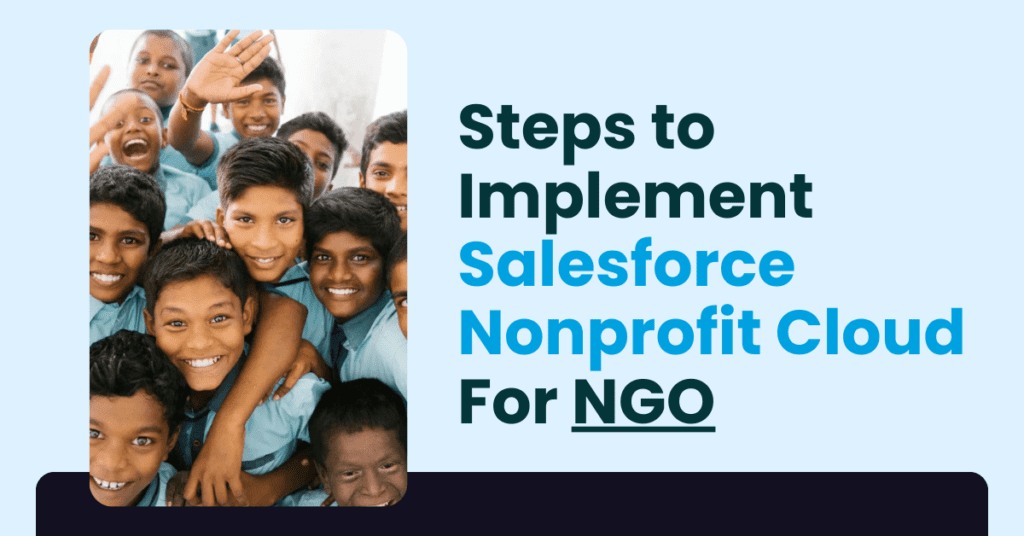
Step-by-Step Guide to Implementing Salesforce Non-Profit Cloud for Your NGO (2026)
⏱ 7 min read
SALESFORCE NONPROFIT CLOUD GUIDE
Learn how to implement Salesforce Nonprofit Cloud for NGOs with a practical roadmap covering donor management, volunteer management, fundraising automation, data migration, integrations, Salesforce Flow, reporting, user adoption, and ongoing optimization.
A practical implementation guide from Kizzy Consulting for nonprofits looking to build a connected, data-driven Salesforce CRM environment.
Contents
hide
Salesforce Nonprofit Cloud Implementation: Quick Answer
Salesforce Nonprofit Cloud implementation involves defining nonprofit requirements, selecting the appropriate Salesforce products and licenses, configuring the Salesforce environment, preparing and migrating data, integrating external systems, customizing workflows and reports, training users, testing the solution, and continuously optimizing the platform. A structured implementation approach helps NGOs improve donor relationships, volunteer coordination, fundraising operations, program management, and data visibility.
Why Salesforce Nonprofit Cloud Is Important for Modern NGOs
Salesforce Nonprofit Cloud has become an important technology platform for nonprofit organizations looking to improve operational efficiency, strengthen donor relationships, and make better use of their data. As NGOs increasingly adopt cloud-based technologies, the need for a centralized nonprofit CRM has become more important.
From donor management and fundraising to volunteer coordination, program tracking, reporting, and data management, Salesforce Nonprofit Cloud can bring multiple nonprofit processes together in a connected environment.
For organizations still managing donor information across spreadsheets, disconnected databases, emails, and separate applications, a Salesforce nonprofit CRM can provide a more structured foundation for managing relationships and measuring impact.
However, Salesforce Nonprofit Cloud implementation can be challenging when an organization has complex legacy data, multiple stakeholders, limited internal Salesforce expertise, or integrations with existing fundraising and financial systems.
This guide provides a step-by-step Salesforce Nonprofit Cloud implementation roadmap for NGOs, including common challenges, implementation strategies, nonprofit use cases, and the role of a Salesforce implementation partner.
What Can Salesforce Nonprofit Cloud Help NGOs Manage?
A nonprofit CRM implementation should be designed around the organization’s actual programs, stakeholders, fundraising model, and operational processes. Depending on the configuration and products used, Salesforce can support areas such as:
Donor Management
Centralize supporter information, donation activity, communications, and relationship history.
Fundraising Management
Track campaigns, contributions, fundraising activities, and engagement across donor relationships.
Volunteer Management
Organize volunteer information, communications, participation, scheduling, and engagement.
Program Management
Connect programs, beneficiaries, activities, outcomes, and organizational reporting.
Impact Reporting
Create dashboards and reports that help nonprofit leaders understand performance and outcomes.
Workflow Automation
Automate repetitive processes using Salesforce Flow and other Salesforce automation capabilities.
Salesforce Nonprofit Cloud Implementation Roadmap for NGOs
A successful Salesforce Nonprofit Cloud implementation starts with strategy rather than configuration. The following seven-step roadmap can help nonprofits move from requirements gathering to a scalable Salesforce environment.
Step 1: Define Salesforce Nonprofit Cloud Goals and Requirements
Before beginning the technical implementation, identify what the organization expects Salesforce to accomplish. Clear requirements make it easier to determine the appropriate Salesforce configuration, integrations, automation, and reporting requirements.
Ask these questions:
- What are the primary objectives for implementing Salesforce Nonprofit Cloud?
- Do we need donor management, fundraising, volunteer management, program tracking, or impact reporting?
- Which manual processes should be automated?
- What existing systems need to integrate with Salesforce?
- Which teams and users will work inside Salesforce?
- What KPIs should nonprofit leadership monitor?
Step 2: Choose the Right Salesforce Nonprofit Cloud Products and Licenses
Salesforce licensing and product availability can vary according to the nonprofit’s requirements, region, eligibility, user types, and current Salesforce offerings. Rather than selecting products based only on features, nonprofits should evaluate how each option fits their operating model and budget.
Review the required Salesforce licenses, nonprofit functionality, user roles, data requirements, automation needs, and future growth plans before finalizing the implementation scope.
For a broader understanding of Salesforce licensing, explore
Salesforce license types and considerations →
Step 3: Create and Configure Your Salesforce Nonprofit Cloud Environment
Once requirements and products have been identified, the Salesforce environment can be configured around the nonprofit’s processes.
- Set up the Salesforce environment and required products.
- Configure user roles, permissions, and access controls.
- Define objects, fields, relationships, and required records.
- Configure nonprofit-specific workflows.
- Establish reporting and dashboard requirements.
- Define security and data-access requirements.
Strong configuration at this stage creates the foundation for future automation, integrations, analytics, and AI capabilities.
Step 4: Clean, Migrate, and Integrate Nonprofit Data
Salesforce data migration for nonprofits is one of the most important stages of implementation. Donor records, volunteer information, program data, campaign history, and other records should be reviewed before migration.
- Identify duplicate and outdated records.
- Standardize inconsistent data formats.
- Determine which legacy data actually needs to be migrated.
- Map source fields to Salesforce fields.
- Test data migration before production deployment.
- Establish appropriate access controls for sensitive information.
Salesforce can also be integrated with external systems such as accounting platforms, payment processors, email marketing tools, websites, and other applications where supported.
Read more about
Salesforce data cleansing best practices →
Step 5: Customize Salesforce Nonprofit Cloud Around Your NGO’s Processes
Salesforce provides flexibility, but customization should always support a clearly defined business or nonprofit requirement. The objective is to make Salesforce easier to use without creating unnecessary complexity.
- Configure nonprofit reports and dashboards.
- Automate repetitive tasks using Salesforce Flow.
- Create communication and notification workflows.
- Design donor and supporter management processes.
- Configure program and volunteer workflows.
- Establish appropriate approval and access processes.
Learn more about
Salesforce Flow automation →
Step 6: Test, Train, and Launch Salesforce Nonprofit Cloud
Testing and user adoption are critical to a successful Salesforce nonprofit implementation. A technically correct configuration can still underperform if employees and volunteers do not understand how to use it.
- Conduct end-to-end testing.
- Validate migrated data.
- Test integrations and automated workflows.
- Conduct user acceptance testing.
- Provide role-based Salesforce training.
- Collect user feedback and make final adjustments.
- Launch with clear support procedures.
Step 7: Maintain, Optimize, and Scale Your Salesforce Nonprofit CRM
Salesforce implementation does not end at go-live. Nonprofits should continuously monitor adoption, data quality, system performance, automation, and reporting requirements.
- Monitor Salesforce adoption and user feedback.
- Review data quality regularly.
- Optimize workflows and automation.
- Review security and permissions.
- Improve reports and dashboards as organizational goals evolve.
- Evaluate new Salesforce capabilities and integrations.
- Build an ongoing Salesforce optimization roadmap.
Explore
Salesforce maintenance and optimization best practices →
Salesforce Nonprofit Cloud Strategies for Donors, Fundraising, and Volunteers
Successful Salesforce implementation for nonprofits is not simply about configuring software. The platform should support the organization’s broader fundraising, engagement, program, and impact strategy.
Donor Relationship Management
Centralized supporter data can help nonprofits understand donor interactions and create more consistent engagement processes. AI-driven capabilities may also support personalization where appropriate.
Fundraising Automation
Automated workflows can support campaign management, acknowledgements, follow-ups, notifications, and other repeatable fundraising processes.
Volunteer Coordination
Nonprofits can structure volunteer information, communications, scheduling, participation, and engagement workflows within their CRM environment.
Salesforce Agentforce for Nonprofits: The Next Step After CRM Implementation
Once an NGO has established a strong Salesforce data and process foundation, it can evaluate how AI and agentic capabilities may support nonprofit operations. Agentforce for nonprofits can be explored for use cases involving donor engagement, service, information retrieval, repetitive workflows, and other defined business processes.
AI should not be treated as a replacement for foundational CRM work. Clean data, clearly defined processes, appropriate permissions, governance, and measurable use cases should come first.
Explore
Salesforce Agentforce use cases for nonprofits →
and
Agentforce readiness considerations →
Salesforce Nonprofit Cloud Implementation Challenges and Common Mistakes
Although Salesforce Nonprofit Cloud can support a wide range of nonprofit processes, implementation can encounter challenges involving data, people, configuration, and internal expertise.
1. Nonprofit Data Migration and Data Quality Problems
Duplicate, incomplete, inconsistent, or poorly structured data can make Salesforce migration more complicated and reduce the reliability of reports and automation.
Solution: Conduct a detailed data assessment before migration. Clean, standardize, deduplicate, map, and validate important records before moving them into Salesforce.
2. Low Salesforce User Adoption
Employees and volunteers may struggle with a new CRM when the implementation does not reflect their day-to-day responsibilities or when adequate training is missing.
Solution: Introduce role-based training, simple workflows, practical documentation, and feedback loops before and after go-live.
3. Underutilization of Salesforce Nonprofit Cloud Features
Organizations sometimes implement the basic CRM functionality but do not fully evaluate automation, reporting, integrations, data management, or AI capabilities that could support their long-term objectives.
Solution: Create a phased Salesforce roadmap. Start with essential requirements and expand functionality as users, data, and organizational maturity increase.
4. Lack of Internal Salesforce Expertise
Smaller NGOs may not have a dedicated Salesforce administrator, architect, developer, or integration specialist. This can make ongoing optimization difficult.
Solution: Work with a qualified Salesforce implementation partner or managed services team when internal resources are limited.
Salesforce Nonprofit Cloud Success Stories: How NGOs Use Salesforce
Salesforce has highlighted nonprofit organizations that use its platform to connect stakeholders, improve visibility, automate processes, and manage donor and program information. The following examples illustrate different implementation objectives.
1. ReDI School: Connecting Stakeholders and Operations
ReDI School, launched in Berlin to support refugee integration through digital education, operates with employees and partners across different locations. Salesforce has been used to help coordinate stakeholders through a more connected platform.
Reported Benefits
- Reducing manual administrative work through automation.
- Improving visibility across partners, applications, courses, learners, and teachers.
- Supporting fundraising activities and financial sustainability.
2. Neven Subotic Foundation: Connecting Donor and Project Data
The Neven Subotic Foundation focuses on providing sustainable access to clean drinking water. Its Salesforce use case centered around bringing project, donor, supporter, and fundraising information into a more unified environment.
Reported Benefits
- Improved transparency through project and supporter reporting.
- Reduced complexity through centralized information.
- Automation of donation-related processes such as acknowledgements and payments.
3. YOU Foundation: Creating a Centralized Nonprofit Data Environment
YOU Foundation sought to create a centralized system for donation information, projects, reporting, and automated processes. The objective was to move away from decentralized data storage toward a more connected cloud-based environment.
Reported Benefits
- Reduced repetitive administrative tasks through automation.
- Centralized campaigns, cooperation, and donation information.
- Improved access to financial and reporting information.
- Greater ability to make data-informed decisions.
Source note: These organization examples and reported benefits are based on Salesforce nonprofit customer-story material referenced in the source content. They should be understood as individual organization examples rather than guaranteed outcomes for every NGO.
Related Salesforce Nonprofit Cloud Resources from Kizzy Consulting
If your organization is planning a Salesforce nonprofit transformation, these related resources can help you evaluate migration, AI, implementation, and nonprofit CRM strategy.
-
- Salesforce for Nonprofits – Explore how Salesforce can support nonprofit operations.
- Salesforce Nonprofit Cloud vs NPSP – Understand the differences between nonprofit Salesforce approaches.
- NPSP to Nonprofit Cloud Migration – Considerations for organizations moving to the newer nonprofit platform.
- Moving from NPSP to Agentforce for Nonprofits – Considerations before making an AI-focused transition.
- Agentforce Use Cases for Nonprofits – Explore potential AI and agentic workflows.
- CRM Data Organization Best Practices – Build a stronger foundation for Salesforce reporting and automation.
Benefits of Working With a Salesforce Nonprofit Cloud Implementation Partner
A Salesforce implementation partner can help an NGO translate its operational requirements into a scalable CRM architecture. This is particularly useful when the organization has limited internal Salesforce expertise or needs complex data migration and integrations.
Expert Guidance
Translate nonprofit requirements into practical Salesforce architecture and implementation priorities.
Customization
Configure workflows, dashboards, automation, and integrations around actual organizational needs.
Data & Integration
Support data migration, system integration, data quality, and connected workflows.
Training & Support
Help teams adopt Salesforce through practical training, documentation, and ongoing support.
Salesforce Nonprofit Cloud Implementation Services by Kizzy Consulting
Kizzy Consulting helps organizations design and implement Salesforce solutions around their business and nonprofit processes. Our approach can cover implementation strategy, Salesforce configuration, automation, integrations, data foundations, AI readiness, and ongoing optimization.
Salesforce Implementation
Plan and configure Salesforce around organizational requirements, users, processes, and data.
AI & Agentforce
Evaluate practical AI and Agentforce opportunities after establishing the right data and process foundation.
Data Foundation
Improve the quality and structure of CRM data so it can support reporting, automation, integrations, and AI.
AI Governance
Build appropriate governance considerations around security, data, responsible AI, and operational controls.
Build a Strong Salesforce Data Foundation for Your Nonprofit
Data quality is central to successful nonprofit CRM implementation. Donor records, volunteer information, program data, campaign history, and financial information need clear ownership, consistent structures, and appropriate access controls.
A reliable data foundation also becomes increasingly important when nonprofits want to use AI. Automated recommendations, analytics, and AI agents depend on the quality and accessibility of the underlying information.
Learn more about
building a data foundation for AI →
Frequently Asked Questions About Salesforce Nonprofit Cloud Implementation
Answers to common questions about Salesforce Nonprofit Cloud implementation, nonprofit CRM migration, pricing, customization, data, training, integrations, and Agentforce.
1. What is Salesforce Nonprofit Cloud?
Salesforce Nonprofit Cloud is a Salesforce solution designed to support nonprofit organizations with capabilities for managing relationships, programs, fundraising, data, and other nonprofit operations. The exact functionality available depends on the products, configuration, and licenses used by the organization.
2. Why should an NGO implement Salesforce Nonprofit Cloud?
NGOs can use Salesforce to centralize donor and supporter information, improve fundraising workflows, manage volunteers, track programs, automate repetitive processes, and create reports that support data-informed decision-making.
3. How long does Salesforce Nonprofit Cloud implementation take?
Implementation timelines vary significantly based on the number of users, data volume, integrations, customization, security requirements, and organizational complexity. A focused implementation can be completed faster than a highly customized nonprofit transformation, but the project should be scoped around requirements rather than an arbitrary timeline.
4. How much does Salesforce Nonprofit Cloud cost for an NGO?
Salesforce nonprofit pricing depends on the products, licenses, users, implementation requirements, integrations, and current Salesforce nonprofit offerings. Eligible organizations may have access to nonprofit-specific benefits or programs, but availability and terms can change. NGOs should confirm current pricing and eligibility directly with Salesforce or an authorized Salesforce partner.
5. Can an NGO migrate existing donor data to Salesforce Nonprofit Cloud?
Yes. Existing donor, volunteer, program, campaign, and other relevant records can be assessed and migrated depending on the source system and Salesforce configuration. Data cleansing, deduplication, field mapping, migration testing, and validation should be completed before the final migration.
6. What data should nonprofits clean before Salesforce migration?
Nonprofits should review duplicate records, missing information, inconsistent names and addresses, outdated contacts, incorrect field values, legacy records, and unnecessary data. A clear migration strategy should determine what information needs to move into Salesforce and what can be archived.
7. Can Salesforce Nonprofit Cloud integrate with accounting and payment systems?
Salesforce can integrate with external applications where supported through APIs, connectors, integration platforms, or other technical approaches. Common integration requirements for nonprofits can include accounting software, payment processors, websites, email marketing platforms, and other operational systems.
8. Can Salesforce Nonprofit Cloud automate fundraising processes?
Yes. Salesforce automation can support repeatable fundraising workflows such as notifications, follow-ups, acknowledgements, campaign processes, record updates, and other defined tasks. Salesforce Flow can be used to automate many business processes without relying on manual updates.
9. How can Salesforce help with nonprofit donor management?
Salesforce can provide a centralized view of donor and supporter information, interactions, activities, and relevant relationship history. This can help nonprofit teams create more consistent engagement processes and use data to inform fundraising strategies.
10. Can Salesforce Nonprofit Cloud manage volunteers?
Salesforce can support volunteer-related processes when the appropriate data model, objects, workflows, and applications are configured. Potential processes include volunteer records, communications, participation, scheduling, and engagement tracking.
11. What is the difference between Salesforce Nonprofit Cloud and NPSP?
Salesforce Nonprofit Cloud represents Salesforce’s newer nonprofit-focused product direction, while NPSP is the Nonprofit Success Pack that many organizations have historically used on Salesforce. The right approach depends on the organization’s current Salesforce environment, requirements, migration considerations, and available product capabilities.
12. Should an NGO migrate from NPSP to Salesforce Nonprofit Cloud?
There is no single migration path that fits every nonprofit. Organizations should assess their existing architecture, business requirements, data model, integrations, users, customizations, and future roadmap before deciding whether migration makes sense.
13. Can Salesforce Nonprofit Cloud support AI and Agentforce?
Salesforce organizations can evaluate Agentforce and other AI capabilities for appropriate nonprofit use cases. Before introducing AI, nonprofits should establish reliable data, clear processes, suitable permissions, security controls, governance, and measurable objectives.
14. Why is Salesforce training important for nonprofit organizations?
Training helps employees and volunteers understand the workflows, data requirements, and processes they are responsible for. Role-based training can improve adoption and reduce confusion when an organization transitions from spreadsheets or legacy systems to Salesforce.
15. Does an NGO need a Salesforce Nonprofit Cloud implementation partner?
An implementation partner can be valuable when an NGO needs help with Salesforce architecture, configuration, data migration, integrations, automation, security, training, or ongoing optimization. Smaller organizations may particularly benefit when they do not have dedicated Salesforce expertise internally.
16. What should an NGO do after Salesforce Nonprofit Cloud goes live?
After go-live, nonprofits should monitor user adoption, data quality, system performance, reporting accuracy, workflow effectiveness, and stakeholder feedback. Regular optimization helps Salesforce remain aligned with changing fundraising, volunteer, program, and organizational requirements.
Ready to Implement Salesforce Nonprofit Cloud?
Build a connected nonprofit CRM for donor management, fundraising, volunteers, programs, reporting, automation, and future AI initiatives with a structured Salesforce implementation strategy.
Explore Salesforce for NonprofitsTalk to Kizzy Consulting
Email: [email protected]
Conclusion: Build a Scalable Salesforce CRM for Your Nonprofit
Implementing Salesforce Nonprofit Cloud can help NGOs create a more connected approach to donor management, fundraising, volunteer coordination, program tracking, reporting, and data management. The technology itself, however, is only one part of a successful transformation.
A successful Salesforce Nonprofit Cloud implementation starts with clear objectives and continues through data preparation, thoughtful configuration, automation, training, testing, and ongoing optimization.
For nonprofits considering AI, the same principle applies: establish the right CRM and data foundation first, then evaluate where Agentforce and other AI capabilities can create practical value.
With the right implementation strategy and expert Salesforce guidance, NGOs can build a CRM environment that supports today’s mission while providing a foundation for future growth, automation, analytics, and AI.