Salesforce Data Migration: Steps, Tools, Checklist and Cost (2027)
Quick answer
A Salesforce data migration moves your customer data from spreadsheets or another system into Salesforce in six steps: plan, extract, clean, map, load and verify. The biggest risks are dirty data, wrong load order and skipping testing. Migrate only the data your team actually uses, test in a sandbox first, and have business users sign off before the production load.
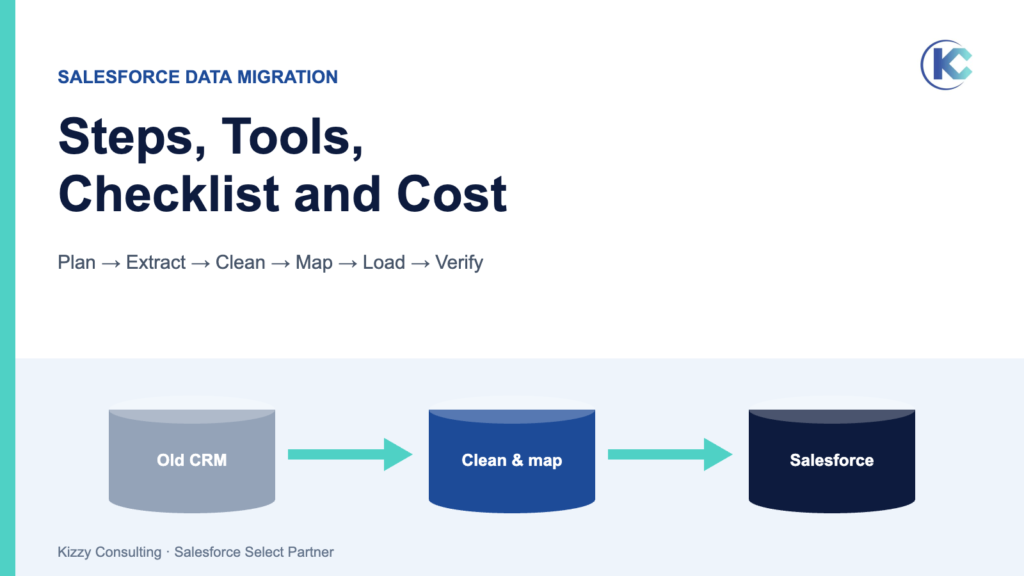
Salesforce data migration steps
- Plan. List every data source, decide what to migrate and what to archive, and agree a cut-over date.
- Extract. Export data from each source system and back it up untouched.
- Clean. Remove duplicates, fix formats (phones, dates, countries), fill required fields and drop records nobody needs.
- Map. Match every source field to a Salesforce object and field, including picklist values, owners and record types.
- Load. Load in dependency order: users, accounts, contacts, opportunities, cases, then activities and files. Keep the old system IDs in an external ID field.
- Verify. Reconcile record counts, spot-check samples against the source and have business users sign off.
Which migration tool to use
| Tool | Best for |
|---|---|
| Data Import Wizard | Simple, small imports of standard objects such as accounts, contacts and leads |
| Data Loader | Larger volumes, any object, inserts, updates and upserts with external IDs |
| ETL or middleware (for example MuleSoft) | Complex transformations, many sources, or ongoing syncs after go-live |
Free Salesforce Org Health Check
Is your data ready for Salesforce?
Our certified consultants review your org and data quality and send you the top fixes ranked by business impact, plus a scoped estimate for your migration. It’s free, there’s no obligation, and we reply within 1 business day.
Prefer to send us a quick message?
Tell us what you need help with. A Salesforce consultant will reply within 1 business day.
Salesforce data migration checklist
- Full backup of every source system taken and stored.
- Data owners named for each object.
- Duplicate rules and matching rules agreed.
- Field mapping document signed off.
- External ID fields created for old system IDs.
- Automation (Flows, validation rules, emails) paused during the load where needed.
- Test load done in a full or partial sandbox.
- Record counts and samples reconciled.
- Users told the cut-over date and the old system set to read-only.
Already on Salesforce? Our 20-point Salesforce org health check checklist includes data quality checks you can run today.
Common data migration mistakes
- Migrating everything, including years of records nobody uses.
- Cleaning data after the load instead of before.
- Loading child records before their parents, which breaks relationships.
- Leaving automation on, so thousands of emails or tasks fire during the load.
- No external IDs, so updates and fixes after go-live are painful.
- No sign-off from the people who own the data.
What a data migration costs
Data migration is usually priced as part of an implementation rather than on its own. At Kizzy Consulting, quickstarts start from $5,000 ($6,500 for Sales and Service Cloud) which can cover a simple data import. Focused implementations with larger migrations from several systems typically cost $15,000 to $50,000. See the Salesforce consulting cost guide for what drives price, and our Sales Cloud and Service Cloud implementation guides for how migration fits into a full project.
Why work with Kizzy Consulting
Kizzy Consulting is a Salesforce Select Partner with certified consultants and delivery from India, with overlap in US working hours. We clean and test before we load, and every migration has a written mapping and sign-off. Learn more about our Salesforce implementation services and Salesforce integration services.
Salesforce data migration FAQs
How long does a Salesforce data migration take?
It depends on how many sources, objects and records you have and how clean the data is. A simple import from one clean spreadsheet can be done within a quickstart. Migrations from several systems with years of history take longer and are planned as part of a larger implementation.
How much does Salesforce data migration cost?
Data migration is usually priced as part of an implementation. At Kizzy Consulting, quickstarts start from $5,000 ($6,500 for Sales and Service Cloud) which can cover a simple data import, while focused implementations with larger migrations typically cost $15,000 to $50,000. The exact price depends on data volume, sources and how much cleaning is needed.
What tools are used to migrate data into Salesforce?
Common tools are Data Import Wizard for simple imports, Data Loader for larger volumes, and ETL or middleware tools such as MuleSoft for complex or repeated loads. The right tool depends on volume, complexity and whether the migration is one-off or ongoing.
Should we migrate all our old data?
Usually not. Migrate the records your team actually uses, such as open opportunities, active accounts and recent cases. Archive the rest outside Salesforce or keep it read-only in the old system. Less data means a faster, cheaper and cleaner migration.
How do you avoid losing data during migration?
Back up the source data, migrate to a sandbox first, reconcile record counts and sample records against the source, and have business users sign off before the production load.
Can you migrate from HubSpot, Zoho, Dynamics or spreadsheets?
Yes. The process is the same for any source: extract, clean, map to Salesforce objects and fields, load in the right order, then verify.