Salesforce Implementation Rescue: How to Fix a Failing Salesforce Project
Quick answer
A Salesforce implementation rescue is the work of getting a stalled or failing Salesforce project back on track. It usually happens when users avoid the system, reports cannot be trusted, the go-live date keeps moving or the original partner has left. A rescue starts with an assessment, then fixes the problems that block users first, and finishes the project in small, tested releases. With Kizzy Consulting, a rescue starts with a free Org Health Check, and most rescues then fall in our focused project range of $15,000 to $50,000.
Signs your Salesforce implementation is failing
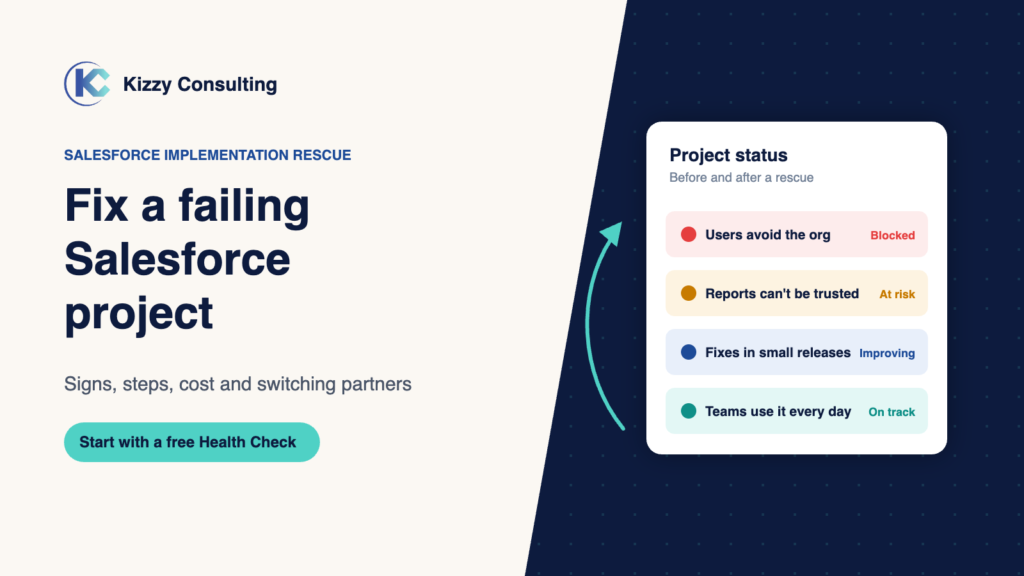
- Users work around it. Sales and service teams keep using spreadsheets, email or the old system, and update Salesforce only when asked.
- Reports don’t match reality. Managers don’t trust pipeline, forecast or case numbers, so they rebuild them by hand.
- The go-live date keeps moving. Each phase takes longer than planned and the scope is never quite finished.
- Every change breaks something. Flows, triggers and validation rules collide, so small requests take weeks.
- Integrations fail quietly. Records stop syncing with your ERP, marketing or finance system and nobody notices for days.
- Nobody owns the org. The partner or admin who built it has left, and there is little or no documentation.
Why Salesforce projects go off track
Most failing projects share a few causes. Requirements were never written down in business terms, so the build follows guesses. The data model copied the old system instead of the way the business works now. Too much was custom-built where standard Salesforce features would have done the job. Data was migrated without cleaning, so users met duplicates on day one. And training stopped at go-live, so adoption never took hold.
How a Salesforce rescue works
- Assess. Review the org’s automation, security, data quality, integrations and technical debt, and talk to the people who use it every day.
- Stabilise. Fix what blocks users or puts data at risk first: broken automations, failing integrations, permission gaps.
- Re-plan. Agree a written scope for the remaining work, in business terms, with a price range and a timeline.
- Deliver in small releases. Build in a sandbox, test with real users, then release step by step so each change can be checked.
- Hand over. Document what was built, train admins and users, and set up ongoing support if you need it.
Free Salesforce Org Health Check
Salesforce project off track?
Our certified consultants review your org’s automation, security, data quality and adoption, then send you the top fixes ranked by business impact, a good first step before any merge. It’s free, there’s no obligation, and we reply within 1 business day.
Prefer to send us a quick message?
Tell us about the two orgs and your deadline. A Salesforce consultant will reply within 1 business day.
Fix the org or start again?
Most orgs can be repaired. A rebuild only makes sense when the data model is wrong at its core, the security model cannot be fixed safely, or the cost of repair is higher than starting clean. Even then, much of the work can be reused: your data, your processes and the parts of the configuration that work. The assessment gives you a clear answer before you commit more budget. If the problem is two orgs that never should have been separate, see our guide to a Salesforce org merge.
Switching Salesforce partners mid-project
Changing partners is common and does not mean starting over. Before you switch, ask your current partner for:
- Admin access to production and every sandbox
- The requirements, design documents and any user stories
- The code and configuration they built, ideally in a source repository
- A list of open issues, known bugs and work in progress
- Details of every integration and the credentials owner for each
For help choosing who takes over, read how to choose a Salesforce consulting partner.
What a Salesforce rescue costs
| Option | Typical price (USD) | Best for |
|---|---|---|
| Org Health Check | Free | The first step: a review of your org and a scoped estimate |
| Focused rescue | $15,000 to $50,000 | Fixing one cloud or a defined set of problems and finishing the remaining scope |
| Enterprise programme | $50,000 to $150,000+ | Several clouds, teams, regions or integrations, or a full rebuild |
| Managed services | From $2,000 a month | Ongoing admin and fixes once the org is stable |
Every price above is a typical range. The exact scope and price are agreed in writing before work starts. For a wider view, see what Salesforce consulting costs.
Why work with Kizzy Consulting
Kizzy Consulting is a Salesforce Select Partner with certified consultants and delivery from India, with overlap in US working hours. Every project starts with a written scope and published price ranges. Before a rescue, most teams start with our 20-point Salesforce org health check.
Salesforce implementation rescue FAQs
How much does a Salesforce implementation rescue cost?
It starts with a free Org Health Check. Most rescues then fall in our focused project range of $15,000 to $50,000. Large rescues across several clouds, teams or integrations typically cost $50,000 to $150,000 or more. Salesforce licences are billed separately by Salesforce.
Should we fix our org or start again?
Most orgs can be fixed. Starting again with a new org only makes sense when the data model is wrong at its core, security cannot be repaired safely, or the cost of fixing is higher than rebuilding. The assessment tells you which one applies before you spend anything more.
Can we switch Salesforce partners in the middle of a project?
Yes. Ask your current partner for admin access, documentation, the code and configuration they built, the list of open issues and the sandbox details. A new partner reviews this first, then picks up the work in small, tested releases.
How long does a rescue take?
It depends on how many problems the assessment finds and how urgent they are. We agree a timeline in a written scope after the assessment, and fix the issues that block users first.
Do we need to stop using Salesforce during a rescue?
No. Fixes are built and tested in a sandbox, then released in small steps. Users keep working in the live org, and bigger changes are scheduled for quiet periods.
What do you need from us to start?
An admin login or a read-only user for the review, a short list of what is not working for your teams, and any documents from the original project. That is enough for the Org Health Check.