Excel to Salesforce: How to Move From Spreadsheets to a CRM (2026)
Quick answer
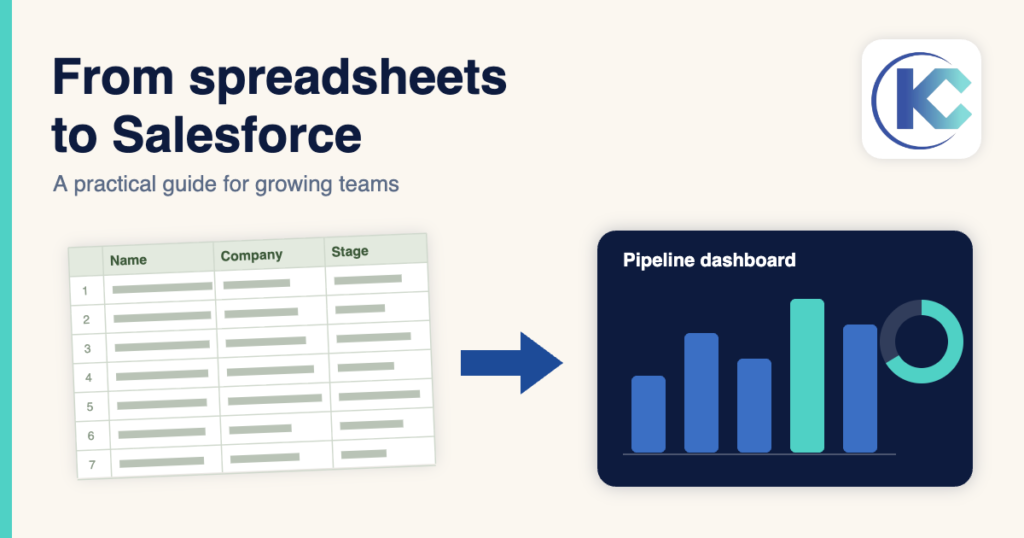
Moving from Excel to Salesforce means turning the spreadsheets your team uses to track leads, customers, deals and support requests into a shared CRM. Each main sheet becomes a Salesforce object (leads, accounts, contacts, opportunities or cases), each column becomes a field, and the manual steps you do today become simple automation and live reports. With Kizzy Consulting, you get a clear scope and price before work starts, quickstarts start from $5,000, and Sales Cloud or Service Cloud quickstarts start from $6,500.
Signs you have outgrown spreadsheets
- Several people edit the same file. Versions get overwritten, and nobody knows which copy is current.
- Follow-ups slip. There are no reminders, so leads and customers wait too long for a reply.
- Reports take hours. Managers rebuild pipeline and forecast numbers by hand every week.
- No history. Calls, emails and notes live in inboxes, not next to the customer record.
- Access is all or nothing. Anyone with the file can see and change everything.
- Growth is coming. New hires, new regions or a new product line will make the sheet harder to manage.
How spreadsheets map to Salesforce
| In your spreadsheet | In Salesforce | Why it helps |
|---|---|---|
| Leads or enquiries sheet | Leads | Assign owners, track status and convert good leads in one click. |
| Customer or company list | Accounts | One record per company, with every contact, deal and case linked to it. |
| People and email columns | Contacts | Each person sits under their company, with email history alongside. |
| Deals or pipeline sheet | Opportunities | Stages, amounts and close dates feed live pipeline and forecast reports. |
| Support or complaints log | Cases (Service Cloud) | Queues, priorities and response times instead of colour coding. |
| Notes and comments columns | Tasks, Events and Notes | Reminders and activity history on the right record. |
| Weekly summary tab | Reports and dashboards | Live numbers that update themselves, shared with the whole team. |
Steps to move from Excel to Salesforce
- List what you track. Collect every sheet your team relies on and note who uses it and why.
- Decide the process. Agree lead statuses, deal stages and who owns what before building anything.
- Set up Salesforce. Create the fields, page layouts, users and access rules your team needs, and nothing more.
- Clean the sheets. Remove duplicates and blank rows, split full names, fix emails and use one format for dates and phone numbers.
- Import in the right order. Load accounts first, then contacts, then opportunities and activities, so links stay intact.
- Add simple automation. Use Flow for lead assignment, follow-up tasks and alerts that replace manual reminders.
- Build the reports you used to make by hand. Recreate your weekly summary as a dashboard.
- Train the team. Short, role-based sessions on the screens each person will use every day.
- Retire the spreadsheet. Make the old file read-only on go-live day so everyone works in Salesforce.
Ready to move your team off spreadsheets?
Tell us what your spreadsheets track today, how many people use them, and when you want to be live. A Salesforce consultant will reply within 1 business day.
Common mistakes when moving from spreadsheets
- Copying every column. Bring across the fields people use; drop the ones nobody fills in.
- Importing messy data. Duplicates and old records are much harder to clean once they are in Salesforce.
- Loading records in the wrong order. Contacts and deals need their accounts to exist first.
- Buying too much. Start with the edition and features you need now, and add more as you grow.
- Keeping the old sheet alive. Two systems in use at once means nobody trusts either.
- Skipping training. If Salesforce feels harder than the sheet on day one, people go back to the sheet.
What moving from spreadsheets to Salesforce costs
| Option | Typical price (USD) | Best for |
|---|---|---|
| Salesforce quickstart | From $5,000 | A small team moving one or two main sheets into a standard setup |
| Sales Cloud or Service Cloud quickstart | From $6,500 | Sales or support teams that want pipeline or case management set up properly from day one |
| Focused project | $15,000 to $50,000 | Several teams, custom objects, automation and a few integrations |
| Managed services after go-live | From $2,000/month | Ongoing admin, new reports and improvements as you grow |
Salesforce licences are billed separately by Salesforce. The biggest cost drivers are the number of teams and processes, how clean your data is and how many other tools need to connect.
Why work with Kizzy Consulting
Kizzy Consulting is a Salesforce Select Consulting Partner. Our certified consultants set up only what your team needs, move your spreadsheet data cleanly, build the reports you used to make by hand, and stay with you after go-live. You get a clear scope and price before work starts.
Excel to Salesforce FAQs
When should a business move from Excel to a CRM like Salesforce?
Usually when more than a few people share the same spreadsheet, when leads or follow-ups get missed, when nobody trusts the pipeline numbers, or when managers spend hours each week building reports by hand. Those are signs the spreadsheet has become a bottleneck.
Can we import our Excel sheets straight into Salesforce?
Yes, after a little preparation. Save each sheet as CSV, clean duplicates and blank rows, and match each column to a Salesforce field. Salesforce Data Import Wizard handles up to 50,000 records at a time for common objects, and Data Loader handles larger files.
How much does it cost to move from spreadsheets to Salesforce?
Kizzy Consulting quickstarts start from $5,000, and Sales Cloud or Service Cloud quickstarts start from $6,500. Projects with several teams, custom objects or integrations typically fall in our focused project range of $15,000 to $50,000. Salesforce licences are billed separately by Salesforce.
Which Salesforce product should a small team start with?
Most sales teams start with Sales Cloud for leads, accounts, contacts and opportunities. Support teams start with Service Cloud for cases. Salesforce also sells Starter and Pro Suite editions for small businesses. We help you pick the smallest edition that fits, so you are not paying for features you will not use.
Can we keep using Excel after moving to Salesforce?
Yes. Reports in Salesforce can be exported to Excel, and many teams keep using spreadsheets for one-off analysis. The difference is that Salesforce becomes the single source of truth, so everyone works from the same live data.
How long does it take to move from spreadsheets to Salesforce?
It depends on how many sheets, users and processes you have and how clean the data is. A small sales team with one or two main sheets is the quickest. We confirm the timeline in a written scope before work starts.