Pipedrive to Salesforce Migration: Steps, Mapping and Cost (2026)
Quick answer
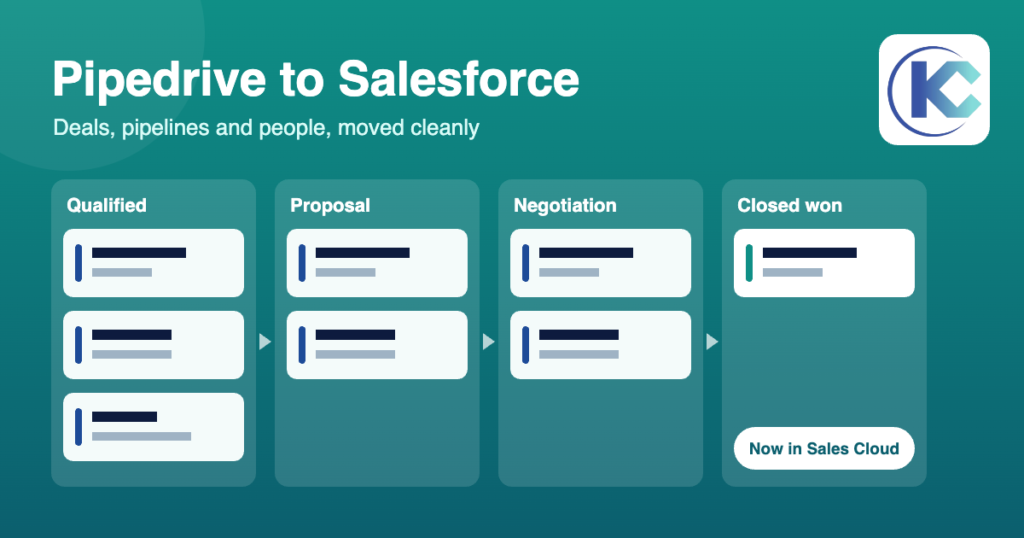
A Pipedrive to Salesforce migration moves your leads, deals, people, organizations, activities and pipelines from Pipedrive into Salesforce Sales Cloud. The work has four parts: map Pipedrive items to Salesforce objects, clean and move the data, rebuild pipelines and automations as Salesforce sales processes and Flow, and train your team before cut-over. With Kizzy Consulting, you get a clear scope and price before work starts, quickstarts start from $5,000, and Sales Cloud quickstarts start from $6,500.
Why teams move from Pipedrive to Salesforce
- More teams and users. Sales, account management and support need to work on the same customers with the right access.
- Deeper reporting. Leaders want forecasts, territory views and dashboards across every pipeline.
- Stronger control. Role-based access, approval steps and field history become important as the team grows.
- Service on the same platform. Service Cloud adds cases and support on the same account records.
- Integrations and AI. Teams want to connect ERP, marketing and support tools, and plan for Agentforce.
How Pipedrive maps to Salesforce
| Pipedrive | Salesforce | What to watch |
|---|---|---|
| Leads (Leads Inbox) | Leads | Match lead labels and sources to Salesforce picklists. |
| Organizations | Accounts | Load these first so people and deals can link to them. |
| People | Contacts | Keep the organization link and the owner on every person. |
| Deals | Opportunities | Map each stage to a Salesforce stage and probability, and keep won and lost reasons. |
| Pipelines | Sales processes and opportunity record types | One sales process per pipeline keeps stages clean. |
| Activities and notes | Tasks, Events and Notes | Keep dates, owners and the deal or person they belong to. |
| Products | Products and Price Books | Set up price books before loading deal products. |
| Custom fields | Custom fields | Review each one; drop fields nobody fills in. |
| Automations | Flow | Rebuilt, not copied. Use the move to simplify. |
Pipedrive to Salesforce migration steps
- Scope and audit. List pipelines, stages, custom fields, automations, integrations and reports your team actually uses.
- Design the Salesforce org. Decide sales processes, record types, page layouts, roles and sharing before any data moves.
- Clean the data. Merge duplicate people and organizations, fix emails and phone numbers, and archive old deals you no longer need.
- Export from Pipedrive. Export each item type with its IDs so links can be rebuilt, and keep a full copy safe.
- Map and transform. Match every Pipedrive field to a Salesforce field and keep Pipedrive IDs in an external ID field.
- Test migration. Load into a sandbox in order (accounts, contacts, opportunities, activities) and check counts and sample records with your team.
- Rebuild automation and integrations. Recreate follow-ups and assignment in Flow, and reconnect email, calendar and other tools.
- Train users. Short sessions on the pipeline view, opportunity records and the reports each person needs.
- Cut over. Freeze Pipedrive, run the final load, check it, and switch the team to Salesforce.
- Support after go-live. Fix small issues fast in the first weeks so people keep using the new system.
Planning a move from Pipedrive to Salesforce?
Tell us how many pipelines and users you have, which tools connect to Pipedrive, and your target date. A Salesforce consultant will reply within 1 business day.
Common Pipedrive to Salesforce migration mistakes
- Copying every custom field. Bring across what people use and leave the rest behind.
- Merging all pipelines into one. Different pipelines usually need different stages in Salesforce too.
- Loading in the wrong order. Contacts and opportunities need their accounts to exist first.
- Forgetting integrations. Web forms, email sync, calling tools and finance apps need new connections.
- No test run. A sandbox test load catches mapping errors before your team sees them.
- Too little training. Salesforce has more options than Pipedrive, so show each role only what it needs.
What a Pipedrive to Salesforce migration costs
| Option | Typical price (USD) | Best for |
|---|---|---|
| Sales Cloud quickstart | From $6,500 | One sales team with a single pipeline and light automation |
| Focused migration project | $15,000 to $50,000 | Several pipelines, automation rebuilds and a few integrations |
| Enterprise migration | $50,000 to $150,000+ | Several teams or regions, large data volumes, complex integrations |
| Managed services after go-live | From $2,000/month | Ongoing admin, fixes and improvements |
Salesforce licences are billed separately by Salesforce. The biggest cost drivers are the number of pipelines and custom fields, how much automation must be rebuilt, data quality and the number of integrations.
Why work with Kizzy Consulting
Kizzy Consulting is a Salesforce Select Consulting Partner. Our certified consultants plan the target org first, clean and move your data with tested loads, rebuild only the automation you need, and stay with your team after go-live. You get a clear scope and price before work starts.
Pipedrive to Salesforce migration FAQs
How long does a Pipedrive to Salesforce migration take?
It depends on how many pipelines, custom fields, automations and integrations you use, and how clean your data is. A single sales team with one pipeline is the quickest to move. Several pipelines, custom fields and connected tools take longer. We confirm the timeline in a written scope before work starts.
How much does it cost to move from Pipedrive to Salesforce?
Kizzy Consulting quickstarts start from $5,000, and Sales Cloud quickstarts start from $6,500. Migrations with several pipelines, automation rebuilds or integrations typically fall in our focused project range of $15,000 to $50,000. Salesforce licences are billed separately by Salesforce.
Can we keep our Pipedrive deal history, notes and activities?
Yes. Deals, people, organizations, notes and activities can move with their links and owners intact. We agree with you up front how much history to bring across, because old, unused data adds cost and clutter.
How do Pipedrive pipelines work in Salesforce?
Each Pipedrive pipeline becomes a sales process in Salesforce, usually with its own opportunity record type and stages. Reports and forecasts can then show each pipeline separately or all together.
Will our Pipedrive automations move across?
Not directly. Pipedrive automations are rebuilt in Salesforce, usually with Flow, so you can add assignment rules, follow-up tasks, approvals and alerts. This is a good moment to drop automations nobody relies on.
Why do growing teams move from Pipedrive to Salesforce?
Common reasons are more users and teams, stricter access control, more detailed reporting and forecasting, service and sales on one platform, and connecting the CRM to ERP, marketing and support tools.