Dynamics 365 to Salesforce Migration: Steps, Mapping and Cost (2026)
Quick answer
A Microsoft Dynamics 365 to Salesforce migration moves your customer data, sales and service processes, and automation from Dynamics 365 Sales and Customer Service into Salesforce Sales Cloud and Service Cloud. The work has four parts: map Dynamics entities to Salesforce objects, clean and move the data, rebuild business process flows, workflows and plugins in Salesforce Flow, and redesign security for the Salesforce access model. With Kizzy Consulting, you get a clear scope and price before work starts, quickstarts start from $5,000, and most migrations with automation and integrations fall in our focused project range of $15,000 to $50,000.
Why companies move from Dynamics 365 to Salesforce
- Easier change. Admins want to adjust fields, layouts and automation with clicks instead of waiting on developers.
- One platform for sales and service. Sales Cloud and Service Cloud share the same accounts, contacts and reports.
- Adoption. Teams want a CRM that people use every day on desktop and mobile.
- Ecosystem. Salesforce connects to a very wide range of ERP, marketing and support tools through the AppExchange and standard APIs.
- AI and automation. Teams planning to use Agentforce and Salesforce Flow want their data in Salesforce first.
How Dynamics 365 maps to Salesforce
| Dynamics 365 | Salesforce | What to watch |
|---|---|---|
| Leads | Leads | Lead qualification creates account, contact and opportunity in both, but the fields copied differ. |
| Accounts and Contacts | Accounts and Contacts | Parent accounts and the primary contact lookup need to be loaded in the right order. |
| Opportunities | Opportunities | Map each sales stage and business process flow stage to a Salesforce stage and probability. |
| Phone calls, emails, appointments, tasks | Tasks and Events | Keep owners, dates and regarding links so activity history stays accurate. |
| Products, price lists, quotes, orders | Products, Price Books, Quotes, Orders | Price lists become price books; plan units and currencies before loading. |
| Cases (Customer Service) | Cases in Service Cloud | Queues, SLAs, entitlements and email-to-case need to be set up again. |
| Option sets and lookups | Picklists and lookup fields | Convert option set values to picklist values and keep Dynamics GUIDs in an external ID field. |
| Business units and security roles | Role hierarchy, profiles, permission sets, sharing rules | Redesigned, not copied. Test access with real users. |
| Business process flows, workflows, Power Automate, plugins | Flow, validation rules, Apex where needed | Rebuilt, not copied. Drop what nobody uses. |
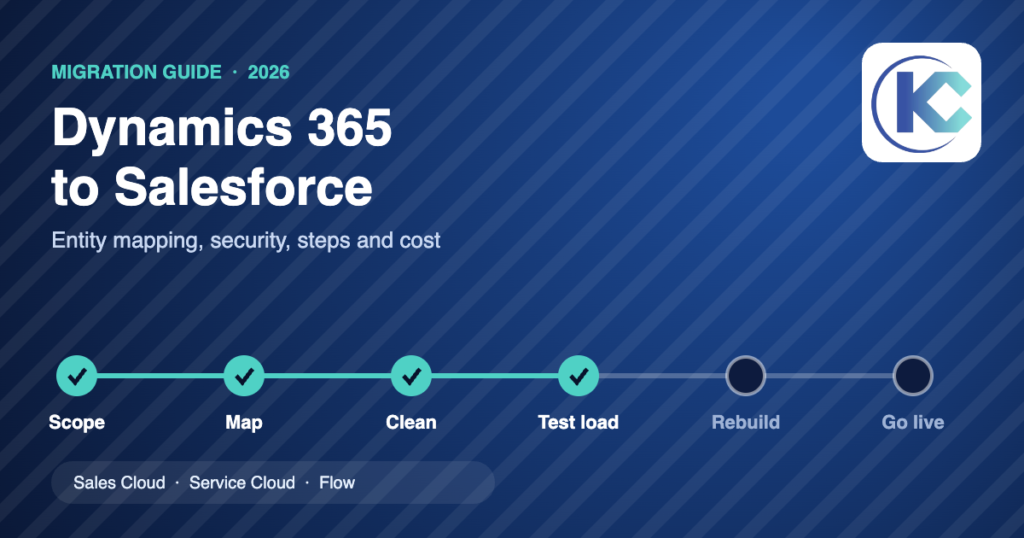
Dynamics 365 to Salesforce migration steps
- Scope and audit. List every Dynamics entity, field, form, view, flow, plugin, integration and report your team actually uses.
- Design the Salesforce org. Decide objects, record types, page layouts, the role hierarchy and sharing before any data moves.
- Clean the data. Remove duplicates, fix bad emails and phone numbers, and archive records you no longer need.
- Extract from Dynamics. Export the data with its GUIDs and relationships, including notes and attachments, and keep a full copy safe.
- Map and transform. Match every Dynamics field to a Salesforce field, convert option sets and keep the original IDs for lookups.
- Test migration. Load into a sandbox, check record counts and spot-check real records with your team.
- Rebuild automation and integrations. Recreate the processes you need in Flow, reconnect ERP, marketing and Outlook, and test with real scenarios.
- Train users. Short, role-based sessions on the screens each person will use every day.
- Cut over. Freeze Dynamics, run the final load, check it, and switch users to Salesforce.
- Support after go-live. Fix small issues fast in the first weeks so people keep using the new system.
Planning a move from Dynamics 365 to Salesforce?
Tell us which Dynamics 365 apps you use, roughly how many users and records you have, and your target date. A Salesforce consultant will reply within 1 business day.
Common Dynamics 365 to Salesforce migration mistakes
- Copying Dynamics one-to-one. Rebuilding every old entity, form and plugin brings old problems into a new system.
- Copying the security model. Business units and security roles work differently from Salesforce roles and sharing, so access must be designed again.
- Losing relationships. Loading records without their lookups, owners and regarding links breaks history.
- Forgetting integrations. ERP, marketing, telephony and Outlook connections need to be rebuilt for Salesforce.
- No test run. A sandbox test load catches mapping errors before your team sees them.
- Too little training. If users find Salesforce harder on day one, they go back to spreadsheets and email.
What a Dynamics 365 to Salesforce migration costs
| Option | Typical price (USD) | Best for |
|---|---|---|
| Sales Cloud or Service Cloud quickstart | From $6,500 | Small teams on a near-standard Dynamics 365 Sales or Customer Service setup |
| Focused migration project | $15,000 to $50,000 | Custom entities, flow and plugin rebuilds, a few integrations |
| Enterprise migration | $50,000 to $150,000+ | Several business units, large data volumes, complex integrations |
| Managed services after go-live | From $2,000/month | Ongoing admin, fixes and improvements |
Salesforce licences are billed separately by Salesforce. The biggest cost drivers are the number of custom entities, how much automation and code must be rebuilt, data quality and the number of integrations.
Why work with Kizzy Consulting
Kizzy Consulting is a Salesforce Select Consulting Partner. Our certified consultants plan the target org first, clean and move your data with tested loads, rebuild only the automation you need, and stay with your team after go-live. You get a clear scope and price before work starts.
Dynamics 365 to Salesforce migration FAQs
How long does a Dynamics 365 to Salesforce migration take?
It depends on how many entities, custom fields, plugins, Power Automate flows and integrations you use, and how clean your data is. A Dynamics 365 Sales setup close to standard is the quickest to move. Orgs with Customer Service, many custom entities, C# plugins or several integrations take longer. We confirm the timeline in a written scope before work starts.
How much does it cost to move from Dynamics 365 to Salesforce?
Kizzy Consulting quickstarts start from $5,000, and Sales Cloud or Service Cloud quickstarts start from $6,500. Migrations with custom entities, automation rebuilds or integrations typically fall in our focused project range of $15,000 to $50,000. Large, multi-business-unit migrations typically cost $50,000 to $150,000 or more. Salesforce licences are billed separately by Salesforce.
Can we keep our Dynamics 365 history, notes and attachments?
Yes. Accounts, contacts, opportunities, cases, activities, notes and most attachments can move with their lookups and owners intact. We agree with you up front how many years of history to bring across, because old, unused data adds cost and clutter.
Will our Dynamics workflows, plugins and Power Automate flows move across?
Not directly. Business process flows, classic workflows, Power Automate flows and C# plugins have to be rebuilt in Salesforce, usually with Flow, validation rules and Apex where code is truly needed. This is a good moment to drop automation nobody uses.
How do Dynamics business units and security roles map to Salesforce?
Salesforce controls access with the role hierarchy, profiles, permission sets and sharing rules. Business units and security roles do not map one to one, so we design the Salesforce access model first and test it with real users before go-live.
Can we keep using Outlook and Microsoft Teams after moving to Salesforce?
Yes. Salesforce works with Outlook and Microsoft 365 for email and calendar, and Salesforce offers integrations for Microsoft Teams. We set these up as part of the move so your team keeps working the way it does today.