What Is Agentforce? Definition, Einstein Trust Layer and Features
⏱ 6 min read
SALESFORCE AI GUIDE · 2026
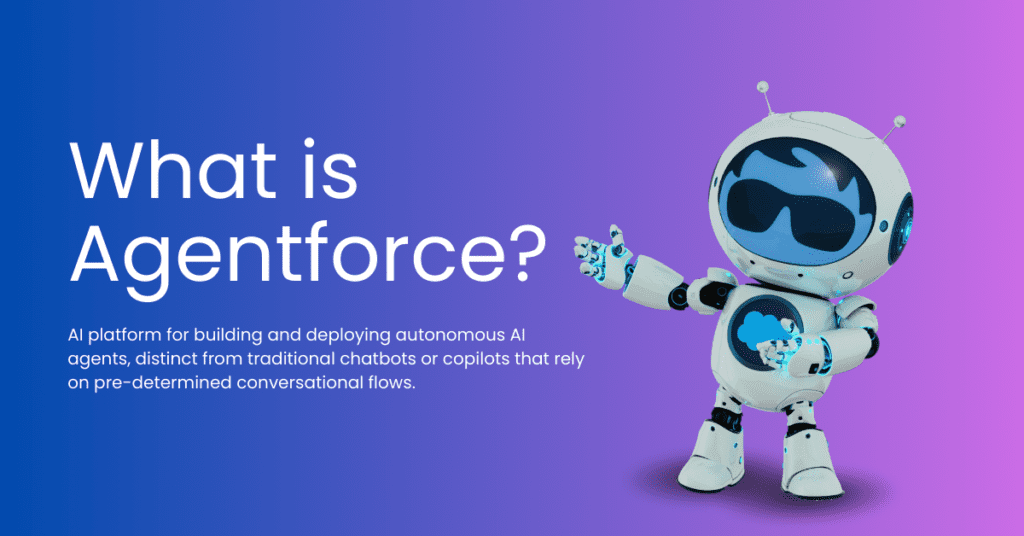
Agentforce is Salesforce’s platform for building and deploying AI agents that reason over CRM data, select permitted actions and carry out work through Salesforce workflows and connected systems. This guide explains how Agentforce works, how the Einstein Trust Layer protects AI interactions, and what to consider before implementation.
Written by: Sanjeet Mahajan
Updated: October 26, 2026
Updated: October 26, 2026
THE QUICK ANSWER
Contents
hide
What Is Agentforce?
Agentforce is Salesforce’s platform for building and deploying AI agents. Agents reason over your CRM data, take actions through Flow, Apex and APIs, and work across chat, voice, Slack and email, with every request protected by the Einstein Trust Layer. Their permitted actions, data access and escalation rules depend on how the organization configures them.
Businesses are adopting artificial intelligence and automation to improve customer experiences, reduce repetitive work and help teams make faster decisions. Salesforce Agentforce supports this shift by enabling organizations to build AI agents that can work with their customer data, business processes and existing integrations.
Unlike a traditional chatbot that mainly answers questions, an AI agent can select a relevant task, use approved tools and take action within configured boundaries. For example, an agent might retrieve an account record, check an order status, create a case or trigger an approved workflow.
The result depends on more than the language model. Reliable Agentforce implementations also require accurate data, appropriate Salesforce permissions, clearly defined actions, testing and ongoing monitoring.
Agentforce Definition
Agentforce is Salesforce’s platform for building and deploying AI agents that use business context, instructions, connected data and approved actions to help complete tasks. It works with Salesforce capabilities such as Flow, Apex, APIs and knowledge sources, depending on the agent’s configuration and permissions.
Agentforce can support customer service, sales, employee assistance and other business workflows. Teams define the responsibilities of an agent, the actions it may execute, the information it can access and when it should transfer work to a human.
Agentforce is not a guarantee of unrestricted autonomous access. An agent’s actual capabilities depend on its setup, user context, available actions, product edition, licensing and connected systems.
Features and Capabilities of Agentforce
Agentforce combines agent-building tools, reasoning capabilities, data access and business actions. The exact features available depend on the Salesforce products and licenses in use.
01 · REASONING
Atlas Reasoning Engine
The Atlas Reasoning Engine supports how an agent interprets requests, selects relevant work and coordinates actions. Its behavior depends on the agent type, configuration and capabilities enabled in the org.
02 · CONFIGURATION
Agent Builder
Agent Builder provides the workspace for configuring an agent’s instructions, responsibilities, data sources and actions. Teams can preview interactions and refine the setup before making an agent available to users.
03 · QUALITY ASSURANCE
Agentforce Testing Center
Testing Center supports repeatable evaluation of agent behavior through test scenarios and evaluation metrics. Teams can assess response quality, action execution and other behavior before deployment. Run tests in a sandbox because test actions can affect CRM data.
04 · VOICE
Agentforce Voice
Agentforce Voice enables supported service agents to understand spoken customer input and respond through voice interactions. Availability, supported languages, channels and required licenses should be confirmed for the intended deployment.
05 · AUTOMATION
Sales and Service Actions
Agents can use configured actions to support tasks such as lead follow-up, case creation, customer queries and workflow execution. Access and execution should be limited to the actions required for each use case.
06 · CONNECTED DATA
Grounding and Integrations
Relevant Salesforce records, knowledge content and configured external sources can give an agent context for its response. Data quality, access permissions and integration reliability remain essential.
How Agentforce Helps Businesses
Agentforce can help organizations improve service delivery and automate selected business processes. The impact depends on the quality of the implementation, the suitability of the use case and how performance is measured.
Customer Experience
Provide timely responses, retrieve relevant information and route complex requests to the appropriate team.
Sales Productivity
Support lead qualification, follow-up and CRM updates through approved actions and workflows.
Operational Efficiency
Reduce repetitive steps and help employees focus on work requiring judgment, context and relationship-building.
Consistent Processes
Use defined instructions, approved actions and escalation rules to make workflows easier to monitor and improve.
How Does Agentforce Work?
Agentforce combines natural-language understanding, business data, reasoning and configured actions. A typical interaction can be understood through four stages, although the exact execution path varies by agent and use case.
01
Understand the Request and Retrieve Context
The agent interprets the request and uses permitted Salesforce records, knowledge content or other configured sources to gather relevant context.
02
Select the Relevant Responsibility and Actions
The agent identifies the relevant configured responsibility and determines which available actions can help complete the task within its instructions and permissions.
03
Reason, Plan and Execute
The agent coordinates the steps needed for the task and invokes approved actions, such as a Flow, Apex operation or API integration, where configured.
04
Return a Response and Monitor the Outcome
The agent responds or completes the configured action. Teams can test and monitor behavior, review available logs and refine instructions when results fall short of expectations.
What Is the Einstein Trust Layer?
The Einstein Trust Layer is the set of security, privacy and governance controls built into Salesforce’s generative AI architecture. It helps protect company and customer data as prompts and responses move between Salesforce and supported large language models (LLMs).
Its capabilities include secure data retrieval, dynamic grounding, data masking where supported, zero-data-retention agreements with third-party model providers, toxicity detection, prompt defenses and audit capabilities. The controls available can vary by AI feature and agent type, so confirm the current configuration for your specific use case.
Implementation note: Salesforce documentation states that data masking is disabled for agents in the documented agent configurations. Do not assume that every Agentforce interaction masks names, email addresses or other sensitive values before sending a prompt to a model. Verify the exact agent type and current Salesforce documentation before publishing or designing controls around this behavior.
How a Request Moves Through the Trust Layer
The following is a conceptual overview of the Trust Layer’s capabilities. It is not a guarantee that every control runs in the same order, or that every control is enabled, for every Agentforce agent.
1
Secure Data Retrieval
Grounding uses Salesforce access controls applicable to the user or execution context. Relevant data should be accessible only within the permissions and configuration governing that request.
2
Dynamic Grounding
Relevant CRM records, knowledge content and configured Data 360 sources can be added to a prompt to provide business context for the response.
3
Data Masking, Where Supported
For supported generative AI features, sensitive values may be detected and replaced with placeholders before a prompt is sent to an external LLM. Masking support differs by feature and agent type; it is disabled for agents in the documented configurations noted above.
4
Zero Data Retention with Third-Party LLM Providers
Salesforce states that its agreements with external LLM providers include zero-data-retention commitments. Prompts and responses sent through those covered model interactions are not retained by the provider or used to train its models under those agreements. This does not mean Salesforce itself never stores related records, logs or audit data.
5
Toxicity Scoring and Prompt Defenses
Trust Layer capabilities can assess generated content for toxicity and apply system policies or prompt defenses intended to reduce harmful or unintended outputs. These controls support risk reduction rather than guaranteeing that every response will be safe or correct.
6
Demasking and Response
For features that use masking, placeholders can be replaced with their original values when the response is returned, subject to the feature’s processing and configuration. Do not assume this step applies to every Agentforce agent.
7
Audit Trail
Where configured and supported, prompts, responses and trust signals can be recorded in Data 360 for analysis and review. Data collection, storage settings, permissions and retention should be checked for the specific org.
Official references: Einstein Trust Layer, Data Masking Limitations in Agentforce, and Audit Trail.
What the Trust Layer Does Not Do
The Trust Layer does not automatically fix over-broad Salesforce permissions, inaccurate CRM records, weak integrations or an agent that has been given too many actions. Those remain configuration and architecture responsibilities.
For example, if a user or execution context has more access than it should, grounding alone is not a substitute for correcting that access. Similarly, an agent with an unnecessarily powerful action can create risk even if its model calls are protected. This is why a readiness review should begin with data quality, permissions, a narrow use case and clear action boundaries.
Trust Layer vs. Guardrails You Design
The Trust Layer governs supported protections around data and model interactions. Agent instructions, topics or subagents, action permissions, business rules and escalation policies determine what the agent is meant to do and which actions it can take. A secure implementation needs both platform protections and carefully designed agent behavior.
When building agents outside Salesforce, such as on AWS Bedrock, teams can design a comparable control pattern using applicable Bedrock Guardrails, PII redaction, access controls and logging. These controls must be configured and validated for that environment; they are not automatically provided by the Salesforce Einstein Trust Layer.
Agentforce vs Einstein AI
Agentforce and Einstein AI are related, but the terms describe different parts of Salesforce’s AI capabilities. Einstein includes predictive and generative features that can score, summarize, recommend or draft. Agentforce focuses on building and running agents that can reason through tasks and take configured actions.
| Comparison | Einstein AI Features | Agentforce |
|---|---|---|
| Primary role | Predictive and generative AI capabilities, depending on the product. | Builds and deploys AI agents to handle configured tasks. |
| Typical work | Scoring, forecasting, summarizing, generating drafts and surfacing insights. | Interpreting requests, selecting actions and coordinating multi-step work. |
| Execution | Often assists a user or provides a prediction or generated result. | Can execute approved actions through configured Salesforce and connected-system tools. |
| Example | Predicting opportunity outcomes or drafting a customer reply. | Checking a case, retrieving information and executing a permitted follow-up action. |
Einstein capabilities can be used within broader agent experiences. The distinction is not that one is AI and the other is not; it is the difference between AI features and an agent designed to coordinate work and take actions.
Types of Agentforce Use Cases
Agentforce can be configured for different business responsibilities. These are examples of use cases, not a guarantee that every scenario is available as a ready-made agent in every Salesforce org.
Customer Service
Answer supported customer questions, retrieve knowledge and help resolve cases or route them to service teams.
Sales Development
Support lead qualification, research, outreach preparation and follow-up through approved workflows.
Employee Assistance
Help employees find internal information, understand procedures and complete supported service requests.
Industry Workflows
Support carefully scoped processes in areas such as retail, financial services, healthcare administration and technology support, subject to applicable controls.
How to Build and Implement Agentforce
A successful Agentforce implementation starts with a business outcome, not with the agent builder alone. A phased approach helps teams validate value and control risk before expanding to more workflows.
Step 1: Define a Specific Business Objective
Identify a measurable problem such as reducing repetitive case triage, improving response times or helping sales teams complete follow-up tasks. Set a baseline and agree on how success will be measured.
Step 2: Review Data and Permissions
Check data quality, record access, field-level security, knowledge sources, ownership and integration dependencies. Resolve unnecessary access before connecting an agent to sensitive records.
Step 3: Configure Instructions and Actions
Define the agent’s scope, instructions, available actions, expected outcomes and escalation conditions. Give it only the permissions and tools needed for its approved responsibilities.
Step 4: Test Realistic Scenarios
Test normal requests, ambiguous inputs, missing data, denied access, unsuccessful actions and escalation paths. Use sandbox testing and review results before releasing the agent to production.
Step 5: Deploy, Monitor and Improve
Roll out to a defined audience, monitor task completion and error rates, review available audit information and gather user feedback. Refine the agent as business processes and requirements change.
For a broader implementation review, see Kizzy Consulting’s Agentforce consulting services and Salesforce Data 360 implementation considerations.
Can You Customize Agentforce Agents?
Yes. Teams can configure supported agents to reflect their business workflows, instructions, connected data, available actions and escalation requirements. The extent of customization depends on the agent type and the Salesforce capabilities available in the org.
- Adapt instructions and supported conversational behavior to the business process.
- Connect approved Salesforce records, knowledge content and integrations.
- Configure actions and permissions around the agent’s intended responsibilities.
- Use test scenarios, feedback and monitoring to identify gaps and improve performance.
- Define when the agent should stop, request approval or hand work to a human.
Governance and Human Oversight
Not every Agentforce interaction requires a person to approve every step. An agent can act within the instructions, permissions and actions configured for it. However, businesses should deliberately decide which tasks can run autonomously and which require approval, verification or escalation.
High-impact actions, sensitive data changes, financial commitments and exceptions to business policy may need stronger controls. The appropriate model depends on the workflow, regulatory context and consequences of an incorrect action.
Use testing, restricted permissions, clear escalation paths and available audit information together. The Trust Layer is one part of a broader governance approach, not a substitute for it.
Checkout – AI Ops & Governance Services
What Is Next for Agentforce?
Agentforce is part of Salesforce’s ongoing development of AI-assisted and agent-based workflows. Areas to watch include more voice-based interactions, stronger testing and evaluation practices, improved connections to business data, and closer coordination between agents and existing automation.
For organizations, the practical priority is to build a foundation that can adapt: reliable data, documented business rules, clear access boundaries and a repeatable way to test and monitor agent behavior.
KIZZY AI READINESS ASSESSMENT
Before You Switch On AI, Check What’s Ready
Review your data, governance, technology and operational readiness before investing in a new AI use case. A structured assessment helps identify gaps and prioritize the next steps.
AGENTFORCE IMPLEMENTATION
Turn an AI Use Case into a Governed Workflow
From use-case selection and data access to agent configuration, testing and rollout, build an implementation plan around your team’s actual processes and controls.
Conclusion
Agentforce gives Salesforce customers a platform for building AI agents that can interpret requests, work with relevant business context and execute configured actions. The Einstein Trust Layer adds important protections around supported generative AI interactions, but it does not remove the need for careful permission design, reliable data, testing and governance.
Start with one clear business problem, give the agent only the access and actions it needs, test realistic scenarios and define how people will review performance. This approach creates a stronger foundation for expanding agent-based automation over time.
SM
About the Author: Sanjeet Mahajan
Founder & CEO, Kizzy Consulting · 13x Salesforce Certified Architect
Sanjeet Mahajan works on Salesforce architecture, Agentforce and enterprise AI implementation. At Kizzy Consulting, he helps organizations evaluate business use cases, connect AI to business workflows and plan implementation with appropriate data access, testing and governance.
Frequently Asked Questions
What is Agentforce?
Agentforce is Salesforce’s platform for building and deploying AI agents. Agents reason over your CRM data, take actions through Flow, Apex and APIs, and work across chat, voice, Slack and email, with every request protected by the Einstein Trust Layer.
What is the Einstein Trust Layer?
The Einstein Trust Layer is the set of security controls between Agentforce and the large language models it uses. It covers secure data retrieval, dynamic grounding, data masking, zero data retention with LLM providers, toxicity scoring and an audit trail.
Do third-party LLM providers keep my Agentforce data?
No. Under Salesforce’s zero data retention agreements, prompts and responses sent through the Einstein Trust Layer are not stored by the model provider or used to train its models.
Does a human have to review every Agentforce interaction?
No. Agents can act on their own within the topics, instructions and actions you configure. You decide where human approval or escalation is required, and the Trust Layer audit trail lets you review interactions afterwards.
Is Agentforce the same as Einstein AI?
No. Einstein refers to Salesforce’s predictive and generative AI features, such as scoring and drafting. Agentforce builds on them with agents that can plan multi-step work and take actions in Salesforce and connected systems.
What is the Atlas Reasoning Engine?
The Atlas Reasoning Engine is the part of Agentforce that interprets a request, selects the relevant topic, plans the steps and chooses which actions to run, then checks the result before responding.
BUILD WITH A CLEAR PLAN
Ready to Explore Agentforce for Your Business?
Talk to Kizzy Consulting about your use case, Salesforce data, integrations and implementation priorities. Start with a practical scope and a clear approach to testing and governance.
Discuss Your Agentforce Requirements
Share your business goals and our team can follow up about next steps.