Salesforce MCP Server: Setup, Security and How to Connect Claude
⏱ 4 min read
SALESFORCE • MCP • AI AGENTS
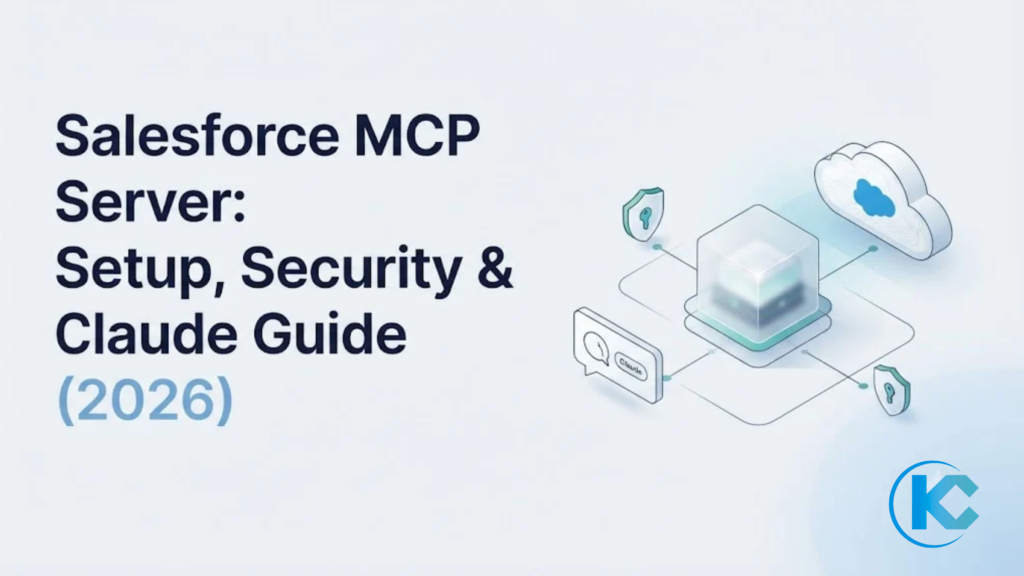
A Salesforce MCP server lets an AI client such as Claude, ChatGPT or Cursor read and update Salesforce data under each user’s own permissions. This guide is for Salesforce architects, developers and technical buyers deciding how to connect AI agents to Salesforce. It covers how Salesforce Hosted MCP Servers work, how to set one up and where the governance limits sit.
Setup StepsPer-User OAuthAgentforce MCP
By Sanjeet Mahajan, CEO of Kizzy Consulting
Salesforce’s MCP support is changing quickly. Last verified against Salesforce documentation: October 28, 2026.
Salesforce’s MCP support is changing quickly. Last verified against Salesforce documentation: October 28, 2026.
Quick Answer: What Is a Salesforce MCP Server?
A Salesforce MCP server exposes Salesforce records, automation and analytics to AI clients through the open Model Context Protocol (MCP). An admin enables the server once in Setup. Any MCP-compatible client then connects with per-user OAuth 2.0 and PKCE, so every tool call runs with that user’s existing Salesforce permissions.
How the Model Context Protocol Works With a Salesforce MCP Server
The server sits between the AI client and your org and runs every request as the signed-in user. Salesforce hosts and scales it, so there is no infrastructure to provision. A session runs in three steps:
STEP 01
Enable
An admin enables a server in Setup (API Catalog, then MCP Servers). Servers are disabled by default.
STEP 02
Authenticate
The client uses the server URL and an External Client App’s consumer key. The user signs in with OAuth 2.0 authorization code flow and PKCE.
STEP 03
Call and log
The client discovers tools and calls them under that user’s object access, field-level security and sharing rules. Activity lands in standard API logs.
Salesforce’s announcement lists prebuilt servers (Agentforce 360 Platform, Tableau Next, Data 360 and platform/sobject-reads), custom tools built from Flows, Apex actions and Named Query APIs, and prompt templates. For how MCP compares with agent-to-agent protocols in general, see our MCP vs A2A comparison.
Is Your Business Ready for AI?
Our AI Readiness Assessment evaluates your data, infrastructure, workflows and use cases so you know where to start.
Ways to Connect: Hosted vs Custom Salesforce MCP Server
For business data, use the Salesforce-hosted MCP server first. A custom proxy over the REST APIs means you own authentication, authorization and logging yourself.
| Option | What it is | Use it when | Watch for |
|---|---|---|---|
| Hosted standard servers | Prebuilt servers such as platform/sobject-reads, Data 360 and Tableau Next | You need governed access to records or analytics | Availability: Generally available since April 29, 2026 Editions: Enterprise Edition and above |
| Hosted custom servers | Tools built from Flows, Apex actions and Named Query APIs | Agents need business logic or tightly scoped queries | Tool annotations are hints, not enforcement |
| Salesforce DX MCP Server | The Salesforce DX MCP server (@salesforce/mcp), run locally by a developer | A coding assistant must deploy metadata or run tests | Developer tooling, not business data. Salesforce has announced its end of life for November 2, 2026. |
Billing matters before rollout. Salesforce states in its Hosted MCP Servers documentation that the servers are intended only for customers with Flex Credits and that server usage may be billed. Confirm your contract before you pilot.
How to Connect Claude to Salesforce: Salesforce MCP Server Setup
Setup takes four steps and an admin in an Enterprise Edition org or above. Start in a sandbox with a read-only server.
STEP 01
Enable a server
In Setup, go to API Catalog > MCP Servers and enable the server you need. Servers are off by default. Start with platform/sobject-reads in a sandbox; it is read-only.
STEP 02
Create an External Client App
Enable OAuth, add the Claude callback URL https://claude.ai/api/mcp/auth_callback, add the scopes mcp_api and refresh_token, and select Issue JSON Web Token (JWT)-based access tokens for named users. Connected Apps are not supported. Allow up to 30 minutes for the app to become available.
STEP 03
Add the connector in Claude
In Claude, go to Customize > Connectors > Add custom connector. Enter the server URL (production: https://api.salesforce.com/platform/mcp/v1/platform/sobject-reads), choose Use your own OAuth client, paste the consumer key, leave the secret blank and click Connect.
STEP 04
Test it
Sign in to Salesforce when Claude redirects you, then ask a read-only question, such as which fields are required to create an Account.
Avoid three mistakes: using a Connected App (not supported), testing before the app is operational (it can take up to 30 minutes) and starting with a write-capable server (Salesforce setup guide). For the wider picture of Claude inside Salesforce projects, read our guide to Claudeforce.
Salesforce MCP Server Security and Governance
The hosted server adds no new permission model. Every tool call runs with the access of the user who authorized the connection, including object CRUD, field-level security and sharing rules (Salesforce security best practices). There are no service accounts.
The controls to configure:
- Authentication. Only the OAuth authorization code flow is supported, PKCE is mandatory, and admins create each External Client App.
- Scope. Start read-only. Use Named Queries for predefined SOQL and custom tools for conditional logic.
- Access. Link each app to profiles and permission sets, set refresh token validity to 30 days or less, and enable token rotation and Single Logout.
- Audit. Filter API logs for
API_CLIENT_CATEGORY=SALESFORCE_HOSTED_MCPand route them to your monitoring.
Plan around one limit: tool annotations such as readOnlyHint and destructiveHint are hints, not enforcement, and do not replace access controls or human approval. For the wider design view, see our enterprise AI agent tech stack and AI trust architecture guides.
Related Read
MCP connects agents to your data; this guide explains where MCP ends and agent-to-agent protocols begin.
Salesforce MCP Server Use Cases: Claude, ChatGPT, Cursor and Agentforce MCP
The common use case is a person asking an AI client a question about Salesforce and getting an answer scoped to their own access.
- Account and deal work. A rep asks Claude for account details or related opportunities. Prompt templates cover tasks such as account reviews and deal analysis.
- Analytics. Data 360 and Tableau servers let a client query governed data.
- Developer workflows. Cursor uses the DX MCP Server to deploy metadata and run tests.
- Agentforce MCP. This is the reverse direction: agents inside Salesforce calling external MCP servers. Salesforce documents it separately, and availability and licensing vary by org, so confirm the current status in Salesforce Help before planning.
ChatGPT uses the same OAuth pattern as Claude, with its own callback URL, which you copy from ChatGPT’s Advanced settings.
How Kizzy Builds a Salesforce MCP Server Integration
A Salesforce MCP server gives AI clients a controlled way to work with CRM data without unrestricted access to your org. Kizzy’s approach starts with the workflow, the Salesforce capabilities it needs and the limits the assistant must stay within.
The Integration Challenge
An AI assistant is more useful with business context. Connecting a model directly to business systems without defined permissions and action boundaries adds operational risk. MCP gives compatible clients a standard way to discover and call the tools a server exposes.
Choosing the Right Salesforce MCP Server
Choose by use case. A hosted standard server suits common supported operations. A hosted custom server fits workflows needing tailored logic or custom tools. The Salesforce DX MCP server (@salesforce/mcp) was built for development work; Salesforce has announced its end of life for November 2, 2026.
Guardrails That Matter
- Identity and permissions: enforce least-privilege Salesforce access.
- Tool boundaries: expose only required operations and validate inputs.
- Write safeguards: require approval for consequential changes.
- Testing: check authorized and denied requests, errors and logs.
Measure the workflow, not only the connection. Track task completion, accuracy, successful authorized tool calls and time saved against a baseline taken before the pilot.
Salesforce MCP Server FAQs
Does Salesforce have an MCP server?
Yes. Salesforce Hosted MCP Servers became generally available on April 29, 2026 (Salesforce). Salesforce hosts the servers, and an admin enables them in Setup. Prebuilt servers cover records, Data 360 and Tableau Next, and admins can build custom servers from Flows, Apex actions and Named Query APIs.
Can I connect Claude to Salesforce with a Salesforce MCP server?
Yes. Claude has native MCP connector support, so it needs no extra software. Create an External Client App with the mcp_api and refresh_token scopes and the Claude callback URL, then enter the server URL and consumer key in Claude and sign in. Cursor and ChatGPT follow the same pattern, but each needs its own callback URL in the External Client App.
Is a Salesforce MCP server secure for CRM data?
It inherits your Salesforce security model. Each call runs as the authorizing user, with field-level security and sharing rules applied, and PKCE is mandatory. Servers are disabled by default. Your setup still matters: scope access with permission sets, start read-only and review API logs filtered to SALESFORCE_HOSTED_MCP.
How much does a Salesforce MCP server cost?
Salesforce states that Hosted MCP Servers are intended only for customers with Flex Credits and that you may be billed for server usage. Salesforce Help lists the rate for agent calls as to be announced and says it will give 30 days’ notice before metering starts, so confirm current usage terms with your Salesforce account team before a pilot.
How does Agentforce MCP relate to a Salesforce MCP server?
They work in opposite directions. A hosted server lets external AI clients call into your org. Agentforce MCP lets agents inside Salesforce call external MCP servers. Availability and licensing vary by org, so confirm current status in Salesforce Help before you plan around it.
Ready to Plan Your Salesforce MCP Server Rollout?
Tell us which AI client and which Salesforce data you want to connect, and we will map the safest first server and toolset.