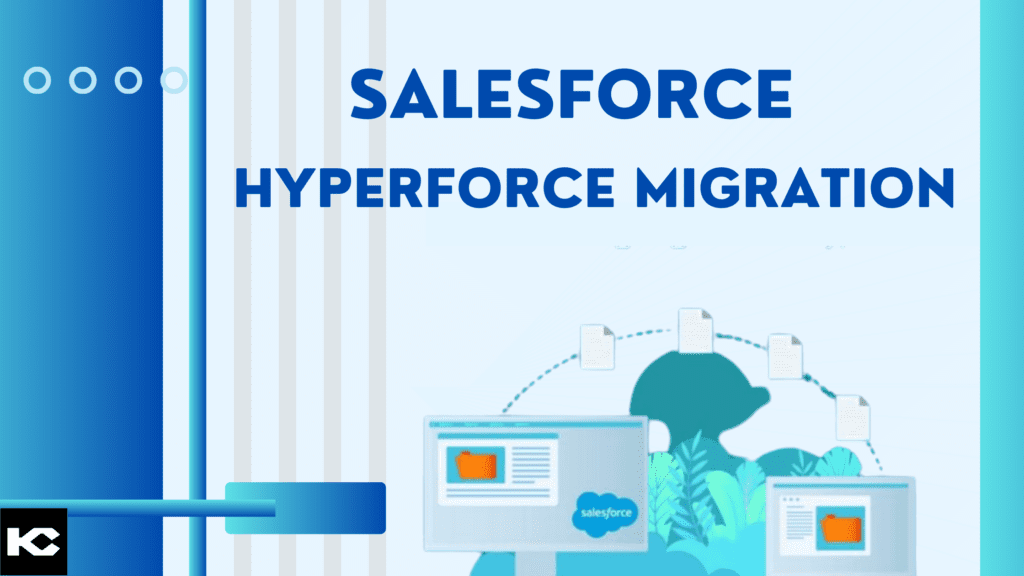
Salesforce Hyperforce Migration: Best Practices & Complete Guide 2026
⏱ 5 min read
Salesforce Hyperforce migration moves Salesforce workloads to Salesforce’s modern public-cloud infrastructure, supporting scalability, availability, security, data residency, and global operations. A successful migration requires careful readiness assessment, integration review, security validation, testing, and post-migration monitoring.
Salesforce Hyperforce Migration: Quick Answer
Salesforce Hyperforce migration is the transition of a Salesforce org or eligible Salesforce service from legacy Salesforce-managed infrastructure to Salesforce’s modern public-cloud architecture. Salesforce describes Hyperforce as a cloud-native architecture designed to support security, compliance, availability, scalability, and data residency.
The migration itself is coordinated with Salesforce, but customers need to prepare their Salesforce org, integrations, network controls, custom code, security configuration, data dependencies, and operational processes before and after the migration.
What Is Salesforce Hyperforce?
Salesforce Hyperforce is Salesforce’s modern, public-cloud-native infrastructure architecture. It is designed to provide the Salesforce Platform and applications with greater scalability, availability, security, compliance capabilities, and support for regional data residency. Salesforce states that Hyperforce underpins Customer 360 and modern workloads including Agentforce.
For customers, Hyperforce migration is primarily an infrastructure transition rather than a redesign of the Salesforce user experience. Salesforce coordinates the underlying migration, while customers are responsible for making sure their configurations, integrations, network dependencies, and customizations are prepared for the change.
Scalability
Hyperforce provides a cloud-native foundation designed to support changing workloads and global scale.
Data Residency
Hyperforce supports regional infrastructure and data residency requirements across supported Salesforce regions.
Security
The architecture incorporates Salesforce security, privacy, compliance, and infrastructure controls.
Availability
The infrastructure is designed to support resilient and highly available Salesforce services.
Salesforce Hyperforce Migration Process
A successful Salesforce Hyperforce migration should be approached as a structured readiness and validation program. Salesforce’s current guidance emphasizes preparation before the migration, validation during the transition, and verification afterward.
- Assess the Salesforce environment: Identify customizations, integrations, APIs, external systems, network dependencies, certificates, IP restrictions, and hard-coded instance references.
- Run Hyperforce readiness checks: Use Salesforce’s Hyperforce Assistant and review the migration-specific recommendations for your org.
- Prepare integrations: Review middleware, APIs, external applications, authentication mechanisms, endpoints, DNS dependencies, and network controls.
- Review security and compliance: Validate access controls, encryption, certificates, IP policies, data residency requirements, and regulatory dependencies.
- Test before migration: Validate integrations and critical business processes in an appropriate sandbox or test environment.
- Prepare for the maintenance window: Coordinate stakeholders and avoid activities that Salesforce identifies as potentially disruptive around the migration window.
- Validate after migration: Test authentication, integrations, APIs, automation, email, custom applications, reports, and critical business workflows.
- Monitor and optimize: Continue monitoring system behavior and resolve any connectivity, performance, or configuration issues after the migration.
Salesforce Hyperforce Migration Best Practices
1. Assess Your Salesforce Org Before Hyperforce Migration
Start with a complete assessment of your Salesforce environment. Review custom Apex, Lightning components, flows, integrations, middleware, APIs, external applications, authentication methods, network rules, and operational dependencies.
The goal is to identify anything that depends on Salesforce’s previous infrastructure or instance-specific configuration.
2. Remove Hard-Coded Salesforce Instance References
One of the most important Hyperforce migration best practices is eliminating hard-coded instance references such as instance-specific Salesforce URLs.
Salesforce recommends using your My Domain login URL rather than hard-coding instance names because instance names can change during infrastructure operations.
3. Review Salesforce IP Allowlisting and Network Access
Review firewalls, network security controls, email security systems, API gateways, and other systems that depend on Salesforce IP addresses.
Salesforce currently recommends modern alternatives to IP allowlisting where possible. If allowlists are required by your organization, update them according to the applicable Hyperforce IP guidance.
4. Do Not Pin Salesforce Certificates
Certificate pinning can create connectivity problems when Salesforce infrastructure or certificates change.
Salesforce explicitly advises customers not to pin Hyperforce certificates because Hyperforce instances use unique certificates and certificates can rotate.
5. Review Salesforce Integrations Before Migration
Audit every integration connected to Salesforce, including ERP systems, marketing platforms, payment systems, data warehouses, middleware, custom applications, external APIs, and authentication providers.
Document endpoints, credentials, certificates, firewall dependencies, IP restrictions, API usage, and expected post-migration behavior.
6. Clean and Classify Salesforce Data
Data quality remains important even though a standard Salesforce Core org migration preserves existing record IDs and root-relative URIs.
Identify sensitive, regulated, duplicate, obsolete, and business-critical data so your team understands the data dependencies surrounding the migration.
7. Validate Security and Data Residency Requirements
Review security policies, authentication, access controls, encryption requirements, compliance obligations, and data residency expectations.
Hyperforce is designed to support regional data residency and Salesforce security and compliance requirements, but organizations should still validate their own regulatory and contractual obligations.
8. Test Salesforce Integrations and Critical Workflows
Build a structured validation checklist covering login, APIs, integrations, automation, reports, dashboards, email, custom applications, external systems, and critical business workflows.
Testing should focus on the processes that would create the greatest operational impact if they stopped working.
9. Plan Large Jobs and Sandbox Refreshes Around Migration
Migration timing matters for administrative and operational activities.
Salesforce currently advises avoiding large jobs within 72 hours of the maintenance window and provides specific guidance for sandbox refreshes around an org migration.
10. Validate Email and External Communication
Review outbound email dependencies, security filtering, email authentication, allowlists, and third-party email service providers.
Salesforce notes that email traffic patterns following an organization migration can affect some external email service providers, making coordination and monitoring important.
11. Create a Hyperforce Migration Backup and Recovery Plan
Document recovery procedures, integration owners, escalation paths, business-critical processes, and validation criteria.
A clear operational plan makes it easier to respond quickly if an integration or dependent system requires remediation after the migration.
12. Monitor Salesforce Hyperforce After Migration
Post-migration monitoring should cover authentication, integrations, API traffic, automation, email, user access, performance, and business-critical workflows.
Do not consider the project complete simply because the Salesforce org is available. Validate the surrounding ecosystem as well.
Need Help With Salesforce Migration?
Hyperforce readiness often involves more than Salesforce configuration. Integrations, custom code, network controls, APIs, data dependencies, security settings, and external applications all need to work together after the infrastructure transition.
Salesforce Hyperforce Use Cases by Industry
Hyperforce’s infrastructure capabilities can support Salesforce environments across industries with different scalability, security, data residency, and operational requirements. The specific benefits depend on the Salesforce products being used, the organization’s architecture, and applicable regulatory requirements.
Healthcare
Support secure patient and customer data workflows, connected healthcare experiences, and data-driven operations.
Financial Services
Support customer relationship management, financial-service workflows, compliance requirements, and regional data considerations.
Retail
Support customer engagement, commerce-connected workflows, service operations, and scalable CRM processes.
Manufacturing
Support sales, service, partner operations, supply-chain-connected processes, and data-intensive Salesforce workflows.
Telecommunications
Support high-volume customer operations, service processes, integrations, and geographically distributed users.
Education
Support student, faculty, alumni, and administrative processes with Salesforce-based customer and constituent experiences.
Real Estate
Support property, lead, customer, transaction, and service workflows across distributed real estate operations.
Government
Support citizen services, constituent workflows, data management, and region-specific compliance requirements.
Salesforce Hyperforce Migration Readiness Checklist
Use Salesforce Hyperforce Assistant for Migration Readiness
Hyperforce Assistant is available within Salesforce Setup and provides org-specific guidance for preparing for a Hyperforce upgrade. Salesforce recommends using it as part of the preparation process.
Administrators should review the recommendations produced for their specific org rather than relying solely on a generic migration checklist. The actual dependencies can vary significantly based on integrations, customizations, security controls, and Salesforce products in use.
What to Check After Salesforce Hyperforce Migration
Post-migration validation is one of the most important parts of a successful Salesforce Hyperforce migration. Salesforce’s current guidance recommends preparing for potential integration refreshes and checking connectivity after the migration.
- Confirm Salesforce login and user access.
- Verify My Domain and application access.
- Test inbound and outbound integrations.
- Validate API connectivity.
- Check middleware and external applications.
- Review firewall and network behavior.
- Validate email delivery and external email systems.
- Test critical flows, Apex, Lightning components, and automation.
- Verify reports, dashboards, scheduled jobs, and business processes.
- Monitor errors and integration logs.
- Confirm compliance and data residency expectations.
- Document and resolve any post-migration issues.
Prepare Your Salesforce Environment for Hyperforce
A Hyperforce migration is an infrastructure transition, but its success depends heavily on the applications, integrations, security controls, and processes connected to Salesforce.
Salesforce Hyperforce Migration FAQs
What is Salesforce Hyperforce migration?
Salesforce Hyperforce migration is the transition of an eligible Salesforce org or service from Salesforce’s legacy infrastructure to Hyperforce, Salesforce’s modern public-cloud architecture. Hyperforce is designed to support scalability, security, compliance, availability, and data residency.
Why is Salesforce migrating customers to Hyperforce?
Hyperforce provides Salesforce with a modern infrastructure foundation designed for global scale, regional data residency, availability, security, and evolving Salesforce workloads.
What are the most important Salesforce Hyperforce migration best practices?
Key Salesforce Hyperforce migration best practices include removing hard-coded instance references, reviewing IP allowlists, avoiding certificate pinning, validating integrations, reviewing security and data residency requirements, using Hyperforce Assistant, testing critical workflows, planning large jobs and sandbox refreshes, and completing post-migration validation.
Does Salesforce Hyperforce migration change Salesforce record IDs?
For a standard Salesforce Core org migration to Hyperforce, Salesforce states that existing record IDs and root-relative URIs remain the same.
How should I prepare Salesforce integrations for Hyperforce migration?
Review every inbound and outbound integration, API endpoint, middleware connection, firewall rule, IP dependency, authentication mechanism, certificate dependency, and external application. After migration, test the integrations and refresh connections where necessary.
Should Salesforce instance URLs be hard-coded after Hyperforce migration?
No. Salesforce recommends using the organization’s My Domain URL rather than hard-coding instance-specific references because instance names can change during infrastructure operations.
Does Salesforce Hyperforce support data residency?
Hyperforce is designed to support regional data residency requirements. Organizations should still review the specific Salesforce services, regions, contracts, and regulatory requirements applicable to their environment.
Can Salesforce Hyperforce migration affect IP allowlists?
Yes. Customers with network controls based on Salesforce IP ranges should review and update those controls according to Salesforce’s current Hyperforce guidance. Salesforce also recommends modern alternatives to traditional IP allowlisting where appropriate.
Can certificate pinning cause issues after Salesforce Hyperforce migration?
Yes. Salesforce advises customers not to pin Hyperforce certificates because certificates can change between Hyperforce instances and are rotated as part of Salesforce infrastructure operations.
What should I test after Salesforce Hyperforce migration?
Test Salesforce login, APIs, integrations, middleware, automation, email, custom applications, reports, dashboards, scheduled processes, external systems, security controls, and critical business workflows.
Can Kizzy Consulting help with Salesforce Hyperforce migration?
Yes. Kizzy Consulting can support Salesforce migration planning, integration assessment, Salesforce configuration, data and integration validation, testing, and post-migration optimization. Learn more about Salesforce Migration Services.
Need Help Preparing for Salesforce Hyperforce?
Assess your Salesforce org, integrations, security dependencies, and migration readiness before your scheduled transition.
Conclusion: Salesforce Hyperforce Migration Best Practices
Salesforce Hyperforce migration is an important infrastructure transition for organizations running Salesforce on legacy Salesforce-managed infrastructure. While Salesforce manages the underlying migration, customers should actively prepare the surrounding technology ecosystem.
The most important steps are to assess the Salesforce environment, remove hard-coded instance dependencies, review network and IP controls, avoid certificate pinning, validate integrations, review security and data residency requirements, use Hyperforce Assistant, test critical processes, and perform comprehensive post-migration validation.
With a structured Salesforce Hyperforce migration strategy, organizations can reduce avoidable integration issues and maintain continuity across Salesforce applications and connected systems.
Kizzy Consulting
Kizzy Consulting is a Salesforce consulting partner helping organizations with Salesforce implementation, integration, migration, automation, and AI transformation.