A Complete Guide to Salesforce Einstein Bots: Features, Setup & Benefits
⏱ 3 min read
Conversational AI & Automation
In the ever-evolving world of customer service, businesses are leveraging cutting-edge technology to enhance customer interactions and automate routine processes. As AI continues to trend and transform industries, Salesforce Einstein Bots stand out as one of the most powerful CRM tools in this space.
By combining Artificial Intelligence (AI) and Natural Language Processing (NLP), these bots enable automated, intelligent conversations across multiple channels. This guide explores the key features, enterprise benefits, and use cases of Salesforce Einstein ChatBots, offering practical insights on how they can revolutionise customer engagement in today’s AI-driven digital world.
What is Salesforce Einstein ChatBot?
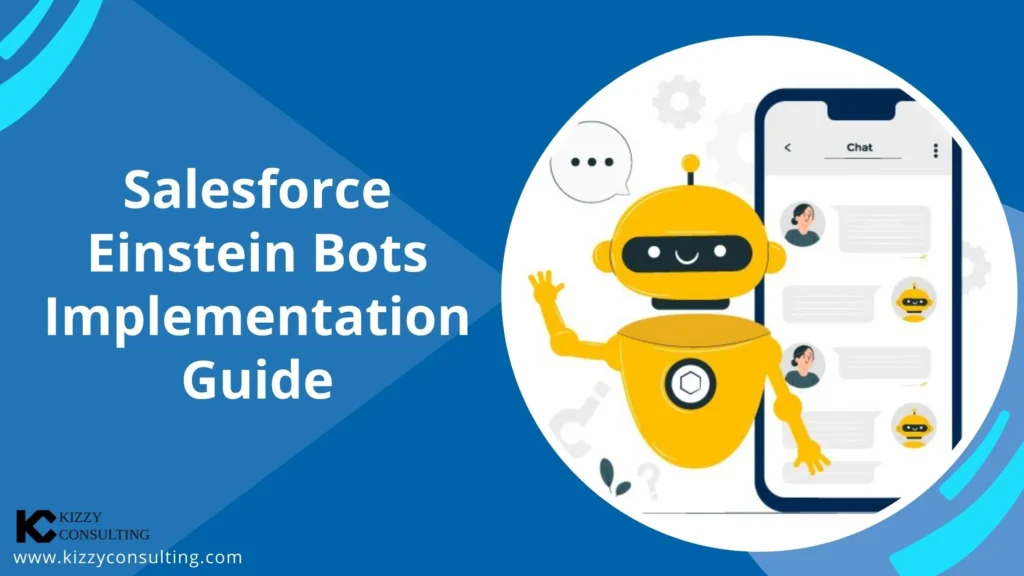
Salesforce Einstein ChatBot is an advanced conversational AI tool seamlessly integrated within the Salesforce ecosystem. This powerful solution enables businesses to deploy intelligent chatbots that manage customer interactions in real-time. Utilising machine learning and Natural Language Processing (NLP), Einstein ChatBots comprehend and respond to customer inquiries, delivering accurate and relevant information without the need for human agents.
The chatbot is deeply integrated with Salesforce’s CRM tools, allowing businesses to enhance their customer service experience while also gaining valuable insights into customer behaviour. Beyond simply answering questions, Einstein ChatBot supports customer service teams by identifying customer needs, automating routine tasks, and efficiently escalating complex issues to live agents when necessary.
Key Features of Salesforce Einstein ChatBot
Artificial Intelligence Integration & NLP
Salesforce Einstein Bots use AI to improve customer service experiences by handling routine queries, collecting necessary information, and even escalating complex cases to human agents when needed. This saves time and resources.
The use of Natural Language Processing (NLP) enables Einstein Bots to understand free-text input, identifying customer intent and delivering accurate responses contextually.
Omnichannel Support
These bots can operate seamlessly across various communication platforms, including:
- SMS and Chat
- Slack
- Facebook Messenger
They also provide support for custom channels via the Einstein Bots API, allowing integration with non-native platforms.
Integration with Salesforce Ecosystem
A significant advantage of Einstein Bots is their native integration with the Salesforce platform. Bots can leverage existing customer data and automate processes with tools like:
- Einstein Discovery
- Next Best Action
- Prediction Builder
- Service Cloud Einstein
Bots can also trigger workflows in Apex or Salesforce Flow.
24/7 Availability
Unlike human agents, Einstein bots provide round-the-clock automated service, ensuring that customers receive timely assistance and query resolution even outside of traditional business hours.
Bot Types, Licensing, and Practical Use Cases
Standard vs. Enhanced Einstein Bots
Standard Bots: The original bots introduced by Salesforce offering fundamental functionality, such as connecting to Salesforce Chat, Messaging Channels, and APIs. They support rich content previews for dynamic interactions.
Enhanced Bots: An advanced version introduced in Summer ’22 offering expanded capabilities, improved functionality, and greater flexibility for businesses to create powerful, interactive bots using clicks or code.
Both bot types support powerful integration directly with Apex.
Licensing and Access
To use Einstein Bots, businesses need Salesforce Enterprise, Performance, Unlimited, or Developer editions. Additionally, the bot feature is available with Service Cloud Unlimited Edition or Digital Engagement user licences, which provides 25 free bot conversations per user per month.
Core Business Use Cases
- Knowledge Article Assistance: Bots can search through Salesforce Knowledge Articles to instantly deliver answers to common queries.
- Creating New Cases or Leads: Automatically create new cases or sales inquiries based on chat interactions, alerting support teams when needed.
- Record Searches and Updates: Bots seamlessly search for and update customer records (e.g., orders, account details).
- Document Collection: Facilitate the collection and validation of documents for form submissions and customer verification.
- Feedback Collection: Automate the gathering of post-interaction customer satisfaction (CSAT) feedback.
Step-by-Step Guide to Implementing Salesforce Einstein ChatBot
Here’s a clear, sequential process to implement and configure a Salesforce Einstein Chatbot in your CRM environment:
Step 1: Enable Chat

In Setup, type “Chat Settings” into the Quick Find box. Navigate to Chat Settings, and enable the chat feature.
Step 2: Implement Chat and Messaging Channels

Connect the Bot: Integrate your bot with a Chat implementation, a Messaging Channel, or both to ensure it operates effectively. (For example, adding WhatsApp as a channel type).
Step 3: Search and Activate Einstein Bots

Turn on Einstein Bots through the setup menu. If it’s your first time, make sure to carefully review and accept the terms and conditions.
Step 4: Create Einstein Bot Setup Page

Design Your Bot: On the Einstein Bots Setup page, select “New” to create a bot. Enter details like the bot’s name, a greeting message, and key menu options. For example, name your bot “SupportBot,” set a greeting like “Hello! How may I help you today?”, and define categories such as “Track Order.”
Step 5: List Top Inquiries & Create Dialogs

Add Frequently Asked Questions: Include the most common queries in the main menu for fast answers. Provide options like “Connect with Live Agent”. Utilize action elements to trigger Apex classes, and incorporate forms to enhance functionality.

Step 6: Activate the Bot

Simply click the “Activate” button in the top right to enable your newly configured bot and make it live in your environment.
Step 7: Add a Deployment Channel

Link a Messaging Channel: In the Overview page, locate the Channels section. Click “Add,” select your messaging channel (e.g., SMS, WhatsApp), and configure agent availability routing.
Step 8: Preview and Test

Test the Bot: Go to the Dialog page in Bot Builder and click “Preview.” Test it through any assigned channels to ensure the bot greets you properly and provides the correct menu options and routing logic.
Core Business Benefits of Einstein Bots
1. Improved Customer Response Time
Bots efficiently manage routine inquiries, providing customers with immediate assistance and drastically reducing the wait time for human support agents.
2. Reduced Operational Costs
By automating repetitive tasks, bots decrease the reliance on human intervention, allowing your live agents to focus their energy on more complex, high-value queries.
3. Seamless Escalation to Live Agents
If a bot is unable to resolve an issue, it smoothly escalates the conversation to a live agent, carrying over all prior chat history to ensure a seamless transition for the customer.
4. 24/7 Uninterrupted Availability
Bots offer continuous support, enabling modern businesses to provide reliable service at any time of day, even outside of regular business hours or across global time zones.
Conclusion: Salesforce Einstein Bots enable businesses to deliver outstanding customer service by automating routine tasks, decreasing response times, and improving overall efficiency. These bots integrate seamlessly with Salesforce tools, offering a scalable, AI-powered solution that revolutionises customer service across various industries. Whether handling frequent inquiries, escalating complex issues, or delivering personalised experiences, Einstein Bots are a vital resource for businesses aiming to enhance customer engagement cost-effectively.
Frequently Asked Questions (FAQs) About Einstein Bots
1. What is the difference between Standard and Enhanced Einstein Bots?
Standard Bots offer fundamental AI chat functionality connected to Salesforce APIs and messaging channels. Enhanced Bots, introduced in Summer ’22, provide vastly expanded capabilities, deeper routing flexibility, and greater customization options for complex enterprise workflows.
2. Do I need to know how to code to build an Einstein Bot?
No, not necessarily. The Einstein Bot Builder provides a point-and-click interface to design dialogs and menus. However, integrating complex backend logic or custom integrations requires triggering Apex code or complex Salesforce Flows.
3. Can Einstein Bots update Salesforce records automatically?
Yes. Because they are natively integrated, bots can dynamically search for, read, and update customer records (like Cases, Leads, and Orders) in real-time during a chat conversation.
Looking for a Salesforce Partner to implement Einstein Bots?
Empower your customer service teams and automate your digital workflows with an expert AI integration.
About Kizzy Consulting
Kizzy Consulting is a leading provider of Salesforce consulting and a verified Snowflake partner in the USA and Australia. We specialize in helping businesses leverage AI, Einstein ChatBots, and other advanced technologies to optimize their CRM processes and achieve their strategic goals.
Contact us at [email protected] to learn more about how we can support your Salesforce journey and deploy intelligent bots today.