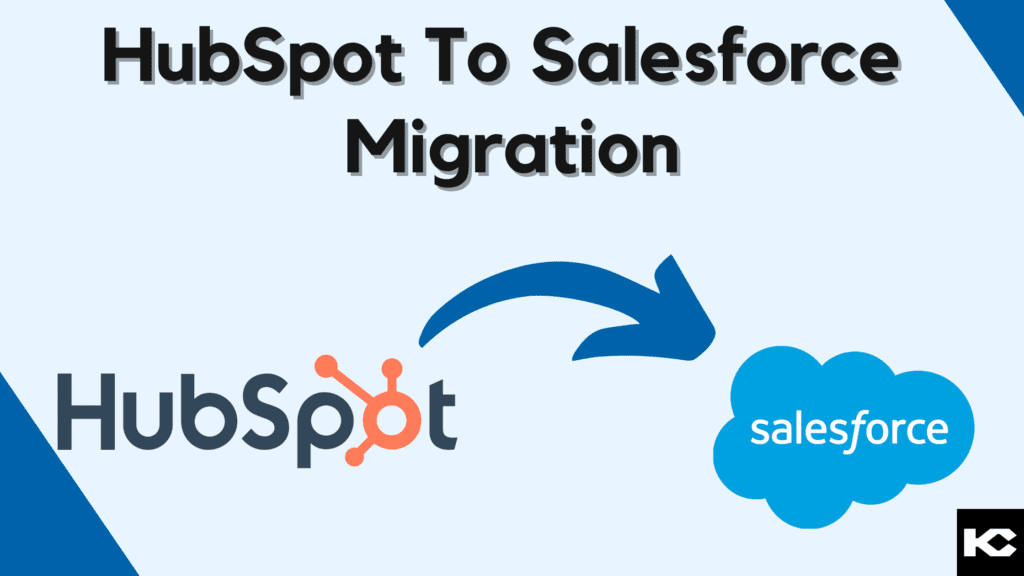
HubSpot to Salesforce Migration: Complete Guide 2026
⏱ 4 min read
CRM MIGRATION GUIDE
Learn how to migrate contacts, leads, opportunities, workflows, campaigns, and business processes from HubSpot to Salesforce while protecting data quality and minimizing disruption.
Quick Answer
HubSpot to Salesforce migration is the process of transferring CRM data, relationships, workflows, and operational processes from HubSpot into Salesforce. A successful migration goes beyond exporting and importing records. It requires data mapping, cleansing, deduplication, field configuration, workflow redesign, validation, user testing, and a carefully managed cutover.
What Is HubSpot to Salesforce Migration?
A HubSpot to Salesforce migration involves transferring data, workflows, and business processes from HubSpot into Salesforce. Depending on the organization’s setup, the migration may include contacts, companies, leads, opportunities, campaigns, activities, custom fields, notes, lifecycle information, and related records.
The migration also provides an opportunity to redesign processes rather than simply reproduce the existing HubSpot configuration in Salesforce. This is especially important when Salesforce will become the organization’s central CRM platform for sales, service, automation, analytics, integrations, and AI-powered workflows.
Data Migration
Move and transform CRM records while preserving important relationships.
Move and transform CRM records while preserving important relationships.
Process Migration
Rebuild business processes, automations, and approval requirements in Salesforce.
Rebuild business processes, automations, and approval requirements in Salesforce.
System Integration
Reconnect applications and services that depend on CRM data.
Reconnect applications and services that depend on CRM data.
Validation
Test records, relationships, workflows, permissions, reports, and user journeys.
Test records, relationships, workflows, permissions, reports, and user journeys.
Why Migrate from HubSpot to Salesforce?
Organizations may consider a HubSpot to Salesforce migration when their CRM requirements become more complex or when they need greater control over customization, integrations, data models, reporting, and cross-functional processes.
Advanced Customization
Salesforce supports highly configurable data models, business processes, automation, user experiences, and application development.
Scalability
Salesforce can support increasingly complex sales, service, data, automation, and integration requirements as an organization grows.
Integration Potential
Salesforce can act as a central CRM layer connected with business applications, data platforms, communication tools, and other systems.
Enterprise Requirements
Organizations with complex security, reporting, automation, governance, and multi-team requirements may need a more extensible CRM architecture.
Unified CRM
Sales, service, customer data, automation, analytics, and other processes can be connected through the Salesforce ecosystem.
Reporting & Analytics
Salesforce provides extensive reporting and analytics capabilities for organizations that need deeper operational visibility.
What Data Can Be Migrated from HubSpot to Salesforce?
The exact migration scope depends on the HubSpot configuration, Salesforce data model, integrations, and business requirements. Common migration objects and information include:
Contacts
Customer and prospect information
Customer and prospect information
Companies
Business and account information
Business and account information
Leads
Prospect and qualification data
Prospect and qualification data
Opportunities
Deal and revenue information
Deal and revenue information
Activities
Tasks, interactions, and engagement history
Tasks, interactions, and engagement history
Campaign Data
Marketing and campaign information
Marketing and campaign information
Custom Fields
Business-specific attributes
Business-specific attributes
Notes & History
Relevant customer context
Relevant customer context
Planning a Salesforce Migration?
A well-planned migration starts with understanding your existing CRM architecture, data quality, integrations, and future Salesforce requirements.
Ways to Migrate Data from HubSpot to Salesforce
There is no single migration method that works for every organization. The appropriate approach depends on data volume, complexity, integrations, technical resources, data quality, and the required level of automation.
01
Manual Data Entry
Manual entry can work for very small datasets or individual records, but it becomes time-consuming and increasingly susceptible to errors as data volume grows.
02
CSV Export & Import
HubSpot data can be exported into structured files and prepared for Salesforce import. Field mapping, formatting, relationship handling, and validation are critical to this approach.
03
Integration Tools
Integration and migration platforms can automate parts of the transfer process, map fields, and reduce repetitive manual work.
04
API-Based Migration
APIs can support automated and controlled data movement between systems. This approach is useful when the migration involves complex transformations or large datasets.
05
Professional Migration Services
Salesforce migration specialists can manage discovery, data mapping, transformation, testing, integrations, deployment, and post-migration validation.
HubSpot to Salesforce Migration Process
1. Assess the Existing HubSpot Environment
Inventory objects, fields, workflows, integrations, reports, users, lifecycle stages, campaigns, and dependencies before defining the migration scope.
2. Design the Salesforce Data Model
Determine how HubSpot records and relationships will map to Salesforce objects, fields, record types, ownership structures, and business processes.
3. Clean and Prepare the Data
Identify duplicates, incomplete records, inconsistent values, outdated information, invalid formats, and unnecessary data before migration.
4. Map and Transform Data
Create a detailed field mapping between HubSpot and Salesforce, including transformations required for different field types and relationships.
5. Configure Salesforce
Configure objects, fields, permissions, automation, reports, dashboards, integrations, and other required Salesforce components.
6. Perform a Test Migration
Migrate a representative dataset first and validate record counts, field values, relationships, automation, reports, and user workflows.
7. User Acceptance Testing
Allow business users to test real-world processes and confirm that Salesforce supports their day-to-day requirements.
8. Execute the Final Cutover
Complete the final migration, validate the production environment, activate required processes, and provide users with appropriate support.
Data Quality Considerations During Migration
Data quality is one of the most important factors in a successful HubSpot to Salesforce migration. Moving inaccurate or duplicated information into a new CRM simply transfers the underlying problem.
- Deduplication: Identify duplicate contacts, companies, leads, and other records.
- Field Standardization: Normalize values such as industry, country, lifecycle stage, and lead status.
- Data Completeness: Identify important missing fields before migration.
- Relationship Mapping: Preserve relationships between people, companies, opportunities, campaigns, and activities.
- Validation: Compare source and destination records after migration.
- Governance: Establish rules for maintaining data quality after the migration is complete.
Migrating HubSpot Workflows to Salesforce
Workflows should not always be copied one-to-one. HubSpot automation and Salesforce automation use different architectures, so each workflow should be reviewed against the business outcome it is designed to achieve.
Review Integrations Before the Migration
CRM migrations can affect more than the CRM itself. Any application that reads from HubSpot, writes to HubSpot, or depends on HubSpot identifiers should be reviewed before the Salesforce cutover.
Marketing Platforms
Review campaign and lead synchronization.
ERP Systems
Review customer and transaction data flows.
Customer Service Tools
Map customer and case-related information.
Analytics Platforms
Rebuild reporting and downstream data connections.
Build a Strong Data Foundation for Salesforce
Migration is an opportunity to improve data quality and create a CRM foundation that supports reporting, automation, integrations, and AI initiatives.
Common HubSpot to Salesforce Migration Challenges
Data Mapping
The two systems may organize fields, objects, relationships, and lifecycle information differently.
Duplicate Records
Duplicate contacts or companies can create inaccurate reporting and fragmented customer records.
Workflow Redesign
Existing HubSpot automation may need to be redesigned around Salesforce’s data and automation architecture.
Integration Dependencies
Connected systems may require new integrations, authentication, field mappings, or synchronization logic.
User Adoption
Users need training and clear process guidance when moving to a different CRM interface and operating model.
Cutover Risk
Poorly planned cutovers can create downtime, inconsistent data, or disruption to sales operations.
HubSpot to Salesforce Migration Best Practices
- Define the target Salesforce architecture first. Avoid migrating data before determining where it belongs in the new CRM.
- Audit the existing HubSpot environment. Identify active records, obsolete data, workflows, integrations, and dependencies.
- Clean data before migration. Deduplicate and standardize records before importing them into Salesforce.
- Document field mapping. Maintain a clear source-to-target mapping for every migrated data element.
- Test with a representative sample. Validate the migration before performing the full production transfer.
- Validate business processes. Confirm that automation, reports, permissions, integrations, and user journeys work as intended.
- Plan the cutover carefully. Define freeze periods, final exports, validation steps, rollback considerations, and communication plans.
- Continue improving after go-live. Monitor data quality, adoption, automation, and system performance after migration.
Need Help With Salesforce Migration?
Kizzy Consulting helps organizations plan and implement Salesforce solutions across data migration, integrations, automation, CRM architecture, and ongoing optimization.
Discuss Your HubSpot to Salesforce Migration
Share your current CRM setup and migration requirements with our Salesforce team.
Frequently Asked Questions
How do I migrate from HubSpot to Salesforce?
Start by auditing your HubSpot environment, defining the Salesforce data model, mapping fields, cleaning data, configuring Salesforce, testing the migration, validating integrations and workflows, and then completing the production cutover.
What data can be migrated from HubSpot to Salesforce?
Depending on the migration scope, organizations may migrate contacts, companies, leads, opportunities, activities, campaign information, custom fields, notes, and other relevant CRM data.
Can HubSpot workflows be migrated to Salesforce?
HubSpot workflows generally need to be reviewed and redesigned for Salesforce rather than copied directly. The appropriate Salesforce automation depends on the business process, data model, and required outcome.
Is CSV migration enough for a HubSpot to Salesforce migration?
CSV import can work for straightforward data transfers, but complex migrations may also require data transformation, relationship mapping, automation redesign, integration work, and post-migration validation.
What are the biggest challenges in HubSpot to Salesforce migration?
Common challenges include data mapping, duplicate records, differences in CRM structures, workflow redesign, integration dependencies, user adoption, and production cutover planning.
Why should businesses migrate from HubSpot to Salesforce?
Organizations may migrate when they require greater CRM customization, scalability, integration capabilities, enterprise functionality, reporting, or a broader Salesforce ecosystem for their business processes.
How can I reduce data loss during a Salesforce migration?
Use a documented migration plan, complete source-data backups, perform test migrations, validate record counts and relationships, test integrations, and conduct a controlled final cutover.
Conclusion
HubSpot to Salesforce migration is more than moving CRM records from one platform to another. It is an opportunity to improve data quality, redesign business processes, strengthen integrations, and establish a scalable Salesforce foundation.
Whether the migration uses CSV files, integration tools, APIs, or professional Salesforce migration services, careful planning and validation are essential. A structured approach helps organizations transition their data and processes while creating a stronger foundation for future automation, analytics, and customer operations.