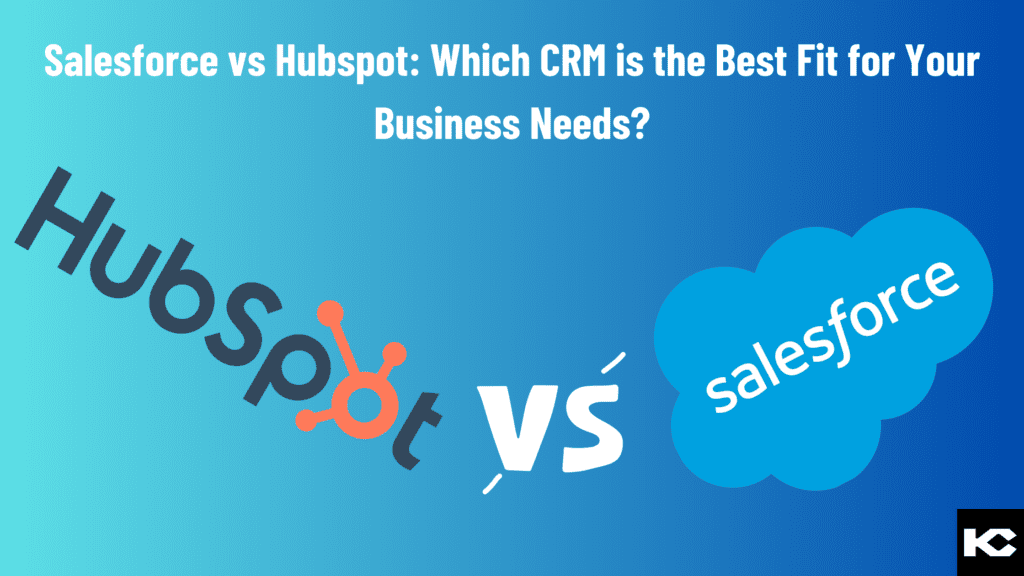
Salesforce vs HubSpot: CRM Comparison Guide 2026
⏱ 4 min read
CRM COMPARISON GUIDE 2026
Compare Salesforce and HubSpot across features, pricing, customization, integrations, scalability, automation, analytics, and usability to understand which CRM architecture aligns with your business requirements.
Salesforce vs HubSpot: Quick Answer
Salesforce and HubSpot are both comprehensive CRM platforms, but they are designed around different priorities. HubSpot emphasizes an approachable, connected customer platform across marketing, sales, service, content, and data. Salesforce provides a highly extensible CRM ecosystem with deeper customization, automation, integrations, analytics, and enterprise capabilities. The right choice depends on your team’s processes, technical requirements, budget, data model, and plans for future growth.
Salesforce vs HubSpot: What Is the Difference?
As companies grow, managing customer relationships across sales, marketing, service, and other teams becomes increasingly complex. A customer relationship management platform helps centralize customer information, manage interactions, automate processes, and give teams greater visibility into the customer lifecycle.
Salesforce and HubSpot are two widely used CRM platforms. Both provide tools for managing contacts, leads, deals, customer interactions, reporting, automation, and customer-facing processes. However, their product structures, customization capabilities, pricing models, and approaches to CRM architecture differ.
Instead of asking which CRM is universally better, businesses should evaluate how each platform fits their current operating model and future requirements.
What Is a CRM?
CRM stands for Customer Relationship Management. A CRM platform stores and organizes customer information while helping teams manage interactions and business processes throughout the customer lifecycle.
Contact Management
Centralize customer and prospect information.
Sales Management
Track leads, opportunities, pipelines, and revenue.
Automation
Automate repetitive tasks and business processes.
Reporting
Turn CRM information into operational insights.
Understanding Salesforce and HubSpot
SALESFORCE
Extensible CRM Ecosystem
Salesforce provides CRM capabilities across sales, service, marketing, commerce, data, analytics, automation, and AI. Its architecture supports extensive customization and integration through the Salesforce ecosystem.
Current Salesforce CRM offerings include Starter Suite, Pro Suite, Core, Advanced, and Max, with increasing levels of customization, automation, analytics, security, and AI capabilities.
HUBSPOT
Connected Customer Platform
HubSpot combines CRM functionality with products for marketing, sales, service, content, data, and revenue. Its platform emphasizes connected customer data and an integrated experience across teams.
HubSpot currently offers Free, Starter, Professional, and Enterprise options across its CRM and customer platform offerings, with pricing and included capabilities varying by product and package.
Salesforce Features and Benefits
Salesforce provides a broad set of CRM and business applications. The exact products available to an organization depend on its Salesforce edition and product configuration.
Sales Cloud
Supports lead, account, contact, opportunity, pipeline, forecasting, sales automation, and seller productivity processes.
Service Cloud
Provides tools for customer service operations, case management, knowledge, service workflows, and AI-powered service experiences.
Marketing
Salesforce provides marketing products and capabilities for customer journeys, engagement, segmentation, analytics, and automation.
Commerce
Supports commerce experiences and connected customer journeys within the wider Salesforce ecosystem.
Data and Analytics
Salesforce connects CRM data with analytics and data capabilities to support reporting, insights, and AI initiatives.
Agentforce and AI
Salesforce’s current CRM portfolio includes AI and Agentforce capabilities that can support sales productivity and customer operations.
HubSpot Features and Benefits
HubSpot brings CRM, marketing, sales, service, content, and data capabilities together within its customer platform.
Marketing Hub
Marketing tools for campaign management, customer engagement, automation, reporting, and lead generation.
Sales Hub
Sales tools for managing prospects, pipelines, outreach, deals, and sales productivity.
Service Hub
Customer service capabilities for support, customer communication, knowledge, feedback, and service processes.
Content
Content and website capabilities designed to connect digital experiences with CRM data.
Data
Data management and connected customer information capabilities across the HubSpot platform.
AI and Automation
HubSpot’s current platform includes AI-powered tools and automation capabilities across its customer platform.
Salesforce vs HubSpot: Key Feature Comparison
Salesforce vs HubSpot Pricing
Pricing should be evaluated based on the complete platform configuration rather than a single license price. Both Salesforce and HubSpot offer multiple editions and products, and the final cost can change based on users, products, features, usage, support, implementation, and additional services.
Salesforce Pricing
Salesforce currently lists CRM pricing beginning with Starter Suite at $25 USD/user/month. Pro Suite is listed at $100/user/month, while higher Sales Cloud tiers include Core at $195, Advanced at $395, and Max at $550 per user/month, generally with annual billing requirements for the higher tiers.
Additional products, AI capabilities, data capacity, support, and other services can affect total cost.
HubSpot Pricing
HubSpot offers free CRM tools as well as paid packages. Its current CRM page lists Starter from $15/month per seat, Professional from $50/month per seat, and Enterprise from $75/month per seat for the Smart CRM offering.
HubSpot’s broader Customer Platform uses different package pricing, including separate Professional and Enterprise starting prices, so businesses should compare the exact products and seats required.
Important:
CRM pricing changes over time and varies by package, billing terms, region, seats, add-ons, usage, and implementation requirements. Always verify current pricing directly with the vendor before making a purchasing decision.
CRM pricing changes over time and varies by package, billing terms, region, seats, add-ons, usage, and implementation requirements. Always verify current pricing directly with the vendor before making a purchasing decision.
Salesforce vs HubSpot: Integrations and Add-Ons
Integration requirements can significantly influence CRM selection. Businesses should evaluate the applications they already use, the systems they expect to add, and how customer data needs to move between those systems.
Salesforce Ecosystem
Salesforce provides a broad ecosystem for extending CRM functionality through applications, integrations, APIs, automation, data, analytics, and custom development.
HubSpot Ecosystem
HubSpot also provides an integration ecosystem while keeping many marketing, sales, service, content, and data capabilities within its connected platform.
Ease of Use and Customer Support
Ease of use is highly dependent on the organization’s requirements and implementation. HubSpot’s connected platform approach can provide a straightforward experience for teams that want marketing, sales, service, content, and CRM capabilities in one environment.
Salesforce offers extensive configuration and customization options, but organizations with complex implementations may need dedicated administrators, developers, consultants, or structured enablement to manage the platform effectively.
User Adoption
Consider how quickly different teams can learn and consistently use the system.
Administration
Consider the technical resources required to configure and maintain the CRM.
Support
Compare vendor support, documentation, implementation assistance, and partner ecosystems.
Salesforce or HubSpot: What Should You Evaluate?
Instead of selecting a CRM based only on price or brand familiarity, evaluate the platform against your actual operating requirements.
Business Complexity
How complex are your sales, service, and customer processes?
Customization
How much customization does your CRM require?
Integrations
Which business systems must connect to your CRM?
Data Architecture
How much control do you need over objects, relationships, and data flows?
AI Strategy
What AI, automation, and agent capabilities do you expect to introduce?
Total Cost
What will licenses, implementation, integrations, administration, and ongoing optimization cost?
Considering a HubSpot to Salesforce Migration?
If your organization is evaluating Salesforce after using HubSpot, migration planning should cover data mapping, data cleansing, workflows, integrations, testing, and the final CRM cutover.
Need Help Evaluating Salesforce?
Discuss your CRM requirements, existing systems, migration needs, integrations, and Salesforce roadmap with the Kizzy Consulting team.
Frequently Asked Questions about Hubspot
Is Salesforce better than HubSpot?
Neither platform is universally better for every business. Salesforce and HubSpot have different approaches to CRM, customization, automation, integrations, pricing, and platform architecture. The appropriate choice depends on your specific business requirements.
What is the main difference between Salesforce and HubSpot?
HubSpot emphasizes a connected customer platform spanning marketing, sales, service, content, and data. Salesforce provides a highly extensible CRM ecosystem with extensive customization, automation, integrations, analytics, and AI capabilities.
Is HubSpot cheaper than Salesforce?
Pricing depends on the specific products, seats, features, usage, billing terms, and implementation requirements. Both platforms offer different pricing tiers, so comparing only the starting license price does not provide a complete picture of total CRM cost.
Which CRM is easier to use, Salesforce or HubSpot?
HubSpot is often positioned around ease of adoption and connected tools. Salesforce provides extensive flexibility and customization, which can introduce more configuration and administration requirements in complex environments.
Can you migrate from HubSpot to Salesforce?
Yes. A HubSpot to Salesforce migration can include CRM data, field mappings, relationships, workflows, integrations, and business processes. The migration should be planned and tested carefully to protect data quality and operational continuity.
Which CRM is more customizable?
Salesforce provides extensive customization and development capabilities for organizations with complex CRM architectures. HubSpot also provides customization options, with its platform designed around an integrated customer experience.
Which CRM is better for growing businesses?
Both platforms can support growing businesses. The relevant consideration is whether the CRM’s data model, customization, integrations, automation, administration requirements, and pricing structure align with the organization’s expected growth.
Conclusion
Salesforce and HubSpot are both capable CRM platforms, but they approach customer relationship management differently. HubSpot brings marketing, sales, service, content, and data capabilities together within a connected customer platform. Salesforce provides a broader and highly configurable CRM ecosystem that can support complex sales, service, data, automation, integration, analytics, and AI requirements.
The best CRM decision starts with your business processes rather than the platform name. Evaluate your current requirements, future growth plans, data architecture, integrations, automation needs, user adoption requirements, and total cost before selecting a CRM.