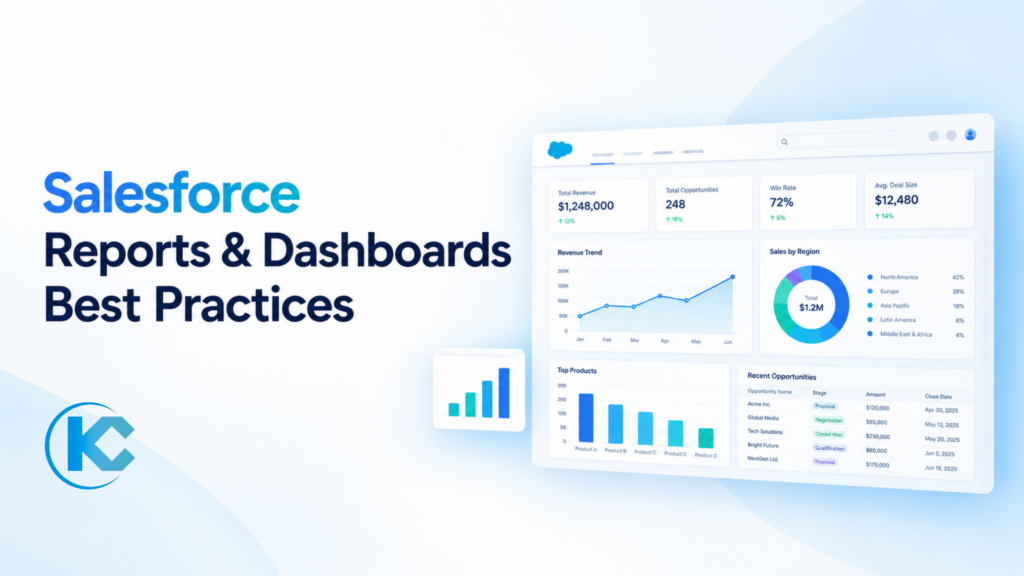
Salesforce Reports & Dashboards Best Practices
⏱ 3 min read
Salesforce Reporting & Analytics
Turn Salesforce data into clear, actionable insights with reliable reports, meaningful metrics, and dashboards that help your teams make informed business decisions.
Direct Answer
To improve Salesforce report and dashboard integrity, start with accurate, complete, and relevant data sources. Use standard report types where possible, and apply filters and groupings so each report answers one clear question. Review and update reports and dashboards regularly, and maintain a consistent dashboard layout so users can interpret key metrics confidently.
Salesforce reports and dashboards help businesses understand customer behavior, track sales performance, monitor operational metrics, and identify trends. However, their value depends on the quality of the underlying data and how effectively information is organized and presented.
Following Salesforce reports and dashboards best practices helps teams move beyond collecting data to using it for better planning, collaboration, and decision-making.
Benefits of Salesforce Reports and Dashboards
The value of Salesforce reporting extends beyond data visualization. Well-designed reports and dashboards can support several areas of business performance.
01
Improved Decision-Making
Clear insights into customer behavior, sales performance, and business metrics help teams make more informed decisions.
02
Increased Efficiency
Organized reports and accessible dashboards reduce the time spent gathering information and analyzing results.
03
Enhanced Collaboration
Shared dashboards help teams work toward common goals and maintain visibility into performance.
04
Improved Customer Satisfaction
Understanding customer needs and preferences can help businesses deliver more relevant and personalized experiences.
05
Reduced Business Risks
Monitoring trends and identifying potential problems early gives teams an opportunity to take corrective action.
Organizations looking for ongoing platform support can also explore Salesforce Managed Services from Kizzy Consulting.
Unlocking the Potential of Salesforce Reports and Dashboards
Before creating reports or dashboards, establish how the information will be used. A clear purpose makes it easier to choose relevant metrics, select the right report format, and avoid presenting unnecessary data.
1. Define Clear Objectives
Identify the business question each report or dashboard should answer. For example, a sales manager may need visibility into pipeline value, conversion rates, and opportunities by stage.
2. Select the Right Data Sources
Use accurate, complete, and relevant Salesforce data. Review field usage, data quality, and record ownership so that the information displayed reflects business reality.
3. Choose the Appropriate Report or Dashboard Type
Match the report format and dashboard components to the question being answered. A summary report may be suitable for grouped performance data, while a chart can help reveal trends and comparisons.
4. Make Dashboards Easy to Understand
Use clear titles, concise labels, readable charts, and consistent visual conventions. Place the most important metrics where users can find them quickly.
5. Review and Update Regularly
Schedule periodic reviews to confirm that reports remain relevant, filters still reflect business requirements, and dashboard components continue to display the intended information.
Best Practices for Salesforce Reports
Reports help users examine records in detail, identify patterns, and answer specific operational questions. Apply these best practices to make reports easier to maintain and interpret.
Use Standard Report Types
Use standard report types whenever they meet your requirements. Create custom report types when you need specific objects or relationships that standard options do not provide.
Apply Relevant Filters
Use date ranges, record status, ownership, and other relevant criteria to focus on the data required for the business question.
Group Related Data
Group records by meaningful fields, such as owner, region, stage, or month, to make comparisons and trends easier to identify.
Use Summaries and Totals
Add totals, subtotals, and summary formulas where appropriate to compare performance and understand the overall results.
Highlight Important Information
Use conditional highlighting or other available formatting options to draw attention to important values and exceptions, where supported by the report format.
Keep Reports Focused
Avoid unnecessary columns and unrelated metrics. A focused report is easier to read, share, and maintain.
Best Practices for Salesforce Dashboards
Dashboards bring key metrics together in a visual format. The goal is not to display every available metric, but to help users understand performance and identify where action may be needed.
Choose the Right Metrics
Focus on key performance indicators that support specific team goals. Prioritize metrics that can inform a decision or action.
Use Appropriate Visuals
Choose charts and other supported visual components that suit the data. Use comparisons, trends, and proportions only where they make the information clearer.
Enable Exploration
Where appropriate, use dashboard filters and links to underlying reports so users can explore the records behind a metric.
Keep Data Fresh
Configure refresh behavior according to business needs and Salesforce capabilities. Make sure users understand when the displayed data was last refreshed.
Maintain a Consistent Layout
Use consistent naming, placement, and visual conventions across dashboards so teams can locate and interpret information quickly.
Review Dashboard Access
Check folder access, running-user settings, and underlying record permissions so users see appropriate information for their roles.
Additional Tips for Better Salesforce Reporting
- Use clear naming conventions. Give reports and dashboards descriptive names that communicate their purpose, team, or reporting period.
- Share with the right people. Organize report and dashboard folders and assign access based on users’ roles and business requirements.
- Use templates where appropriate. Existing reports and dashboard layouts can provide a useful starting point and help teams maintain consistency.
- Document report definitions. Explain important calculations, filters, and KPI definitions so users interpret metrics consistently.
- Validate results. Compare report outputs with expected totals or trusted source records when building or changing important reports.
- Provide training. Help users understand filters, groupings, dashboard components, and how to interpret the information presented.
- Audit regularly. Review unused reports, duplicate dashboards, outdated filters, and reports that no longer support business goals.
When reports include sensitive customer or business data, review access settings and sharing behavior as part of your reporting governance. You can also explore Kizzy’s guide to Salesforce scoping rules and restriction rules to learn more about controlling which records users can access in supported Salesforce experiences.
Turn Salesforce Data Into Actionable Insights
Effective Salesforce reports and dashboards start with clear objectives and trustworthy data. By choosing suitable report types, applying relevant filters, organizing metrics thoughtfully, maintaining consistent layouts, and reviewing access regularly, businesses can make reporting more useful for everyday decisions.
As business priorities evolve, revisit your reports and dashboards to ensure they continue to answer the right questions. A well-maintained reporting environment helps teams understand performance, collaborate more effectively, and identify opportunities for improvement.
Need Help Optimizing Salesforce Reports and Dashboards?
Kizzy Consulting helps businesses improve their Salesforce environment through implementation, optimization, and ongoing platform support. Let’s make your reporting more useful, consistent, and aligned with your business goals.
Or email [email protected]
Frequently Asked Questions
1. What are Salesforce reports and dashboards?
Salesforce reports organize and summarize records based on selected criteria, while dashboards present key information visually through components such as charts and metrics. Together, they help users monitor performance and make data-informed decisions.
2. What are the best practices for Salesforce reports?
Define the purpose of each report, use appropriate report types, apply relevant filters, group related records, summarize values where useful, use clear names, and validate the results. Review reports regularly to ensure they remain relevant.
3. How can I make Salesforce dashboards more effective?
Focus on metrics tied to business goals, choose suitable visualizations, keep labels clear, maintain a consistent layout, configure refresh behavior appropriately, and provide access to the right users.
4. How often should Salesforce reports and dashboards be reviewed?
Review frequency depends on how quickly the underlying business changes and how often users rely on the information. Critical operational dashboards may need frequent checks, while other reports can be reviewed on a regular monthly or quarterly schedule.
5. How can businesses protect data shown in Salesforce dashboards?
Review folder sharing, dashboard running-user configuration, object and field permissions, and record-level access. Test dashboards with the intended audiences to confirm that users can access only the information permitted by their Salesforce permissions and configuration.
Kizzy Consulting LLP
Kizzy Consulting is a Salesforce Ridge Consulting Partner supporting organizations with Salesforce implementation, optimization, and consulting across industries. Learn more about Kizzy Consulting or contact our team to discuss your Salesforce requirements.
Email: [email protected]