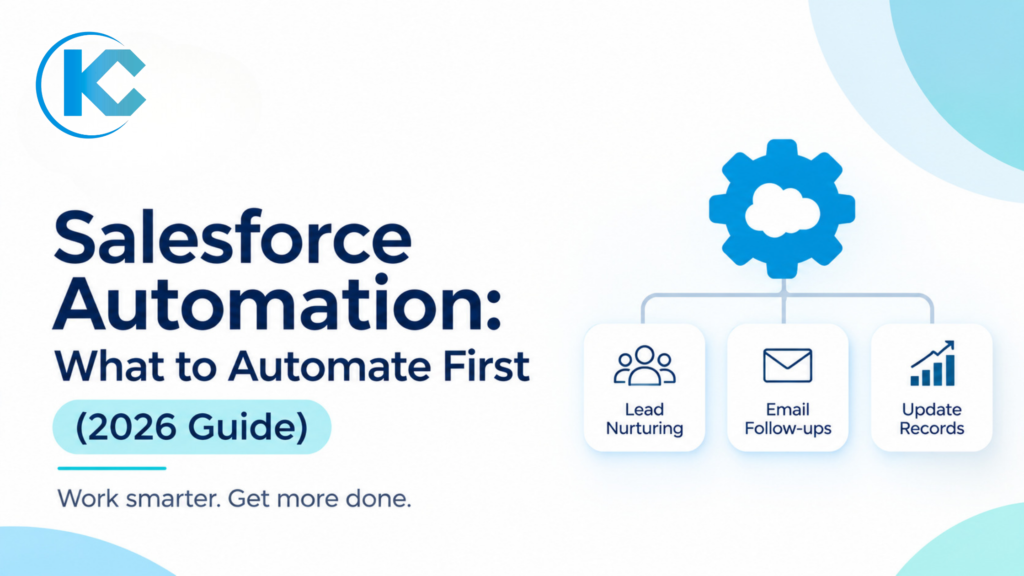
Salesforce Automation: Which Business Processes Should You Automate First?
⏱ 5 min read
Salesforce • Flow • Agentforce
Salesforce automation is the use of Flow, approvals, integrations and AI agents to run repeatable CRM work without manual effort. The processes to automate first are the ones that are frequent, rule-based, measurable and tied to revenue or customer experience: lead routing, first-touch follow-up, stalled-deal alerts, case escalation and discount approvals, followed by renewals, quotes and onboarding. This guide gives you a scoring method, eight processes in a sensible order, a Flow-versus-agent decision guide and the guardrails that stop automation from breaking your org. Details reflect public information as of November 23, 2026.
120+ projects delivered · 50+ AI agents built · Salesforce Ridge Partner
SM
By Sanjeet Mahajan, Founder & CEO, Kizzy Consulting · LinkedIn
Quick Answer
Start with processes that are high-frequency, rule-based and easy to measure, and that touch revenue or customer experience. For most teams that means lead assignment, first-touch follow-up, stalled-deal alerts, case routing and discount approvals. Build them in Flow, migrate anything still running on Workflow Rules or Process Builder first, and bring in an Agentforce agent only where the task needs judgment instead of fixed rules.
What Salesforce Automation Means in 2026
Salesforce describes business process automation as technology that performs process tasks without people having to do them by hand. Inside Salesforce, that now spans three layers, and choosing the right layer for each process matters as much as choosing the process.
| Layer | What it does | Typical tools | Use it when |
|---|---|---|---|
| Rules-based | Runs fixed logic when a record changes or on a schedule | Record-triggered and scheduled Flows | The rule can be written as if/then |
| Guided and approval | Walks a person through steps or routes a decision to the right approver | Screen Flows, approval processes | A human must confirm or decide |
| Agentic | Interprets a request and chooses which action to take | Agentforce agents calling Flow actions | The input is messy language, such as an email or chat |
How to Decide What to Automate First
Score every candidate process from 1 to 5 on the five questions below, then subtract for effort. The aim is a short list you can defend to a sales or service leader, not a long wish list.
| Question | A high score looks like |
|---|---|
| 1. Frequency | It happens daily or weekly, not once a quarter. |
| 2. Clear rules | The logic can be written down without “it depends”. |
| 3. Visible pain | People skip it, do it late or get it wrong today. |
| 4. Business impact | It touches pipeline, revenue, renewals or response times. |
| 5. Measurable | You can name one number that should move, such as hours saved, time to first response or cycle time. |
Then apply an effort filter. Effort goes up with every extra system, every data-quality problem and every piece of custom logic.
| Low effort | High effort | |
|---|---|---|
| High impact | Do first. These are your quick wins. | Plan as a phased project. |
| Low impact | Do when someone has spare time. | Skip it. |
Fix the process before you automate it. Automation makes a broken process faster, not better. Sit with the people who do the work, find where it actually stalls, and simplify the steps before anyone opens Flow Builder. Not sure where your org stands? Our AI readiness assessment covers process and data fit.
8 Business Processes to Automate First in Salesforce
The order below follows the usual balance of payoff against effort. Your scores may reorder it, and that is fine. Quick wins come first because an early, visible result builds the support you need for the bigger builds.
Phase 1: Quick wins
1
Lead assignment and routing
Assign new leads to the right owner or queue by territory, product interest, source or score. Unrouted leads go cold, and manual assignment is the most common bottleneck in the first hour of a lead’s life.
Build with: record-triggered Flow · Effort: Low · Track: time from lead creation to owner assigned
2
First-touch follow-up tasks and alerts
When a high-intent lead arrives, such as a demo request, create a follow-up task with a due time and notify the owner in Salesforce or Slack. Add a reminder if the task is still open after a set window.
Build with: record-triggered and scheduled Flow · Effort: Low · Track: time to first response
3
Stalled-deal and next-step alerts
Flag opportunities with no activity for a set number of days, an overdue close date or a missing next step, and alert the owner and manager. It replaces the manual pipeline sweep and surfaces risk earlier.
Build with: scheduled Flow · Effort: Low · Track: number of stale open opportunities
4
Case routing and SLA escalation
Route cases by product, priority, customer tier or entitlement, and escalate automatically when a response or resolution target is about to be missed. Customers feel this one directly.
Build with: record-triggered and scheduled Flow, queues · Effort: Low to medium · Track: SLA breaches and time to first response
Phase 2: Revenue and control
5
Discount and contract approvals
Route approvals by deal size, discount percentage or contract terms to the right approver, with a clear fallback when someone is away. This removes the email chasing that slows deals at the finish line.
Build with: approval processes or Flow · Effort: Medium · Track: approval turnaround time
6
Renewal and upsell triggers
Create a renewal opportunity and task a set number of days before contract end, and alert the account owner when usage or engagement drops. It depends on clean contract dates, which is why it sits in phase 2.
Build with: scheduled Flow · Effort: Medium · Track: renewals started on time
7
Quote and contract generation
Generate quotes and contracts from approved opportunity data, so reps stop retyping fields into documents. If you use Salesforce CPQ or Revenue Cloud, build on that foundation instead of beside it.
Build with: Flow plus document generation, or CPQ and Revenue Cloud · Effort: Medium to high · Track: time from closed-won to contract sent
8
Customer and employee onboarding
Trigger a checklist of tasks, provisioning steps and welcome messages when a deal closes or a new hire is added. Onboarding usually crosses systems, so plan for Salesforce integration work.
Build with: record-triggered Flow plus integrations · Effort: Medium to high · Track: time to first value or first day readiness
Flow or Agentforce Agent: Which Should Run the Process?
Not every process needs an agent. Salesforce’s own admin team puts it simply: the agent handles the reasoning while your flow maintains the control. Use the simplest tool that works.
| Factor | Choose Flow | Choose an agent that calls Flow actions |
|---|---|---|
| Input | Structured fields and record changes | Free text such as emails, chats and call notes |
| Logic | Fixed, auditable rules | Judgment across context |
| Cost of a wrong result | High, such as pricing or approvals | Recoverable with human review |
| Examples | Lead routing, SLA escalation, approvals, renewals | Triaging a customer email, drafting a reply, answering a service question |
Even in agent projects, the action an agent takes is usually a Flow. The same Salesforce guidance recommends small, single-purpose flows, such as “Check Inventory”, that an agent can call, rather than one large flow. That means the automation you build in phase 1 and phase 2 becomes the toolkit your agents use later. Planning an agent? See our Agentforce consulting services.
Related Read
See how Agentforce Coworker is set up and governed, and where it fits next to Flow-based automation.
Agentforce Coworker Explained: Setup, Use Cases and Governance →
Guardrails to Set Before You Build
Most automation failures come from how flows are built, not from which process was chosen. These habits follow Salesforce’s published Flow best practices:
- Migrate legacy automation first. Inventory what still runs on Workflow Rules or Process Builder and move it to Flow, so old and new logic do not fight each other.
- Choose one automation tool per object. Split record-triggered flows by business function, and avoid piling many flows on one object.
- Use specific entry criteria. A flow should run only when the change matters. When a flow updates the record that triggered it, use a before-save flow, which is significantly faster than after-save.
- Build fault paths. Decide what happens on an error, and send errors to one shared place so someone actually sees them.
- Keep queries and updates out of loops. Get Records and DML elements inside a loop are the classic way to hit governor limits.
- Add a bypass switch. A custom permission or custom metadata flag lets you load data or seed a sandbox without firing every automation.
- Document as you build. Fill in each flow’s description with its purpose, the objects it touches and where it is invoked.
Common Salesforce Automation Mistakes
| Mistake | What goes wrong | Fix |
|---|---|---|
| Automating a broken process | You speed up the wrong steps | Map and simplify the process first |
| Skipping data clean-up | Routing and renewals fire on blank or wrong fields | Fix required fields and picklists before go-live. See our data foundation services |
| Overlapping flows on one object | Conflicts that are hard to debug | One owner per object, split by business function |
| No error handling | Failures go unnoticed until someone complains | Fault paths with a shared notification |
| No user training | People work around the automation | Short enablement and a clear change note |
| Never reviewing old flows | Outdated logic keeps running | Review active automation every quarter |
A 90-Day Automation Plan
| Window | Focus | Outcome |
|---|---|---|
| Days 1 to 30 | Score processes, inventory legacy automation, build processes 1 to 4 | Quick wins live and a baseline number for each |
| Days 31 to 60 | Migrate legacy tools to Flow, build approvals and renewal triggers | One supported automation layer |
| Days 61 to 90 | Quote generation, onboarding and integrations, and an agent pilot for one judgment-based task | Larger builds scoped from real results |
Salesforce Automation FAQs
What is Salesforce automation?
Salesforce automation uses Flow, approvals, integrations and AI agents to run repeatable work, such as routing leads, escalating cases or sending approvals, without manual steps. Flow is the main declarative tool, and Agentforce agents add judgment-based tasks on top.
Which business process should I automate first in Salesforce?
The one that scores highest on frequency, clear rules, visible pain, business impact and measurability, with low effort. For most teams that is lead assignment and routing, followed by first-touch follow-up, stalled-deal alerts and case escalation.
Is Process Builder still usable?
Salesforce stopped supporting Workflow Rules and Process Builder after December 31, 2025, so there is no support and no bug fixing for them. Treat them as legacy and migrate to Flow, using Salesforce’s Migrate to Flow tool as a starting point and rebuilding where needed.
Do I need a developer to automate Salesforce?
Not for many of the quick wins, because admins can build record-triggered, scheduled and screen flows declaratively. You need developer or architect help for complex logic, high data volumes, custom Apex and integrations with other systems.
How is rules-based automation different from an Agentforce agent?
Rules-based automation follows fixed logic on structured data. An agent interprets a request in natural language and decides which action to run. In practice the two combine, because the agent usually calls a Flow to do the actual work.
How do I measure ROI on Salesforce automation?
Pick one number per process before you build, such as time to first response or approval turnaround, record the baseline, and compare after go-live. High-frequency processes like lead routing show a change fastest.
Can new automation break existing processes?
Yes, if flows overlap on the same object or conflict with legacy automation. Test in a sandbox, use specific entry criteria, keep one owner per object and review what already runs before you add anything.
Salesforce Automation: Key Takeaways
- Score before you build. Frequency, clear rules, pain, impact and measurability decide the order.
- Quick wins first. Lead routing, follow-up, stalled-deal alerts and case escalation are the usual starting four.
- Retire legacy tools. Workflow Rules and Process Builder lost support after December 31, 2025.
- Use Flow for control and agents for judgment. Your flows become the actions your agents run.
Kizzy Consulting helps teams plan and build this work through Salesforce consulting, implementation and AI agents and automation development.
Talk to a Salesforce Automation Expert
Tell us which processes slow your team down. We will help you score them, choose the right tool and plan the build. No obligation.
Prefer to talk first? Contact us or explore our Salesforce consulting services.