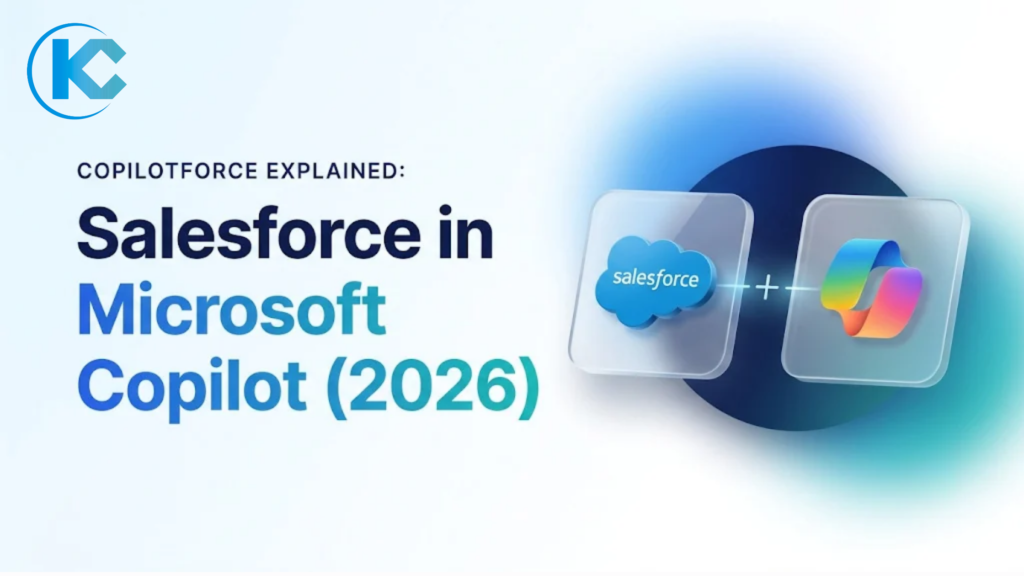
Copilotforce Explained: Salesforce in Microsoft Copilot (2026)
⏱ 3 min read
Salesforce • Microsoft Copilot • AI Agents
Copilotforce is the name Salesforce and Microsoft gave to bringing Salesforce data and sales workflows into Microsoft 365 Copilot, announced on November 17, 2026 at Microsoft Ignite. This guide is for Salesforce admins, sales operations leaders and CIOs at Microsoft-first companies deciding whether to pilot it. It explains what is included, how it works, what it requires and how it compares with Claudeforce and Agentforce. Details reflect public information as of November 18, 2026, when most components are still in beta or pilot.
SM
By Sanjeet Mahajan, Founder & CEO, Kizzy Consulting · LinkedIn
Quick Answer
Copilotforce is a bundle of Salesforce and Microsoft integrations that lets sellers use Salesforce data and sales skills inside Microsoft 365 Copilot and Teams. Its main component, Salesforce in Microsoft Copilot, is a public-preview plugin that connects through the Salesforce MCP server and applies each user’s existing Salesforce permissions.
Contents
hide
What Is Copilotforce?
It is the Microsoft counterpart to Salesforce’s Claudeforce and Slackforce plugins, which expose Salesforce to other AI tools, as CX Foundation reports. The idea is that sellers get Salesforce context where they already work, so they do not have to open Salesforce to check a deal. Salesforce published its own announcement on the same day.
This is a strategic shift. Salesforce is now making its data, agents and workflows available inside other companies’ AI assistants, not only its own, after introducing AIforce and MCP servers at Dreamforce 2026. For Microsoft-first customers, that removes a reason to ask sellers to leave Outlook, Teams or Copilot to update the CRM.
The bundle groups several pieces at different stages. No general availability date or pricing has been published, so treat the table below as a snapshot, not a roadmap.
| Component | What it does | Status on Nov 18, 2026 |
|---|---|---|
| Salesforce in Microsoft Copilot | Plugin that lets Microsoft 365 Copilot read and update Salesforce data. | Public preview, via AgentExchange and the Microsoft plugin directory |
| Sales Cloud in Teams | Salesforce sales workflows inside Teams, with Agentforce Coworker as the action layer. | Pilot with enterprise customers |
| Data 360 and Microsoft Fabric | Zero-copy data access between the two platforms. | Federation generally available; sharing into OneLake in preview |
Related Read
The plugin connects through a Salesforce MCP server. See how to enable one, set per-user security and connect an AI client.
Salesforce MCP Server: Setup, Security and How to Connect Claude →
How Copilotforce Works: Salesforce in Microsoft Copilot
The plugin works by letting Microsoft 365 Copilot call Salesforce on a seller’s behalf. orgadmin.ai reports that the plugin includes 38+ prebuilt sales skills, such as pipeline review, close planning and renewal radar.
- Ask. A seller asks Copilot about an account, deal or pipeline.
- Call. Copilot runs a Salesforce skill through the Salesforce MCP server, using an External Client App with OAuth 2.0.
- Apply permissions. The request runs as the signed-in user, so profiles, permission sets, sharing rules and field-level security still apply.
- Approve writes. Read actions run automatically. Creating or updating records asks for approval by default, and the plugin cannot delete records.
Copilot can also combine Salesforce data with Outlook, Teams meeting and SharePoint content in a single answer. Validation rules still apply to updated records.
In practice, that supports three everyday jobs: preparing for a customer meeting from CRM history and recent email, reviewing pipeline without exporting reports, and drafting a call follow-up with the record update attached for approval. Support for Outlook, Word and Excel is planned for later, according to orgadmin.ai.
Copilotforce vs Claudeforce vs Agentforce: Which Fits?
The three options differ mainly in where users work and who pays for the AI. This comparison follows orgadmin.ai’s summary.
| Factor | Copilotforce | Claudeforce | Agentforce |
|---|---|---|---|
| Where users work | Microsoft 365 Copilot, Teams | Claude apps, Claude inside Salesforce | Salesforce, Slack, other channels |
| AI cost | Microsoft 365 Copilot licence | Claude plan | Flex Credits or Agentforce licences |
| Connection | MCP server plus External Client App | MCP server plus plugin or connector | Native to Salesforce |
| Best fit | Microsoft-first companies | Teams standardized on Claude | Customer-facing, Salesforce-native agents |
Kizzy’s view: choose by where your sellers already spend their day, not by vendor. The three can coexist because each acts as the signed-in user, but each adds a surface you must govern. It also serves sellers working with records, not admins or developers who need help with metadata, flows or deployments, so it does not replace admin tooling.
Governance differs by surface. An Agentforce agent is scoped to specific tasks by design, while a general-purpose assistant can reach every object a user can see. That is why approval policies and permission clean-up matter more for Microsoft 365 Copilot than for a narrowly scoped agent.
Related Read
Sales Cloud in Teams uses Agentforce Coworker as its action layer. Learn how Coworker is set up and governed.
Agentforce Coworker Explained: Setup, Use Cases and Governance →
Copilotforce Setup, Requirements and Pilot Checklist
Setup starts with fit, not configuration. According to orgadmin.ai, you need:
- Salesforce Enterprise, Performance, Unlimited or Developer edition with Lightning Experience.
- A Microsoft 365 Copilot licence for every user.
- A commercial Microsoft 365 tenant. Government tenants are not supported during the beta.
- A Microsoft 365 tenant admin or Copilot administrator.
Setup has two sides. In Salesforce, request access through AgentExchange, enable the MCP server and create an External Client App. In the Microsoft 365 admin center, add the Salesforce (beta) connector under Copilot, then Connectors. It can take about 30 minutes to appear, and it is not the older Microsoft connector for Salesforce.
Kizzy’s pre-pilot checklist:
- Audit broad access. View All Data, Modify All Data and wide permission sets become AI-reachable. See our guide to AI data classification.
- Write an approval policy for create and update actions before anyone tests.
- Pilot small. Use a sandbox or one approved seller group.
- Pick one success measure, such as time spent preparing pipeline reviews.
Common mistakes: enabling the plugin for everyone before cleaning up access, installing the older Microsoft connector instead of the beta one, and assuming Copilot can delete or restructure data. It cannot delete records.
Need help? Our Salesforce integration services team can review your access model first.
Copilotforce FAQs
Who should pilot Copilotforce first?
Companies whose sellers already work in Microsoft 365 Copilot, Outlook and Teams are the natural fit, because the bundle brings Salesforce to them. Teams that standardized on another assistant, or that need customer-facing agents, should compare Claudeforce and Agentforce before committing any licences or budget.
Is Copilotforce generally available?
No. As of November 18, 2026, Salesforce in Microsoft Copilot is in public preview and Sales Cloud in Teams is in pilot. No general availability date or pricing has been published, and orgadmin.ai notes that packaging and availability may change as agreements are finalized.
Does Copilotforce respect Salesforce permissions?
Yes. Users sign in as themselves, so profiles, permission sets, sharing rules and field-level security apply to each request. Writes need approval by default, and the plugin cannot delete records. Once data reaches Microsoft, the customer’s Microsoft agreement governs how it is handled, not Salesforce’s.
What does Copilotforce require?
Salesforce Enterprise, Performance, Unlimited or Developer edition with Lightning Experience, a Microsoft 365 Copilot licence for every user, a commercial Microsoft 365 tenant and a tenant or Copilot administrator. Government tenants are not supported during the beta, according to orgadmin.ai.
How is Copilotforce different from Agentforce?
Agentforce runs agents natively inside Salesforce and its channels, licensed through Flex Credits or Agentforce licences. It takes Salesforce into Microsoft 365 Copilot, so the AI is paid for through Microsoft licences, and it is aimed at sellers working with records. The two can run side by side.
Copilotforce: Key Takeaways
- Treat it as a bundle. Only the plugin is broadly testable today, and it is in public preview.
- Check licences, tenant type and access before enabling anything.
- Choose by where sellers work, and govern every AI surface as the signed-in user.
Kizzy Consulting helps teams plan these choices alongside their Agentforce consulting roadmap.
Plan Your Copilotforce Pilot
Get help reviewing access, licences and approval policy before you enable Salesforce in Microsoft Copilot.