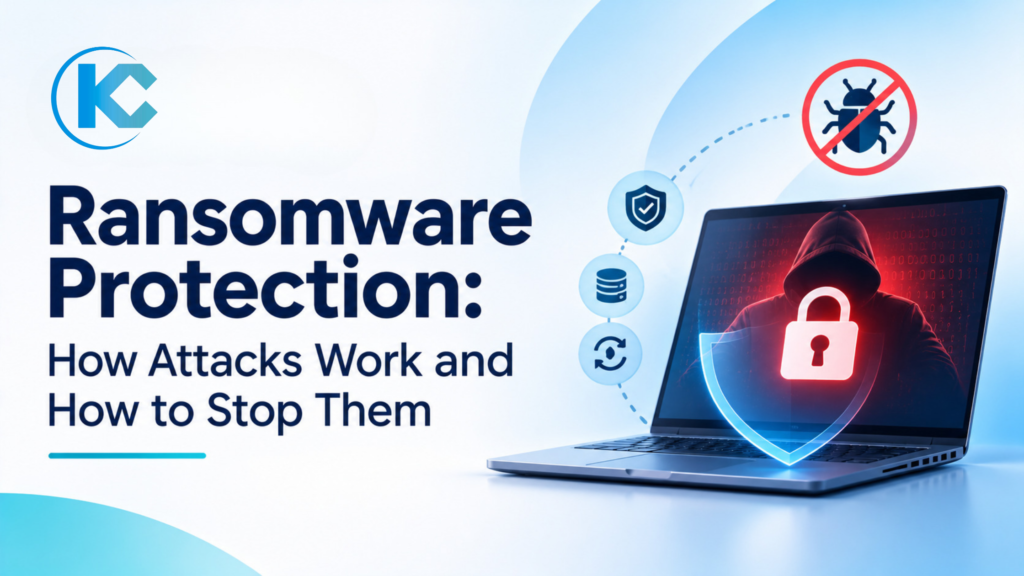
Ransomware Protection: How Attacks Work and How to Stop Them
⏱ 3 min read
Cybersecurity • Ransomware • Cyber Resilience
Ransomware protection is the set of controls, habits and recovery plans that keep an attack from locking your data or leaking it. This guide is for CIOs, IT and security leaders and business owners. It explains what ransomware is, how an attack unfolds, the main types, what it costs, and an eight-point checklist to test your defenses today.
SM
By Sanjeet Mahajan, Founder & CEO, Kizzy Consulting · LinkedIn
Quick Answer
Strong ransomware protection combines patching, multi-factor authentication on remote access, email security, staff training, tested offline backups and a rehearsed response plan. Attackers now steal data before encrypting it, so backups alone are not enough. Detection and fast containment matter just as much.
Contents
hide
Ransomware Protection Basics: What Is Ransomware?
Ransomware is malware that locks or steals data and releases it only after a ransom is paid. Fortinet notes that organizations holding personal, financial or intellectual property data are the most exposed. The first known case, the 1989 AIDS Trojan, spread on floppy disks and asked for $189. Today it is an organized business.
The scale is growing. Check Point, citing its 2025 ransomware report, counted 7,960 victims on double-extortion leak sites, a 53% rise year over year. Verizon’s 2026 breach report, as reported by SecurityWeek, found ransomware in 48% of confirmed breaches in 2025, up from 44%.
48%
of confirmed breaches involved ransomware (Verizon, via SecurityWeek).
7,960
victims on leak sites, up 53% year over year (Check Point).
~52%
of disclosed victims were in the United States (Check Point).
Ransomware Protection Starts With How a Ransomware Attack Works
Every ransomware attack follows three core stages, according to Check Point. Each stage is a chance to stop it.
- Infection. Common entry points are phishing emails, Remote Desktop Protocol (RDP) abuse with stolen credentials, direct exploitation of software flaws, and weak suppliers. Check Point notes attackers increasingly entered through vendors with weak credentials or unpatched software in 2025.
- Encryption. Files are encrypted with an attacker-controlled key. Many variants skip critical system files to keep the machine running and delete backups or shadow copies to block recovery.
- Ransom demand. A note appears on screen or in encrypted folders, usually demanding cryptocurrency. Some groups scan and steal data first, then threaten to publish it.
Fortinet describes a longer lifecycle: reconnaissance, infection, escalation, scanning, encryption and ransom. The extra steps show why early detection matters. Attackers often spend time inside a network before anything is encrypted.
Types of Ransomware That Shape Ransomware Protection Plans
| Type | What it does | What it means for defense |
|---|---|---|
| Crypto ransomware | Encrypts files and demands payment for the key | Tested, separate backups |
| Locker ransomware | Locks the screen, often posing as law enforcement | Endpoint protection and staff awareness |
| Double extortion | Encrypts and steals data, then threatens to leak it | Data loss prevention and egress monitoring |
| Triple extortion | Adds pressure on customers, partners or DDoS attacks | Communication and legal readiness |
| Wiper | Destroys access to files permanently | Paying will not help; recovery depends on backups |
| Ransomware-as-a-service | Developers lease malware to affiliates who share profits | Expect many skilled attackers, not a few |
Named groups change quickly. Check Point lists RansomHub, which stopped operating on April 1, 2025, along with Akira, Play, Cl0p and Qilin, which it describes as the most active operator after several major groups collapsed. The lesson is to defend against techniques, not brand names.
Kizzy Enterprise Cybersecurity
Worried Your Defenses Would Not Hold Up?
Kizzy’s cybersecurity team supports identity and zero trust, cloud and application security, data protection and DLP, vulnerability management and cyber resilience, governance and compliance, and security for AI, LLM and enterprise CRM environments.
Want this service from us? Check out the service page or contact our team directly.
What Weak Ransomware Protection Costs a Business
Both Fortinet and Check Point describe the same impact categories. Ransom payments are only one line item.
- Financial: lost revenue during downtime, recovery costs, legal fees and security upgrades.
- Operational: halted services, slow restoration and supply chain delays.
- Data exposure: double and triple extortion expose stolen data even if systems are restored.
- Legal and regulatory: lawsuits and fines under rules such as GDPR and HIPAA.
- Trust: customers and partners may leave after a public leak.
Because downtime is often the first and largest cost, set a measurable recovery-time target before an incident, not during one.
Ransomware Protection Checklist: 8 Controls to Verify
Score each control as yes, partial or no. Anything below yes is a gap to assign an owner and a date.
- Patching. Critical updates are applied quickly and verified, not assumed. Attackers target known flaws.
- Strong authentication. Multi-factor authentication protects RDP, VPN, email and admin accounts.
- Email security. Filtering blocks malicious links and attachments, since phishing remains a main entry point.
- Staff training. Employees can spot and report phishing. See our guide to cybersecurity awareness training.
- Protected backups. Data backup copies are separate from the main network and restore-tested.
- Endpoint and network monitoring. Someone owns the alerts and can isolate a device fast.
- Least-privilege access. Limited rights stop an infection moving across systems.
- Vendor oversight. Suppliers with access meet your standards. Read our post on third-party cyber governance risk.
Scoring honestly often exposes more than expected. Our related guide on cybersecurity gaps shows seven other places weaknesses hide.
Scored “partial” or “no” on a few of these?
That is common. Share your situation with our team and we will point you to the highest-impact fixes first.
Ransomware Protection in Action: What to Do During an Attack
Check Point’s immediate-response steps for an active infection are a useful starting point for your incident response plan.
- Quarantine the machine to stop the spread to drives and other systems.
- Keep it powered on to preserve memory that may help recovery.
- Copy encrypted files to removable media in case a decryptor appears later.
- Check for free decryptors, such as those from the No More Ransom Project.
- Call forensics help to look for surviving copies.
- Wipe and restore from a clean backup or fresh install.
Fortinet adds that authorities advise against paying, since payment encourages more attacks and offers no guarantee. Whether to pay is a business and legal decision, so settle who makes it before an incident. Note that removing the malware does not by itself unlock encrypted data.
Ransomware Protection FAQs
What is ransomware?
Ransomware is malware that encrypts or steals data and demands payment before releasing it. Many groups now use double extortion, encrypting files and threatening to publish stolen data, so victims face both lost access and possible public exposure of sensitive information.
What is the best ransomware protection for a business?
No single tool is enough. Combine fast patching, multi-factor authentication on remote access, email filtering, staff training, tested offline backups, endpoint monitoring and a rehearsed incident response plan. Layered controls matter because attackers use phishing, stolen credentials and unpatched flaws.
Do backups alone give full ransomware protection?
No. Backups speed recovery but do not stop data theft, and some ransomware deletes backups or shadow copies. Keep backups separate from the main network, test restores, and add prevention and detection so stolen data cannot be used for leak threats.
Should a company pay the ransom?
Authorities generally advise against paying, because payment encourages more attacks and does not guarantee a working decryptor or deleted data. Decide who makes that call, with legal and executive input, before an incident, and check free decryption tools such as No More Ransom first.
How do I recover from a ransomware attack?
Isolate affected devices, keep them powered on, preserve encrypted copies, and look for free decryptors. Bring in forensic help, then wipe and restore from a clean backup. Removing the malware alone will not decrypt files, so recovery depends on tested backups.
Ransomware Protection: Key Takeaways
- Assume data theft, not just encryption, and plan for double extortion.
- Fix the common doors first: phishing, remote access and unpatched software.
- Test your recovery. A backup you have never restored is a guess.
- Decide in advance who leads response and who decides on payment.
Get Ransomware Protection Support from Kizzy
Tell us about your environment and our cybersecurity team will get back to you with next steps. You can also review our enterprise cybersecurity service.