Salesforce VoIP Integration: CTI Options, Setup and Cost (2026)
Salesforce VoIP integration: quick answer
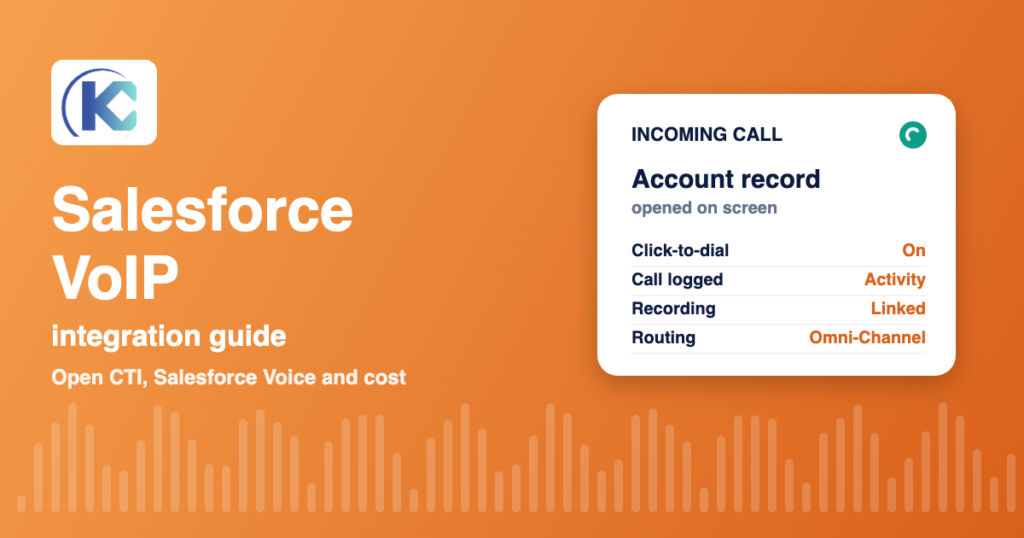
A Salesforce VoIP integration puts your phone system inside Salesforce, so reps and agents can call with one click, see the caller’s record as the phone rings, and have every call logged automatically. There are three main routes: your phone provider’s AppExchange app (usually built on Open CTI), Salesforce Voice with partner telephony, or Salesforce Voice with Amazon Connect. With Kizzy Consulting, Salesforce Voice or custom telephony projects typically cost $15,000 to $50,000.
Salesforce telephony options compared
| Option | How it works | Best for |
|---|---|---|
| Phone provider app (Open CTI) | Your VoIP provider’s softphone runs inside Salesforce through the Open CTI API | Sales teams that want to keep their current phone provider |
| Salesforce Voice with partner telephony | A supported phone provider connects to Salesforce Voice, so calls run through the Service Console and Omni-Channel | Service teams that want native routing and transcripts but already have a provider |
| Salesforce Voice with Amazon Connect | Salesforce provides the contact centre telephony through Amazon Connect | Service teams setting up a new contact centre |
| Custom CTI integration | Developers build a custom softphone or connector with Open CTI and the provider’s APIs | Unusual call flows or a phone system with no Salesforce app |
What a Salesforce phone integration should do
| Feature | What it means |
|---|---|
| Click-to-dial | Call any phone number on a Salesforce record with one click |
| Screen pop | The matching contact, lead, account or case opens as the call arrives |
| Automatic call logging | Each call is saved as an activity with time, duration and outcome |
| Call recordings | A link to the recording is stored on the record; the audio stays in the phone system |
| Routing | Calls go to the right agent or queue (Omni-Channel with Salesforce Voice) |
| Reporting | Dashboards on call volume, outcomes and response times |
How to set up a Salesforce VoIP integration in 6 steps
- List how your team uses the phone. Outbound sales calls, inbound support, or both; how many users; which countries.
- Choose the route. Check whether your current provider has a Salesforce app, and whether your service team needs Salesforce Voice routing.
- Decide what gets logged. Agree which record each call attaches to, which fields are filled in and where recordings live.
- Install and configure in a sandbox. Set up the softphone or Salesforce Voice, call centre settings, user access and screen-pop rules.
- Test real call paths. Unknown callers, transfers, missed calls, voicemail and calls from numbers that match several records.
- Train users and go live. Start with one team, check call logging for a week, then roll out to the rest.
Connecting your phone system to Salesforce?
Tell us which phone system you use, how many people make or take calls, and which Salesforce cloud you use. A Salesforce consultant will reply within 1 business day.
Common Salesforce VoIP integration mistakes
- Not deciding which record a call should attach to, so calls end up on the wrong contact or nowhere.
- Storing recordings as files in Salesforce and running out of storage.
- Ignoring numbers in different formats, so screen pops fail to find the caller.
- Rolling out to everyone at once without testing transfers and missed calls.
- Buying Salesforce Voice licences before checking whether the current phone provider already has a supported Salesforce app.
What a Salesforce VoIP integration costs with Kizzy Consulting
| Option | Typical price (USD) | Best for |
|---|---|---|
| Free Org Health Check | Free | Reviewing your Salesforce org and current call process first |
| Phone provider app setup | Quoted after a short review | A standard AppExchange softphone with call logging |
| Salesforce Voice or custom telephony | $15,000 to $50,000 | Service teams moving calls into the Service Console, or custom call flows |
| Multi-site contact centre | $50,000 to $150,000+ | Several sites or regions, with routing, AI and reporting |
| Managed services | From $2,000/month | Admin, fixes and changes after go-live |
Phone provider fees and Salesforce voice licences are billed separately. The exact scope and price are agreed in writing before work starts.
Salesforce VoIP integration FAQs
Can I integrate my VoIP phone system with Salesforce?
Yes. Most business phone and VoIP providers publish a Salesforce app on AppExchange, usually built on Salesforce Open CTI or on Salesforce Voice with partner telephony. Service teams can also use Salesforce Voice with Amazon Connect, where Salesforce provides the telephony.
What is Salesforce Open CTI?
Open CTI is a Salesforce JavaScript API that lets a telephony provider place a softphone inside Salesforce. It supports click-to-dial, screen pops that open the caller’s record, and logging calls as activities.
Should I use Open CTI or Salesforce Voice?
Open CTI suits teams that want to keep their current phone provider’s softphone inside Salesforce. Salesforce Voice suits service teams that want calls, transcripts and Omni-Channel routing built into the Service Console. Salesforce publishes guidance for moving Open CTI integrations to Salesforce Voice with partner telephony.
What call data should be logged in Salesforce?
Log each call as an activity on the right contact, lead, account or case, with direction, time, duration, outcome and notes. Store a link to the recording rather than the audio file, so recordings stay in the phone system and do not use Salesforce storage.
How much does a Salesforce VoIP integration cost?
The phone provider’s app and Salesforce voice licences are billed separately. Setting up a standard app is quoted after a short review. With Kizzy Consulting, Salesforce Voice or custom telephony projects typically fall in our focused project range of $15,000 to $50,000, and multi-site contact centres in our enterprise range of $50,000 to $150,000+.
Do I need Service Cloud for Salesforce telephony?
Not for a phone provider’s softphone in Sales Cloud. Salesforce Voice is built around the Service Console and Omni-Channel and is licensed as an add-on, so check your edition and licences with your Salesforce account executive.