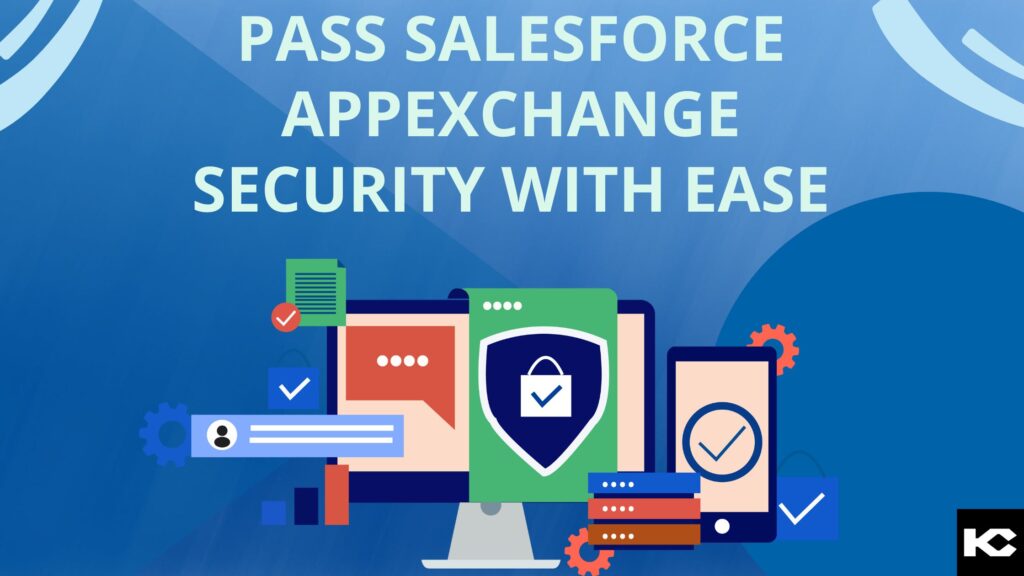
How to Pass the Salesforce AppExchange Security Review 2026
⏱ 3 min read
SALESFORCE APPEXCHANGE SECURITY
A practical guide to preparing your Salesforce AppExchange application for security review, identifying vulnerabilities, securing integrations, testing code, and responding to security findings.
Salesforce AppExchange Security Review: Why It Matters
Building and publishing an application on Salesforce AppExchange involves more than developing useful functionality. Salesforce AppExchange security review evaluates whether an application follows required security practices and protects customer data, authentication mechanisms, integrations, and Salesforce environments.
For ISV developers and Salesforce AppExchange partners, preparing for the security review early can help identify vulnerabilities before submission and reduce avoidable review issues. Security should be considered throughout the development lifecycle rather than treated as a final step before publishing.
In this guide, we cover the key steps to prepare for the Salesforce AppExchange security review, including secure coding, authentication and authorization, API security, vulnerability testing, source-code scanning, documentation, and responding to Salesforce security feedback.
Executive Quick Answer
To prepare for the Salesforce AppExchange security review, start with Salesforce security requirements, perform a complete application security assessment, follow secure development practices, protect credentials and sensitive data, secure external integrations, run static and dynamic security testing, document your controls, and resolve identified vulnerabilities before submission. Treat the review as part of an ongoing application security lifecycle rather than a one-time approval step.
Steps to Pass the Salesforce AppExchange Security Review
01 · SECURITY BASICS
Start With Salesforce Security Requirements
Before submitting an application, understand the applicable Salesforce AppExchange security review requirements and security documentation. Pay particular attention to authentication, authorization, access controls, data protection, secure coding, and integration security.
02 · PREPARATION
Plan and Prepare for the Security Review
Conduct a structured security assessment involving developers, architects, and testing teams. Identify vulnerabilities before submission and create a security plan covering application architecture, data flows, authentication, authorization, integrations, and application behavior.
03 · SECURE DEVELOPMENT
Follow Salesforce Secure Coding Best Practices
Follow Salesforce development and architectural best practices throughout the application lifecycle. Validate inputs, protect outputs, use appropriate query techniques, enforce access controls, and review Apex, Lightning Web Components, Aura components, APIs, and other application code for common vulnerabilities.
04 · ACCESS CONTROL
Secure Authentication and Authorization
Ensure users and integrations are authenticated appropriately and that access to Salesforce data is restricted according to business requirements. Review permissions, sharing behavior, authentication flows, connected applications, and authorization controls to reduce unauthorized access.
05 · CREDENTIAL SECURITY
Never Hardcode Credentials
Never hardcode usernames, passwords, API keys, tokens, or other secrets in source code. Use appropriate Salesforce mechanisms for storing and managing sensitive configuration and authentication information.
06 · API SECURITY
Secure Salesforce API Integrations
If your AppExchange application communicates with external services, review every integration point. Use encrypted communication, validate responses, apply appropriate authentication, restrict access, handle errors securely, and avoid exposing sensitive information through logs or error messages.
07 · TESTING
Perform Regular Security Testing
Use appropriate security testing techniques such as static analysis, dynamic testing, vulnerability scanning, and penetration testing where applicable. Fix identified issues and run regression testing to verify that vulnerabilities have actually been resolved.
08 · DOCUMENTATION
Document Your Security Controls
Maintain clear documentation explaining how your application handles authentication, authorization, sensitive data, integrations, permissions, and other security controls. Good documentation can make the review process easier to understand and troubleshoot.
09 · SUBMISSION
Submit Your App for Salesforce Security Review
Once your application has been tested and security issues have been addressed, prepare the required information and submit the application through the applicable Salesforce AppExchange process.
10 · FEEDBACK
Respond to Salesforce Security Review Feedback
If the review identifies security concerns, investigate each finding carefully, implement the required remediation, document the changes, and respond with the information requested during the review process.
11 · ITERATION
Fix, Retest, and Resubmit When Required
A security finding should be treated as an opportunity to strengthen the application. After remediation, retest the affected functionality and verify that the fix has not introduced additional issues before resubmission.
12 · CONTINUOUS SECURITY
Keep Your App Security Up to Date
Passing an AppExchange security review should not be treated as the end of application security. Continue monitoring dependencies, reviewing code, testing integrations, addressing vulnerabilities, and adapting security controls as your application and threat landscape evolve.
APPEXCHANGE DEVELOPMENT
Building a Salesforce AppExchange Application?
AppExchange development requires attention to application architecture, Salesforce development standards, integrations, security, packaging, testing, and marketplace requirements. Kizzy Consulting can help businesses build and prepare Salesforce applications for the AppExchange ecosystem.
Preparing to Publish Your Salesforce App on AppExchange?
Security review is one part of the broader AppExchange publishing journey. If you are also preparing your listing and marketplace submission, read our guide on how to publish an app on the Salesforce AppExchange
CODE SECURITY CHECK
Apex PMD for Salesforce Code Analysis
Apex PMD is a static code analysis tool that can help identify potential issues in Salesforce development code, including Apex classes, Apex triggers, Aura components, and Lightning Web Components.
Static analysis can be useful during the development lifecycle because it allows teams to identify potential code-quality and security issues before an application reaches the AppExchange security review stage.
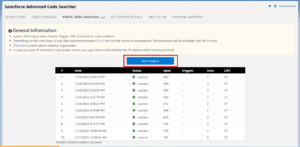
Post-installation, start the analysis to scan the applicable code.
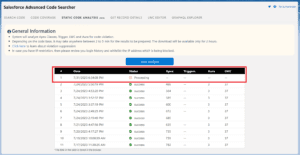
The code analysis process begins after the scan is started.
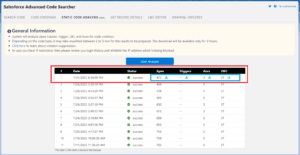
Once processing is complete, identified issues can be reviewed and exported for further analysis.
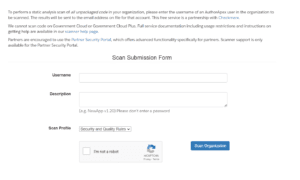
Salesforce Source Code Scanner
Source-code scanning can help development teams identify potential security issues and code discrepancies before submitting an application for review. The Salesforce
Source Code Scanner
was historically used to scan Salesforce code and report potential security issues.
The broader objective is to identify vulnerabilities early, remediate them, and verify the application before it enters the AppExchange security review process.
Salesforce AppExchange Security Review Checklist
✓ Review application security requirements
✓ Review Apex and Lightning code
✓ Validate authentication controls
✓ Review authorization and permissions
✓ Protect credentials and secrets
✓ Secure external API integrations
✓ Run static and dynamic testing
✓ Document security controls
✓ Remediate vulnerabilities
✓ Retest after remediation
Need Help Preparing Your Salesforce AppExchange App?
From Salesforce AppExchange application development to security preparation and technical implementation, Kizzy Consulting can help teams build and improve Salesforce applications.
Conclusion: Preparing for the Salesforce AppExchange Security Review
Passing the Salesforce AppExchange security review requires security to be considered throughout the application development lifecycle. Developers and ISV teams should review security requirements early, apply secure coding practices, protect credentials, implement appropriate authentication and authorization, secure external integrations, and conduct thorough testing before submission.
Tools such as static code analysis and source-code scanning can support the process by helping teams identify potential issues before the formal review. Just as importantly, security findings should be documented, remediated, retested, and monitored over time.
For Salesforce AppExchange developers, security is not simply a publishing requirement. It is an ongoing engineering responsibility that helps protect customer data, strengthen application reliability, and support long-term trust in the application.
Frequently Asked Questions About Salesforce AppExchange Security Review
What is the Salesforce AppExchange security review?
The Salesforce AppExchange security review is a security assessment associated with publishing applications on AppExchange. It evaluates relevant aspects of an application and its security controls before marketplace publication.
How can I prepare my app for the Salesforce AppExchange security review?
Start by reviewing Salesforce security requirements, performing a security assessment, checking application code, securing authentication and authorization, protecting credentials, testing integrations, running security scans, documenting controls, and resolving vulnerabilities before submission.
What security issues can affect Salesforce AppExchange review?
Potential issues can include insecure authentication or authorization, insufficient access controls, exposed credentials, insecure APIs, unsafe data handling, vulnerable code, inadequate input validation, and other application-specific security weaknesses.
Why should Salesforce developers avoid hardcoding credentials?
Hardcoded passwords, tokens, API keys, and other secrets can expose sensitive authentication information through source code. Sensitive configuration should instead be handled through appropriate secure Salesforce mechanisms.
What is Apex PMD used for in Salesforce development?
Apex PMD is a static analysis tool that can identify potential problems in Salesforce development code. It can help development teams review Apex and other supported Salesforce components before deployment or security assessment.
What happens if a Salesforce AppExchange app does not pass security review?
The development team should review the identified security findings, make the necessary remediation changes, retest the application, and follow the applicable resubmission process.
Can Kizzy Consulting help with Salesforce AppExchange app development?
Yes. Kizzy Consulting provides Salesforce AppExchange application development services covering Salesforce application development and related technical requirements. Learn more about
Salesforce AppExchange App Development.