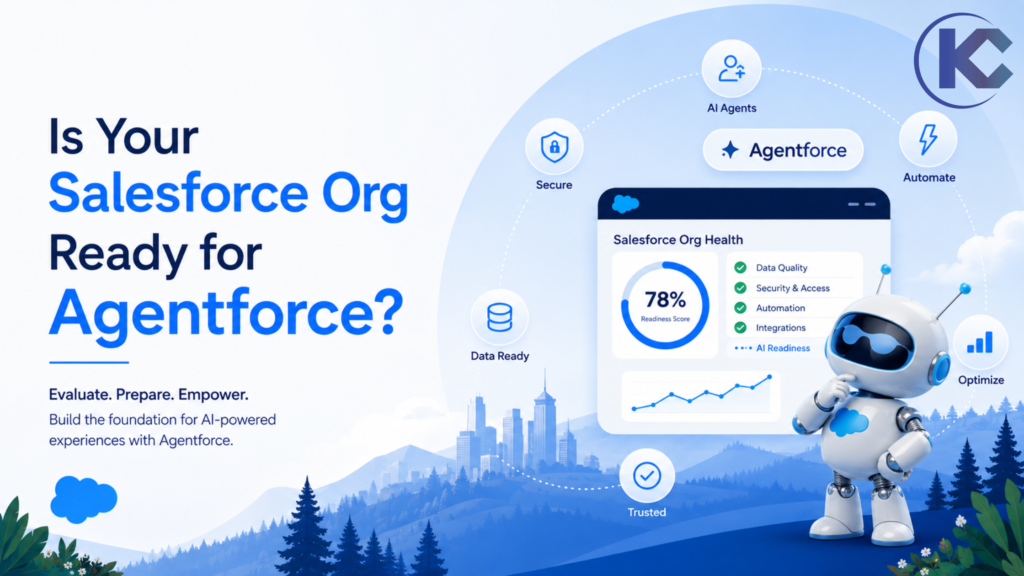
Is Your Salesforce Org Ready for Agentforce?
⏱ 5 min read
Before deploying Salesforce Agentforce, assess whether your Salesforce org can support AI agents reliably and securely. Enabling Agentforce is only one part of the process. CRM data quality, automation health, security controls and clearly defined business processes all influence the outcome.
Duplicate records, outdated workflows, excessive permissions and inconsistent reporting can create problems when AI agents retrieve information or execute business actions. A readiness review helps identify these gaps before they affect a production deployment.
Use the seven checks in this guide to evaluate your Salesforce data quality, automation architecture, security, reporting, business use cases and AI governance before moving from experimentation to production.
By Sanjeet Mahajan, CEO and Founder of Kizzy Consulting
Quick Answer
How do you know if your Salesforce org is ready for Agentforce?
Your Salesforce org is better prepared for Agentforce when its CRM data is trustworthy, automation is documented and tested, access is appropriately controlled, integrations work reliably, business processes are clearly defined, and AI agents have measurable goals and documented governance. Validate these foundations in a sandbox before deploying changes to production.
What Does Salesforce Agentforce Readiness Mean?
Salesforce Agentforce readiness is the process of evaluating whether your Salesforce environment, business processes and operating model can support AI agents safely and effectively. It involves more than enabling a feature or configuring an agent.
An Agentforce implementation may retrieve CRM information, ground responses in approved knowledge, invoke Salesforce actions, interact with automation and connect to external systems. Each activity depends on the quality of the underlying configuration, data, permissions and workflows.
A readiness review helps your team determine what is already working, what needs improvement and which use case is appropriate for an initial deployment. For a broader strategic perspective, read our guide to
Agentforce readiness for 2026.
The 7 Salesforce Org Readiness Checks
Before implementing Agentforce, review these seven areas:
01. Data Quality
Are CRM records accurate, complete and current?
02. Automation
Can existing Flows, Apex and integrations work predictably with agent actions?
03. Security
Are data access and permitted actions clearly controlled?
04. Architecture
Does the Salesforce data model reflect current business needs?
05. Reporting
Can teams trust the metrics used to guide decisions?
06. Use Case
Is the first agent solving a specific, measurable problem?
07. Governance
Are ownership, monitoring and human escalation defined?
1. Is Your Salesforce Data Ready for AI?
Data quality is one of the first areas to review before deploying Agentforce. AI agents depend on available CRM records, approved knowledge and connected data sources to understand context and respond to requests. Incomplete or inconsistent information can lead to irrelevant responses, incorrect summaries or unreliable recommendations.
Duplicate Records
Identify duplicate Accounts, Contacts, Leads and other important records.
Consistent Fields
Standardize picklists, lifecycle stages, categories and required fields.
Data Freshness
Review stale customer records, outdated contact details and incomplete history.
Identify which data sources an agent needs, who owns those sources and whether access is appropriate for the intended use case. If your implementation uses Salesforce Data Cloud, now referred to as Data 360 in relevant Salesforce branding, evaluate how data is ingested, unified, governed and made available to the agent. A data platform is not a substitute for correcting poor source data or defining appropriate access controls.
For a detailed cleanup plan, explore
7 Best Practices to Organize CRM Data in 2026
and our guide to
Salesforce Data Cloud vs. Data 360.
2. Have You Audited Your Salesforce Automation?
Agentforce actions may interact with Salesforce Flows, Apex, validation rules, triggers and external integrations. If existing automation contains overlapping logic or undocumented dependencies, an agent’s actions may trigger unexpected downstream behavior.
Agentforce Action → Salesforce Automation → Validation and Integrations → Record Update
Review each step and its dependencies before enabling an agent to execute the action.
Audit automation on important objects such as Accounts, Contacts, Opportunities and Cases. Your review should identify:
- Flows with overlapping or conflicting responsibilities.
- Legacy automation that is no longer required.
- Apex triggers and validation rules that affect agent actions.
- Integration failures, retry behavior and error-handling gaps.
- Actions that need additional checks or human approval.
Simplifying and documenting the automation landscape makes it easier to test agent behavior and troubleshoot issues. Learn more about our
Salesforce development services.
3. Are Permissions, Sharing and Security Properly Configured?
AI agents should only access the information and perform the actions required for their assigned tasks. Review the applicable Salesforce user context, object permissions, field-level security, record-sharing settings and permissions associated with agent actions. Exact access behavior depends on the agent configuration and execution context.
Security questions to answer before deployment
- Which records can the agent retrieve?
- Which fields and sensitive information can it access?
- Which records can it create, update or delete?
- Which actions can it execute, and under what conditions?
- Which requests require approval or human escalation?
- How will agent activity and unexpected behavior be monitored?
Apply least-privilege access, review sensitive-data handling and test both permitted and denied actions in a sandbox. Security testing should cover realistic user scenarios, not just successful interactions.
Find the Gaps Before You Deploy Agentforce
Evaluate your Salesforce data, automation, architecture and governance before moving an AI agent into production.
4. Does Your Salesforce Architecture Reflect Your Business?
Your Salesforce data model should reflect how the business operates today. Outdated opportunity stages, unused fields, disconnected objects and inconsistent case categories can make it harder for users and AI agents to work with the same business context.
| Architecture Area | What to Validate |
|---|---|
| Objects and relationships | Do they represent current business entities and their relationships? |
| Fields and picklists | Are key fields clearly defined, consistently populated and maintained? |
| Business processes | Are stages, ownership and process rules documented? |
| Integrations | Can required external data be accessed reliably, with appropriate error handling? |
| Knowledge sources | Are the content sources relevant, current and approved for the intended use? |
Review technical debt and integration dependencies as part of the same exercise. If an agent needs information from another platform, confirm the connection, authentication, permissions and failure-handling behavior before relying on that information in a production workflow.
5. Can Your Team Trust Its Salesforce Reports?
AI-generated summaries and recommendations are only useful when the underlying business definitions and source data are dependable. If teams regularly compare Salesforce dashboards against separate spreadsheets to determine which figures are correct, investigate the reporting foundation before using those metrics to guide agent-driven decisions.
Reporting readiness checklist
- Sales stages and forecast categories have clear definitions.
- Teams use consistent definitions for key performance indicators.
- Dashboard ownership and data sources are documented.
- Missing, stale and inconsistent records are reviewed.
- AI-generated summaries can be checked against approved source information.
Clear reporting definitions help teams establish a baseline and measure whether an Agentforce use case is delivering the intended business outcome.
6. Have You Defined a Focused Use Case and a Success Metric?
Agentforce can support multiple business functions, but an initial implementation should solve a clearly defined problem. Trying to automate too many workflows at once makes it harder to validate performance, manage risk and determine whether the implementation is delivering value.
Sales
Lead qualification, sales assistance and follow-up support.
Customer Service
Case classification, response assistance and service workflows.
Operations
Routine record updates, information retrieval and process support.
For your first use case, document five things:
- The business problem: What specific task or bottleneck needs improvement?
- The intended users: Who will interact with the agent or benefit from its actions?
- The permitted actions: What can the agent do, and what requires approval?
- The baseline: How does the process perform today?
- The success metric: Will you measure response time, task completion, case handling, conversion or another relevant KPI?
Define success before building the agent. This gives your team a practical way to compare results, identify problems and decide whether to expand the deployment.
7. Is Agentforce Governance Defined Before Production?
An AI agent needs clear ownership and ongoing oversight. Governance should cover who is accountable for its behavior, which actions it can perform, how exceptions are handled and how changes are tested. These responsibilities should remain clear after the initial deployment.
Minimum Agentforce Governance Framework
- A named business and technical owner for each production agent.
- Documented permissions, action boundaries and approval requirements.
- Defined escalation paths for sensitive, uncertain or unsupported requests.
- Test scenarios covering expected, unexpected and restricted behavior.
- Monitoring for errors, quality issues, unexpected actions and performance changes.
- Documented processes for reviewing instructions and deploying changes.
- Regular reviews of usage, business outcomes and user feedback.
Governance is an ongoing process, not a one-time approval. Reassess controls whenever the agent’s instructions, connected data, permissions or business responsibilities change.
Salesforce Agentforce Readiness Checklist
Use this checklist with your Salesforce administrator, architect, security team and business stakeholders. Mark each item only after you have verified it. An unchecked item identifies something to investigate, not an automatic reason to abandon your AI initiative.
- □ Data: Duplicate, incomplete and stale records have been reviewed.
- □ Automation: Relevant Flows, Apex, validation rules and dependencies are documented and tested.
- □ Security: Data access, permitted actions and human approval requirements are defined.
- □ Architecture: Objects, fields, relationships and processes reflect current business needs.
- □ Integrations: Required connections, authentication and error handling have been tested.
- □ Reporting: The baseline metrics and definitions used to measure success are trusted.
- □ Use case: The first agent has a defined scope, intended users and measurable outcome.
- □ Testing: Relevant scenarios, restricted actions and failure cases have been tested in a sandbox.
- □ Governance: Ownership, monitoring, escalation and change management are documented.
- □ Adoption: Users understand the agent’s role, limitations and escalation process.
If several items remain unchecked, prioritize the gaps that affect the proposed use case, its data access and its ability to execute actions safely. Readiness depends on the agent’s scope and risk; there is no single checklist score that guarantees a successful deployment.
How to Prepare Your Salesforce Org for Agentforce
Once you identify the gaps, use a phased approach to address them. The sequence and duration will depend on your Salesforce environment, integrations, data quality and the risk of the intended use case.
1
Assess the Current Org
Review data quality, architecture, automation, integrations, permissions and current operating processes. Document the highest-priority gaps.
2
Fix Critical Foundation Issues
Address data inconsistencies, conflicting automation, excessive permissions and unreliable integrations that could affect the selected use case.
3
Choose and Configure One Use Case
Define the agent’s role, knowledge sources, permitted actions, boundaries, success criteria and human escalation rules.
4
Test with Realistic Scenarios
Validate expected responses, data access, action execution, exceptions, restricted requests and integration failures in a sandbox or appropriate test environment.
5
Deploy Carefully and Monitor Outcomes
Release according to your change-management process, monitor quality and business KPIs, collect user feedback and refine the agent before expanding its responsibilities.
Prepare Your Salesforce Org for Agentforce
Identify readiness gaps, strengthen your Salesforce foundation and define a practical path from AI experimentation to a governed production deployment.
Frequently Asked Questions About Salesforce Agentforce Readiness
What does Salesforce Agentforce readiness mean?
Salesforce Agentforce readiness means evaluating whether your CRM data, architecture, automation, permissions, integrations, business processes and governance can support the intended AI agent use case safely and effectively.
What should I check before implementing Agentforce?
Review data quality, automation dependencies, access controls, Salesforce architecture, integrations, reporting reliability, use-case scope, testing and governance. Prioritize the issues that could affect the planned agent’s behavior or risk.
Do I need a Salesforce health check before Agentforce?
A Salesforce health and AI readiness review can help identify data, automation, security, architecture and integration issues before deployment. The depth of the review should match the complexity and risk of the intended use case.
Should I start Agentforce with one use case?
Starting with one focused use case is often a practical approach. It lets your team validate behavior, permissions, exception handling and business outcomes before expanding to additional workflows.
How can I measure whether Agentforce is successful?
Choose a measurable KPI that matches the business problem, establish a baseline and monitor the result after deployment. Depending on the use case, measures may include response time, task completion, case handling, conversion or employee productivity, alongside quality and safety checks.
Can Agentforce work with existing Salesforce Flows and Apex?
Agentforce can use supported actions and integrations that interact with existing Salesforce automation. Exact behavior depends on the implementation and execution context. Review dependencies and test how agent actions interact with Flows, Apex, validation rules and connected systems before production use.
SALESFORCE AGENTFORCE READINESS
Build the Foundation Before You Build the Agent
Agentforce readiness starts with a clear understanding of your Salesforce environment and the business problem you want to solve. Clean data, predictable automation, appropriate permissions, reliable integrations and clear governance provide a stronger foundation for AI adoption.
Review the seven checks, document your gaps and test a focused use case before expanding into more complex workflows. A structured approach helps your team make informed decisions about when and how to move an AI agent into production.