AgentExchange Listing: What It Costs and How to Create One
⏱ 3 min read
AGENTEXCHANGE GUIDE FOR ISVS · 2026
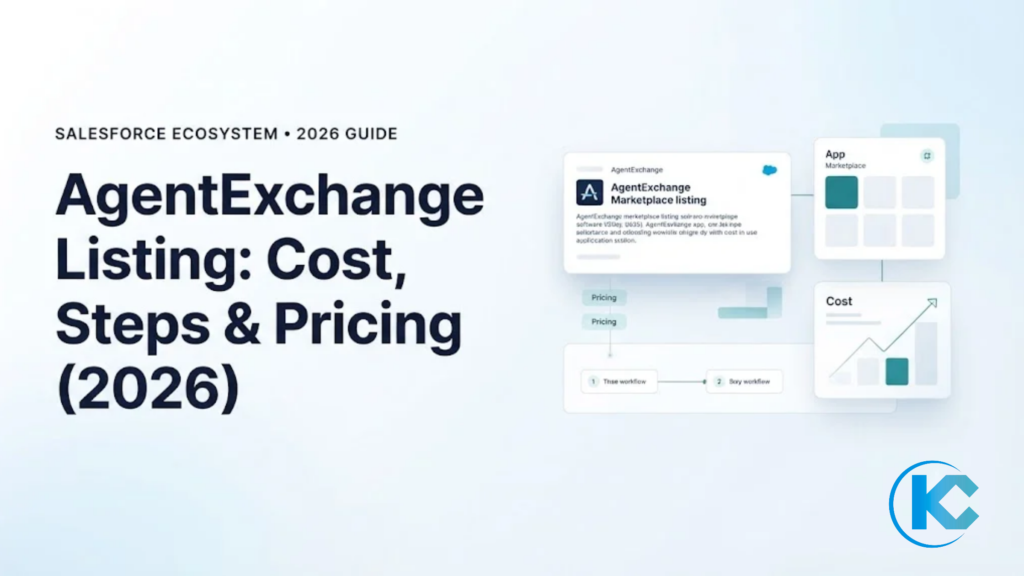
An AgentExchange listing is how Salesforce partners sell apps, agents and MCP servers to Agentforce customers. This guide is for ISV founders and product leaders who need to know what an AgentExchange listing costs, how to create one, and how to set up pricing before they submit.
Cost Breakdown
6-Step Process
Checkout Pricing Plans
6-Step Process
Checkout Pricing Plans
THE QUICK ANSWER
Contents
hide
What Does an AgentExchange Listing Cost?
An AgentExchange listing costs a $999 security review fee for each attempt on a paid solution. If you sell through AgentExchange Checkout, Salesforce takes a 15% revenue share and charges no setup, monthly or card storage fees. Credit card payments add $0.30 per transaction through Stripe.
What Is an AgentExchange Listing?
An AgentExchange listing is your solution’s public page on Salesforce’s marketplace, where customers find, evaluate and buy it. AgentExchange now brings together AppExchange, Slack Marketplace and the Agentforce ecosystem in one place, according to Salesforce Ben (April 2026). Customers can add third-party agents, sub-agents and MCP servers directly in Agentforce Builder.
A listing carries your title, description, pricing, linked solution and lead capture. You build it in the Listing Builder inside the Partner Console, and a solution cannot be published until it passes security review. Salesforce also announced a $50M AgentExchange Builders Initiative to help partners turn ideas into revenue, per the same report. Its Go-to-Market App supports private offers, unified billing and automated provisioning. The Listing Builder also covers consultant listings, so services firms can list too.
KIZZY AI READINESS ASSESSMENT
Is Your Business Ready for AI?
Our AI Readiness Assessment evaluates your data, infrastructure, workflows and use cases so you know where to start.
AgentExchange Listing Cost: What Salesforce Charges
The listing itself has few line items. Most of the cost sits in security review and in the revenue share on sales. The table shows each charge and where it comes from.
| Cost item | What Salesforce states |
|---|---|
| Security review | $999 for the initial submission and for each later attempt, per paid solution (Trailhead) |
| Checkout revenue share | 15% for bank transfers and for credit cards (ISVforce Guide) |
| Card transaction fee | $0.30 per credit card transaction, charged by Stripe |
| Checkout setup and monthly fees | No setup fees, monthly service charges or card storage fees |
Two limits apply. Salesforce’s Trailhead page says most submissions pass on the second attempt, so budget for at least $1,998 per paid solution. Salesforce ties the review fee to paid solutions, and its Trailhead page does not address free ones, so confirm your fee with the partner team before you submit. Revenue-share terms for ISVforce and OEM licensing are set in your partner agreement, so confirm them with Salesforce before you price.
How to Create an AgentExchange Listing in 6 Steps
You create a listing in the Listing Builder, which has six sections, per the ISVforce Guide. You need the Manage Listings permission.
- Fill in the basics. Add a title, short description and the Salesforce products your solution requires or supports.
- Set pricing. Choose free or paid, choose a payment method, and decide when to collect payment information.
- Add details. Write the full description, search and filter information and terms and conditions, and add logos.
- Link your solution. Attach the solution and pick installation methods. It can be under security review but cannot be published until it passes.
- Grow your business. Route leads, such as demo views and trial downloads, to your Salesforce org.
- Check listing status. Clear every warning icon, then publish.
Start security review early. It is the step most likely to delay a launch, and our guide to passing the Salesforce security review covers what reviewers check.
AgentExchange Checkout Pricing for Your Listing
AgentExchange Checkout lets customers pay by credit card or bank transfer directly from your listing. You create pricing plans in the Partner Console, then sync them to a connected Stripe account.
| Plan type | Pricing units | Customer is billed |
|---|---|---|
| One-time | Per user or per company | Once, at purchase |
| Subscription | Per user or per company | Monthly or annually |
A per-user plan sells one license for each user in the customer’s org. A per-company plan sells an org-wide license. Checkout does not support custom pricing units.
When you add a plan, you enter its name, price, currency (USD or EUR), units, billing frequency and an optional trial length. You also choose whether to collect payment information before or after a customer installs your solution. You can offer several plans, such as one monthly and one annual. Name each plan with its billing frequency so buyers can compare them.
RELATED READ
Related Read
Want the full publishing path before you price? This guide walks through publishing an app on the Salesforce marketplace.
AgentExchange Listing Mistakes to Avoid
- Editing plans in Stripe. Salesforce says to edit pricing plans in the Partner Console only. Changes made on the Stripe website do not sync back and do not appear on your listing.
- Skipping Stripe setup. You need a Stripe account connected to the Partner Console before you can create plans.
- Planning for custom units. Checkout supports per-user and per-company units only, so design your packaging around them.
- Treating security review as a formality. Each failed attempt costs another $999 and delays publishing.
- Forgetting approval. Converting an existing listing to Checkout means connecting Stripe, adding plans and submitting the listing for approval before you republish.
AGENTEXCHANGE GUIDE FOR ISVS
AgentExchange Listing FAQs
Key Takeaways for Listing Your Solution on AgentExchange
- Budget $999 per security review attempt, and plan for more than one attempt.
- Checkout carries a 15% revenue share plus $0.30 per card transaction, with no setup or monthly fees.
- Design your pricing around per-user or per-company plans, and manage them in the Partner Console only.
Plan Your AgentExchange Listing With Kizzy
Kizzy Consulting is a Salesforce Ridge Partner and AppExchange ISV. Tell us about your solution and we will help you plan packaging, pricing and your Agentforce go-to-market.