Salesforce CPQ to Revenue Cloud Migration: The Complete 2026 Guide
⏱ 4 min read
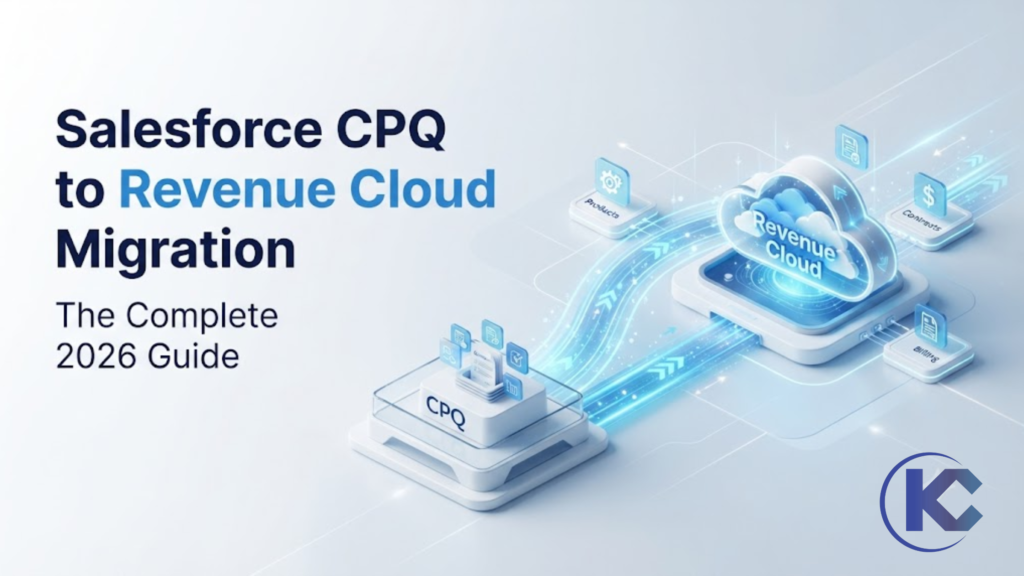
Salesforce has confirmed Salesforce CPQ is end of sale – not end of life. That distinction changes how you plan. This guide covers what end of sale actually means, how Salesforce CPQ differs from Revenue Cloud Advanced, a 4-step migration strategy, realistic timelines, and how to decide whether to migrate now or later.
CPQ to Revenue Cloud Migration
CPQ End of Sale
Revenue Cloud Advanced
Agentforce Revenue Management
CPQ End of Sale
Revenue Cloud Advanced
Agentforce Revenue Management
Executive Quick Answer
Migrating from legacy Salesforce CPQ to Revenue Cloud Advanced takes four steps: assess and clean your current org, redesign the configuration model around attributes and the Business Rules Engine, transform your data and rebuild integrations, then test, train, and launch in waves.
Salesforce puts a typical migration at 3–6 months from discovery to go-live. Large catalogs, heavy custom logic (especially Quote Calculator Plugin scripts), and many integrations push that timeline longer. Because CPQ has no announced shutdown date, migration is a planning decision, not a fire drill – but every quarter you wait, the feature and AI gap between CPQ and Revenue Cloud Advanced widens.
3–6 mo
Typical migration timeline
4 Steps
Assess → Redesign → Transform → Launch
150+
Native APIs in Revenue Cloud Advanced
EOS
End of sale – not end of life
What “Salesforce CPQ End of Sale” Actually Means
Salesforce stopped selling the legacy CPQ managed package to new customers. It did not switch it off, and no shutdown date has been announced. That distinction separates a real deadline from a sales narrative.
New to Salesforce CPQ itself? If you’re still evaluating what Configure, Price, Quote actually does before deciding whether to migrate, start with our complete Salesforce CPQ guide – it covers features, pricing, implementation steps, and how CPQ compares to Revenue Cloud in more depth.
Legacy Salesforce CPQ vs. Revenue Cloud Advanced
This isn’t a version upgrade – it’s a move off a managed package layered on top of Salesforce onto capability built natively into the core platform. That architectural change explains almost every difference below.
Read that table as a work plan, not a feature list – every row where the two columns differ is a row that needs to be redesigned in your org, not simply copied over.
Want the full picture of what Revenue Cloud covers? Beyond CPQ, Revenue Cloud Advanced adds billing, contracts, order orchestration, and ASC 606/IFRS 15 revenue recognition. See our Salesforce Revenue Cloud guide for architecture, pricing, and features.
Migration Readiness Assessment
How Big Is Your CPQ to Revenue Cloud Migration, Really?
Kizzy Consulting audits your catalog, price rules, QCP scripts, and integrations before you commit a budget – so you know the real scope, not a guess.
Get a Complimentary Migration Assessment
Tell us about your current CPQ setup, catalog size, and integrations.
The 4-Step Salesforce CPQ to Revenue Cloud Migration Strategy
The four steps run in order, and each produces something the next step needs. Skipping ahead is the most common way these programs slip.
Step 1: Assess, Clean & Prune
The costliest mistake is a lift-and-shift of messy processes. Audit your technical debt – find and delete “zombie” price rules that fire on every quote but change nothing. Inventory every Quote Calculator Plugin script separately (each needs to be rebuilt in the Business Rules Engine, replaced with platform automation, or retired). Trim the catalog: if a SKU hasn’t appeared on a quote in years, it doesn’t travel.
Step 2: Redesign the Configuration Model
Revenue Cloud Advanced is metadata-driven and declarative. Three shifts carry most of the value:
- Bundles/SKUs → Attributes: a product in 4 colors and 3 sizes becomes one product with two attributes instead of 12 SKUs
- Price rules → Business Rules Engine: volume breaks, tiering, and currency handling evaluate in one visual pass instead of stacked rules
- Product rules → Constraint rules: describe which combinations are valid rather than scripting procedural if/then logic
Step 3: Transform Data & Rebuild Integrations
Almost nothing maps one-to-one between the two platforms – quotes become Transaction Line Items, product bundles become PCM attributes, and QCP JavaScript requires a full rewrite. Map objects field-by-field before moving a single record, and consider a bridge approach: write new deals in Revenue Cloud while existing CPQ contracts run to renewal, rather than a single risky cutover weekend.
Step 4: Test, Train & Launch in Waves
Test the full lifecycle – quote to order to contract to amendment to renewal – not just the quote screen. Run parallel tests pushing the same deal through both systems and compare totals to the cent. Roll out by pilot team or region first, fix what surfaces, then expand.
Choose the Migration Path That Creates Value, Not Just Parity
The right strategy depends on your CPQ complexity, data quality, pricing logic, and appetite for change. The goal is a stronger revenue model – not a screen-by-screen rebuild.
Lift and Shift
Move existing CPQ configuration and data into RCA with minimal redesign when speed and business parity matter most.
Move existing CPQ configuration and data into RCA with minimal redesign when speed and business parity matter most.
Selective Transformation
Migrate the core model while rationalizing the catalog and redesigning the pricing logic that slows sales or creates admin drag.
Migrate the core model while rationalizing the catalog and redesigning the pricing logic that slows sales or creates admin drag.
Full Rationalization
Redesign catalog, pricing, and transactional data to unlock the full value of RCA for subscription, asset, and consumption motions.
Redesign catalog, pricing, and transactional data to unlock the full value of RCA for subscription, asset, and consumption motions.
New Business Unit
Build RCA around the future-state business design and keep CPQ data as historical reference when the current model is holding growth back.
Build RCA around the future-state business design and keep CPQ data as historical reference when the current model is holding growth back.
Rollout Approach: Protecting Revenue Continuity
Big Bang
Move the full revenue team in one cutover when the business needs a clean break and can support a tightly managed go-live.
Move the full revenue team in one cutover when the business needs a clean break and can support a tightly managed go-live.
Pilot-First
Launch with a representative team or product line to validate quoting, pricing, and operational constraints before scaling.
Launch with a representative team or product line to validate quoting, pricing, and operational constraints before scaling.
Bridge
Route new business to RCA while existing CPQ contracts run to renewal, reducing Day 1 risk without delaying modernization.
Route new business to RCA while existing CPQ contracts run to renewal, reducing Day 1 risk without delaying modernization.
Cohort-Based
Roll out by geography, ARR band, channel, or business unit to lower risk across complex global operations.
Roll out by geography, ARR band, channel, or business unit to lower risk across complex global operations.
Not Sure Which Migration Path Fits Your Org?
Whether you need a lift-and-shift or a full rationalization, our team scopes the real effort before you build. Explore our Salesforce CPQ Services or full Revenue Cloud guide.
Should You Migrate Now or Wait?
Since there’s no forced migration, timing is a genuine decision – not a formality. Waiting is defensible. Waiting without an assessment is not, because the assessment is what tells you how big the eventual project really is.
Salesforce cites 3–6 months from discovery to go-live as a typical timeline. Large multi-region programs with heavy customization commonly run a year or more once the bridge period and renewal-driven contract migration are included.
What Most Migration Plans Get Wrong
The four steps aren’t the hard part. Three things sink these programs, and none of them show up on a typical project plan.
- Treating the catalog as data instead of design – remodeling around attributes is a design exercise, not a data-team handoff
- Migrating logic nobody can explain – if no one knows why a price rule exists, that’s a reason to delete it, not port it carefully
- No governance after go-live – a clean Revenue Cloud org accumulates the same debt within two years without an owner for rule review and catalog additions
Frequently Asked Questions