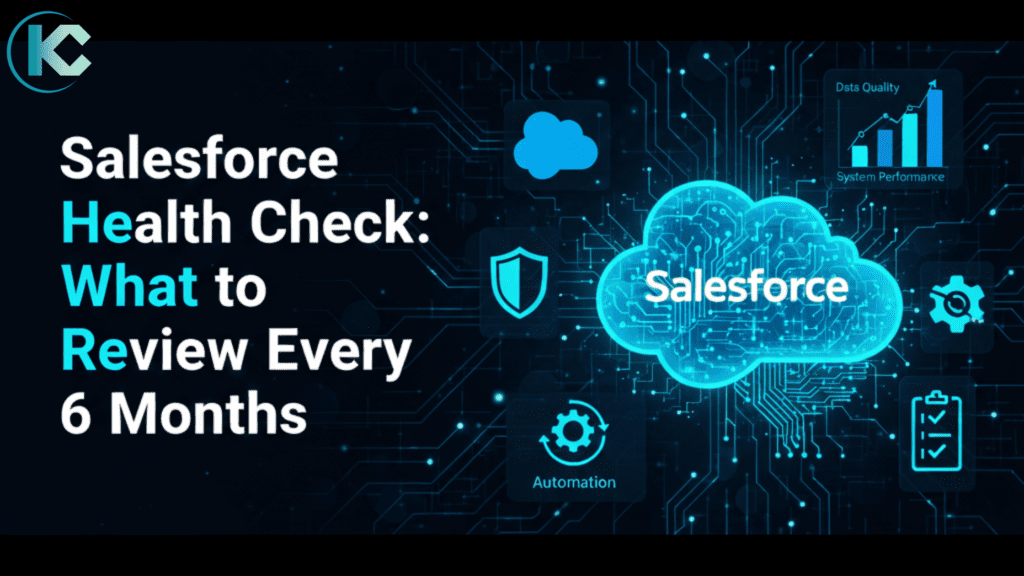
Salesforce Health Check: What to Review Every 6 Months
⏱ 3 min read
Salesforce Optimization Guide
The Ultimate Guide to a Salesforce Health Check
Salesforce works best when it is regularly maintained, reviewed, and optimized – just like any other business system. As your organization grows, new users, customizations, automations, and data can slowly make your CRM heavier and harder to manage. A Salesforce Health Check helps you step back, assess the condition of your org, and make sure it is secure, fast, clean, and aligned with current business goals. In this guide, we’ll walk through what to review every 6 months, common mistakes to avoid, and the key advantages of regular Salesforce health reviews.
Overview
What Is a Salesforce Health Check?
A Salesforce Health Check is a regular review of your Salesforce org to make sure everything is running smoothly. It looks at security, data quality, automation, performance, and user adoption. Think of it like a routine medical checkup – but for your CRM.
If your org has grown over time, a structured Salesforce audit or optimization service can help uncover hidden issues early.
The Benefits
Why Is it Important?
Over time, Salesforce orgs become complex. New users are added, automations pile up, data grows, and old processes remain unused. A regular health check helps you:
- Improve system performance
- Reduce security risks
- Clean up unused or outdated configurations
- Improve user experience and adoption
- Prepare for future growth
How Often Should You Do a Salesforce Health Check?
A Salesforce Health Check every 6 months is ideal for most businesses. You should also consider a health check:
- Before major Salesforce upgrades
- After large data migrations
- When performance slows down
- When users complain about usability
What to Review in a Salesforce Health Check
Salesforce Health Check Overview (Quick Table)
This table gives a quick snapshot of what to review before diving into detailed checks below.
| Area to Review | What to Check | Why It Matters |
|---|---|---|
| Security & Access | Users, profiles, permission sets, inactive users | Prevents unauthorized access and security risks |
| Data Quality | Duplicates, missing fields, unused fields | Improves reporting and decision-making |
| Automation | Flows, workflows, Process Builder | Avoids conflicts and performance issues |
| Reports & Dashboards | Usage, accuracy, KPIs | Ensures insights match current business goals |
| User Adoption | Login activity, layout usability | Increases ROI and productivity |
| Integrations | Connected apps, API usage | Improves performance and system stability |
| Custom Code | Unused or inefficient code | Reduces technical debt |
| Release Readiness | Upcoming Salesforce updates | Prevents post-release issues |
STEP 01
Security & Access Settings
Review who has access to what, and remove access that is no longer required to reduce security risks.
- User roles and profiles
- Permission sets
- Password policies & Login IP restrictions
- Inactive users
STEP 02
Data Quality & Data Growth
Poor data leads to poor decisions. Clean data improves reporting, automation, and user trust. Review:
- Duplicate records
- Incomplete fields
- Unused custom fields
- Data storage limits
STEP 03
Automation & Workflows
Over time, automations can conflict or slow down Salesforce. Deactivate or optimize automations that are no longer needed.
- Flows
- Workflow rules
- Process Builder automations
- Approval processes
STEP 04
Reports & Dashboards
Reports should reflect current business goals. Remove outdated reports and simplify dashboards for better insights.
- Are reports still being used?
- Are dashboards accurate?
- Do KPIs align with today’s objectives?
STEP 05
User Adoption & Usage
If users don’t use Salesforce properly, ROI drops. Simplifying layouts and providing training can boost adoption.
- Login activity & Feature usage
- Page layouts and record types
- User feedback
STEP 06
Integrations & Connected Apps
Check all third-party integrations and remove unused integrations to improve performance and security.
- Are they still required?
- Are API limits being used efficiently?
- Are integrations secure and updated?
STEP 07
Custom Code & Technical Debt
For orgs using Apex or custom components, reducing technical debt keeps your org scalable.
- Review unused code
- Check code performance
- Ensure compatibility with Salesforce releases
STEP 08
Release Readiness & Updates
Salesforce releases updates three times a year. Being proactive avoids surprises after releases.
- Upcoming release notes
- Features affecting your org
- Test results in sandbox
Advantages of Salesforce Health Check?
Salesforce Health Check identifies the area of improvement in your Salesforce implementation based on Salesforce best practices. It helped you to reduce the future technical debt. Salesforce Health Check provides several advantages to users, including:
Improved performance
By identifying bottlenecks and areas for improvement, users can optimize their Salesforce org to ensure it is running at peak efficiency.
Enhanced security
The Health Check assesses an organization’s security settings and provides recommendations for best practices to help keep data secure.
Better data quality
The Health Check assesses an organization’s data quality and provides recommendations for data cleansing and de-duplication to ensure accurate reporting and analysis.
Increased automation
The Health Check assesses an organization’s automation capabilities and provides recommendations for streamlining processes and reducing manual effort.
Greater ROI
By optimizing their Salesforce org, users can achieve a greater return on investment and maximize the value of their investment in Salesforce.
Things to Avoid
Common Health Check Mistakes
A health check should be ongoing – not reactive.
- Only checking security settings
- Ignoring user feedback
- Skipping automation reviews
- Delaying cleanup tasks
- Treating health checks as one-time activities
Who & What
Who Should Perform a Salesforce Health Check?
External experts often spot issues internal teams may miss. It can be done by: Internal Salesforce admins, Salesforce consultants, or Certified Salesforce partners.
Salesforce Health Check Checklist (Quick View)
- User access & security
- Data quality & duplicates
- Automation performance
- Reports & dashboards
- User adoption
- Integrations
- Custom code
- Release readiness
When to Get Expert Help & Final Thoughts
If your Salesforce org feels slow, cluttered, or difficult to use, it may be time for a professional health check. A Salesforce Health Check every 6 months keeps your CRM secure, fast, and aligned with your business goals. Regular reviews prevent small issues from becoming costly problems – and help you get the most value from Salesforce.
Salesforce experts can:
- Identify hidden risks
- Optimize performance
- Align Salesforce with business goals
- Recommend scalable improvements
Salesforce Health Check FAQs
Q1. Is Salesforce Health Check a built-in feature?
A1. Salesforce offers basic health check tools, but a full review requires manual analysis and expertise.
Q2. How long does a Salesforce Health Check take?
A2. It depends on org size, but typically a few days to a couple of weeks.
Q3. Can a health check improve ROI?
A3. Yes. Clean data, optimized automation, and better adoption directly improve ROI.
Optimize Your Org
Get Free Audit of your Salesforce org
Need a Salesforce Health Check? Our experts can review your org, fix gaps, and optimize performance – so Salesforce works the way it should.