Salesforce Omni-Channel Routing Implementation Guide 2026
⏱ 3 min read
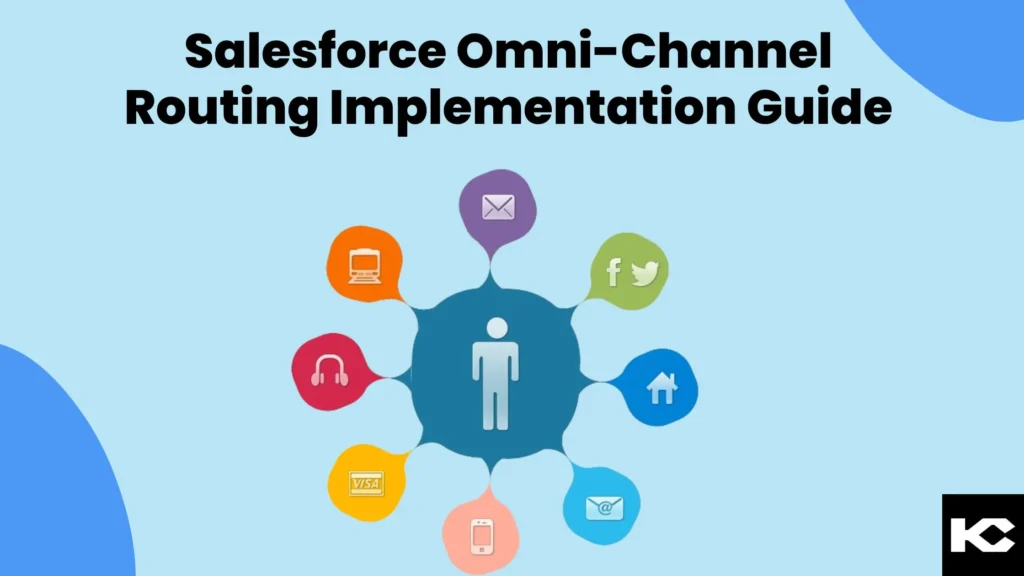
In today’s fast-paced digital world, customers expect quick, consistent, and personalized support across every channel. Salesforce Omni-Channel Routing helps service teams intelligently distribute incoming work to the right available agent based on workload, capacity, and routing configuration. This guide explains how Salesforce Omni-Channel Routing works, its benefits, implementation steps, and best practices for building a more efficient customer service operation.
What is Salesforce Omni-Channel Routing?
Salesforce Omni-Channel Routing is a Service Cloud capability that automatically routes customer service work to available agents based on factors such as workload, capacity, priority, and routing configuration. It helps businesses manage work across supported channels while improving response times and balancing agent workloads.
What Is Salesforce Omni-Channel Routing?
Salesforce Omni-Channel Routing is designed to help service organizations distribute incoming customer interactions and work items to the most appropriate available agent. Instead of relying entirely on manual assignment, organizations can configure Salesforce to route work according to business rules, agent availability, capacity, priority, and other routing requirements.
The result is a more structured service environment where customer requests can reach the right team members without creating unnecessary bottlenecks. Omni-Channel can support customer service operations across multiple digital and service channels, helping organizations create a more unified customer experience.

Benefits of Salesforce Omni-Channel Routing
A well-configured Omni-Channel implementation can help service organizations improve both customer and agent experiences. Instead of treating every incoming request the same way, routing rules can help distribute work according to operational requirements.
Enhanced Customer Experience
Route customer requests efficiently so they can be addressed by available agents without unnecessary delays.
Balanced Agent Workloads
Distribute work according to configured capacity and routing rules to help prevent individual agents from becoming overloaded.
Improved Resolution
Routing can take agent skills, work type, priority, and other business requirements into account when determining where work should go.
Operational Analytics
Service teams can monitor workloads and operational performance to identify opportunities for optimization.
How to Implement Salesforce Omni-Channel Routing
A successful Salesforce Omni-Channel implementation starts with understanding how customer requests enter the organization and how service teams currently handle them. The following steps provide a practical framework for planning and configuring the routing process.
Step 1: Define Your Service Channels
Begin by identifying the channels customers use to contact your organization. Depending on your Salesforce setup, these may include email, messaging, chat, social channels, phone-based service workflows, and other supported customer engagement channels.
Document the type of work generated by each channel, the teams responsible for handling it, and the expected response or resolution requirements.
Step 2: Configure Omni-Channel Routing
Configure how Salesforce should distribute work among agents. Routing configuration can consider factors such as agent availability, capacity, priority, work type, and business-specific requirements.
The objective is to establish clear routing logic that matches incoming work with the appropriate service resources.
Step 3: Customize Work Items and Priorities
Different customer interactions may require different levels of urgency and expertise. Define how work items such as cases, chats, messages, and other service requests should be prioritized and routed.
A clearly defined priority model helps ensure that important or time-sensitive requests are handled according to your organization’s service objectives.
Step 4: Prepare and Train Your Service Team
Technology alone does not create an effective Omni-Channel operation. Service agents should understand how work is presented to them, how priorities are determined, and how different interaction types should be handled.
Provide training on the Salesforce service console, Omni-Channel functionality, work prioritization, and escalation procedures before moving the configuration into production.
Step 5: Monitor, Measure, and Optimize
After implementation, continuously monitor how work moves through the service organization. Review queue activity, agent workloads, response patterns, routing outcomes, and feedback from service teams.
Use these insights to refine routing configurations and improve the overall customer service workflow over time.
Salesforce Omni-Channel Routing Best Practices
Integrate Your Service Ecosystem
Connect relevant Salesforce capabilities and existing systems so customer information and service activity can be accessed in the right context.
Keep Teams Trained
Update training as routing rules, service processes, channels, and Salesforce configurations evolve.
Create Clear Communication
Maintain an open feedback loop with supervisors and agents so routing issues can be identified and corrected quickly.
Review Routing Performance
Regularly evaluate whether routing rules continue to reflect actual customer demand, agent capacity, and business priorities.

Example of an Omni-Channel chat console.

Chat experience from the customer side and an incoming chat request through Omni-Channel.

Example of a live customer conversation handled through Omni-Channel and chat services.

Queue summary that supervisors can use to monitor ongoing work handled by service representatives.
Why Businesses Implement Salesforce Omni-Channel
Customer service teams increasingly need to manage interactions across multiple channels without creating disconnected workflows. Omni-Channel provides a framework for bringing work into the Salesforce service environment and distributing it according to configured routing rules.
When combined with a well-designed Service Cloud implementation, Omni-Channel can help organizations create more consistent processes, improve workload visibility, and give agents the context they need to manage customer interactions.
Need Help With Salesforce Omni-Channel Routing?
From routing strategy and Service Cloud configuration to workflow optimization and integrations, Kizzy Consulting can help you build a Salesforce service environment around your operational requirements.
Frequently Asked Questions About Salesforce Omni-Channel Routing
What is Salesforce Omni-Channel Routing?
Salesforce Omni-Channel Routing automatically distributes supported service work to available agents according to configured routing rules, workload, capacity, priority, and other business requirements.
What are the benefits of Salesforce Omni-Channel?
Key benefits include more structured work distribution, improved workload balancing, faster handling of customer requests, better visibility into service operations, and routing based on configured business requirements.
Which channels can Salesforce Omni-Channel support?
The channels available depend on the Salesforce products, editions, features, and integrations in your environment. Service organizations can configure Omni-Channel around supported channels and work types relevant to their customer service operations.
How does Omni-Channel improve agent productivity?
By automatically distributing work according to configured rules, Omni-Channel can reduce manual assignment and help agents receive work based on availability, capacity, priority, and other routing criteria.
Can Omni-Channel routing be customized?
Yes. Salesforce organizations can configure routing behavior around their service processes, including work types, priorities, queues, agent capacity, and other supported routing requirements.
Conclusion: Build a More Efficient Customer Service Operation
Salesforce Omni-Channel Routing provides a structured way to distribute customer service work across available agents and channels. By defining routing requirements, configuring work distribution, training service teams, and continuously monitoring performance, organizations can create a more efficient and consistent support operation.
The most effective implementation is not simply about enabling a Salesforce feature. It requires aligning routing logic with your customer service strategy, agent capacity, business priorities, and existing Salesforce architecture.
Key Takeaway
A successful Salesforce Omni-Channel implementation connects customer demand with available service capacity through intelligent, configurable work routing. Continuous monitoring and optimization are essential for maintaining an effective service operation as customer needs and business processes change.
Need Help With Omni-Channel Routing?
Talk to Kizzy Consulting about designing, implementing, and optimizing Salesforce service workflows for your organization.