Salesforce Inventory Management System [2026]
⏱ 4 min read
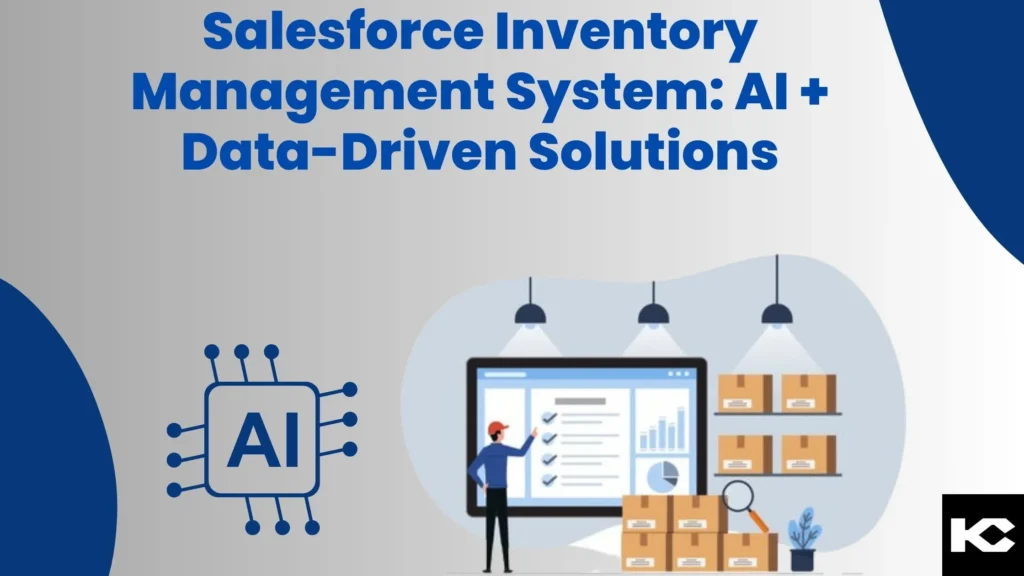
A modern Salesforce Inventory Management System combines CRM data, automation, analytics, and AI-driven insights to help businesses improve inventory visibility, forecast demand, reduce stockouts, and make better supply chain decisions. By connecting inventory information with sales and customer data, organizations can build a more connected and data-driven approach to inventory management.
What is a Salesforce Inventory Management System?
A Salesforce Inventory Management System is a connected approach to managing inventory data, demand signals, sales information, replenishment workflows, and supply chain processes within the Salesforce ecosystem. With automation, integrations, analytics, and AI capabilities, businesses can improve inventory visibility and make more informed decisions across their operations.
Contents
hide
Why Use Salesforce for Inventory Management?
In the dynamic world of supply chain management, businesses need accurate information and efficient processes to keep inventory aligned with customer demand. Traditional inventory processes can involve disconnected systems, spreadsheets, manual stock checks, and delayed reporting, making it difficult to maintain an accurate view of inventory.
Salesforce can connect customer, sales, service, operational, and external inventory data to create a more unified view of the business. When combined with analytics, automation, AI capabilities, and integrations with ERP and supply chain platforms, Salesforce can support more proactive inventory planning and decision-making.
The result is a more connected inventory management process that can help organizations improve visibility, reduce manual work, and respond more effectively to changes in demand.
Key Features of a Salesforce AI and Data-Driven Inventory Management System
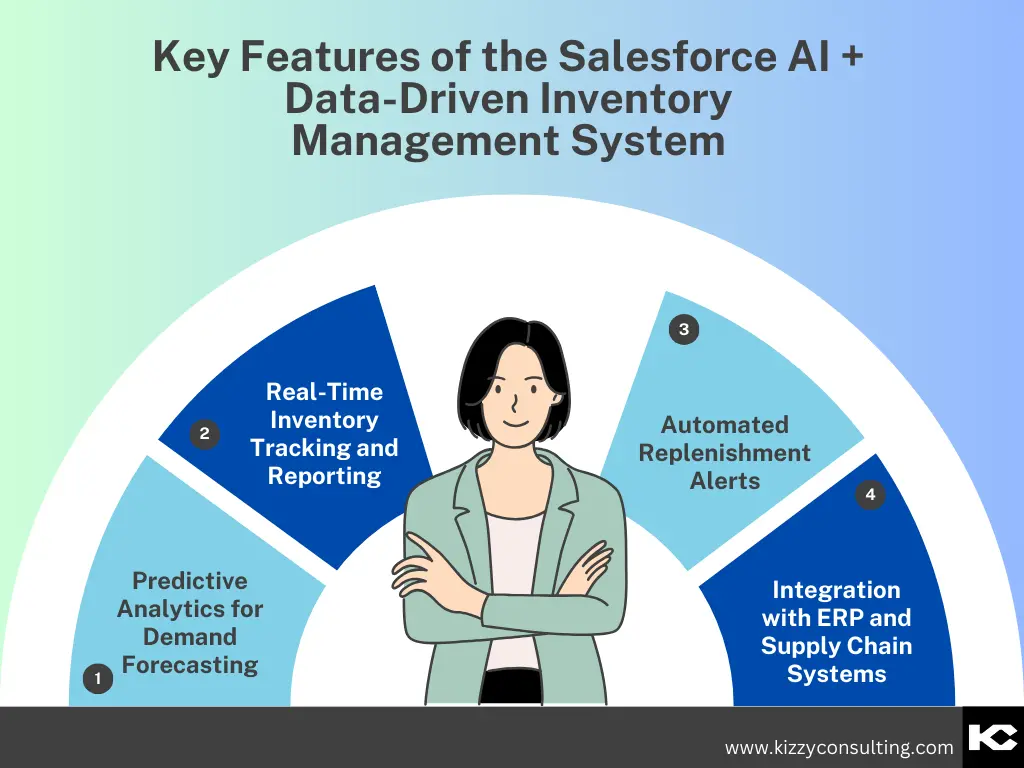
1. Predictive Analytics for Inventory Demand Forecasting
Demand forecasting is one of the most important parts of effective inventory management. AI and analytics can help organizations analyze historical sales data, demand patterns, market signals, and seasonal trends to improve inventory planning.
By combining inventory information with sales and customer data, businesses can identify demand patterns and make more informed decisions about future stock requirements.
- Optimize inventory levels: Maintain inventory closer to expected demand and reduce unnecessary excess stock.
- Reduce carrying costs: Minimize costs associated with holding excess or obsolete inventory.
- Improve product availability: Help ensure products are available when customers need them.
- Support better planning: Give supply chain and sales teams data they can use for inventory decisions.
2. Real-Time Inventory Tracking and Reporting
Inventory decisions become more difficult when teams rely on outdated or disconnected information. Integrating inventory data with Salesforce can provide teams with a more connected view of inventory movements, sales activity, customer demand, and operational information.
- Real-time updates: Improve visibility into inventory movements and stock information as data changes.
- Comprehensive reporting: Analyze inventory trends, sales activity, and operational performance.
- Improved visibility: Give teams a centralized view of information across locations and business functions.
- Faster decisions: Enable teams to respond more quickly to inventory-related issues.
3. Automated Inventory Replenishment Alerts
Manual stock checks and repetitive reorder processes can consume valuable operational time. Salesforce automation can be used to trigger notifications, tasks, and workflows when inventory reaches predefined thresholds or when specific business conditions occur.
- Timely replenishment: Alert teams when inventory requires attention.
- Reduced stockout risk: Help teams identify low-stock situations before they disrupt operations.
- Less manual work: Automate repetitive inventory monitoring activities.
- Consistent processes: Apply standardized rules to inventory-related workflows.
4. Integration with ERP and Supply Chain Systems
Inventory information often exists across ERP, warehouse, procurement, order management, e-commerce, and other operational platforms. Connecting these systems with Salesforce can help create a more consistent flow of information across the organization.
- Unified data: Bring relevant inventory and business information together for better visibility.
- Enhanced coordination: Improve collaboration between sales, procurement, warehouse, and operations teams.
- Reduced data silos: Connect systems that previously operated independently.
- Scalability: Build integration and automation processes that can evolve as the business grows.
Build a Strong Salesforce Foundation
A successful inventory solution depends on a well-designed Salesforce architecture, clean data, integrations, and scalable automation.
Explore Salesforce Implementation Services
to understand how Salesforce can be configured around your business processes.
Real-World Salesforce Inventory Management Use Cases
Salesforce inventory management can support different industries depending on their products, sales channels, supply chain structure, and integration requirements. Common applications include retail, manufacturing, and e-commerce.
1. Retail Inventory Management
Retail organizations can connect sales, customer, product, and inventory information to improve stock visibility across stores and channels. Analytics can help identify high-demand products and support replenishment planning.
2. Manufacturing Inventory Management
Manufacturers can integrate Salesforce with ERP and operational systems to improve visibility into materials, products, orders, and supply chain activities. Automated alerts can help teams respond to inventory requirements more efficiently.
3. E-Commerce Inventory Management
E-commerce businesses can connect online orders, customer activity, product information, and inventory data to improve order fulfillment and inventory planning across digital sales channels.
Benefits of Salesforce Inventory Management
A connected Salesforce inventory management strategy can deliver operational benefits beyond simply tracking stock. By bringing together customer, sales, inventory, and supply chain information, organizations can create more informed and responsive processes.
Better Inventory Visibility
Connect inventory information with sales and operational data for a more complete business view.
Improved Demand Planning
Use historical and current business data to support more informed inventory forecasting.
Reduced Manual Work
Automate alerts, workflows, notifications, and repetitive inventory management activities.
Stronger Collaboration
Help sales, procurement, warehouse, and operations teams work from connected information.
How to Implement a Salesforce Inventory Management System
Implementing inventory management on Salesforce requires more than simply adding an inventory object or connecting an external system. The solution should be designed around the organization’s inventory processes, data architecture, integrations, and reporting requirements.
1. Define inventory management requirements
Identify products, locations, warehouses, stock movements, replenishment processes, and business users involved in inventory management.
2. Map the existing inventory data
Document where inventory, product, order, customer, and supply chain information currently resides.
3. Design the Salesforce data model
Create a scalable structure for products, locations, inventory records, transactions, and related business information.
4. Connect ERP and external systems
Integrate Salesforce with ERP, warehouse, e-commerce, order management, and other relevant platforms.
5. Automate inventory workflows
Use Salesforce automation to trigger alerts, tasks, approvals, and other actions based on inventory conditions.
6. Add analytics and AI capabilities
Use analytics and AI-supported insights to identify trends, improve forecasting, and support inventory decisions.
Data Quality Matters for AI-Driven Inventory Management
AI and analytics are only as useful as the data behind them. A strong data foundation can help organizations connect, govern, and prepare business data for AI-driven workflows.
Explore Data Foundation for AI
to learn more.
Best Practices for Salesforce Inventory Management
Businesses should approach Salesforce inventory management as an ongoing business transformation rather than a one-time technology implementation. The following practices can help create a scalable and sustainable solution.
- Define clear inventory objectives: Establish measurable goals around availability, accuracy, cost, fulfillment, and operational efficiency.
- Involve business stakeholders: Include sales, operations, procurement, warehouse, finance, and IT teams when designing processes.
- Use data to drive inventory decisions: Build processes around reliable inventory, sales, product, and customer information.
- Automate repetitive processes: Identify manual tasks that can be replaced with Salesforce Flow, alerts, notifications, and integrations.
- Monitor inventory performance: Use dashboards and reports to track trends and identify operational issues.
- Continuously optimize: Review inventory processes regularly as products, customers, locations, and business requirements change.
The Future of AI-Powered Salesforce Inventory Management
The future of inventory management is increasingly connected to AI, automation, real-time data, and predictive analytics. Organizations are moving from reactive inventory processes toward systems that can identify patterns, surface relevant insights, and help teams act before inventory problems affect customers.
Salesforce can play an important role in this connected ecosystem by bringing customer and business processes together with data, automation, analytics, and AI capabilities. The exact architecture will depend on the organization’s inventory model, ERP environment, integrations, and operational requirements.
Frequently Asked Questions About Salesforce Inventory Management
What is a Salesforce Inventory Management System?
It is a connected inventory management approach that uses Salesforce alongside data, automation, analytics, and integrations to manage inventory-related information and workflows.
Can Salesforce be integrated with an ERP for inventory management?
Yes. Salesforce can be integrated with ERP and other external systems so relevant inventory, product, order, customer, and operational data can move between platforms.
How can AI help with inventory management?
AI and analytics can help organizations identify patterns in historical and current data, support demand forecasting, surface insights, and improve decision-making around inventory.
Can Salesforce automate inventory replenishment?
Salesforce automation can be configured to monitor business conditions and trigger alerts, tasks, notifications, approvals, or integrations when inventory requires attention.
Which industries can use Salesforce for inventory management?
Retail, manufacturing, e-commerce, distribution, and other businesses with inventory-intensive operations can potentially use Salesforce as part of a broader inventory management architecture.
Conclusion: Transform Inventory Management with Salesforce
A modern Salesforce Inventory Management System can help businesses connect inventory information with customer, sales, operational, and supply chain data. With automation, integrations, analytics, and AI-supported insights, organizations can improve visibility and build more responsive inventory processes.
Whether you operate in retail, manufacturing, e-commerce, or another inventory-intensive industry, the right Salesforce architecture can help create a scalable foundation for better inventory planning, workflow automation, and data-driven decision-making.
Need Assistance Developing an Inventory Management System on Salesforce?
Talk to Kizzy Consulting about designing Salesforce integrations, automation, data architecture, and AI-driven solutions around your inventory management requirements.