How to Test Salesforce Record-Triggered Flows
⏱ 2 min read
Learn how Salesforce Flow tests can be configured with sample data and assertions to validate record-triggered automation.
Testing automation before deployment is an important part of building reliable Salesforce solutions. Record-triggered flows can automate business processes when records are created or updated, making it useful to validate different scenarios before changes reach production.
Salesforce introduced a Flow testing capability that allowed users to create test scenarios using sample data and assertions. At the time of this original article, the functionality was available as a beta feature.
Why test record-triggered flows?
Flow tests allow teams to create controlled scenarios, provide test data, define expected outcomes, and check whether the automation behaves as expected.
How to Set Up Tests in Salesforce Flow
The original workflow can be broken down into four main steps: creating the test, defining the test conditions, creating sample data, and setting assertions.
Step 1: Create a Flow Test
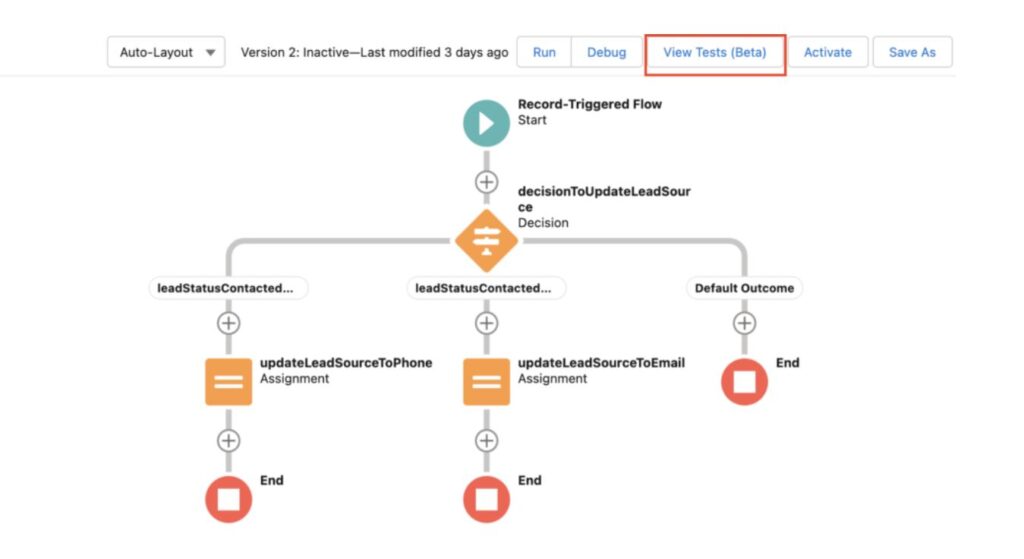
Go to your record-triggered flow and select View Tests. From there, select Create to begin setting up a test scenario.
Step 2: Define the Test
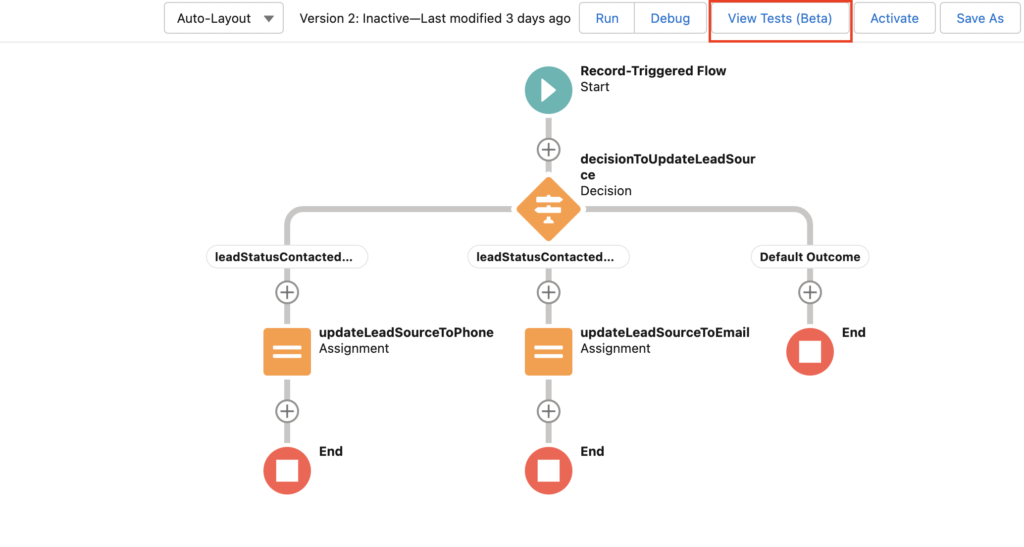
Provide a name for the test and define the trigger point and path for the scenario. In the original beta experience, the available path was Run Immediately.
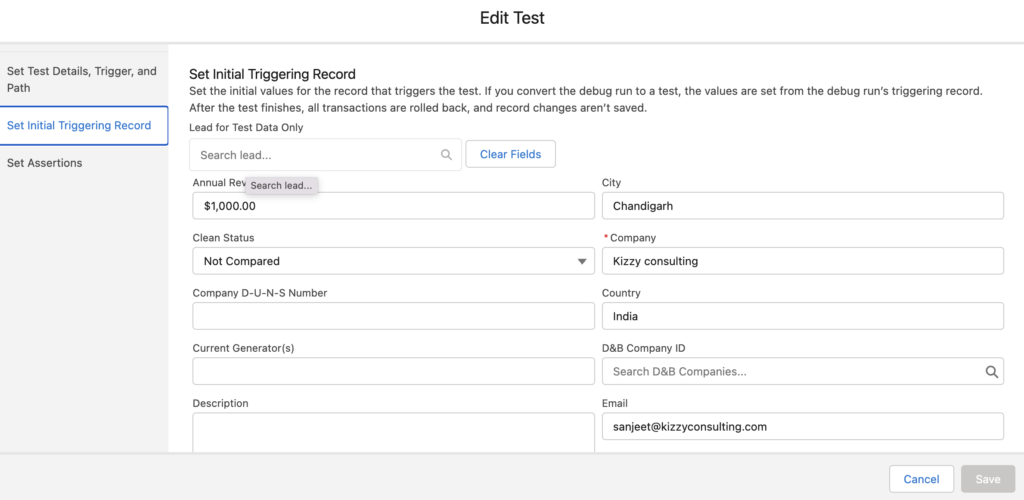
Step 3: Create Sample Test Data
The next step is to create the sample data that the flow will use during testing. This provides a controlled scenario for checking how the record-triggered flow responds to specific inputs.
Also Checkout – What Is Sales Cloud Unlimited?
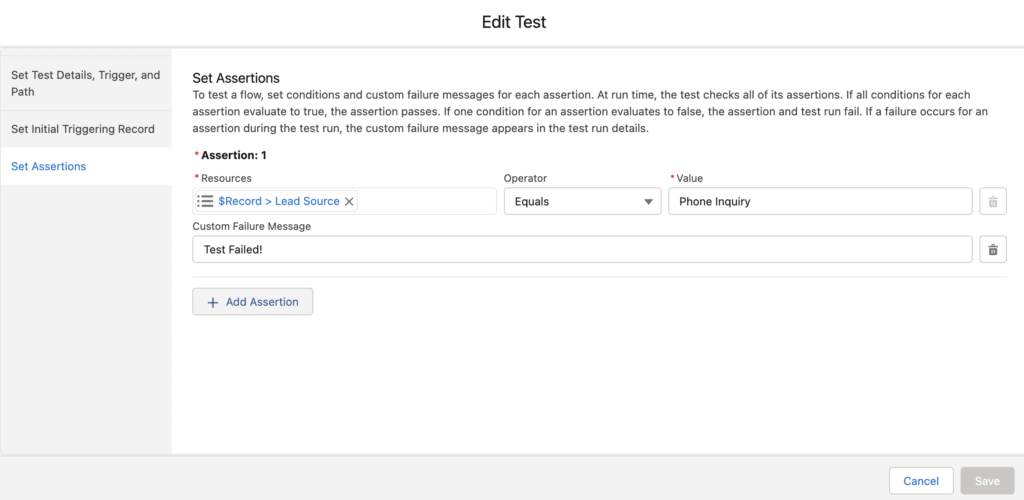
Step 4: Set the Assertion
The final configuration step is to define the assertion. An assertion establishes what you expect the flow to do when the test scenario is executed. This makes it possible to determine whether the expected outcome occurred.
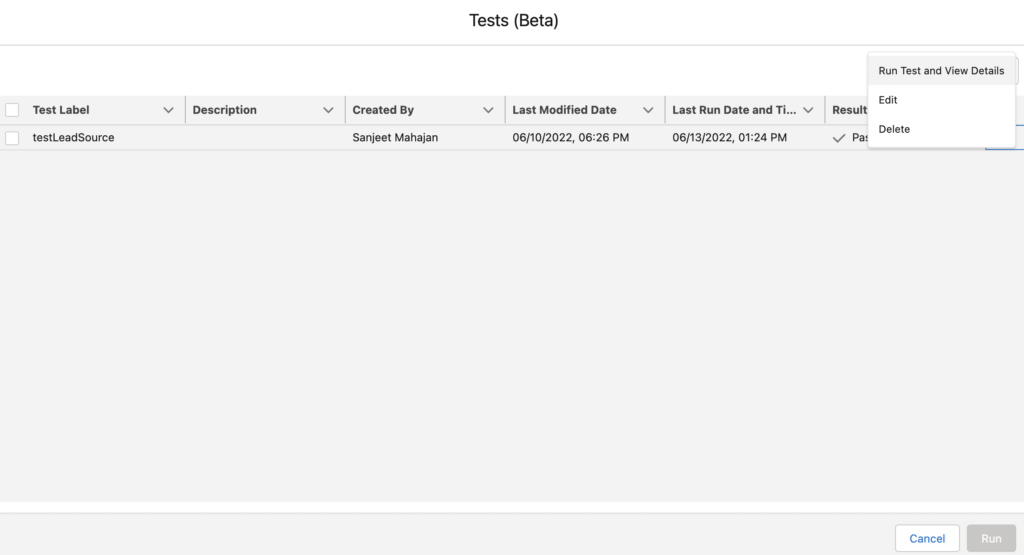
Run the Flow Test
Once the test has been configured, select the test you want to execute and choose Run Test and View Details. Salesforce then runs the configured scenario and evaluates the results against the defined assertion.
Review the Test Results
After the test runs, the results show whether the configured assertion passed or failed. This gives the development team a straightforward way to identify whether the flow produced the expected result for the test scenario.
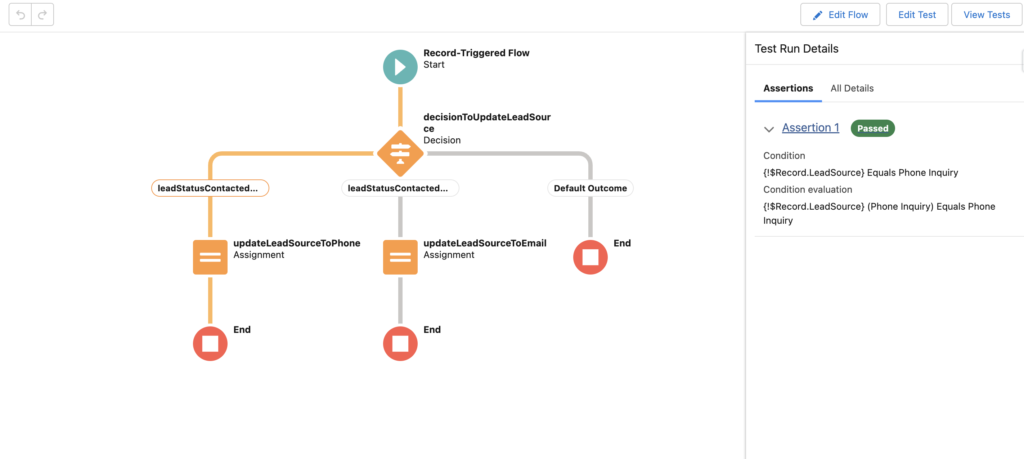
Test result:
A passed assertion indicates that the flow produced the expected outcome for the configured scenario. A failed assertion indicates that the actual result did not match the expected result and may require further investigation.
Why Flow Testing Matters
Record-triggered flows can become an important part of Salesforce automation. As flows become more complex, testing different scenarios can help teams identify unexpected behavior before an automation is deployed or changed.
A structured testing approach can also complement broader Salesforce development and release practices, especially when teams are managing multiple automations and business processes.
Need Help With Salesforce Automation?
From Flow development and automation to broader Salesforce implementation and optimization, Kizzy Consulting can help teams build structured and scalable Salesforce solutions.
Frequently Asked Questions
What is a record-triggered flow in Salesforce?
A record-triggered flow is a Salesforce Flow that automatically runs when a record is created, updated, or meets defined trigger conditions.
What is a Flow test?
A Flow test is a configured scenario used to provide sample data, execute a flow, and check whether the resulting behavior matches an expected outcome.
What is an assertion in Salesforce Flow testing?
An assertion defines the expected result of a test scenario. The test can then determine whether the actual flow result matches that expectation.
Why should Salesforce Flows be tested?
Testing helps teams validate automation behavior across specific scenarios and identify unexpected results before changes are introduced into a live environment.
How is Flow testing similar to Apex testing?
Both approaches allow developers or administrators to define controlled scenarios and verify expected outcomes. Flow testing provides a declarative way to validate automation without relying exclusively on Apex test classes.
Kizzy Consulting
Kizzy Consulting is a Salesforce Consulting Partner based in Panchkula, India. Kizzy works with organizations on Salesforce consulting, development, implementation, automation, integrations, and broader digital transformation initiatives.
Get a free consultation by emailing us at [email protected] or contact us.