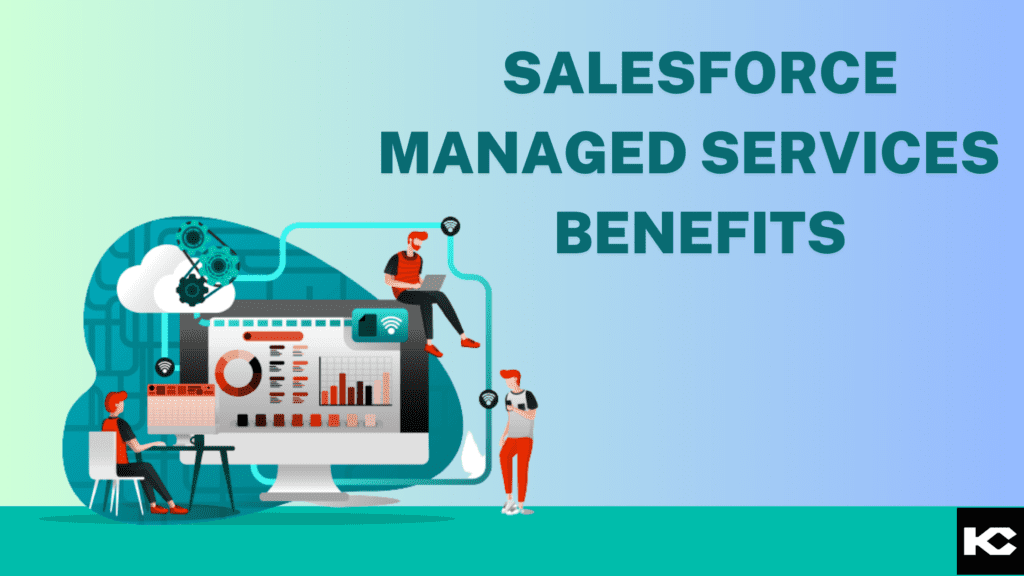
Salesforce Managed Services Benefits
⏱ 6 min read
Running Salesforce well takes more than a one-time setup. Releases roll out three times a year, user needs keep changing, and small configuration mistakes can quietly cost thousands in lost productivity. Salesforce managed services give businesses ongoing expert support – admin work, customization, integration, security, and optimization – without the cost of hiring a full in-house Salesforce team. In this guide, you’ll learn what Salesforce managed services include, how they work, real use cases, pricing models, and how to choose the right Salesforce managed services provider for your business.
What are Salesforce managed services?
Salesforce managed services are ongoing support and administration services delivered by a certified Salesforce partner – covering system maintenance, user support, custom development, integrations, data management, and security compliance. Instead of hiring full-time Salesforce admins and developers, businesses outsource day-to-day CRM management to a dedicated managed services team that keeps the platform running smoothly and evolving with the business.
Salesforce is one of the most powerful CRM platforms on the market, but an unmanaged org degrades fast – broken flows, duplicate records, outdated permission sets, and unused licenses quietly drain value out of the investment. Industry research shows organizations that actively manage and optimize their Salesforce environment report significantly lower IT overhead and stronger CRM ROI than those who leave the platform to run on autopilot. That’s the gap Salesforce managed support services are built to close – pairing certified Salesforce administrators, developers, and architects with your business so the platform keeps pace with how you actually work.
In-House Salesforce Team
- Higher recruiting, salary, and retention costs
- Single point of failure if the admin leaves
- Limited exposure to multi-industry best practices
- Slower response during releases and peak demand
- Narrow skillset across clouds and integrations
Salesforce Managed Services
- Predictable, scalable monthly cost structure
- Full team of certified admins, devs, architects
- Cross-industry Salesforce implementation experience
- Faster release readiness and issue resolution
- Coverage across Sales, Service, and Experience Cloud
Why Businesses Need Salesforce Managed Services
- Keep pace with three major Salesforce releases every year
- Reduce Salesforce admin costs versus a full in-house hire
- Fix bugs, broken flows, and validation rule conflicts fast
- Maintain data quality, deduplication, and data hygiene
- Manage user access, permission sets, and security compliance
- Build and maintain custom reports and dashboards
- Support integrations with ERP, marketing, and finance tools
- Optimize Sales Cloud, Service Cloud, and Experience Cloud
- Improve user adoption through training and enablement
- Free internal teams to focus on strategy, not troubleshooting
Salesforce Managed Services vs In-House Administration
| In-House Salesforce Admin | Salesforce Managed Services |
|---|---|
| Fixed salary + benefits cost | Flexible, usage-based pricing |
| One skillset, one perspective | Full team: admin, dev, architect, QA |
| Vacation/turnover coverage gaps | Continuous coverage, no downtime |
| Learns best practices on the job | Brings proven multi-client experience |
| Reactive bug fixing | Proactive monitoring and health checks |
| Limited integration expertise | Connects Salesforce with ERP, AI, APIs |
How Salesforce Managed Services Work: The 5-Step Process
A good Salesforce managed services engagement isn’t just a helpdesk ticket queue – it’s a structured process that keeps your org healthy, secure, and aligned with business goals. Think of it like ongoing preventive maintenance for a car: instead of waiting for a breakdown, a managed services team inspects, tunes, and upgrades your Salesforce environment on a set schedule. Kizzy’s Salesforce Managed Services team applies this same structured approach across every client org.
Assessment → Planning → Implementation → Testing → Ongoing Support
01
Org Assessment & Health Check – The managed services team audits your Salesforce org: data quality, security settings, unused fields, automation conflicts, and technical debt.
02
Support Planning & SLA Setup – Priorities, response times, and a shared roadmap are defined so both teams know exactly what gets handled and when.
03
Implementation & Customization – Admins and developers build flows, fields, page layouts, custom objects, and integrations aligned to actual business processes.
04
Sandbox Testing & Release Readiness – Every change is tested in a sandbox before deployment, and the team pre-tests seasonal Salesforce releases against your org.
05
Ongoing Monitoring & Optimization – The team tracks system performance, user adoption, and data health, continuously fine-tuning the org as the business grows.
Top Salesforce Managed Services Use Cases
A Salesforce managed support engagement covers far more than password resets. Kizzy’s Salesforce consulting services team handles every use case below as part of ongoing managed support:
- User Support & Helpdesk: Resolves day-to-day tickets, permission issues, and login or access problems fast.
- Flow & Automation Maintenance: Builds and repairs Flows, validation rules, and approval processes as requirements change.
- Data Management & Cleanup: Deduplicates records, standardizes fields, and keeps your CRM data accurate and trustworthy.
- Security & Compliance: Manages profiles, permission sets, sharing rules, and audits access against compliance standards.
- Release Management: Tests every seasonal Salesforce release in sandbox before it touches production.
- Custom Development: Builds Apex, Lightning Web Components, and custom objects for unique business needs.
- Reports & Dashboards: Designs real-time reporting so leadership always has accurate visibility into the business.
- Third-Party Integrations: Connects Salesforce to ERP, marketing, finance, and communication platforms.
- License & Cost Optimization: Audits license usage to eliminate waste and right-size your Salesforce spend.
- User Training & Adoption: Runs onboarding sessions so teams actually use the tools built for them.
Types of Salesforce Managed Services Plans
| Ad-Hoc / Pay-As-You-Go | Dedicated Admin Retainer | Full Managed Services Team |
|---|---|---|
| Best for small orgs | Best for growing teams | Best for enterprise orgs |
| Pay only for hours used | Fixed monthly hours block | Full cross-functional coverage |
| Reactive fixes and requests | Proactive admin + light dev | Admin, dev, architect, QA |
| No long-term commitment | Predictable monthly cost | Strategic roadmap ownership |
Industries Benefiting from Salesforce Managed Services
Financial Services
Managed teams maintain compliance-heavy configurations, secure client data, and support high transaction volumes.
Insurance
Support teams keep policy, claims, and underwriting workflows running smoothly across Service and Sales Cloud.
Retail
Managed services keep Commerce Cloud, promotions, and customer data in sync during peak shopping seasons.
Real Estate
Admin support keeps listing data, lead routing, and Agentforce voice tools like AgentCalling.ai running reliably.
Healthcare
Managed teams support healthcare orgs with HIPAA-aligned data handling and patient record accuracy.
Manufacturing
Support covers dealer and distributor portals, order tracking, and warranty case management.
Nonprofits
Managed teams support NPSP, donor management, and grant tracking on lean nonprofit budgets.
SaaS & Technology
Fast-scaling SaaS companies rely on managed admins to keep pace with rapid headcount and process changes.
Case Evidence: Core Business Impact
Nonprofit
NPSP-to-Agentforce Nonprofit Optimization
A managed services engagement modernized a nonprofit’s NPSP org and layered in Agentforce use cases for donor engagement, cutting manual admin work and improving campaign reporting accuracy.
Real Estate
Managed services support keeps the Salesforce backend behind AgentCalling.ai’s AI voice lead qualification synced with CRM records, so every booked showing and qualified lead lands accurately without manual entry.
Expert Perspective
“The orgs that struggle most with Salesforce aren’t the ones with the smallest budgets – they’re the ones treating it as a one-time project instead of a living system. Managed services exist because a CRM that isn’t actively maintained starts costing you more than it saves within a year.”
– Sanjeet Mahajan, Founder & CEO, Kizzy Consulting
Benefits of Salesforce Managed Services
Lower Total Cost of Ownership
Avoids the salary, benefits, and training costs of building an in-house Salesforce team from scratch.
Continuous Security & Updates
Every seasonal release, patch, and permission change is reviewed and tested before it reaches your users.
Access to Specialized Skills
Get admins, developers, and architects on demand instead of relying on one generalist hire.
Higher User Adoption
Clean layouts, better training, and fewer bugs mean teams actually use the CRM you paid for.
Better Data Quality
Ongoing deduplication and validation keep reports and forecasts accurate and trustworthy.
Scales With Your Business
Support scales up during growth spurts and down during quieter periods, without a hiring cycle either way.
Faster Feature Rollout
New Flows, fields, and integrations ship faster with a dedicated team already inside your org.
Improved Salesforce ROI
A well-maintained org drives more of the revenue and efficiency gains Salesforce was bought to deliver.
Strategic Roadmap Support
Managed partners help plan long-term CRM strategy, not just fix what’s broken today.
Market Performance Data and Statistics
The numbers behind Salesforce managed services point to real, measurable business value. Data drawn from Forrester Total Economic Impact research and CRM market analysis:
25%
Average IT cost reduction reported by well-managed Salesforce orgs
299%
Average 3-year ROI for enterprise Salesforce deployments (Forrester)
$112B+
Projected global CRM market size, underscoring platform investment growth
Statistical Business Advantages of Managed Salesforce Support:
- Lower Downtime: Proactive monitoring catches configuration issues before they disrupt users.
- Optimized License Spend: Regular audits eliminate unused seats and redundant tools.
- Faster Time-to-Value: New features and integrations reach users faster with dedicated support.
Trending Salesforce Managed Services Advancements in 2026
Agentforce Managed Support
Managed teams now maintain AI agent configurations alongside traditional admin work as Agentforce adoption grows.
Proactive Org Health Monitoring
Automated monitoring tools flag technical debt, unused automations, and security gaps before they cause problems.
Salesforce DevOps-as-a-Service
Managed providers increasingly offer version control, CI/CD pipelines, and sandbox governance as standard support.
Common Challenges – and How to Solve Them
| Challenge | How to Solve It |
|---|---|
| Low user adoption | Run structured training and simplify layouts around real user workflows. |
| Poor data quality | Set up automated deduplication rules and regular data audits. |
| Release-breaking changes | Test every seasonal Salesforce release in a full sandbox first. |
| Security gaps | Enforce role-based permission sets and quarterly access reviews. |
| Integration complexity | Work with a partner experienced in ERP, marketing, and API integrations. |
| Rising license costs | Audit usage regularly and right-size license tiers to actual need. |
Best Practices for Choosing a Salesforce Managed Services Provider
- Check certifications – look for certified Salesforce administrators and architects.
- Ask about SLAs – response times should be clear, written, and enforced.
- Review industry experience – relevant sector experience speeds up onboarding.
- Confirm coverage scope – admin-only, dev-only, or full-stack support.
- Ask for references – existing client outcomes tell you more than a sales pitch.
- Evaluate communication style – responsiveness matters as much as expertise.
- Understand pricing structure – hourly, retainer, or tiered team pricing.
- Verify security practices – data handling and access control standards.
- Look for a strategic partner – not just a ticket-closing vendor.
- Start with a health check – a good provider audits your org before proposing a plan.
Managed Services + In-House Team: A Partnership, Not a Replacement
Salesforce managed services don’t replace an internal team – they extend it. A managed services partner handles the day-to-day admin load, release testing, and technical development, while your internal team stays focused on business process ownership and strategy. This partnership model keeps institutional knowledge in-house while giving you access to specialized Salesforce skills you’d never justify hiring full-time for.
The Future of Salesforce Managed Services
Salesforce managed services are shifting from reactive support toward proactive, AI-assisted CRM management. Expect wider use of Agentforce for internal admin tasks, predictive health monitoring that flags issues before users notice them, tighter DevOps practices for safer releases, and managed providers taking on more strategic roadmap ownership alongside day-to-day support.
Frequently Asked Questions About Salesforce Managed Services
What is included in Salesforce managed services?
Salesforce managed services typically include admin support, custom development, integrations, data management, security compliance, release testing, and user training.
How much do Salesforce managed services cost?
Pricing varies by scope – ad-hoc support is billed hourly, while dedicated retainers and full managed teams use predictable monthly pricing based on coverage level.
Is Salesforce managed services cheaper than hiring in-house?
In most cases, yes. Managed services avoid full-time salary, benefits, and training costs while giving access to a broader team of certified specialists.
Can managed services support multiple Salesforce clouds?
Yes. A full managed services team typically covers Sales Cloud, Service Cloud, Experience Cloud, and integrations across marketing and finance systems.
Are Salesforce managed services secure?
Reputable providers enforce role-based access, permission set reviews, encrypted data handling, and compliance-aligned security practices.
Do managed services support Agentforce and AI features?
Yes – many managed services providers now maintain Agentforce configurations, AI-driven automation, and Einstein features as part of standard support.
What’s the difference between Salesforce consulting and managed services?
Consulting is typically project-based implementation work, while managed services provide ongoing, continuous support after go-live.
How quickly can a managed services team start?
Most engagements begin with an org health check within the first week or two, followed by a support plan tailored to your priorities.
Do small businesses need Salesforce managed services?
Yes – small teams often benefit the most, since they get certified expertise without the cost of a full-time in-house hire.
What KPIs measure managed services success?
Track ticket resolution time, user adoption rate, data quality scores, system uptime, and overall Salesforce ROI.
Key Takeaways
- Salesforce managed services provide ongoing admin, dev, and support expertise.
- They cost less than building a full in-house Salesforce team.
- They keep your org secure, compliant, and release-ready year-round.
- They cover Sales Cloud, Service Cloud, Experience Cloud, and integrations.
- They work alongside your internal team, not instead of it.
- Success depends on choosing a certified, communicative provider.
Conclusion
Salesforce managed services turn a one-time CRM purchase into an ongoing business advantage. Businesses should start with an org health check, choose a provider matched to their scale and industry, and treat Salesforce management as continuous rather than one-and-done. Companies that pair internal ownership with expert managed support get more value, fewer surprises, and stronger CRM ROI over time.
Ready to Maximize Your Salesforce Investment?
Stop letting technical debt and broken automations eat into your Salesforce ROI. Kizzy Consulting’s Salesforce Managed Services team keeps your org secure, optimized, and ready for every release.
Contact our Salesforce managed services team today for a free org health check!