Salesforce Integration with OpenAI : Revolutionizing Image Generation
⏱ 4 min read
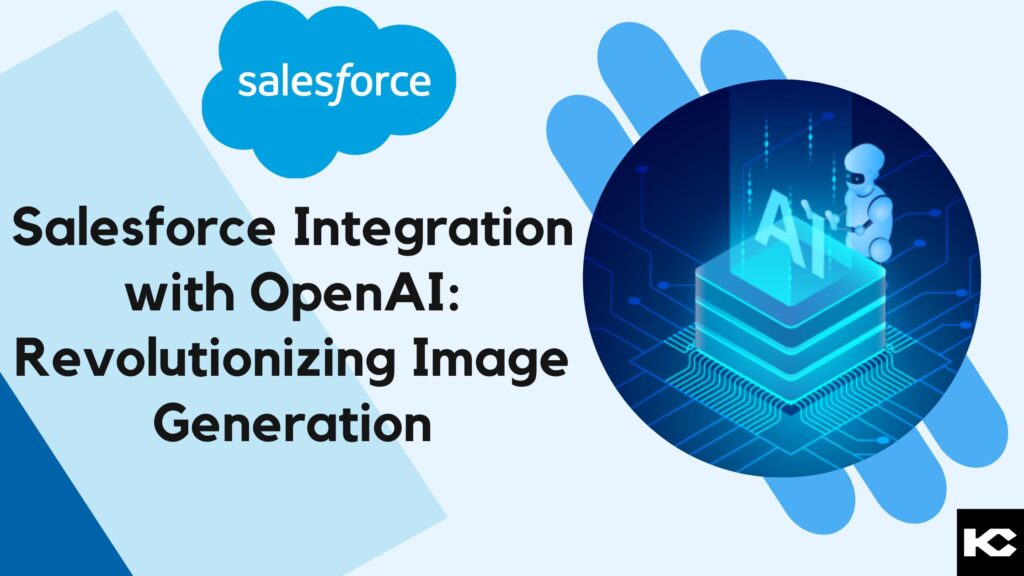
Are you looking to enhance your CRM capabilities with next-generation AI-driven visual content? In this comprehensive, SEO-optimized guide, we explore the complete architecture of Salesforce Integration with DALL-E (a premier generative AI product by OpenAI). DALL·E is an advanced artificial intelligence machine-learning model designed to generate coherent, high-quality, and creative images based entirely on natural language text descriptions. To determine whether the industry discussions surrounding generative AI are a passing fad or a transformative business trend, we engineered a seamless integration of DALL-E within the Salesforce ecosystem. Read on to discover the complete step-by-step developer process for Salesforce integration with OpenAI’s DALL-E, including API setup, REST API Callouts, Apex controllers, and Lightning Web Components (LWC).
Contents
hide
What is OpenAI?
OpenAI is an industry-leading AI research laboratory and technology company dedicated to developing and supporting safe, highly effective artificial intelligence technologies. Founded in 2015, OpenAI is globally recognized for creating advanced large language models (LLMs) such as ChatGPT (GPT-3, GPT-4), which can generate human-like text responses. OpenAI’s overarching mission is to advance artificial general intelligence (AGI) while ensuring fair, ethical, and responsible enterprise use across major cloud computing software systems like Salesforce CRM.
What is DALL·E?
The name “DALL·E” is a creative portmanteau blending the name of surrealist artist Salvador Dalí and the titular robot character from the animated movie “WALL·E.” This state-of-the-art generative AI model is engineered to create imaginative, high-resolution, and contextually accurate images directly from textual prompts, demonstrating a profound algorithmic understanding of both textual linguistics and visual semantics. DALL·E’s foundational architecture builds upon the massive machine-learning successes of previous OpenAI LLM models. This enables the AI to produce impressive visual outputs based on highly descriptive text input. For enterprise CRM platforms like Salesforce, DALL-E integration offers groundbreaking potential in automated digital content creation, customized graphic design, marketing automation, and dynamic storytelling directly within the Lightning user interface.
Key Benefits of Integrating DALL-E with Salesforce (OpenAI CRM Integration)
Executing a Salesforce Integration with OpenAI (DALL-E) unlocks powerful operational benefits, especially if your goal is to enhance your Salesforce applications with advanced, on-demand AI image generation capabilities. Below are the core advantages that make this integration a game-changer for Salesforce developers, architects, and administrators:
- Cross-Lingual Image Generation: DALL·E can accurately translate textual descriptions provided in multiple languages into corresponding visual assets, showcasing immense potential for global marketing applications and localized Salesforce orgs.
- Deep Semantic Understanding: The generative AI model grasps the complex underlying semantics of CRM input data and uses that contextual understanding to instantly produce highly relevant, tailored images for sales, commerce, and service teams.
- Automated Text-to-Image Generation: DALL·E empowers users to generate creative, business-ready images without ever leaving Salesforce. Users can simply input detailed instructions or complex prompts into a custom Lightning Web Component (LWC), and the model instantly visualizes the requested concept via REST API.
Real-World Business Use Cases for DALL-E in Salesforce
Integrating generative AI like DALL-E into your Salesforce environment isn’t just a technical flex—it drives tangible business ROI across departments. Here are a few ways enterprise teams are utilizing this AI integration:
- Automated Marketing Assets (Marketing Cloud): Marketing Cloud users can generate custom ad creatives, personalized email header images, and social media graphics instantly based on campaign briefs directly within Salesforce Marketing Cloud.
- E-Commerce Merchandising (Commerce Cloud): Commerce Cloud administrators can create conceptual product mockups, color variations, or lifestyle imagery for new B2B/B2C product listings without waiting on external design agencies.
- Dynamic Sales Presentations (Sales Cloud): Sales reps utilizing Sales Cloud can auto-generate highly personalized visual aids for client pitch decks and CPQ proposals, tailoring the imagery directly to specific client industries or unique pain points.
Step-by-Step DALL-E API Integration in Salesforce via Postman:
Before writing Apex code, it is highly recommended to test the OpenAI REST API using Postman. Follow these steps to validate your AI payload:
- Set the API HTTP method to POST.
- Specify the OpenAI endpoint URI as: https://api.openai.com/v1/images/generations” style=”color: #005fb2; text-decoration: none;”>”https://api.openai.com/v1/images/generations“.
- In the HTTP request body (Raw), provide the necessary prompt information in valid JSON format:
- Include the user’s descriptive message within the
"prompt"key to define the exact image generation parameters required by the DALL-E API.
- Include the user’s descriptive message within the
- Configure the authorization headers, setting the type to Bearer Token.
- Enter your secure secret API access token (e.g.,
"sk-xxxxxxxxxxxxxxxxxxxxx") generated from your OpenAI developer dashboard. - Send the POST request to the API endpoint.
- Retrieve and parse the JSON response, which will contain the generated image URL successfully provided by the OpenAI DALL-E model.
By following these exact steps, developers can effectively validate and test the DALL-E API via POSTMAN before deploying the enterprise architecture to Salesforce Apex. This ensures seamless enhancement of your custom applications with robust AI image-generation capabilities. To learn more about connecting AI language models to your CRM, check out our comprehensive guide: https://kizzyconsulting.com/salesforce-integration-with-chatgpt/” style=”color: #00a1e0; font-weight: bold;”>How to Integrate Salesforce with ChatGPT.
How to Build DALL-E Integration in Salesforce using LWC and APEX
Now let’s dive into the code. We will create a robust Custom Lightning Web Component (LWC) connected to an Apex Controller to handle the OpenAI HTTP Callouts seamlessly.
- Step 1: Create a Lightning Web Component (LWC) UI for AI Image Generation.
HTML Component (LWC Template):
| <template>
<!– Lightning card interface for OpenAI DALL-E Image Generation –> <lightning-spinner alternative-text=”Processing Image…” variant=”brand” if:true={IsSpinner}> <div class=”slds-p-around–small”> <b>Describe the image you want to generate:</b> <div class=”slds-align_absolute-center”> </lightning-card> |
JavaScript Controller (LWC JS):
| import { LightningElement, track } from’lwc’;
// Importing the Apex class method for OpenAI Integration export default class ImageGenerationUsingOpenAI extends LightningElement { @track question; // Method to store the user’s text prompt securely // Method executing the Apex callout to the OpenAI DALL-E endpoint showToast(title, msg, variant) { |
- Step 2: Configure the Apex Controller to Hit OpenAI Endpoints securely via API Key.
| // Apex Class to handle the HTTP REST callout to OpenAI’s DALL-E API public class ImageGeneratorUsingOpenAI {@AuraEnabled public static AuraResponse getOpenAIResponse(String messageBody) { AuraResponse auraResponse; // Query custom metadata types for secure endpoint URL and Access Token storage String requestBodyJson = ‘{“prompt”: “‘ + messageBody + ‘”}’; Http http = new Http(); if(String.isNotBlank(endpointUrl)){ if(String.isNotBlank(accessToken)){ // Set the JSON serialized data as the HTTP request body try { // Process the successful HTTP REST response // Extract the image URL payload from the OpenAI JSON response if(String.isNotBlank(urlValue)){ } else { return auraResponse; // Wrapper class to return uniform data structures to the LWC controller public AuraResponse(Boolean isSuccess, String message, String response) { // JSON Deserialization schema for OpenAI DALL-E API |
Security and Best Practices for OpenAI Integration
When integrating any external AI API like OpenAI with your secure enterprise Salesforce environment, data security and API limits must remain the top priority. Always follow these Salesforce best practices to safeguard your CRM ecosystem:
- Secure API Key Storage: Never hardcode your OpenAI secret key in your Apex classes or LWC JavaScript. Always use Custom Metadata Types (as successfully demonstrated in our code above) or Salesforce Named Credentials to securely store and call API tokens.
- Data Privacy & Masking: Ensure that the text prompts sent to DALL-E do not contain Personally Identifiable Information (PII) or sensitive customer CRM data. Implement Apex utility classes to scrub and validate prompts before executing the outbound HTTP callout.
- Governor Limits & Error Handling: Salesforce enforces strict governor limits on concurrent HTTP callouts and Apex execution times. Ensure your integration manages API rate limits gracefully, handles timeout exceptions, and provides clear error toast messages via LWC to maintain a premium end-user experience.
Kizzy Consulting – Your Trusted Salesforce Integration Partner
https://kizzyconsulting.com/” style=”color: #00a1e0; font-weight: bold; text-decoration: none;”>Kizzy Consulting is a premier Salesforce Consulting Partner that has successfully engineered, deployed, and managed 100+ complex Salesforce implementation projects for enterprise clients worldwide. Our certified technical architects and developers deliver scalable CRM solutions across critical business sectors including Financial Services, Insurance, Retail, B2B Sales, Manufacturing, Real Estate, Logistics, and Healthcare operating in the US, Europe, and Australia.
Ready to transform your business operations with advanced Generative AI and CRM integrations? Get a comprehensive free consultation today by emailing our technical team at [email protected] or visit our https://kizzyconsulting.com/contact/” style=”color: #00a1e0; font-weight: bold; text-decoration: none;”>Contact Us page.