Xero Salesforce Integration: Options, Data Flows and Cost (2026)
Quick answer
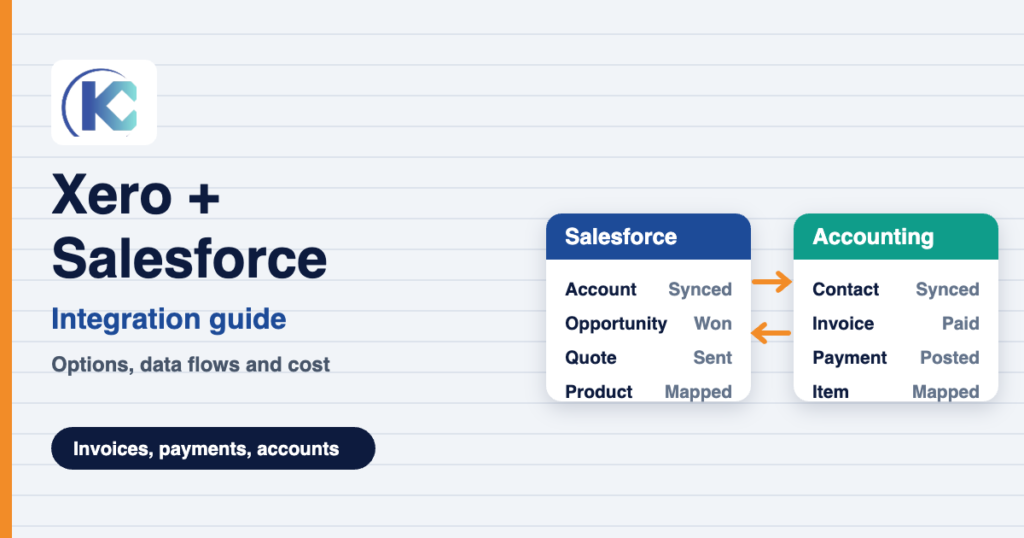
A Xero Salesforce integration connects your CRM and your accounting system so sales and finance work from the same customers, invoices and payments. Most businesses send contacts and won deals from Salesforce to Xero to raise invoices, and bring invoice status, payments and balances back into Salesforce. You can use a connector app, an integration platform, or a custom integration with the Xero Accounting API. Custom or two-way integrations with Kizzy Consulting typically fall in our focused project range of $15,000 to $50,000.
Why connect Xero and Salesforce
- No retyping. Invoices are raised from the won deal instead of being keyed into Xero by hand.
- Payment status for sales. Account managers see what is paid and overdue before they call a customer.
- Cleaner data. One customer record shared by sales and finance, with matching names and IDs.
- Faster cash. Invoices go out as soon as the deal closes.
- Better reporting. Bookings in Salesforce line up with revenue in Xero.
Xero Salesforce integration options
| Option | How it works | Best for |
|---|---|---|
| Connector app | A packaged app from the Xero App Store or Salesforce AppExchange with ready-made flows for contacts, invoices and payments. | Standard invoicing with light customisation |
| Integration platform | A middleware tool with connectors for Xero and Salesforce, where flows and mapping are configured. | Businesses connecting several other tools too |
| Custom API integration | Salesforce Apex or middleware calling the Xero Accounting API using OAuth 2.0. | Unusual billing rules a connector cannot handle |
What data should sync between Xero and Salesforce
| Data | Usual direction | What to watch |
|---|---|---|
| Accounts and contacts | Salesforce to Xero | Match existing Xero contacts first to avoid duplicates. |
| Products and prices | Either way, one owner only | Item codes must match on both sides. |
| Won opportunities or orders | Salesforce to Xero as draft or approved invoices | Decide who approves invoices before they are sent. |
| Invoice status and payments | Xero to Salesforce | Show as read-only on the account or opportunity. |
| Credit notes | Xero to Salesforce | Make sure balances shown in Salesforce stay correct. |
| Tracking categories and currencies | Mapped both ways | Map to Salesforce fields and test multi-currency invoices. |
How to set up a Xero Salesforce integration
- Agree the process. Decide when an invoice is created, who approves it and which system owns each field.
- Pick the approach. Connector app, integration platform or custom build, based on your billing rules and volumes.
- Clean both systems. Merge duplicate contacts and align product names and item codes.
- Map the fields. Accounts to contacts, opportunity products to invoice lines, tax rates, tracking categories and currencies.
- Test real cases. New customer, repeat customer, discount, multi-currency invoice, partial payment and credit note.
- Go live and monitor. Watch the sync log in the first weeks and fix any errors quickly.
Connecting Xero and Salesforce?
Tell us what you want to sync, how many invoices you raise each month, and your target date. A Salesforce consultant will reply within 1 business day.
Common Xero Salesforce integration mistakes
- Duplicate contacts. Not matching existing Xero contacts creates a second record for the same customer.
- Two systems owning prices. Pick one owner for products and prices.
- Wrong tax rates. Map tax rates per country and product before the first invoice goes out.
- Invoices sent too early. Use draft invoices until finance approves them.
- No error alerts. A failed sync should alert someone, not fail silently.
What a Xero Salesforce integration costs
| Option | Typical price (USD) | Best for |
|---|---|---|
| Free Org Health Check | Free | Reviewing your Salesforce org before you connect it to Xero |
| Connector setup and configuration | Quoted after a short review | Standard flows with a connector app |
| Custom or two-way integration project | $15,000 to $50,000 | Custom billing rules, two-way sync, several entities or currencies |
| Managed services after go-live | From $2,000/month | Monitoring, fixes and changes as you grow |
Connector, Xero and Salesforce subscriptions are billed separately by their vendors. The exact scope and price are agreed in writing before work starts. Request a free Org Health Check for a scoped estimate.
Why work with Kizzy Consulting
Kizzy Consulting is a Salesforce Select Consulting Partner. Our certified consultants agree the invoicing process with sales and finance first, choose the simplest approach that fits, test with real invoices, and support the integration after go-live. You get a clear scope and price before work starts.
Xero Salesforce integration FAQs
Does Xero integrate with Salesforce?
Yes. Xero and Salesforce connect through an app from the Xero App Store or Salesforce AppExchange, an integration platform, or a custom integration that uses the Xero Accounting API and the Salesforce APIs.
What data should sync between Xero and Salesforce?
Most businesses send accounts or contacts and won deals from Salesforce to Xero to create contacts and invoices, and bring invoice status, payments and outstanding balances back into Salesforce so sales and account managers can see them.
Should invoices be created in Salesforce or Xero?
Usually the deal or order is closed in Salesforce and the invoice is created in Xero, because Xero is your accounting system of record. Salesforce then shows the invoice and payment status as read-only information.
How much does a Xero Salesforce integration cost?
A connector app has its own subscription. Setting up and configuring a connector is quoted after a short review of both systems. Custom or two-way integrations with Kizzy Consulting typically fall in our focused project range of $15,000 to $50,000.
Can Xero tracking categories and multiple currencies sync?
Yes, if the connector or integration supports them and they are mapped carefully. Tracking categories usually map to Salesforce fields such as region or business unit, and currencies must match on both sides.
Is Xero or QuickBooks better with Salesforce?
Both integrate well with Salesforce. The choice usually depends on your country, accountant and existing finance setup rather than on Salesforce. Read our QuickBooks Salesforce integration guide if you use QuickBooks.