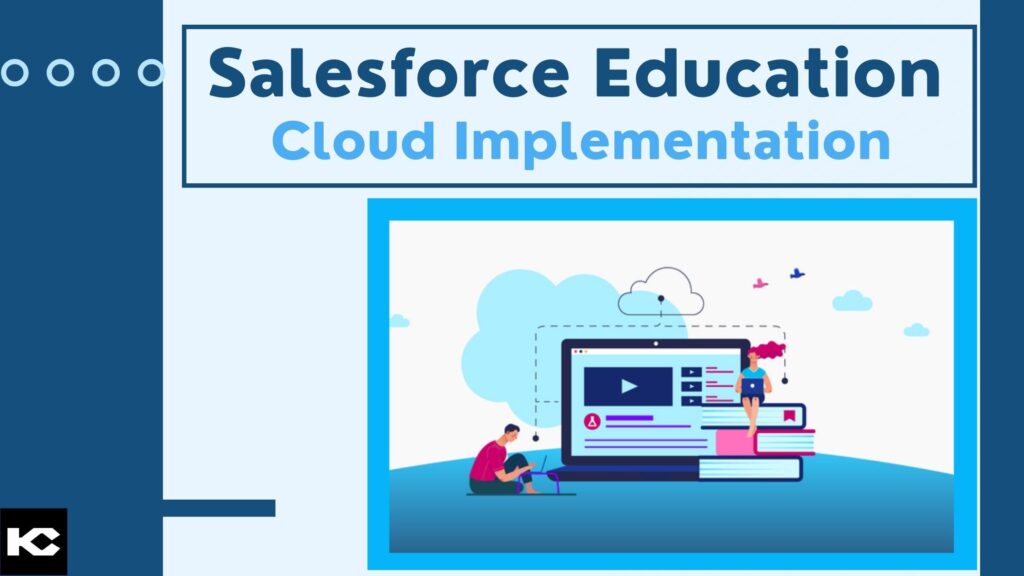
Salesforce Education Cloud Implementation: Guide, Features, Benefits & Best Practices
⏱ 4 min read
SALESFORCE EDUCATION CLOUD
A practical guide to implementing Salesforce Education Cloud for student engagement, academic operations, recruitment, student success, alumni relationships, data management, and connected institutional experiences.
Contents
hide
Quick Answer
Salesforce Education Cloud implementation involves configuring the education-focused Salesforce platform around an institution’s learner journey, data model, workflows, integrations, security requirements, and user experience. A successful implementation typically covers requirements and governance, Education Cloud configuration, data migration, SIS/LMS integrations, automation, reporting, portals, security, user training, testing, and continuous optimization.
Introduction
Educational institutions manage complex relationships across applicants, students, faculty, staff, advisors, parents or designated proxies, alumni, and other constituents. At the same time, important information is often distributed across student information systems, learning platforms, spreadsheets, departmental applications, communication tools, and legacy databases.
Salesforce Education Cloud provides an education-focused platform for connecting these experiences and organizing learner information across the student lifecycle. Salesforce documentation describes Education Cloud capabilities spanning applications, scheduling, courses, facilities, learner experiences, and institutional data structures.
But implementing Education Cloud is more than switching on a Salesforce feature. Institutions need a structured approach to data, processes, integrations, security, adoption, and long-term governance.
This guide explains the major components of a Salesforce Education Cloud implementation, the benefits institutions can expect, common implementation considerations, and practical best practices for building a scalable education CRM foundation.
What Is Salesforce Education Cloud?
Salesforce Education Cloud is a purpose-built Salesforce platform for educational institutions. It provides data structures, applications, workflows, and experiences designed around education-specific processes rather than requiring institutions to build every capability from scratch.
Current Salesforce documentation identifies capabilities supporting areas such as learner applications, courses, scheduling, academic operations, learner engagement, portals, and institutional data. Education Cloud can also connect with student information systems and learning management systems through integration technologies and connectors.
Recruitment & Admissions
Connect prospect, application, and admissions processes.
Student Success
Support advising, engagement, intervention, and learner progress.
Academic Operations
Manage programs, courses, academic structures, and related workflows.
Advancement & Alumni
Build connected relationships with alumni and supporters.
Key Components of a Salesforce Education Cloud Implementation
Every institution has different systems and priorities, but most Education Cloud implementations involve several interconnected workstreams.
1. Learner & Constituent Data
Establish a consistent data model for students, applicants, staff, alumni, relationships, programs, courses, academic periods, and other institutional information.
2. Recruitment & Admissions
Connect prospect engagement, applications, admissions workflows, communications, and enrollment activities.
3. Student Success
Give advisors and support teams a more connected view of learner information, activities, alerts, and interventions.
4. Academic Operations
Support programs, courses, schedules, learning structures, academic periods, and related institutional processes.
5. Experience & Self-Service
Build tailored digital experiences and portals for students, applicants, alumni, parents, proxies, and other constituents.
6. Analytics & Automation
Use automation, reporting, dashboards, and actionable data to improve operational visibility and decision-making.
Salesforce Education Cloud Data Migration
Data migration is one of the most important parts of an Education Cloud implementation. Institutions may need to consolidate information from legacy CRM systems, Education Data Architecture, Student Success Hub, Admissions Connect, spreadsheets, or other institutional platforms.
Salesforce currently provides Education Cloud migration guidance and a Data Migration Kit for specific migration scenarios. The migration process can involve data transformation, mapping, sequential processing, and validation.
A practical migration approach
- Audit existing data: Identify systems, objects, fields, duplicates, historical records, and data owners.
- Define the target model: Map existing data to the Education Cloud data model and identify required customizations.
- Clean and transform: Standardize values, resolve duplicates, address missing data, and establish data-quality rules.
- Map relationships: Preserve important relationships between learners, programs, courses, applications, academic records, and other entities.
- Test in a controlled environment: Validate migration logic before production deployment.
- Validate after migration: Compare record counts, perform data-quality checks, and verify migrated information against the source system. Salesforce specifically recommends comprehensive validation procedures.
Planning an Education Cloud Implementation?
Explore how Salesforce can support education-specific CRM, data, workflows, and learner experiences.
Integrating Education Cloud With SIS and LMS Platforms
Education Cloud should not necessarily operate as an isolated system. Institutions often need to exchange information with student information systems, learning management systems, finance platforms, identity systems, marketing platforms, and other campus applications.
Salesforce documentation describes integration options for SIS and LMS environments, including MuleSoft Anypoint connectors and Flow-based options for certain use cases. Salesforce also identifies integrations with platforms such as Canvas, Moodle, Blackboard, and D2L Brightspace.
SIS Integration
Synchronize relevant student, enrollment, academic, and institutional information.
LMS Integration
Connect learning-platform information with broader learner experiences.
Identity & Access
Coordinate authentication, permissions, and access across connected experiences.
Enterprise Applications
Connect finance, communication, marketing, and other institutional systems where required.
Education Cloud Configuration and Customization
A successful implementation should balance Salesforce’s standard capabilities with institution-specific requirements. Over-customization can increase maintenance complexity, while insufficient configuration can prevent teams from adopting the platform effectively.
Key configuration areas include:
- Education Cloud permissions and user access
- Person Accounts and constituent relationships
- Education Cloud record pages and layouts
- Applications and admissions processes
- Academic programs and course structures
- Appointments and scheduling
- Student success and support workflows
- Education portals and self-service experiences
- Reports, dashboards, and institutional analytics
- Automation using Salesforce Flow and other appropriate platform capabilities
Salesforce’s current setup guidance includes configuring Education Cloud, permissions, person accounts, record pages, education portals, and common capabilities according to institutional requirements.
Security, Privacy and Governance
Education environments handle significant amounts of personal and academic information, making security and governance fundamental to the implementation rather than an afterthought.
Institutions should define appropriate access controls, permission structures, data retention requirements, privacy processes, audit practices, and governance policies. Salesforce documentation also addresses data access and export considerations related to regulations such as GDPR and FERPA, depending on the institution and applicable obligations.
Governance checklist
- Role-based access and permission management
- Data classification and ownership
- Privacy and consent requirements
- Data retention and deletion policies
- Integration security
- Audit and monitoring processes
- Data-quality governance
- Change-management controls
Best Practices for Salesforce Education Cloud Implementation
1. Start With Institutional Goals
Define what the institution wants to improve before configuring technology. Examples include recruitment efficiency, student engagement, advisor visibility, operational efficiency, or data quality.
2. Build a Data Strategy First
Identify data owners, systems of record, duplicate-management rules, integration requirements, and data-quality standards before migration.
3. Design Around the Learner Journey
Map the complete journey from prospect and applicant through enrollment, academic progress, support, graduation, and alumni engagement.
4. Prioritize Adoption
Involve faculty, advisors, admissions teams, administrators, IT teams, and other stakeholders throughout the implementation.
5. Test Before Production
Test integrations, automation, permissions, migrated records, reporting, and user experiences before production rollout.
6. Plan for Continuous Improvement
Treat Education Cloud as an evolving platform. Monitor adoption, data quality, business outcomes, and user feedback after launch.
Benefits of Salesforce Education Cloud
Connected Learner Experiences
Connect information and interactions across important stages of the learner lifecycle.
Operational Efficiency
Automate repetitive processes and give teams more consistent access to relevant information.
Better Data Visibility
Create a more connected view of learner and institutional information across departments.
Scalable Architecture
Build a platform that can evolve as institutional processes, programs, integrations, and digital experiences change.
Data-Driven Decisions
Provide leaders and operational teams with more accessible information for reporting and decision-making.
Long-Term Engagement
Support relationships with learners and constituents beyond individual transactions or academic milestones.
Education Cloud Starts With a Strong Data Foundation
Data quality, governance, integration, and a unified data architecture are critical when building connected education experiences.
Salesforce Education Cloud Implementation Roadmap
Phase 1: Discovery & Strategy
Document institutional objectives, stakeholder requirements, existing systems, processes, data sources, and success measures.
Phase 2: Architecture & Data Design
Define the Education Cloud architecture, data model, integrations, security model, reporting requirements, and migration approach.
Phase 3: Configuration & Development
Configure standard capabilities, build required automation, develop integrations, and create institution-specific experiences.
Phase 4: Data Migration & Integration Testing
Migrate data in controlled stages, test integrations, validate records, and resolve data-quality or mapping issues.
Phase 5: User Acceptance Testing
Allow representative users to test real-world processes, permissions, dashboards, workflows, and learner experiences.
Phase 6: Launch & Optimization
Deploy the solution, monitor adoption and data quality, provide support, and continuously optimize the platform.
Need Help With Salesforce Education Cloud Implementation?
From Education Cloud architecture and data migration to integrations, automation, portals, and ongoing optimization, build an implementation aligned with your institution’s goals.
Frequently Asked Questions About Salesforce Education Cloud Implementation
What is Salesforce Education Cloud implementation?
Salesforce Education Cloud implementation is the process of configuring Education Cloud around an institution’s learner lifecycle, data model, workflows, integrations, security requirements, reporting needs, and user experiences.
What can Salesforce Education Cloud be used for?
Education Cloud can support areas such as recruitment and admissions, student success, academic operations, advancement and alumni relationships, applications, scheduling, learner experiences, and connected institutional data.
Can Salesforce Education Cloud integrate with an SIS or LMS?
Yes. Salesforce provides integration approaches for student information systems and learning management systems. The appropriate architecture depends on the systems involved, data requirements, transformation needs, and institutional processes.
How does data migration work in Education Cloud?
Migration depends on the source systems and target architecture. Salesforce provides migration guidance and Data Migration Kit resources for specific Education Cloud migration scenarios, with data transformation and validation steps included in the process.
How long does a Salesforce Education Cloud implementation take?
There is no single implementation timeline. Duration depends on the institution’s size, number of systems, data volume, integrations, customization, security requirements, migration complexity, and rollout strategy.
Why is data quality important for Education Cloud?
Education Cloud relies on connected institutional information. Poor-quality, duplicated, incomplete, or incorrectly mapped data can reduce the value of automation, reporting, integrations, and learner experiences. A structured data-quality and governance strategy should therefore be part of the implementation.
Related Education Salesforce Resources
Conclusion
Salesforce Education Cloud can provide educational institutions with a connected foundation for managing learner relationships, academic processes, institutional data, and digital experiences. The value of the platform, however, depends heavily on implementation strategy.
Institutions should approach Education Cloud implementation as a combination of technology, data, process, integration, governance, and adoption. Starting with clear objectives, designing the data foundation carefully, validating migrations, integrating critical systems, and continuously improving the platform can create a more sustainable Salesforce environment.
Whether the goal is to modernize recruitment and admissions, improve student success, connect academic operations, strengthen alumni engagement, or create a unified learner experience, a structured Salesforce Education Cloud implementation can provide the foundation for long-term digital transformation.
Ready to Modernize Education Operations With Salesforce?
Talk with Kizzy Consulting about Education Cloud implementation, Salesforce integration, data migration, automation, and education-focused CRM strategy.
Email: [email protected]