


We’ve all been there: a customer calls support, but the agent can’t see that they just bought a new product an hour ago. Or, a loyal customer gets an “Introductory Offer” email for a service they’ve already owned for years.
These “blind spots” happen because customer data is usually trapped in different “silos” – one for sales, one for marketing, and another for accounting. Salesforce Data 360 is the solution to this mess. It’s not just a tool; it’s a way of connecting every footprint a customer leaves so you can treat them like a human, not a ticket number.
What Is Salesforce Data 360?
Salesforce Data 360 is Salesforce’s approach to collecting, unifying, and activating customer data across every department.
At its core is Salesforce Data Cloud (formerly known as Customer Data Platform or CDP). It pulls data from:
- CRM systems
- ERP platforms
- Marketing tools
- E-commerce platforms
- IoT devices
- External databases
The goal is simple: Give every team – sales, service, marketing, commerce – a complete, real-time view of every customer. When a customer interacts with your company, every team should see the same accurate profile.
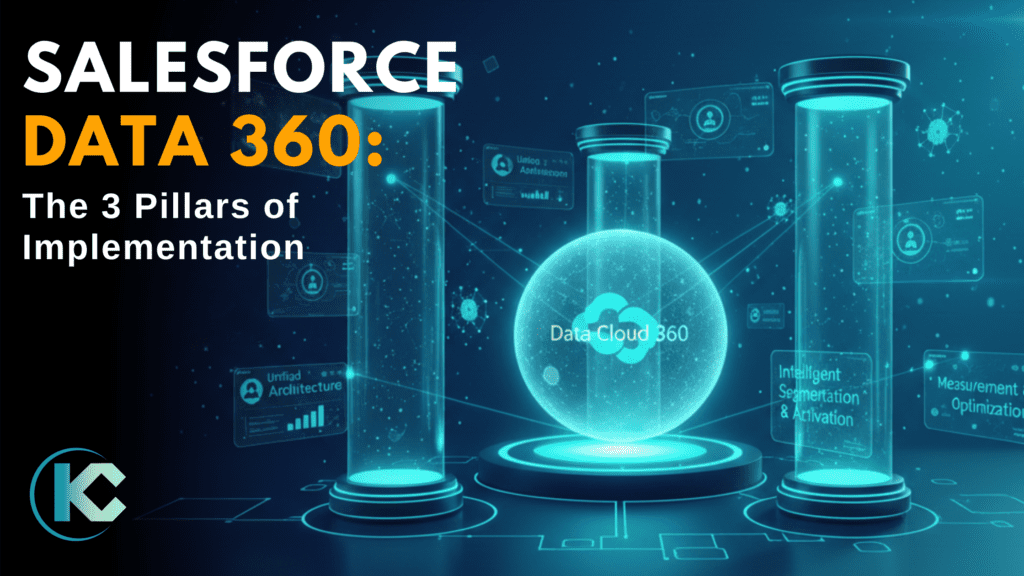
To achieve this, organizations must build on three critical pillars.
Pillar 1: The Foundation
Think of this as the “blueprint” for your house. If the foundation is shaky, the whole thing will eventually fall apart.


What It Means: This is the technical setup that decides how data moves from your different apps into Salesforce. It covers:
- The Pipeline: How data flows from external sources (like your website) into the Data Cloud.
- The “Golden Record”: Smart rules that merge duplicates. If “Rob Smith” and “Robert Smith” are the same person, the system merges them into one perfect profile.
- Alignment: Making sure your custom data fields work perfectly with Salesforce’s standard tools.
Why It Matters: Without this, your data is a liability. Marketing will keep sending “buy now” emails to customers who just canceled their subscriptions. A strong architecture ensures that when a customer calls you, the agent sees the exact same story that the marketing team sees.
Pillar 2: The Strategy
Data sitting in a warehouse is just a digital storage room. To make it valuable, you have to use it to drive action.


What It Means: This pillar is about taking that unified data and “activating” it. Instead of just knowing a customer’s age, you’re tracking their behavior.
- Cart Recovery: Automatically sending a personalized discount the moment someone leaves your website without buying.
- Next-Best-Action: Giving a sales rep a pop-up suggestion on what to say next based on the customer’s recent web activity.
- AI Power: Using Einstein AI to predict who is likely to leave (churn) so you can reach out to them before they go.
Why It Matters: Personalization is the difference between helpful service and annoying spam. By using real-time data, you can reach the right person, with the right message, at the exact moment they are ready to listen.
Pillar 3: The Maintenance
This is the most forgotten pillar, but it’s the one that determines if your investment lasts. It’s about making sure your team actually trusts and uses the system.


What It Means:
- Proving the Value: Using analytics to show exactly how much money or time the Data 360 project is saving.
- Data Health: Regularly checking to make sure the data is still clean and accurate. If the data gets messy, your staff will stop using it.
- Never-Ending Optimization: Treating Data 360 as a living thing. You should constantly be updating your rules as your business grows and changes.
Why It Matters: If your sales reps have been “burned” by bad data in the past, they won’t use the new system unless you prove it works. You have to earn their trust by showing them quick wins – like a rep closing a deal faster because they had the right info at their fingertips.
Bringing the Three Pillars Together
These three pillars depend on each other. A great technical setup (Pillar 1) is useless if you don’t use it to talk to customers (Pillar 2). And a great marketing strategy won’t work if nobody trusts the data (Pillar 3).
The organizations that succeed with Salesforce Data 360 are those that treat it as a business transformation program, not a technology project. They invest in the governance, the people, and the processes alongside the platform configuration. They start with high-impact, well-scoped use cases and expand methodically. And they never stop asking: What does the data tell us, and what should we do differently?
Final Thoughts
Salesforce Data 360 represents one of the most powerful opportunities available to enterprise organizations today – the ability to truly know your customer across every interaction, in real time, and act on that knowledge with precision and personalization. But that opportunity is only realized through disciplined implementation built on solid foundations.
The question isn’t whether your organization should implement Salesforce Data 360. It’s whether you’re ready to implement it the right way.