


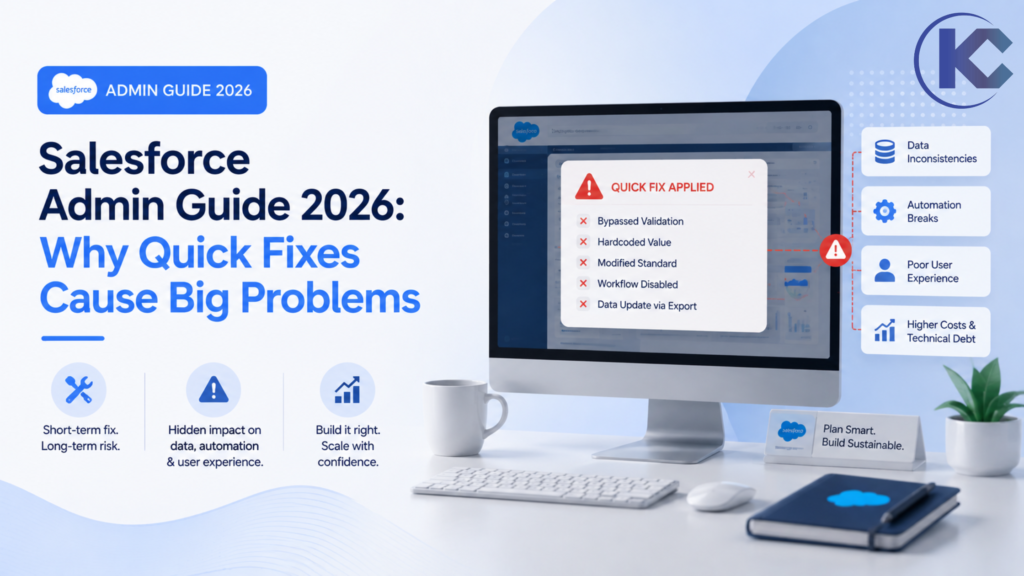
A request that sounds like “just add a field” can quickly turn into a massive dependency investigation involving Salesforce Flow, Apex triggers, permissions, REST API integrations, and deployment. Here is how Salesforce Admins can execute proper impact analysis before small changes become system-wide problems.
How to Manage Salesforce Changes Safely
A “quick fix” in Salesforce – such as adding a custom field or modifying a picklist – can trigger unintended consequences across your CRM architecture. To prevent system errors, Salesforce Admins should follow these change management best practices:
- Conduct an Impact Analysis: Check metadata dependencies in Salesforce Flow, Apex, validation rules, and page layouts.
- Review Security Settings: Verify Field-Level Security (FLS), sharing rules, and permission sets.
- Test in a Sandbox: Never make structural CRM changes directly in production.
- Plan for Integrations & AI: Ensure external API connections and AI tools like Agentforce aren’t disrupted by data model shifts.
“Can you just add one field?”
It sounds harmless. In many enterprise Salesforce organizations, however, those four words can start a much larger technical investigation.
A field may appear on a standard page layout, but it can also be actively referenced by Salesforce Flow, validation rules, Apex classes, custom report types, CRM analytics dashboards, integrations, permission sets, record types, formula fields, and downstream business processes.
The exact same thing happens with requests such as changing a picklist value, performing mass data imports, modifying an existing validation rule, updating sales automation, or enabling a new Salesforce feature.
The configuration itself might take minutes. Understanding the architectural impact can take considerably longer.
That is not because Salesforce Admins are unnecessarily cautious. It is because a mature Salesforce org is rarely a collection of isolated settings. It is a highly connected business platform where a single configuration decision cascades into several other systems.
The Salesforce Quick-Fix Rule
Before making a seemingly minor configuration change, ask these five vital questions:
What depends on this configuration?
Who will be structurally affected?
What automation could be triggered?
What CRM data or APIs could change?
How will it be tested and deployed?
Five minutes of impact analysis can prevent hours of technical debt and troubleshooting later.
Why a “Small” Salesforce Change Is Rarely Small
Salesforce environments become increasingly interconnected as an organization scales its users, Flow automation, custom objects, REST integrations, and complex business processes.
A simple custom field can become the anchor of a much larger chain:
Metadata
Flows / Triggers
Records / Reports
External APIs
This interconnected architecture is precisely why Salesforce is so powerful. Organizations can automate complex business operations without building an entire enterprise CRM platform from scratch.
But the exact same flexibility creates technical dependencies that may not be obvious when a stakeholder submits a “five-minute request.”
Organizations looking to modernize this environment can also combine Salesforce automation with AI-driven workflows. Explore how Salesforce and AI can work collaboratively to improve CRM workflows and intelligent business automation.
What Business Users Say vs. What Salesforce Admins Hear
One of the most critical Salesforce Admin skills is translating a simple business request into a comprehensive technical impact assessment.
| Business Request | What the Admin Must Investigate |
|---|---|
| “Just add a field.” | Field-Level Security (FLS), page layouts, record types, Salesforce Flow, Apex logic, report types, downstream integrations, and data storage limits. |
| “Change this picklist value.” | Dependent picklists, Flow decision elements, formula fields, historical data integrity, integration mapping, and existing report filters. |
| “Import these records.” | Data quality standards, duplicate matching rules, validation triggers, bulk API limits, record ownership mapping, and data rollback protocols. |
| “Nobody uses this field.” | Unused metadata evaluation, hidden scheduled automation, API integrations, and historical auditing requirements. |
| “Can we change production directly?” | Sandbox testing strategy, outbound API impact, business downtime risk, rollback planning, and end-user disruption. |
The Hidden Cost of Salesforce “Quick Fixes”
The biggest risk is rarely the configuration change itself. It is the ripple effect surrounding it.
A custom object could be created quickly, but the admin still needs to establish where it belongs in the app menu, which permission sets control access, which autolaunched Flows should reference it, and whether external systems expect a specific JSON structure.
The same principle applies strictly to Salesforce data management.
Data imports, mass updates via Data Loader, and automated record creation affect thousands of records simultaneously. A configuration mistake affecting one record is an annoyance. A mistake overwriting tens of thousands of records becomes a severe business continuity problem.
How Salesforce Change Risk Escalates
An illustrative risk model demonstrating why impact analysis is critical as system complexity grows.
Low Risk
Moderate Risk
High Risk
Critical Risk
Is Your Salesforce Org Suffering from Technical Debt?
Legacy automation, disconnected workflows, and undocumented dependencies can make even routine Salesforce admin changes difficult to manage safely. A strategic Salesforce and AI architecture review can help identify core opportunities for cleanup, seamless automation, and ecosystem modernization.
Data Changes Deserve Extra Attention
Salesforce data operations are another major area where a “quick” request carries significant CRM risk.
Importing or updating records involves far more than simply mapping and uploading a CSV file. Administrators must evaluate duplicate rules, validation rules, required fields, user ownership, record types, automated email alerts, active integrations, and overall data quality hygiene.
Automated processes (like Apex triggers or Record-Triggered Flows) execute when records are inserted or updated en masse. A mass update that looks straightforward in Excel can instantly trigger a massive chain of Salesforce CPU time or API callouts.
Pre-Flight Checklist for Mass Salesforce Updates
- Validate Source Data: Cleanse data prior to touching the Data Loader.
- Review Duplicate Rules: Understand how matching rules will handle incoming records.
- Verify Required Fields: Check for active validation rules that might block the batch.
- Analyze Automation Triggers: Determine which Flows or Apex classes will fire.
- Confirm Ownership Settings: Ensure records assign to active users to avoid errors.
- Run a Limited Test: Execute the update on 5-10 records in a Sandbox first.
- Define a Rollback Strategy: Always export a backup of the target data before overwriting.
Could Your Salesforce Workflows Be More Automated?
If your internal team is still handling repetitive CRM tasks manually, Salesforce automation and AI integrations can dramatically reduce operational friction while keeping essential business processes connected.
Integrations Make “Simple” Changes Complex
Salesforce rarely operates in isolation. Modern businesses connect their CRM to marketing automation platforms (like Account Engagement/Pardot), ERP systems, customer support portals, communication tools, Snowflake analytics, and custom applications.
That means changing a simple field, picklist value, or object structure can potentially corrupt data moving outside Salesforce.
Consider an automated lead routing process. A new lead might enter via a web-to-lead form, flow through email routing, and trigger Salesforce automation before alerting a sales rep.
If one key field changes unexpectedly, the data sync may silently fail, and the problem may not become visible until the marketing platform attempts—and fails—to consume that missing information.
This is exactly why CRM automation must be evaluated as an end-to-end ecosystem workflow rather than isolated configuration settings.
For example, businesses implementing advanced lead capture can evaluate solutions such as Salesforce Email-to-Lead automation to mitigate manual data entry while maintaining a stable, governed processing architecture.
Still Relying on Manual Lead Processing?
Connected, well-architected Salesforce workflows can capture, intelligently route, and manage incoming leads without introducing unnecessary manual choke points.
When Salesforce Errors Seem to Make No Sense
Some of the most frustrating Salesforce deployment issues happen when everything *appears* to be correctly configured.
A user may have the correct System Administrator profile. A record type may appear perfectly configured. A Flow debugs successfully. Yet the real-world transaction still fails.
The reason is almost always hidden context.
The record may actually be owned by a background integration user. A crucial permission set or feature license may be missing. A Flow may be executing under a different user context than expected. An Apex class may have hardcoded assumptions about a picklist configuration. A downstream integration might be returning an unexpected JSON payload.
Troubleshooting these advanced Salesforce errors requires far more than glancing at the generic setting in the error message. It requires understanding execution order and how the CRM evaluates the entire transaction lifecycle.
Picklist Changes Create Unexpected Dependencies
Picklists look like harmless dropdowns, but their API values become deeply embedded in enterprise Salesforce processes.
An API value may be directly referenced by Flow logic decisions, complex formulas, validation rules, historical reporting, integrations, or external BI applications.
Before altering an API value or restructuring a global value set, admins must proactively identify where existing values live within the metadata.
The absolute goal is to thoroughly understand the architecture of the change *before* executing it.
AI and Agentforce Are Not “Turn It On and Forget It”
This change management philosophy strongly applies to emerging Salesforce capabilities, particularly generative AI and Agentforce.
A controlled demonstration of an AI agent can make implementation look remarkably simple. However, moving an AI proof-of-concept into a production Salesforce environment depends heavily on the integrity of your surrounding architecture.
Answering these questions turns an exciting AI concept into a secure, production-ready enterprise architecture.
Organizations evaluating Agentforce readiness can learn more about Agentforce consulting and implementation strategy when planning AI-powered workflows.
Thinking About Agentforce Implementation?
Before adding advanced AI capabilities to Salesforce, ensure your data model, permissions structure, workflows, and overall CRM architecture are truly ready for intelligent automation.
Why “Just Change It in Production” Is a Disastrous Strategy
Production is where Salesforce serves as a business-critical system of record. Customer lifecycle data, sales pipelines, service SLAs, executive reporting, and billing integrations all depend on production stability.
That makes production the absolute worst place to discover whether a new validation rule or Flow behaves as expected.
A governed, secure Salesforce deployment process typically involves development sandboxes, robust UAT (User Acceptance Testing) validation, and controlled release management (via Change Sets, DevOps Center, or CI/CD pipelines).
Salesforce provides varied Sandbox environments (Developer, Partial Copy, Full Copy) that allow technical teams to build safely. Salesforce Trailhead explains sandbox management while official documentation details deploying changes from sandboxes to production.
Always build and test in a Sandbox. Deploy to Production.
The Ultimate Salesforce Admin Quick-Fix Checklist
The next time a stakeholder requests a “small” UI change, run through this dependency checklist before ever logging into production.
Is this configuration actually solving the root business problem?
Audit the “Where is this used?” logic across Flow, Apex, validation rules, and reports.
Review profiles, permission sets, OWD (Organization-Wide Defaults), and FLS.
Determine if historical data or incoming API records will be skewed.
Reproduce the exact business scenario and boundary test in an isolated environment.
Record what metadata was modified, why it was changed, and what systems it touches.
Execute deployment during off-hours using an approved CI/CD or change-set process.
Salesforce Complexity Is a Sign of Platform Value
It is simple to criticize Salesforce for being heavily complicated. But much of that architectural complexity exists precisely because organizations are able to build sophisticated, highly bespoke business processes directly on top of the platform.
Salesforce reliably manages customer data, automates intricate workflows, supports global sales teams, connects myriad external applications, generates real-time analytics, and now provides advanced AI-powered experiences.
The core administrative challenge is managing that immense flexibility responsibly.
Technical debt, outdated Workflow Rules, and undocumented dependencies slowly accumulate over time. Eventually, even highly certified Salesforce Developers and Consultants spend more time deciphering existing logic than building new features.
That is exactly where rigorous Salesforce governance, documentation, architecture reviews, and a clear AI strategy become indispensable.
Quick Fix vs. Controlled Salesforce Change Management
| The Risky Quick-Fix Approach | The Governed Controlled Approach |
|---|---|
| Build immediately upon request | Analyze and understand the root requirement first |
| Assume a limited system impact | Proactively map and identify all dependencies |
| Test quickly after deployment | Test rigorously in a Sandbox before deployment |
| Rely solely on admin tribal knowledge | Document architecture, logic, and metadata changes |
| Fix support incidents reactively | Reduce deployment risk proactively |
Frequently Asked Questions: Managing Salesforce Changes
Answers to high-intent questions Salesforce Admins and business stakeholders commonly ask about CRM configuration, deployments, and AI integration.
Turn CRM Complexity Into a Competitive Advantage
As your Salesforce environment grows, relying on quick fixes is a liability. The right strategic architecture, clean automation framework, and robust AI roadmap can make your CRM infinitely easier to manage—not harder.