


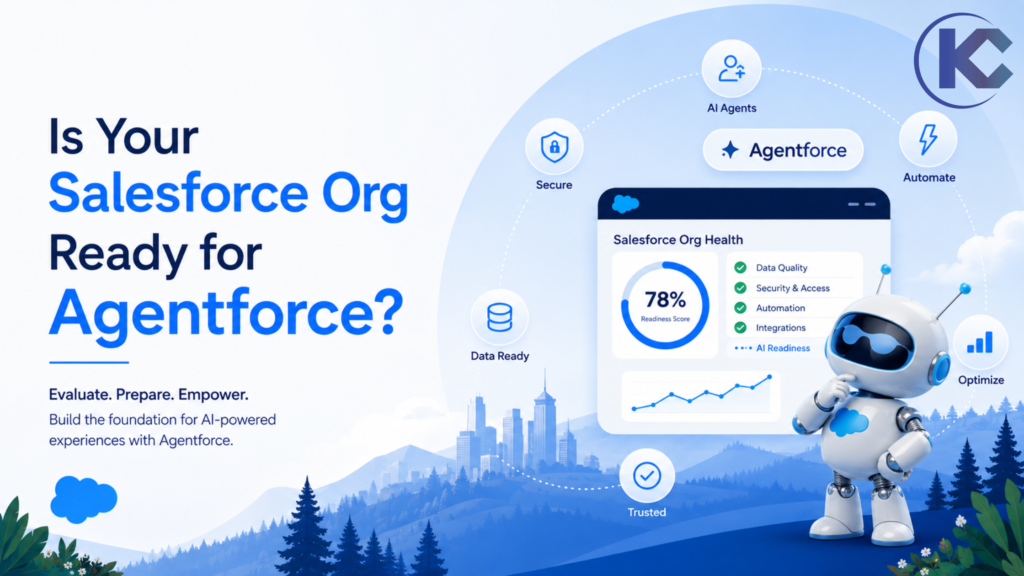
Agentforce readiness is becoming a critical consideration for organizations looking to bring autonomous AI agents into Salesforce. But enabling Agentforce is not the same as being ready for it.
If your Salesforce org contains duplicate records, outdated automation, inconsistent permissions, unreliable reporting, or poorly defined business processes, an AI agent can amplify those weaknesses instead of solving them.
Before building a Salesforce AI agent, use these seven checks to evaluate your Salesforce org health, data readiness, automation architecture, security model, AI governance, and Agentforce use cases.
By Sanjeet Mahajan – CEO and Founder of Kizzy Consulting
Quick Answer
How do you know if your Salesforce org is ready for Agentforce?
Your org should have reliable CRM data, controlled automation, appropriate permissions, a healthy Salesforce architecture, trusted reporting, a clearly defined AI use case, and an ongoing governance process.
Agentforce Readiness at a Glance
Think of Agentforce readiness as a foundation rather than a single Salesforce feature. Each layer contributes to whether an AI agent can safely retrieve information, reason over CRM context, and execute business actions.
Data Quality
Automation Health
Security & Permissions
Process Alignment
AI Governance
Tip: Use these dimensions as a starting point for your own Salesforce Agentforce readiness score.
1. Is Your Salesforce Data Actually Ready for AI?
Agentforce relies on the information available inside your Salesforce environment and connected data sources. If that information is incomplete or inconsistent, the agent may produce technically valid responses based on unreliable context.
Duplicates
Check duplicate Accounts, Contacts, Leads and Opportunities.
Consistency
Standardize stages, categories, picklists and critical fields.
Freshness
Review stale records and outdated customer information.
Your AI strategy is only as reliable as the CRM data behind it. Before deployment, prioritize Salesforce data quality, data governance, deduplication and Data Cloud readiness.
2. Audit Your Salesforce Automation
Agentforce does not operate in isolation. Its actions can interact with Salesforce Flows, Apex, integrations and other automation. An already-complicated automation landscape can therefore create unexpected outcomes.
Inventory automation across high-volume objects such as Accounts, Contacts, Opportunities and Cases. Identify duplicate logic, inactive processes, conflicting triggers and legacy automation.
A modern Salesforce development and automation strategy can help create a cleaner foundation for Agentforce.
3. Review Permissions, Sharing and Security
AI agents need access to the right information – but not everything. Review field-level security, permission sets, sharing rules and the actions each agent should be allowed to perform.
Security questions to answer:
- What records can the agent read?
- Which fields can it access?
- Which records can it update?
- Which actions can it execute?
- When must a conversation escalate to a human?
Use a least-privilege approach and test permissions in a sandbox before production deployment.
Not Sure If Your Salesforce Org Is AI-Ready?
Identify data, automation, architecture and governance gaps before they become Agentforce problems.
4. Does Your Salesforce Architecture Match Your Business?
Your Salesforce object model should reflect how the business operates today – not how it operated several years ago. Outdated opportunity stages, unused fields, disconnected objects and inconsistent case categories create unnecessary complexity for both employees and AI agents.
| Area | Readiness Question |
|---|---|
| Objects | Do they reflect current business processes? |
| Fields | Are important fields populated and consistently used? |
| Processes | Are workflows documented and standardized? |
| Integrations | Can required external data reach Salesforce reliably? |
5. Can Your Team Trust Its Salesforce Reports?
Agentforce can generate insights, recommendations and summaries, but AI does not repair unreliable business reporting. If sales, operations or leadership teams regularly compare Salesforce dashboards against spreadsheets, the reporting foundation needs attention first.
Review opportunity stages, forecast categories, pipeline definitions, dashboard ownership and KPI calculations before allowing AI to build recommendations from them.
6. Define One Agentforce Use Case and One Success Metric
Agentforce can support sales, service, operations, lead qualification, customer support and other workflows. That does not mean your first deployment should attempt to automate all of them.
Sales
Lead qualification, opportunity assistance and follow-up.
Service
Case resolution, routing and customer responses.
Operations
Approvals, data updates and repetitive workflows.
Start with one measurable outcome – such as case deflection, response time, lead conversion, task completion or employee productivity. Measure the result before expanding the scope.
7. Put Agentforce Governance in Place Before Production
An AI agent needs an owner just like any other business system. Define who monitors performance, who approves changes, how exceptions are escalated and how agent instructions are reviewed.
Minimum Agentforce Governance Framework
- Named owner for every production agent.
- Defined human escalation rules.
- Regular accuracy and performance reviews.
- Documented prompt and instruction changes.
- Monitoring for unexpected actions and outputs.
- Sandbox testing before production updates.
This is where AI readiness assessment and governance planning can provide a more structured path toward enterprise AI adoption.
Build Agentforce on a Stronger Foundation
From Salesforce architecture and data readiness to AI agents and workflow automation, Kizzy Consulting helps organizations prepare for practical AI adoption.
Salesforce Org: AI-Ready vs. Not Yet Ready
| Foundation | AI-Ready | Needs Attention |
|---|---|---|
| Data | Clean and consistent | Duplicates and stale records |
| Automation | Documented and consolidated | Conflicting legacy logic |
| Security | Least privilege | Unclear access boundaries |
| Use Case | Specific and measurable | Broad AI experimentation |
| Governance | Owner + monitoring + escalation | No clear accountability |
Ready to Assess Your Agentforce Readiness?
Find the gaps in your Salesforce data, automation, architecture and AI governance before you move from pilot to production.
Frequently Asked Questions About Agentforce Readiness
What does Salesforce Agentforce readiness mean?
Agentforce readiness means having the data, Salesforce architecture, automation, permissions, processes, use cases and governance needed to deploy AI agents safely and effectively.
What should I check before implementing Agentforce?
Start with data quality, automation health, security and permissions, Salesforce architecture, reporting, use-case definition and AI governance.
Do I need a Salesforce health check before Agentforce?
A Salesforce health and AI readiness review can identify data, automation, security and architecture issues before they affect an Agentforce deployment.
Should Agentforce start with one use case?
Yes. A focused use case with a measurable KPI makes it easier to test, monitor and demonstrate business value before expanding to additional Salesforce AI workflows.
SALESFORCE AGENTFORCE READINESS
Build the Foundation Before You Build the Agent
Agentforce can become a powerful layer of AI automation inside Salesforce, but successful deployment starts long before Agent Builder.
Clean your data. Simplify your automation. Review permissions. Validate your architecture. Define one measurable use case. Then introduce AI with the governance and monitoring needed to scale it responsibly.