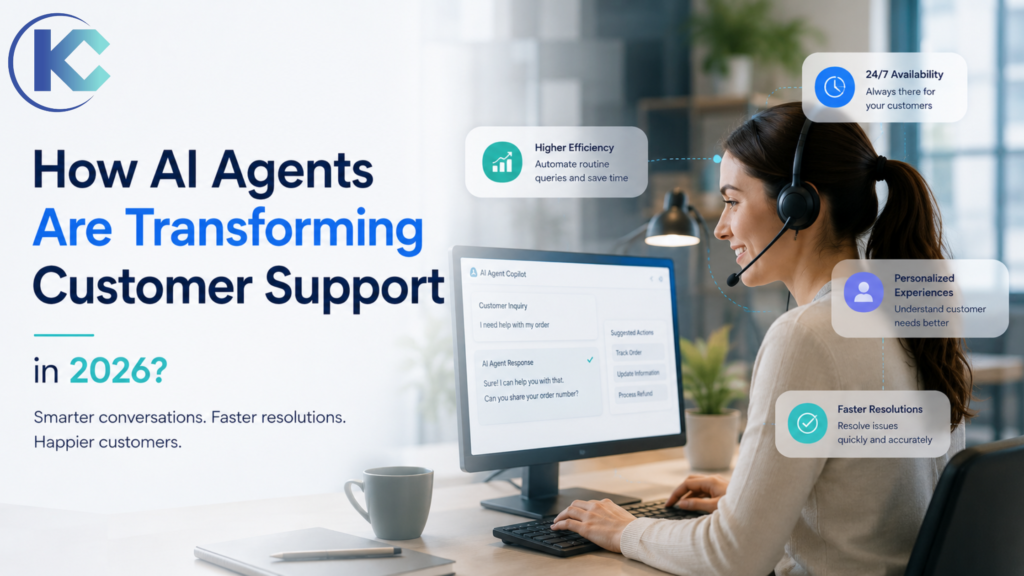
Customer expectations have shifted faster than most support organizations can staff for, and the gap is widening every quarter.
AI agents in customer support close that gap by handling routine inquiries instantly, working around the clock without added headcount, and giving human teams room to focus on the conversations that actually need a person. Unlike scripted chatbots that break the moment a question strays off-menu,
AI agents reason through ambiguity, pull live data from connected systems, and complete multi-step tasks end-to-end. This guide walks through how AI agents work, where they create the most value, how they compare to legacy automation, real enterprise use cases, implementation best practices, governance and security considerations, and what’s coming next in 2026 and beyond.
What are AI agents in customer support?
AI agents are autonomous software systems that interpret customer questions, retrieve relevant information, reason through multi-step problems, take real actions inside business systems, and escalate to a human when the situation calls for it. Unlike traditional chatbots, they hold context across a conversation, use multiple tools in sequence, and connect directly to CRM, ERP, billing, and communication platforms to resolve issues completely rather than just answering a question.
Customer experience has quietly become the deciding factor in enterprise growth, and the teams responsible for delivering it are stretched thinner than ever. Recent Salesforce research found that 82% of customer service professionals say customers now expect more than they did a few years ago – more channels, faster answers, and more personalized service, all at once. That rising bar, combined with the sheer volume of repetitive administrative work, has pushed human agent burnout to record levels across nearly every industry.To close that gap, forward-thinking enterprises are moving past legacy helpdesk software and adopting AI agents built on large language models, retrieval systems, and workflow automation. Rather than forcing customers through rigid keyword-matched menus, a well-built AI agent interprets unstructured chat, voice, or email input, plans a sequence of steps to resolve it, and calls the right systems to get it done safely – all without a human touching the ticket.
Legacy Chatbots & IVR
- ✗ Answer one isolated prompt at a time
- ✗ Rigid, pre-configured rule-based FAQ trees
- ✗ Trapped inside a single web chat widget
- ✗ Zero memory of prior sessions or context
- ✗ Recite policy instead of resolving the issue
Autonomous AI Support Agents
- ✓ Interpret intent, sentiment, and urgency together
- ✓ Plan and execute multi-step resolution paths
- ✓ Work across voice, email, chat, and WhatsApp
- ✓ Retain memory across sessions and channels
- ✓ Call secure APIs to close tickets completely
Why Customer Support Is Changing
Three forces are pushing enterprises toward agentic support at the same time. First, ticket volume keeps climbing as digital channels multiply – customers now expect to reach a business through chat, email, voice, and messaging apps interchangeably, often within the same conversation. Second, staffing costs and attrition make it expensive to scale human headcount linearly with volume; contact center turnover routinely exceeds other departments because the work is repetitive and emotionally draining. Third, large language models finally reached a reliability threshold where they can be trusted with real customer data and real system access, not just canned FAQ answers. Together, these forces make agentic AI less of an experiment and more of an operational necessity for any enterprise trying to protect margins while raising service quality.
Did You Know?
The global agentic AI market has already crossed the $110 billion mark, according to Grand View Research, and support automation is one of the fastest-growing segments inside that number.
The Evolution from Chatbots to AI Agents
Customer support automation has moved through three distinct generations. The first generation was rule-based chatbots – decision trees that matched keywords to pre-written answers and broke the moment a customer phrased a question differently than expected. The second generation added conversational AI: natural language understanding made the interaction feel smoother, but the system still couldn’t take action outside the chat window or remember what happened in a previous session. The third and current generation is the AI agent – a system that reasons about a goal, plans the steps needed to reach it, calls tools and APIs to execute those steps, and reflects on the outcome before closing the loop. That reasoning-plan-act-reflect cycle is the single biggest architectural difference between a chatbot and an agent, and it’s what makes end-to-end resolution possible.
How AI Agents Improve Customer Support
- Answer customers 24/7 across every time zone
- Reduce first-response and resolution time dramatically
- Resolve repetitive, high-volume inquiries automatically
- Personalize conversations using customer history and context
- Book appointments and manage scheduling autonomously
- Process refunds and billing adjustments without manual review
- Update CRM and ticketing records automatically
- Escalate complex cases to human agents with full context
- Support multiple channels – voice, chat, email, SMS
- Learn continuously from past interactions and outcomes
What Makes AI Agents Different from Traditional Chatbots?
| Traditional Chatbot |
AI Agent |
| Rule-based |
Reasoning-based |
| Fixed flows |
Dynamic conversations |
| Limited memory |
Context-aware |
| FAQ only |
End-to-end task execution |
| No decision making |
Autonomous decisions |
| Limited integrations |
Connects with CRM, ERP, APIs |
AI Agent Architecture: What’s Actually Under the Hood
A production-grade AI support agent is really a stack of coordinated components, not a single model. Understanding the layers helps enterprise buyers ask better questions during vendor evaluations.
Language Model Core
The LLM (GPT, Claude, Gemini, or similar) handles language understanding, reasoning, and response generation.
Retrieval Layer
A vector database indexes knowledge base articles, policies, and past tickets so the agent grounds answers in verified content.
Planning & Orchestration
A controller breaks a goal into ordered steps, decides which tools to call, and sequences the work.
Tool & API Layer
Connectors to CRM, billing, shipping, and messaging systems let the agent take real action, not just talk.
Memory Store
Short-term memory tracks the current conversation; long-term memory persists customer history across sessions.
Guardrails & Evaluation
Policy filters, confidence thresholds, and human-in-the-loop checkpoints keep the agent inside safe operating bounds.
Agentic Workflow: How a Request Actually Gets Resolved
An agentic workflow strings together several tool calls and decision points in service of one goal, rather than producing a single reply. If a customer asks to move a delivery date, the agent doesn’t just say “sure” – it checks warehouse availability, validates the new date against carrier cutoffs, updates the order record, sends a confirmation, and logs the change in the CRM, all inside one conversational turn. Think of it like a smart travel-planning assistant: it reads the traveler’s profile, checks live weather and flight data, coordinates hotel logistics, and adjusts the itinerary automatically if something changes mid-trip. Platforms like
Kizzy’s AI Integration and Implementation service apply this same workflow architecture to enterprise support environments.
Customer → AI Agent → Knowledge Base → CRM → Business Systems → Resolution
How AI Agents for Customer Service Work: The 5-Step Loop
01
Ingest & Intent Parse – The agent receives unstructured inbound data (emails, tickets, voice calls) and classifies intent, language, and emotional state.
02
Context Assembly & Reasoning – The model pulls historical profiles and persistent memory to build a clear context sheet, asking clarifying questions if key details are missing.
03
Dynamic Workflow Planning – The agent evaluates available tools, checks policy data, and designs an optimal step-by-step resolution path.
04
Tool & API Invocation – The agent executes actions in authorized systems: database lookups, refund payloads, CRM updates, or texts via tools like Twilio.
05
Reflection Loop & Closing – The system cross-checks its output, flags discrepancies, summarizes the resolution in plain language, and updates internal trackers.
RAG in Customer Support: Why Grounding Matters
Retrieval-Augmented Generation, or RAG, is the technique that keeps AI agents honest. Instead of relying purely on what the underlying model learned during training, RAG searches a company’s own knowledge base, policy documents, and past resolved tickets at answer-time, then feeds those exact passages to the model as grounding context. That’s the difference between an agent guessing at a return policy and an agent quoting the current policy verbatim from the source of truth. Enterprises with messy, outdated, or scattered documentation see the weakest RAG performance – which is why a knowledge base audit is almost always step one of a serious implementation.
Multi-Agent Systems: When One Agent Isn’t Enough
Complex enterprise support workflows increasingly rely on a team of specialized agents rather than one generalist. A triage agent classifies and routes the request, a billing agent handles payment disputes, a technical agent walks through troubleshooting, and an orchestrator agent coordinates handoffs between them – much like a human contact center routes calls between tiers of specialists. This pattern reduces the reasoning burden on any single agent, makes each component easier to test and govern, and mirrors how enterprises already organize human support teams into specialized queues.
AI Memory: Why Context Persistence Changes the Experience
Memory is what separates a genuinely helpful agent from a glorified search bar. Short-term memory keeps track of everything said earlier in the current conversation, so customers never have to repeat themselves. Long-term memory persists across sessions and channels – if a customer opened a chat last week about a delayed shipment and calls in today, a memory-enabled agent already knows the history and can pick up exactly where things left off, instead of starting from zero.
Top Customer Support Use Cases for AI Agents
Deploying an agentic support system lets companies delegate workflows that previously jammed up ticket queues. Kizzy’s
AI agent solutions cover every major use case below:
- Answering FAQs: Handles nuanced product questions, warranty guidelines, and cancellation policies conversationally.
- Order Tracking: Pulls live shipping data and cross-references courier delays for accurate fulfillment answers.
- Appointment Scheduling: Books, reschedules, and confirms appointments directly against live calendar availability.
- Technical Support: Guides users step-by-step through software configurations or hardware resets.
- Billing Questions: Explains charges, applies credits, and resolves invoice disputes against live billing records.
- Refund Processing: Validates eligibility against policy rules and triggers refunds directly inside payment systems.
- Lead Qualification: Screens inbound prospects, scores intent, and routes qualified leads to the right rep.
- Product Recommendations: Uses purchase and browsing history to suggest relevant products or upgrades.
- CRM Updates: Automatically logs interaction summaries and updates contact and case records in real time.
- Ticket Routing: Classifies incoming tickets by urgency and topic, directing them to the right queue or specialist.
AI Voice Agents vs. AI Chat Agents
| AI Voice Agent |
AI Chat Agent |
| Handles phone calls |
Handles website chat |
| Natural speech conversations |
Text-based conversations |
| Call routing and screening |
Live chat handoff |
| Appointment booking by phone |
FAQ and product guidance |
| Voice authentication |
Web-based interactions |
AgentCalling.ai is a purpose-built AI voice agent for real estate teams – it answers missed calls, qualifies leads, and books showings 24/7. Read the AI Voice Agent case study below for a real-world implementation breakdown.
AI Agents in Action: 2026 Industry Examples
Real Estate & CX
AI Voice Agents for Lead Qualification
AgentCalling.ai answers missed calls, qualifies cold inbound prospects, books property showings, and fires conversational SMS follow-ups around the clock with zero manual coordination.
B2B Sales Operations
AI Sales Development Agents
AI agents independently research enterprise prospects, personalize outreach, answer basic friction points, update pipeline records, and log sales calls.
Healthcare Care Paths
Patient Journey Support Automation
AI voice agents for
healthcare manage front-end medical office workflows: interpreting patient inquiries, cross-checking insurance verifications, logging appointments, and sending secure reminders.
Finance & Banking
Autonomous Fraud & Compliance Radar
Dedicated compliance agents scan raw ledgers constantly, trace security transaction vectors, map out compliance reports, and escalate suspicious profiles automatically.
For teams already running on Salesforce, platforms like Agentforce let these same AI agents plug natively into Service Cloud, Knowledge, and CRM records – but the underlying value comes from the agent’s reasoning and automation capability, not the platform it runs on. Kizzy’s
AI Readiness Assessment helps businesses scope the right agent architecture for their stack, Salesforce or otherwise.
Industries Benefiting from AI Customer Support
Healthcare
AI agents verify insurance, schedule appointments, and answer patient billing questions while keeping data HIPAA-compliant.
Real Estate
Voice agents answer listing inquiries, qualify buyer leads, and book showings around the clock – see
AgentCalling.ai.
Retail
Agents handle order tracking, returns, and personalized product recommendations at scale during peak shopping seasons.
Education
Agents guide prospective students through enrollment questions, financial aid FAQs, and course registration support.
Financial Services
Agents answer balance and transaction questions, flag fraud, and route sensitive requests to licensed advisors.
Insurance
Agents triage first-notice-of-loss claims, verify policy details, and schedule adjuster follow-ups automatically.
SaaS
Agents resolve onboarding questions, troubleshoot product issues, and surface documentation instantly to reduce churn.
Homecare
Agents automate visit documentation, compliance tracking, and caregiver reporting so clinicians spend more time on patient care.
Case Evidence: Core Business Impact
Real Estate
An AI voice agent automates real estate lead qualification by answering every inbound call, engaging prospects in natural conversation, capturing buyer or seller requirements, qualifying leads against predefined criteria, scheduling property viewings, and syncing lead details with the CRM instantly. Teams respond faster, miss fewer opportunities, and spend their time closing high-intent leads instead of fielding repetitive calls.
Homecare
By automating home care documentation with AI-powered speech recognition, real-time compliance tracking, and instant report generation, the solution reduced report creation time from 13-14 hours to just 5 minutes while pushing process efficiency to 97%. Therapists spend less time on paperwork and more on patient care, while providers benefit from faster claims and stronger compliance.
Expert Perspective
“In our AI Agents deployments, the single biggest unlock isn’t speed – it’s consistency. Every customer gets the same quality of answer, grounded in the same verified knowledge base, whether the inquiry comes in at 9 AM or 3 AM on a Sunday. That consistency is what moves the CSAT needle.”
– Sanjeet Mahajan, Founder & CEO, Kizzy Consulting
Benefits of AI Agents for Customer Support
24/7 Customer Availability
Provides instant, personalized, multilingual assistance around the clock, eliminating backlogs.
Faster Resolution
Cuts average handle time by resolving routine tickets instantly instead of queuing them for a human.
Reduced Operational Costs
Drives down expenses by managing high-volume ticket creation and resolution automatically.
Higher Customer Satisfaction
Faster, more accurate answers translate directly into improved CSAT and retention scores.
Consistent Responses
Every customer gets the same accurate answer, grounded in the same verified knowledge base.
Personalized Experiences
Agents tailor responses using purchase history, past tickets, and stated preferences in real time.
Multilingual Support
Agents converse fluently across languages without hiring native-speaking staff for every market.
Increased Agent Productivity
Offloading routine work lets human reps focus their time on complex, relationship-driven cases.
Better Data Collection
Every interaction is logged and structured, giving leadership clean data to spot trends and gaps.
Market Performance Data and Statistics
84%
84% say AI agents have improved customer satisfaction and ROI
34%
Increase in productivity due to generative or agentic AI
$110B+
Global agentic AI market size milestone (Grand View Research)
Statistical Business Advantages of Automation Deployment:
- Instant Resolution Handling: Eliminates hold times entirely, providing quick and precise answers.
- Optimized Staff Focus: Offloads routine admin work, leaving human teams clean context for complex cases.
- Reduced Operating Overhead: Drives down expenses by managing high-volume service ticket creation automatically.
Rule-Based AI vs. Agentic AI
| Rule-Based AI |
Agentic AI |
| Follows pre-programmed if/then logic |
Reasons through novel, unscripted situations |
| Breaks on unexpected input |
Adapts its plan mid-conversation |
| Requires manual rule updates |
Improves through feedback and retraining |
| Single-step response |
Multi-step, multi-tool task execution |
Generative AI vs. Predictive AI in Support
| Predictive AI |
Generative AI |
| Forecasts outcomes from historical patterns |
Creates original responses and content |
| Used for churn risk, demand forecasting |
Used for conversational replies, summaries |
| Scores and classifies |
Reasons and drafts language |
The strongest AI agents actually combine both: predictive models flag which customers are at churn risk or likely to need a follow-up, while generative reasoning handles the actual conversation and task execution.
Salesforce Agentforce vs. Traditional CRM Automation
| Traditional CRM Automation |
Salesforce Agentforce |
| Flow-based, deterministic automation |
Reasoning agents that act on Service Cloud data directly |
| Triggers fire on defined field changes |
Agents interpret intent and choose the right action |
| Limited to structured record updates |
Handles unstructured conversation plus record updates natively |
Customer Support KPIs: Before vs. After AI Agents
| KPI |
Before AI Agents |
After AI Agents |
| First response time |
Minutes to hours |
Seconds |
| First-contact resolution |
Moderate, queue-dependent |
Higher, consistent across volume |
| Availability |
Business hours |
24/7 |
| Cost per resolved ticket |
Higher, scales with headcount |
Lower, scales with volume instead |
AI Governance for Customer Support Agents
Governance is what keeps an autonomous agent accountable at enterprise scale. That means defining exactly which actions an agent is authorized to take without approval (answering a question, updating a record) versus which require human sign-off (issuing refunds above a threshold, canceling a contract). It also means version-controlling prompts and policies the same way engineering teams version-control code, maintaining an audit trail of every decision the agent made and why, and assigning clear ownership – someone in the organization needs to own agent behavior the way a manager owns a human team’s performance.
Common Mistake
Giving an agent broad write access to production systems on day one. Start with read-only and narrowly scoped actions, then expand permissions as confidence and monitoring data build up.
AI Agents + Human Agents: A Partnership, Not a Replacement
AI does not replace support teams – it changes what they spend their time on. AI agents handle repetitive, high-volume work: FAQs, order status, routine billing questions. Humans step in for emotionally sensitive conversations, judgment calls, and complex multi-party issues that need empathy and discretion. This human-in-the-loop model keeps accountability with people while letting AI carry the operational load, which is why the strongest deployments pair agentic automation with clear escalation paths rather than trying to eliminate the support team entirely.
Calculating AI ROI in Customer Support
Most enterprises see a meaningful reduction in per-interaction cost within the first two quarters of a well-scoped deployment, with implementation spend typically recovered within 6 to 12 months through lower staffing pressure and faster resolution times. The clearest way to model ROI is to compare fully-loaded cost per ticket before and after deployment, factor in deflection rate, and layer in softer gains like improved CSAT and reduced agent attrition, which carry real but harder-to-quantify financial value.
AI Readiness Checklist
Implementation Checklist
- ☐ Knowledge base is current, structured, and owned by a named team
- ☐ CRM and ticketing data are clean enough to trust for automated updates
- ☐ Priority use cases are scoped and ranked by volume and complexity
- ☐ Escalation paths and human-in-the-loop checkpoints are defined
- ☐ Security, compliance, and data residency requirements are documented
- ☐ KPIs and evaluation cadence are agreed on before go-live
Trending AI Agent Advancements in 2026
Voice-First Agentic AI
Direct speech-to-speech processing skips high-latency text translation layers, creating human-like support calls. See
AgentCalling for a live example.
Computer-Use Agents
AI agents navigate external application windows using computer vision and mouse-path tools whenever native backend APIs are absent.
Persistent System Memory
Agents carry deep user profile history over long timelines, continuously adjusting workflows on a personalized basis.
Best Practices for Successful AI Agent Implementation
- Define clear use cases before selecting tools or vendors.
- Build a reliable knowledge base – accuracy starts with clean source content.
- Integrate CRM so agents can read and write live customer records.
- Start with repetitive tasks to prove value before tackling complex workflows.
- Keep humans in the loop for escalations and edge cases.
- Measure KPIs like AHT, FCR, and CSAT from day one.
- Continuously improve prompts based on real conversation data.
- Monitor conversations for drift, tone, and accuracy issues.
- Ensure data security across every integration point.
- Train employees to work alongside AI agents, not around them.
Best Practice
Roll out by use case, not by department. A single well-scoped workflow (like order status) proves value fast and builds internal trust for broader rollout.
Voice AI in 2026: Beyond Simple IVR
Voice has historically been the weakest channel for automation – old-school IVR menus are widely disliked, and early voice bots sounded robotic enough that customers hung up and dialed zero. That’s changed. Modern voice AI runs on speech recognition and speech synthesis models tuned for natural pacing, interruption handling, and tone, paired with the same reasoning and tool-calling capability that powers chat and email agents. The result is a phone experience where the agent can verify identity, look up an order, reschedule an appointment, or qualify a lead through natural back-and-forth conversation, not a rigid “press 1 for billing” tree. Latency is the technical hurdle that separates a good voice agent from a frustrating one – anything above roughly 500 milliseconds of response delay starts to feel unnatural to callers, which is why voice-first agentic platforms invest heavily in streaming speech-to-speech pipelines rather than routing through slower text-based intermediate steps.
Frequently Asked Questions About AI Agents in Customer Support
Are AI agents better than chatbots?
For anything beyond simple FAQs, yes. AI agents reason through unstructured requests, take real actions across systems, and retain context – traditional chatbots are limited to scripted, single-turn responses.
Can AI agents replace customer support representatives?
No. AI agents handle repetitive, high-volume tasks so human reps can focus on complex, emotionally sensitive, or high-value interactions. The two work best together.
How much does an AI customer support agent cost?
Costs vary by scope and platform. Businesses typically see a 35% reduction in per-interaction costs, and most recover implementation spend within 6 to 12 months through operational savings.
What industries benefit most from AI customer support?
Real estate, healthcare, retail, financial services, and SaaS see the fastest returns because they handle high volumes of repetitive, time-sensitive inquiries around the clock.
Are AI agents secure?
Enterprise-grade agentic platforms mask personally identifiable information, encrypt data in transit and at rest, and use token-based authentication for every system call.
Can AI agents answer phone calls?
Yes – AI voice agents like AgentCalling.ai answer inbound calls, qualify leads, and book appointments using natural speech, without a human on the line.
What is the difference between conversational AI and AI agents?
Conversational AI generates natural-sounding replies. An AI agent goes further – it reasons, plans multi-step actions, calls external tools, and completes tasks, not just conversation.
How long does implementation take?
Most businesses deploy a functional agent within 4 to 12 weeks. Basic FAQ automation can go live in under a month; deep CRM and knowledge base integrations typically need 8 to 12 weeks.
Do AI agents integrate with Salesforce?
Yes. AI agents can run natively inside Salesforce via Agentforce, with direct access to Service Cloud cases, Knowledge, and Flow automation – but they can just as easily integrate with other CRMs and ticketing systems.
What KPIs should businesses track?
Track average handle time (AHT), first-contact resolution (FCR), CSAT, deflection rate, and cost per resolved ticket to measure real agent impact.
What is Retrieval-Augmented Generation (RAG)?
RAG is a technique where an AI agent searches a company’s own knowledge base at answer-time and grounds its response in those exact documents, reducing hallucinations and keeping answers accurate.
What is agentic AI?
Agentic AI describes systems that independently plan, take multi-step actions through tools and APIs, and reflect on outcomes to complete a goal – rather than producing a single scripted reply.
Can AI agents handle multiple languages?
Yes. Modern AI agents converse fluently across dozens of languages, which lets enterprises support global customers without hiring native-speaking staff for every market.
How do AI agents handle escalations?
Well-designed agents detect low confidence, sensitive topics, or explicit customer requests for a human, then hand off the case with a full conversation summary so the human doesn’t start from scratch.
What is a multi-agent system?
A multi-agent system uses several specialized AI agents – triage, billing, technical – coordinated by an orchestrator, similar to how human contact centers route calls between specialist teams.
Do AI agents remember past conversations?
Agents with persistent memory retain customer history across sessions and channels, so a customer who chatted last week doesn’t have to repeat context when they call in today.
What data does an AI agent need to get started?
A clean, current knowledge base, access to relevant CRM or ticketing records, and clearly documented policies are the minimum requirements for a reliable launch.
Are AI agents compliant with regulations like HIPAA or GDPR?
Enterprise deployments can be built to meet HIPAA, GDPR, and PCI-DSS requirements through data masking, encryption, access controls, and full audit logging – compliance depends on implementation, not the model itself.
What’s the biggest risk in an AI agent deployment?
An outdated or poorly structured knowledge base is the most common cause of failed deployments – the agent is only as accurate as the source content it’s grounded in.
Conclusion
AI agents in customer support represent the next evolution beyond static chatbots and overwhelmed support queues. Businesses should start with focused use cases, integrate with existing CRM and ERP systems, and continuously optimize performance based on real conversation data. Organizations that combine AI efficiency with human expertise – rather than choosing one over the other – are best positioned to deliver faster, more personalized, and scalable customer experiences in 2026 and beyond.
Ready to Build Your Automated Customer Support Team?
Stop slowing down customer interactions with rigid, outdated chat forms. Kizzy Consulting specializes in designing robust corporate AI strategies, structuring automated customer support loops, and integrating autonomous AI agents that turn customer care into an efficient, scalable growth asset.
Contact our expert AI agent implementation team today to build your automated future!