


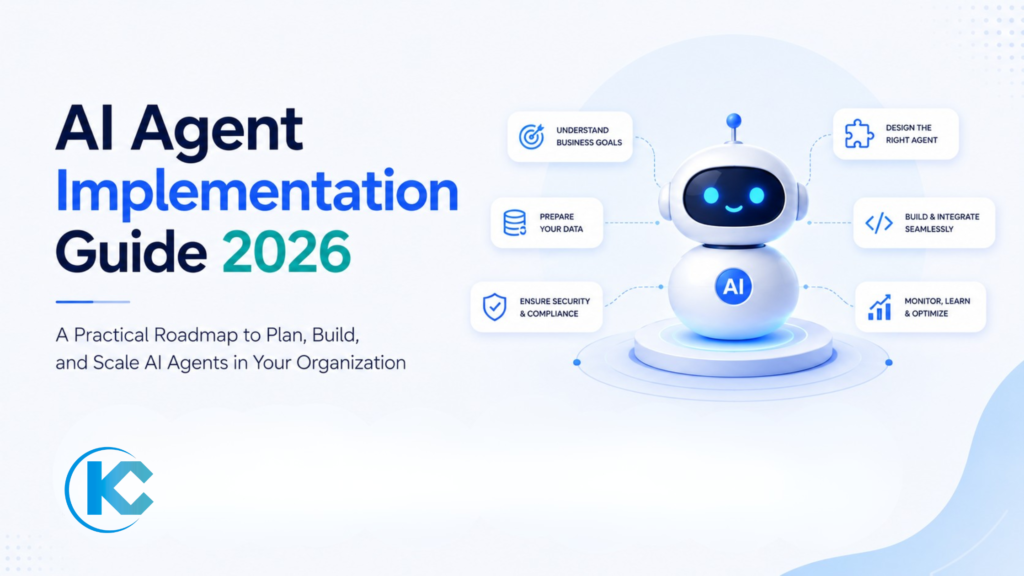
AI agents can automate tasks, make decisions, retrieve information, and execute workflows across your business.
But moving an AI agent from a successful demo to a reliable production system requires more than choosing a model. Use this 15-point checklist to validate your AI agent before going live.
Before an AI agent goes live, validate its use case, success metrics, data, integrations, permissions, security, instructions, guardrails, human escalation, testing, monitoring, cost controls, and rollout plan. Start with a focused use case, test the agent against realistic and failure scenarios, launch with limited exposure, and establish clear ownership before expanding its responsibilities.
Why AI Agent Readiness Matters Before Going Live
An AI agent can appear impressive in a controlled demonstration and still fail when exposed to real users, messy data, unpredictable requests, system outages, or production traffic.
Production readiness is therefore broader than model accuracy. Your agent needs a defined business purpose, reliable information, secure access, tested integrations, predictable behavior, clear escalation rules, monitoring, cost controls, and an accountable owner.
A strong starting point is an AI Readiness Assessment, which can help identify data, architecture, governance, and implementation gaps before they affect a production deployment.
Do not ask only whether the AI agent works. Ask whether it can work safely, consistently, affordably, and measurably in the real environment where it will operate.
Define the Exact AI Agent Use Case
Start with one specific business problem. Avoid broad goals such as “use AI to improve customer service.” Instead, define exactly what the agent will do, who it will serve, what information it needs, and what action it is expected to take.
- What task will the agent perform?
- Who will use or interact with it?
- What inputs will it receive?
- What output or action should it produce?
- What tasks are explicitly outside its scope?
- What business process does it support?
A tightly defined scope reduces unnecessary complexity and makes testing, measurement, security, and governance much easier.
Define Success Metrics and Establish a Baseline
You need to know what success looks like before deployment. Select measurable KPIs that connect the agent to a real business outcome.
Efficiency
Handling time, resolution time, automation rate, or hours saved.
Quality
Accuracy, resolution rate, escalation rate, or response quality.
Business Impact
Revenue, conversion, customer satisfaction, cost reduction, or productivity.
Record the current performance of the process before the agent is deployed. Without a baseline, it becomes difficult to determine whether the AI system actually improved the operation.
Audit the Data the Agent Will Use
AI agents depend on the information available to them. If the knowledge base, CRM, documents, databases, or external systems contain incomplete or outdated information, the agent can produce unreliable results.
- Identify every data source the agent will access.
- Confirm who owns each source.
- Check data freshness and update frequency.
- Identify missing or incomplete fields.
- Remove obsolete information.
- Resolve conflicting information between sources.
- Confirm that the data can legally be used for the intended purpose.
Planning to Deploy an AI Agent?
Get expert guidance on your AI agent use case, data readiness, integrations, security, and implementation roadmap before you go live.
Clean and Structure Critical Data
You do not need perfect data across the entire organization before launching an AI agent. You do need reliable data in the areas that directly influence the agent’s responses and actions.
Remove Duplicates
Identify duplicate customers, products, cases, documents, and other records that could create conflicting context.
Standardize Information
Use consistent field names, formats, categories, terminology, and business definitions.
Prepare Knowledge
Organize documents with clear headings, logical sections, concise content, and useful metadata.
Define Ownership
Assign owners responsible for keeping the information accurate after launch.
Map the AI Agent Workflow End to End
Document what happens from the moment a user submits a request until the agent completes the task, escalates the issue, or returns a response.
User Request → Context Retrieval → Reasoning → Tool / API Action → Validation → Response or Human Handoff
For organizations building more complex autonomous workflows, AI Agent Development Services can support the design of goal-oriented agents and multi-step automation.
Validate Every API and System Integration
Most enterprise AI agents need to interact with other systems. These may include Salesforce, ERP platforms, databases, ticketing systems, payment systems, communication tools, or internal APIs.
| Integration Check | What to Validate |
|---|---|
| Authentication | Tokens, credentials, permissions, and expiration behavior |
| Timeouts | What happens when an external system responds slowly? |
| Rate Limits | Can the integration handle expected production volume? |
| Failures | Does the agent retry, fall back, or escalate appropriately? |
| Data Mapping | Are fields transferred accurately between systems? |
If your agent must connect multiple enterprise platforms, Salesforce Integration Services can help design secure API, data, process, and AI integrations.
Review Identity, Permissions, and Access
An AI agent should never receive broader access simply because broad access makes implementation easier. Apply least-privilege principles to both the agent and the users interacting with it.
- Which users can access the agent?
- Which records can the agent read?
- Which fields can it access?
- Which systems can it call?
- Which records can it create or update?
- Which actions require additional approval?
- What happens when a user lacks permission?
For Salesforce-based AI agents, review permission sets, sharing rules, field-level access, integration users, and the specific actions available to the agent.
Need Help With Your AI Strategy?
Get expert guidance on AI agents, automation, integrations, and production readiness.
AI Strategy • AI Automation • Agentforce
Define Privacy, Security, and Compliance Controls
Before production, document what information the agent processes and where that information travels. This is particularly important when customer, financial, healthcare, employee, or other regulated information is involved.
Data Protection
Review encryption, storage, transmission, retention, and deletion requirements.
Model Providers
Understand how third-party AI providers process, retain, and protect submitted information.
Compliance
Identify regulatory, contractual, industry, and organizational requirements before deployment.
Auditability
Maintain appropriate logs and records so important agent activity can be investigated.
Configure Agent Instructions, Tone, and Boundaries
An AI agent needs more than a model. Its instructions should define how it communicates, how it handles uncertainty, what actions it can perform, and which subjects or behaviors are outside its scope.
Define tone, communication style, brand voice, and audience.
Specify what the agent should do and how it should prioritize tasks.
Define topics, actions, and decisions that the agent must not handle.
Specify when the agent should ask for clarification or escalate.
Build Guardrails and Human Escalation
Not every task should be fully autonomous. The appropriate level of human involvement depends on the risk, complexity, and business impact of the decision.
Low Risk
AI can often complete routine tasks automatically with monitoring.
Medium Risk
Require approval or human review before important actions are completed.
High Risk
Use strict controls, deterministic workflows, and mandatory human oversight.
Your escalation process should also preserve useful context. A human should understand the customer’s request, what the agent attempted, relevant information, and why the handoff occurred without forcing the user to repeat everything.
Define Failure, Fallback, and Recovery Behavior
Production systems will encounter failures. APIs can become unavailable, models can time out, information can be missing, and users can submit unexpected requests.
- The AI model is unavailable.
- A connected API fails.
- The knowledge source cannot be reached.
- The agent cannot confidently answer.
- The requested action cannot be completed.
- The user provides incomplete or contradictory information.
- A downstream system returns an error.
Ready to Build AI That Works?
Talk to Kizzy Consulting about building, scaling, or deploying your AI agents.
Test Happy Paths, Edge Cases, and Adversarial Inputs
Testing only successful scenarios creates false confidence. Your testing program should reproduce the messy conditions the agent will encounter after launch.
| Test Type | Example | Goal |
|---|---|---|
| Happy Path | Standard customer request | Validate normal operation |
| Ambiguous Input | Incomplete or unclear request | Check clarification behavior |
| Contradictory Data | Conflicting information from two sources | Validate source handling |
| Adversarial | Attempts to bypass instructions | Validate security controls |
| Failure Scenario | API or service unavailable | Validate fallback behavior |
| Human Handoff | Agent cannot resolve request | Validate escalation quality |
Set Up Monitoring, Observability, and Cost Controls
Monitoring should exist before the agent enters production. You need visibility into whether the agent is accurate, fast, reliable, secure, and financially sustainable.
Performance
Track response time, latency, completion rate, errors, and escalation volume.
Quality
Review answer accuracy, failed tasks, user feedback, and recurring problem patterns.
Cost
Monitor token usage, API consumption, model costs, infrastructure costs, and cost per task.
Set usage thresholds, alerts, rate limits, and budget controls before traffic increases. Also model what happens if usage is significantly higher than expected.
Run a Controlled Pilot Before Full Deployment
A pilot creates a controlled environment where you can observe real user behavior without exposing the entire organization to unnecessary risk.
Select
Choose a limited team, region, workflow, or customer segment.
Observe
Monitor agent behavior and compare results against your baseline.
Improve
Fix recurring failures, improve instructions, and refine workflows.
Decide
Use predefined go or no-go criteria before expanding deployment.
During the pilot, collect feedback from both end users and the human teams receiving escalations. Their feedback often exposes issues that technical testing misses.
Create the Production Rollout and Governance Plan
Going live is not the end of AI agent implementation. Production deployment should include a clear rollout strategy, ownership model, review process, and continuous improvement loop.
Production Go-Live Checklist
- Named owner: Assign an accountable person or team for the production agent.
- Rollout strategy: Deploy gradually by team, region, workflow, or traffic volume where possible.
- Rollback plan: Define how the agent can be disabled or reverted if serious problems occur.
- Monitoring: Confirm dashboards, alerts, logs, and quality reviews are active.
- Change management: Document who can modify instructions, tools, prompts, workflows, and permissions.
- Feedback loop: Create a process for collecting user feedback and identifying recurring failures.
- Review schedule: Establish regular performance, security, cost, and governance reviews.
For Salesforce organizations, Agentforce Consulting Services can help with AI strategy & advisory, readiness assessment, use-case prioritization, architecture, data foundations, and implementation.
AI Agent Go-Live Readiness Scorecard
Use this simple scorecard before approving production deployment. Every critical area should have an accountable owner and documented evidence of readiness.
| Readiness Area | Ready | Needs Work | Critical Question |
|---|---|---|---|
| Use Case | ☐ | ☐ | Is the agent solving one clearly defined problem? |
| Data | ☐ | ☐ | Is the required information accurate and current? |
| Integrations | ☐ | ☐ | Have all connected systems been tested? |
| Security | ☐ | ☐ | Are permissions and data boundaries correct? |
| Testing | ☐ | ☐ | Have edge cases and failure modes been tested? |
| Governance | ☐ | ☐ | Is someone accountable after launch? |
| Monitoring | ☐ | ☐ | Can you detect quality, security, and cost issues? |
Need Help Preparing Your AI Agent for Production?
Kizzy Consulting helps organizations assess AI readiness, design AI agents, connect enterprise systems, establish data foundations, and prepare AI solutions for production.
AI Integration
Connect agents securely with Salesforce and enterprise systems.
Conclusion
An AI agent is ready for production when it is more than functional. It should be purpose-driven, data-grounded, securely integrated, properly constrained, thoroughly tested, observable, financially controlled, and supported by a clear human and governance model.
The safest implementation strategy is to start narrow, establish measurable outcomes, validate the data and integrations, test realistic failure scenarios, run a controlled pilot, and expand only after the evidence supports broader deployment.
For Salesforce organizations, this foundation becomes especially important when deploying Agentforce or connecting AI agents to CRM data, workflows, external systems, and enterprise processes. Agentforce Consulting can help organizations move from AI experimentation toward governed, production-ready agentic workflows.
Build the Foundation Before You Go Live
A successful AI agent is not defined by what it can do in a demo. It is defined by how reliably, safely, and measurably it performs in the real world.
Frequently Asked Questions About AI Agent Implementation
What is AI agent implementation?
AI agent implementation is the process of designing, building, integrating, testing, securing, and deploying an AI agent for a specific business workflow. It typically involves connecting the agent to business data, APIs, applications, knowledge sources, and the systems it needs to perform its tasks.
What should I check before deploying an AI agent?
Before deployment, validate the use case, success metrics, data quality, integrations, permissions, security controls, agent instructions, guardrails, human escalation, failure handling, testing, monitoring, cost controls, pilot results, and production governance.
Can AI agents connect to Salesforce?
Yes. AI agents can be designed to work with Salesforce data and workflows, depending on the architecture, permissions, integrations, and tools available to the agent. Common use cases include retrieving CRM information, summarizing records, qualifying leads, creating tasks, assisting with cases, and triggering business workflows.
Do AI agents need access to company data?
Most enterprise AI agents need access to some form of business context to perform useful tasks. This may include CRM records, documents, knowledge bases, databases, or APIs. Access should be limited to the information and actions required for the agent’s defined role.
Should every AI agent be fully autonomous?
No. The right level of autonomy depends on the risk and business impact of the workflow. Low-risk repetitive tasks may be suitable for greater automation, while sensitive, financial, legal, destructive, or high-impact actions may require approval or human oversight.
How long does AI agent implementation take?
Implementation time depends on the complexity of the use case, number of integrations, data readiness, security requirements, testing needs, and deployment scope. A focused proof of concept can be significantly simpler than a production enterprise agent connected to multiple systems.
What is the biggest mistake companies make when implementing AI agents?
A common mistake is focusing on the AI model or demo instead of the complete business system. Production agents need reliable data, secure integrations, clear permissions, guardrails, realistic testing, monitoring, human escalation, and measurable business outcomes.
Ready to Put Your AI Agent Into Production?
Get expert support for AI readiness, agent architecture, data preparation, integrations, security, testing, Agentforce, and production deployment.
Prefer email? Reach us at sales@kizzyconsulting.com