Salesforce and Tableau Integration: Turning CRM Data Into Actionable Insights
⏱ 3 min read
Discover how Salesforce and Tableau integration connects CRM data with advanced analytics and interactive dashboards to improve visibility, forecasting, operational efficiency, and data-driven decision-making.
Contents
hide
Salesforce and Tableau Integration: Quick Answer
Salesforce and Tableau integration connects CRM data with Tableau’s business intelligence and visualization capabilities. Salesforce provides customer and business data, while Tableau transforms that information into interactive dashboards, analytics, forecasts, and visual insights that can support faster and more informed business decisions.
Salesforce: The Backbone of Customer Data
Salesforce has become a core CRM platform for organizations managing sales, customer service, marketing, and other customer-facing processes. Its ecosystem allows businesses to capture information across customer touchpoints and use that information to manage relationships and business operations.
However, collecting customer data is only one part of becoming data-driven. Organizations also need effective ways to analyze, visualize, and communicate what that data means.
This is where Tableau can complement Salesforce by turning CRM data into interactive analytics that teams can use to identify trends, monitor performance, and make decisions.
Tableau: Transforming Data Into Insights
Tableau is a business intelligence and data visualization platform designed to help users explore complex datasets through interactive charts, dashboards, reports, and visual analytics.
Its drag-and-drop approach allows business and technical users to create dashboards without having to build every visualization from scratch. When connected with Salesforce, Tableau can provide a visual analytics layer over CRM and business data.
What Tableau Can Add to Salesforce Data
- Interactive dashboards and visual reports
- Trend and performance analysis
- Forecasting and analytical modeling
- Cross-functional business reporting
- Visual exploration of large datasets
- More accessible presentation of complex CRM information
Tableau Pricing:
View Tableau pricing and plans →
Salesforce and Tableau Integration: A Connected Analytics Ecosystem
Salesforce and Tableau integration brings CRM information and business intelligence closer together. Salesforce can act as an important source of customer and operational data, while Tableau provides the analytical and visualization capabilities needed to turn that information into usable insights.
Depending on the architecture and requirements, Salesforce data can be connected to Tableau using native connectors, APIs, data preparation tools, or other integration approaches. The resulting dashboards can help teams monitor KPIs, identify patterns, and analyze business performance.
Connect
Bring relevant Salesforce and external data into the analytics environment.
Prepare
Clean, combine, and structure datasets for analysis.
Visualize
Create dashboards that make business metrics easier to understand.
Act
Use insights to inform business processes, forecasts, and decisions.
Connect Salesforce With the Rest of Your Technology Stack
Analytics becomes more valuable when Salesforce can connect with ERP systems, business applications, legacy platforms, and other data sources. A well-designed integration architecture can help establish a more consistent flow of business information.
Practical Applications of Salesforce and Tableau Integration
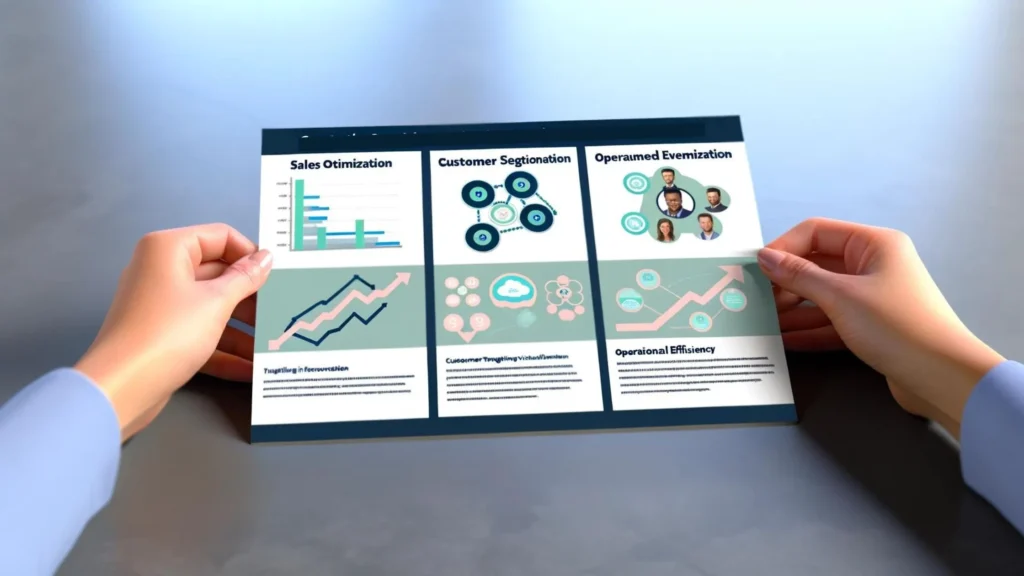
Organizations across industries can use Salesforce and Tableau together for a wide range of analytical and operational use cases.
Sales Optimization
Analyze pipeline, opportunities, sales performance, and historical trends to identify patterns and support more informed sales planning.
Customer Segmentation
Combine customer information and behavioral data to identify meaningful segments and support more targeted engagement strategies.
Operational Analytics
Visualize operational metrics to identify bottlenecks, monitor performance, and find opportunities to improve processes.
Executive Reporting
Give leadership teams a consolidated view of important KPIs, trends, forecasts, and business performance.
Build a Stronger Data Foundation for Analytics
Dashboards are only as reliable as the data behind them. Data governance, quality, unification, and architecture should be addressed before organizations scale analytics across teams.
Implementing Salesforce and Tableau Integration
Although Salesforce and Tableau can provide powerful capabilities together, successful implementation requires more than simply connecting two platforms. Organizations should define the business objectives, data architecture, security model, and adoption strategy before building dashboards at scale.
1. Define Data Governance
Establish clear rules for data ownership, access, quality, privacy, and security so analytics are based on trusted information.
2. Train Users
Help teams understand how to navigate dashboards, interpret metrics, and translate insights into business actions.
3. Start With Key Use Cases
Begin with a small number of high-value analytics use cases and expand the environment as adoption and requirements mature.
4. Iterate and Optimize
Review dashboard usage, performance, data quality, and business requirements continuously instead of treating implementation as a one-time project.
Need Help Designing Your Salesforce Analytics Architecture?
Kizzy Consulting helps organizations design Salesforce architectures, integrations, data foundations, dashboards, and analytics environments aligned with their business requirements.
Key Benefits of Salesforce and Tableau Integration
Unified Data Visibility
Bring CRM and business information into a more comprehensive analytical view.
Faster Decision-Making
Interactive dashboards can make important metrics easier to monitor and understand.
Advanced Analytics
Analyze trends, forecasts, customer behavior, and operational performance.
Improved Efficiency
Reduce reliance on fragmented manual reporting processes and improve access to business insights.
Looking Ahead: Salesforce, Tableau, and Data-Driven Decision-Making
The Salesforce and Tableau relationship goes beyond a basic technical connection. Together, the platforms can form an analytics environment in which CRM information becomes easier to explore, visualize, and apply to business decisions.
As organizations manage increasingly complex customer and operational data, the ability to connect trusted CRM information with analytics can help teams understand current performance, identify trends, and build more informed forecasts.
The most effective implementations begin with clear business questions, reliable data, thoughtful governance, and dashboards designed around how teams actually make decisions.
Frequently Asked Questions About Salesforce and Tableau Integration
What is Salesforce and Tableau integration?
Salesforce and Tableau integration connects Salesforce CRM data with Tableau’s business intelligence and visualization capabilities. It enables organizations to analyze CRM information through interactive dashboards, reports, trends, and other analytical views.
Can Tableau connect directly to Salesforce?
Yes. Tableau provides connectivity options for Salesforce data, allowing organizations to bring CRM information into Tableau for analysis and visualization. The appropriate connection and refresh approach depends on the organization’s architecture, data volume, security requirements, and reporting needs.
What are the benefits of integrating Salesforce with Tableau?
Key benefits can include unified data visibility, interactive dashboards, advanced analytics, improved reporting, sales and operational analysis, forecasting, and better access to business insights across teams.
What is the difference between Tableau and Salesforce CRM Analytics?
Tableau is a broad business intelligence and data visualization platform, while Salesforce CRM Analytics, formerly known as Tableau CRM and Einstein Analytics, is designed for analytics within the Salesforce ecosystem. The right option depends on the organization’s analytics architecture, use cases, and platform requirements.
What Salesforce data can be analyzed in Tableau?
Depending on the Salesforce objects and architecture being used, organizations can analyze information such as leads, accounts, contacts, opportunities, cases, activities, campaign data, and other CRM or business datasets.
How should businesses approach a Salesforce Tableau integration project?
Businesses should begin by defining the decisions and KPIs the analytics environment needs to support. They should then address data quality, governance, security, architecture, integration, dashboard design, user training, and ongoing optimization before expanding to additional use cases.
Ready to Connect Salesforce With Your Analytics Strategy?
Kizzy Consulting helps organizations connect Salesforce, data platforms, analytics, integrations, and AI into scalable enterprise architectures.
Conclusion
Salesforce and Tableau integration can turn CRM data into a more accessible source of business intelligence. Salesforce provides the customer and operational context, while Tableau enables teams to explore that information through interactive analytics and visualizations.
The strongest results come from combining the technology with reliable data, clear governance, defined KPIs, user training, and an iterative implementation approach. When these foundations are in place, Salesforce and Tableau can support more connected reporting, deeper analysis, and better-informed business decisions.
Kizzy Consulting
Kizzy Consulting is a Salesforce consulting and implementation partner helping organizations connect CRM, integrations, data, analytics, automation, and AI.
For a consultation, email [email protected] or visit the Contact Us page.